Automation·terminal·MIT
After
Queue tasks for after the current one, without steering Claude mid-turn.
After is a prompt queue for Claude Code. Type /after <task> while Claude works and the task waits until the current one is done. Anything you type mid-turn normally reaches Claude at once and can change its plan; a queued task reaches it only when its turn comes. A band above the prompt shows what runs now and what comes next.
What it does
/after <task>adds a task at the end and/before <task>puts it first./after #2 <task>and/before #2 <task>place it next to task 2. With Claude idle, the task starts at once.- Each command answers on Enter, even mid-turn, with a card in the transcript that shows the part of the queue it changed: a new, moved, edited or removed task, and the one Claude is on.
- Commands can be plain language. A task that names a queued one lands next to it,
/after remove the tests oneremoves it, and Spanish works too. Text after--is queued as typed. Removing a task that has already started is refused rather than queued as a new task. - The short forms cover the rest:
rm 2-4,mv 3 1,top 3,edit 2 <text>,pause,resume,undo,clear,listandhelp. - Bare
/after, or the band’s edit button, opens the queue for the keyboard: the arrows pick a task, Enter orerewrites it,ddeletes it,kandjmove it,aadds one,ppauses anduundoes. It docks beside the transcript in the fullscreen interface and sits above the prompt otherwise.
Install
Needs Claude Code 2.1.289 or later.
claude plugin marketplace add midudev/better-claude
claude plugin install after@better-claude
Then type /after <task> while Claude works. /config has three options: plain-language commands on or off (smart), the model they use (model, Haiku by default), and where the queue shows (display: the band, one line under the prompt, or nowhere). If you used After 0.1, delete after.md and before.md from ~/.claude/commands, since they would shadow the mod’s commands; After warns at startup while they are there.
After comes from midudev’s better-claude marketplace, alongside seven other plugins such as Sub Meter and Image Preview. The repository’s front page does not list After yet, but the marketplace does.
How it works
Queued tasks stay out of Claude’s context until their turn. /after and /before are commands of the mod that run immediately, not prompts. Each leaves only a short reference to its card in the transcript, and a session.append hook strips the command’s arguments from the record Claude reads. When a turn ends with an answer (turn.complete), the mod takes the next task and submits it as your own message, marked as coming from the plugin. Every queued task is a normal turn and costs what any prompt costs.
Plain-language commands are the only part that asks a model. When the text may refer to something already queued, After sends it to the model in the model option through $.model.complete, the session’s own model client, so there is no API key and no other endpoint. Each call is capped at a 1,024-token reply, low effort and 25 seconds, and counts toward your usage. A plain new task never triggers one. If the model does not answer, After matches locally, and with smart off it only ever matches locally.
There is one queue per session, kept in the mod’s state and in the plugin store, so a resumed session finds its queue and its cards, and /clear keeps it. At startup the mod deletes empty queues older than seven days and cards older than 30. Nothing runs outside Claude Code.
Limitations
- Esc, a refusal or an API error stop the queue until a later turn ends with an answer.
/after pauseholds it on purpose. - With Claude idle, a new task starts right away. To build a queue first, run
/after pause, add the tasks, then/after resume. - The author documents it in the terminal only.
Similar Claude Mods
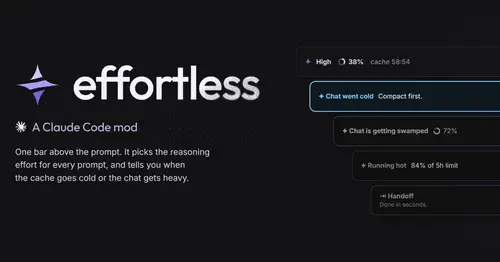
effortless
Picks the effort for every prompt and shows how long the prompt cache stays warm.
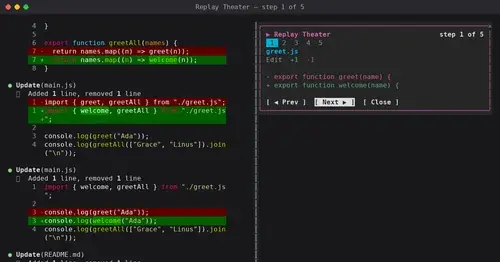
replay-theater
A /replay pane that walks through the last turn's file edits, one diff per step.
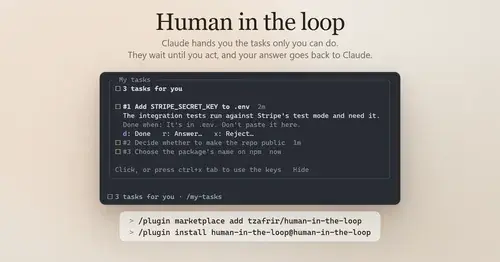
Human in the loop
Claude assigns you what only you can do. Tasks wait in a pane until you answer.

hope
Judges each turn's edits for slop; accept, edit or reject every finding.
Popular Claude Mods
The whole directory →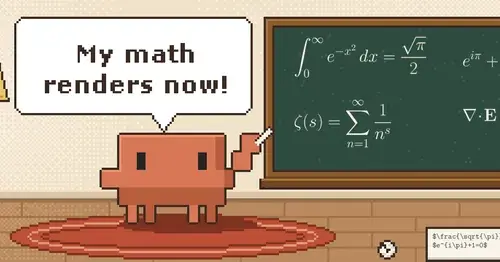
claude-latex
TeX math, TikZ diagrams and LaTeX blocks typeset in Claude's replies, in the desktop app.
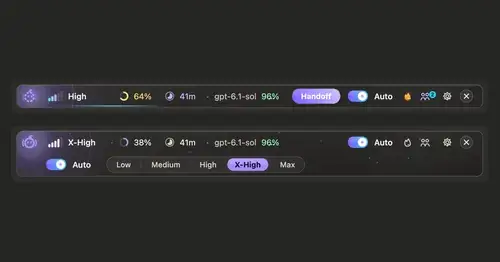
ripple
Effort per prompt, subagents routed to GPT, DeepSeek or Claude, and cache warnings.
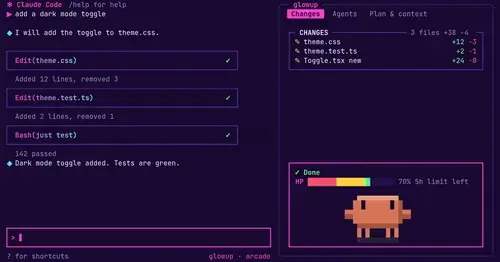
glowup
A live side pane for changes, subagents and context, shareable themes and a pixel pet.
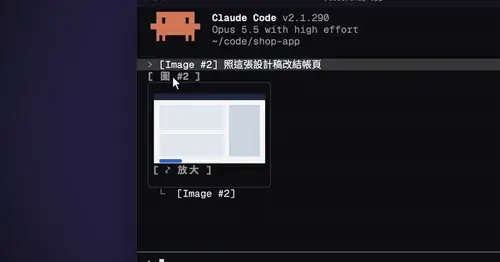
cc-image-view
Thumbnails of pasted images above the prompt and under sent prompts, with a zoom pane.