Automation·terminal · desktop·MIT
Human in the loop
Claude assigns you what only you can do. Tasks wait in a pane until you answer.
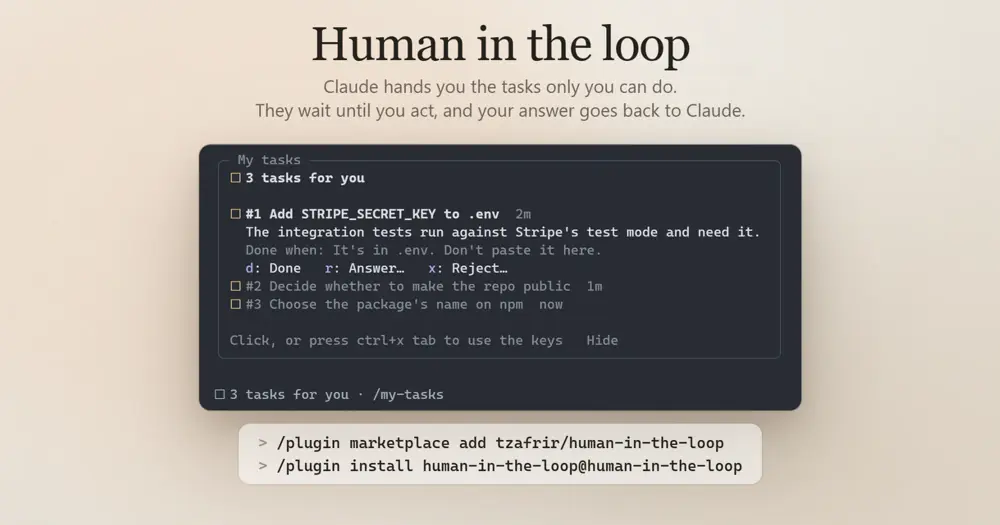
Human in the loop gives Claude a place to put the things only you can do: a key that belongs in .env, an approval on a dashboard it can’t reach, a decision that is yours. Instead of asking mid-reply, where the ask scrolls away, Claude assigns it as a task. The task waits in a My tasks pane, counted under the prompt, until you do it, answer it or reject it, and your response goes back to Claude as a message.
A task doesn’t stop Claude: it keeps working on whatever doesn’t depend on it, and withdraws the task if it finds another way. For what it must know before going on, the tool’s description points Claude to its blocking AskUserQuestion tool instead.
What it does
- Three kinds of task. Each comes with a reason and, optionally, what counts as done. A
dotask you carry out and mark Done withd. Ananswertask wants your words: pressrand type. Achoosetask offers two to four options on keys1to4, plusrfor something else. Any task can be rejected withxand an optional reason. - Pane and status line. The pane opens by itself when a task arrives: a sidebar beside the transcript in fullscreen, a box above the prompt on the main screen. Under the prompt,
☐ 3 tasks for you · /my-taskscounts what is waiting./my-tasksopens the pane with the keyboard in it,ctrl+x tabfocuses it, andEsctakes you back to the prompt. - Answers that don’t interrupt. While Claude is idle, your response goes at once, and responses given in quick succession go as one message. While it works, they are saved and go when its turn ends; if a task is still open then, they wait for that one too, or ride along with your next prompt. Send now (
s) hands them over straight away. - Long answers. For a log or a stack trace, Long answer moves the reply into your prompt box, starting with
↳ Answer to #3:, so you can paste and press Enter. - Tasks that outlast the session. Open tasks survive a compaction,
/clearand a new session in the same project folder, and Claude is reminded of them. With several sessions open in one project, each keeps its own tasks, so an answer reaches the Claude that asked. - Guardrails. Five open tasks at most. The same ask twice, compared without case or punctuation, stays one task. Only the main agent assigns or withdraws tasks; a subagent is told to put what it needs in its result.
- A check for secrets. An answer shaped like a credential (Stripe, Anthropic, AWS, GitHub, Slack or Google keys, private keys, JWTs, or any long token mixing upper case, lower case and digits) is held with a warning. In the pane you can edit it or send it anyway; typed in the prompt box, it isn’t sent at all. A password or a short key that matches none of these shapes goes through as typed.
It never draws in the band above the prompt, so it sits alongside band mods such as the same author’s What’s Agent Doing.
Install
Needs Claude Code 2.1.287 or later.
claude plugin marketplace add tzafrir/human-in-the-loop
claude plugin install human-in-the-loop@human-in-the-loop
Start a new session or run /reload-plugins. There is nothing to set up: Claude assigns tasks when it needs something from you, and /my-tasks opens the pane any time.
How it works
The mod registers three tools for Claude: assign_task, list_tasks and withdraw_task. It serves calls to them itself in tool.call and lets every other tool call through untouched. Through tool.describe it keeps the three in the prompt’s tool list instead of deferring them behind tool search, because their descriptions are what steer Claude to use them.
That has a token cost. Besides the tool definitions, prompt.compose adds three lines to the end of the system prompt telling Claude to assign whatever only you can do as a task, reviews and approvals included, even when it also asks in its reply. It skips this in print (claude -p) and bare sessions. prompt.context adds a short list of open tasks and unsent responses whenever there are any, which is how Claude knows about them at a conversation’s start and after a compaction.
prompt.submit reads your prompts for two things only: a prompt starting ↳ Answer to #N: becomes the answer to that task, and responses Claude hasn’t heard yet are attached to your next prompt as a note. What reaches Claude is each task’s number and title and what you did with it, in your own words, nothing else from your machine. If your answer lands during Claude’s final reply, the mod submits one fixed line pointing Claude to it.
Tasks live in the session’s state and in Claude Code’s plugin store, a JSON file under your Claude Code configuration directory, keyed by project folder. When a session ends, or goes quiet for three minutes, the next session in that folder takes its open tasks on. The mod makes no network calls and touches no files of yours. Your responses, like anything you type, stay in the session transcript on disk.
Limitations
- The author names no minimum or tested Claude Code version, and the events it relies on can change between Claude Code versions.
- A pane the mod opens unasked waits where the terminal is too narrow to seat it: you get a toast pointing to
/my-tasksinstead.
Similar Claude Mods
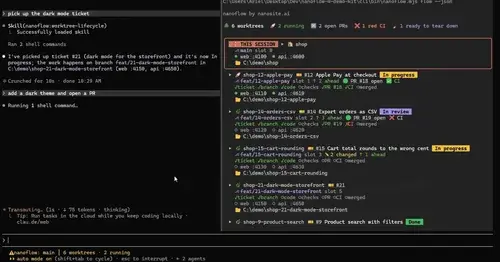
nanoflow
Every worktree with its ticket, ports, PR and CI in a pane, plus a progress status line.
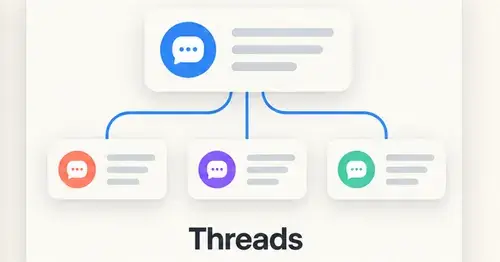
threads
Spin up Claude sessions on other models, watch them in a pane, get their answers back.

loop-detective
Opens a case when the same Bash command keeps failing the same way, with the evidence.
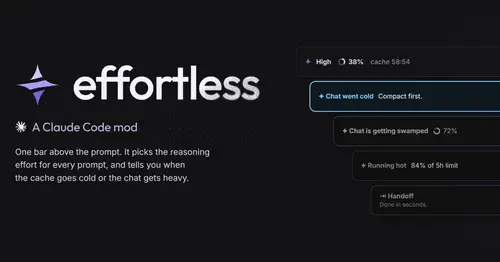
effortless
Picks the effort for every prompt and shows how long the prompt cache stays warm.
Popular Claude Mods
The whole directory →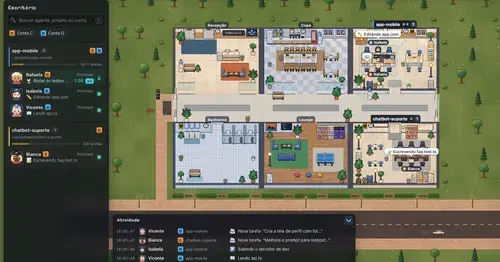
Habblaud
A pixel-art office where each Claude Code agent shows, live, what it is doing.
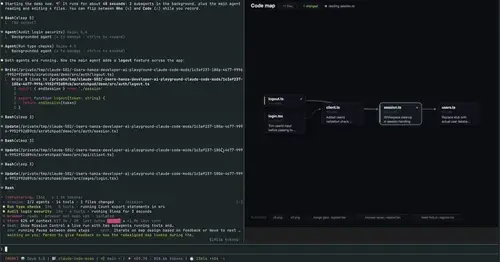
mission-control
Main agent, subagents and every tool call in a pane, plus a map of the files they touch.
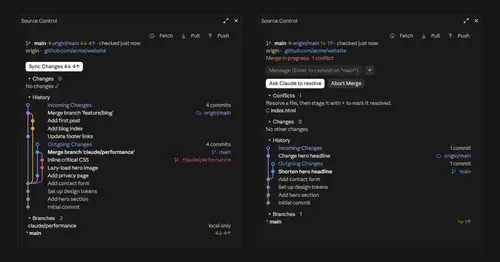
source-control
Git status above the prompt and a VS Code-style panel to commit, sync and resolve.
harness-mods
Model routing, secret redaction, read cache and subagent accounting, per-guard modes.