Automation·terminal · desktop·MIT
nanoflow
Every worktree with its ticket, ports, PR and CI in a pane, plus a progress status line.
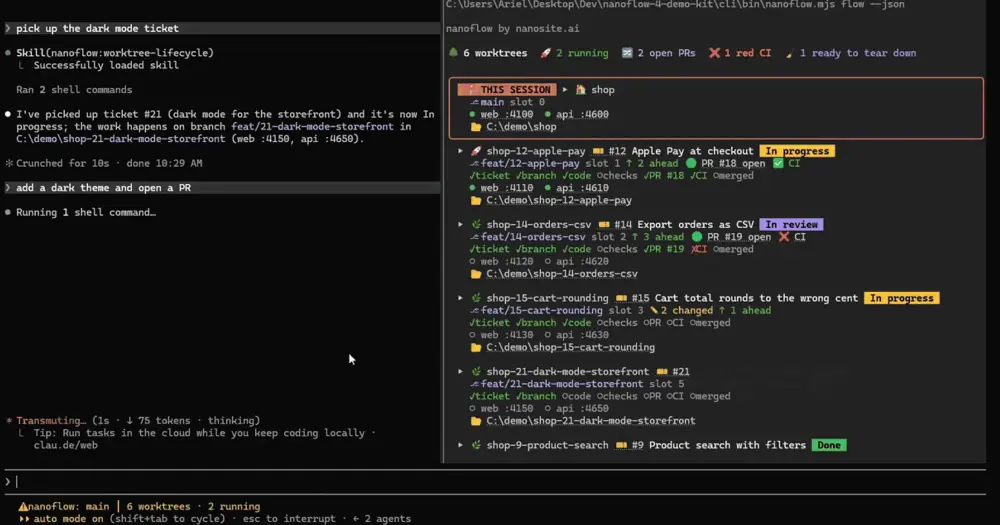
nanoflow keeps track of the Claude Code tasks you run in parallel, one git worktree each. A pane lists every worktree with its ticket, branch, ports, pull request and CI state, a status line shows how far the current task has got, and toasts announce the moments that matter, from a PR going red to a worktree ready to tear down. Everything comes from git and the GitHub CLI on your machine: there is no nanosite.ai account or server involved.
What it does
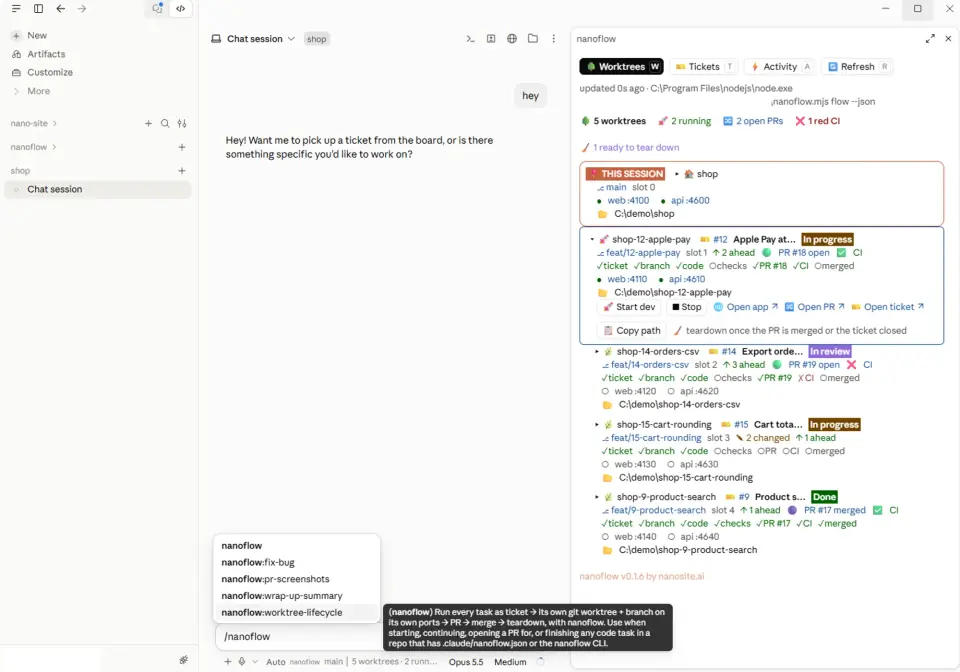
- The pane. Three tabs: Worktrees, Tickets and Activity. Each worktree card shows its branch, slot, uncommitted changes, commits ahead of main, the PR and its CI, each service’s port with a dot for whether it answers, and the folder. The worktree this session works in gets a frame and a badge, even when the session started in the main checkout and moved into a worktree later.
- Worktree buttons. Pick up its ticket while it is not yet under way (Claude is asked to move it to In progress and plan the work), open the app, the PR or the ticket, copy the path, and Teardown once the PR is merged or closed or the ticket closed, after a confirmation. Start dev and Stop appear when your config defines them.
- Session button. On another worktree’s card it brings up that worktree’s Claude session: in Windows Terminal it switches to the tab titled with its branch or resumes its last session in a new tab. Elsewhere it copies
cd "<path>" && claude. - Tickets tab. The repo’s open GitHub issues, narrowed to the Ready, In progress and In review columns if you set a Projects board. Start one (Claude is asked to create a worktree and branch and outline a plan), jump to the worktree already on it, or create a new issue.
- Activity tab. The last 50 events, with links. A command run from a button keeps up to 200 lines of output to read or copy.
- Status line. In a worktree: the ticket and its title, then seven stages (ticket, branch, code, checks, PR, CI, merged), each marked done, in progress, failed or pending, then the worktree count, how many have a service up, the check running and the skill in use.
- Toasts. A worktree created or removed, a service up or down, a PR opened, merged or closed, CI green or red, a ticket closed, and the result of the tests, typechecks, lints, pushes and
gh pr createcalls Claude runs. A check that goes from failing to passing gets a toast of its own, and a merge brings a suggestion to tear the worktree down. Playwright MCP sessions are logged too: browser opened, screenshot saved, browser closed. Thetoastsoption takesall,importantoroff. - Skills. Four ship with the plugin and call the nanoflow CLI:
worktree-lifecycle(ticket, worktree, PR, CI, then teardown with your approval),fix-bug(a failing test before the fix),pr-screenshots(before and after shots from a real browser through Playwright MCP, attached to the PR) andwrap-up-summary(a status footer at the end of a task).
The author shows the pane in the Claude desktop app as well, and the mod opens it when the app joins the session.
Install
Needs Claude Code 2.1.287 or later, git and the GitHub CLI signed in (gh auth login; add -s project to read a Projects board).
claude plugin marketplace add nanosite-ai/nanoflow
claude plugin install nanoflow@nanoflow
The author recommends a user-scope install, so the pane opens in every repo; a project-scoped install loads only in the repo you installed it from. The pane opens by itself when a session starts (the openPaneOnStart option turns that off), or run /nanoflow, with tickets, activity, refresh or status after it.
In a repo, /nanoflow init writes a starter .claude/nanoflow.json with your main branch and one placeholder service on port 3000. List your real services there, each with a base port and a step, and commit the file so the team shares it. A worktree in slot N gets base + N × step: a web server on 5173 in the main checkout runs on 5183 in slot 1 and 5193 in slot 2.
The CLI is optional, and the pane works without it:
npm install -g @nanosite/nanoflowIt installs nanoflow and the short nf. nf task start 712 moves issue 712 to In progress, creates a worktree on the next free slot, copies your gitignored files such as .env into it with the slot’s ports written in, and comments on the issue, in one call. nf doctor checks git, the gh login, the config and the board.
How it works
The mod has no server of its own and holds no token. It runs your git and gh, and the only HTTP requests it makes go to your own services on localhost (or the host you set in the config).
- Scans. Every 15 seconds it runs
git worktree list,git statusandgit rev-listin each worktree, reads each worktree’s slot from its.worktree.json, and requests each service’s port (1.5-second timeout; any answer counts as up). Every five minutes, and after commands such asgit pushorgh pr create, it adds onegh api graphqlquery for the repo behind youroriginremote: each worktree’s issue and board column, the latest PR for each branch with its check runs, and up to 100 open issues. It runs as whatever account gh is signed in as. One query per five minutes keeps it inside the GitHub API budget that every gh tool on the machine shares, so a PR or CI change can take that long to show. Both intervals can be changed in the config, down to 5 and 60 seconds. - Config. It reads
.claude/nanoflow.jsonfrom the current checkout or the main one, or~/.claude/nanoflow/<repo>.jsonif you would rather not commit it. Aprovidercommand there, such asnanoflow flow --json, replaces the built-in scanner and runs on every scan without asking (60-second timeout, with git and gh as the fallback), so read that file in a repo you did not write. - Jira. With
ticket.trackerset tojira, the plugin only reads the ticket key from the branch name and links it through your URL template. Titles, columns and moves go through the CLI and Atlassian’sacli. PRs and CI always come from GitHub. - Tool calls. It reads the command of every Bash call Claude makes and matches it against built-in patterns (test runners,
tsc,eslint,playwright test,git push,gh pr create,nfsubcommands) and your config’s rules, for the toasts and the checks stage. From every tool call it reads file paths and commands to tell which worktree the session is working in, and from Playwright MCP calls the URL and screenshot name. It never blocks or changes a call. - What it runs. Buttons run commands directly, without a shell: Teardown runs
git worktree remove <path>from the main checkout after asking, creating a ticket runsgh issue create, and anyrunaction in your config runs as written, with a 10-minute timeout. On Windows the session button runs a PowerShell script shipped with the plugin, with-ExecutionPolicy Bypass, to find or open the Windows Terminal tab. - What it writes. Only
/nanoflow initwrites a file,.claude/nanoflow.jsonat the repo root, and only if there is none. The snapshot, the activity log and the check results stay in the mod’s state. - Tokens. Scans, the pane, the status line and the toasts never call the model. Pick up and Start send Claude a prompt as if you had typed it, which spends your usage like any prompt, and so does a
promptaction in your config. The skills take context when Claude loads them.
Limitations
- The pane docks from 144 columns. When it cannot be shown,
/nanoflowsays why. - The ticket comes from the branch name: by default a number followed by a hyphen, at the start or after a slash, as in
feat/712-site-offline. Other naming needs aticket.branchPattern. - Ports show only for services listed in the config, and only in the main checkout or in worktrees with a slot file, which the CLI writes. A worktree made by hand shows no ports.
- Toasts for tests and checks cover the commands Claude runs, not the ones you run in another terminal.
- Worktrees share the main checkout’s database through the copied
.envunless you point one elsewhere. Per-worktree databases and Linear tickets are on the author’s roadmap.
Similar Claude Mods

verification-ledger
Pass, fail or stale for tests, lint and build, plus GitHub Actions for the current commit.
Sidequest
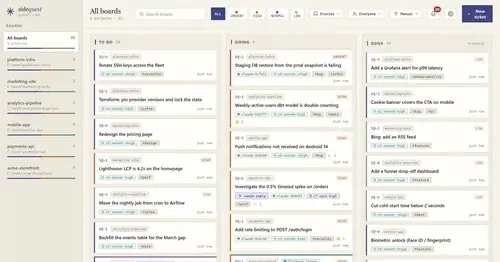
A local Kanban board of tickets that survive compaction, plus verified parallel work.
cc-pr-tracker
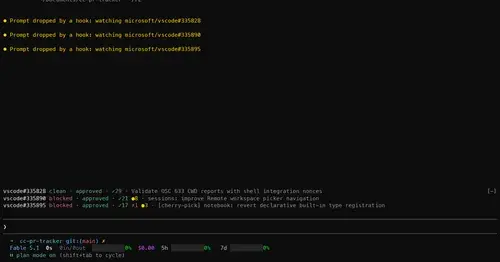
Merge state, review and checks of your PRs on one line above the prompt, with alerts.

hope
Judges each turn's edits for slop; accept, edit or reject every finding.
Popular Claude Mods
The whole directory →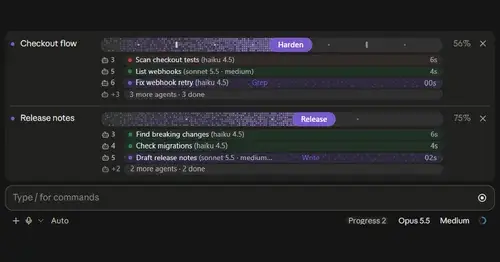
plan-progress
Claude's plan as live progress bars above the prompt, with subagents under each task.
codex-computer-use
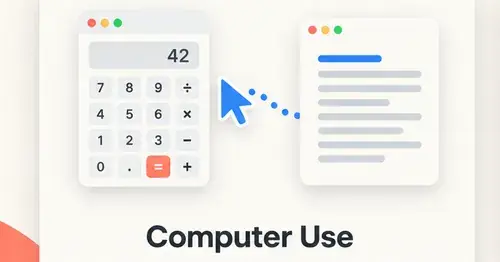
Claude's computer use on Codex's engine: one session per chat, per-app approval.
RemCTL
Today's Apple Reminders above the prompt, plus tools for Claude to manage them.
collision-guard
Asks before Claude edits a file another open chat just changed.