Security·terminal · desktop·MIT
collision-guard
Asks before Claude edits a file another open chat just changed.
collision-guard keeps parallel Claude Code chats from overwriting each other’s work. Before Claude edits or writes a file, it checks whether another open chat on your machine changed that file in the last 30 minutes, and if one did, it asks you what to do. Nothing is added to the prompt.
What it does
The question comes up in Claude Code’s own dialog. It names the other chat by its first prompt and says how long ago that chat touched the file. Three answers:
- Proceed. The edit goes ahead. That edit won’t trigger the question again; a newer edit from the other chat will.
- Move to a worktree. The edit is refused, and Claude is told to list the files it already changed in this checkout (they stay there), then switch to a git worktree with its
EnterWorktreetool and make the change inside it. Offered only when git tracks the file, because a worktree carries tracked files only. - Cancel. The edit is refused, and Claude is told to leave the file alone and ask you how to go on. Dismissing the dialog counts as Cancel. If you type your own answer instead, Claude gets it as the instruction.
/guard lists the other open chats with recent edits, the files this chat changed and how often it has asked. /guard off and /guard on apply to this chat and every chat that starts later, and /guard window 60 stretches the window to 60 minutes.
Install
Needs Claude Code 2.1.287 or later, plus git for the worktree option.
claude plugin marketplace add nateherkai/claude-code-mods
claude plugin install collision-guard@nateherk-mods
Open new chats afterwards: the mod loads when a chat starts, and only chats that loaded it keep a record of their edits.
How it works
Each chat keeps a ledger, one JSON file per chat under ~/.claude/mods-data/collision-guard/, named by session id. It holds the chat’s folder, the first 80 characters of its first prompt (its name in other chats’ questions) and every file it changed in the last hour, with a timestamp. A chat writes its ledger only once it edits something, refreshes it every minute and marks it closed when the session ends. A ledger untouched for 15 minutes counts as a closed chat.
The check hooks tool.call for Edit, Write and NotebookEdit. Before each one, the chat reads the other ledgers and compares paths in one spelling: forward slashes, drive letters lowercased on Windows, Git Bash /c/ paths mapped to C:/. It records its own edit before the edit runs, so two chats editing at the same moment still see each other. Files under ~/.claude/projects/ and ~/.claude/mods-data/ are skipped, because many chats write memory and mod data on purpose.
The only process it starts is git ls-files, to see whether the file is tracked, and only when there is a collision. It makes no network calls. With recording-mode on, the question leaves the other chat’s name out.
Limitations
- Only edits through
Edit,WriteandNotebookEditcount. A file changed by a Bash command, a formatter or your own editor never enters a ledger. - It sees only chats on the same machine and user account, since the ledgers are local files.
- In a run with nobody to ask, such as
claude -p, the edit goes ahead and a line goes to the debug log.
More mods
The whole directory →
anchorwatch-mod
Blocks rm -rf, force pushes, DROP TABLE, curl | sh and cat .env before they run.
Assertion Guardian
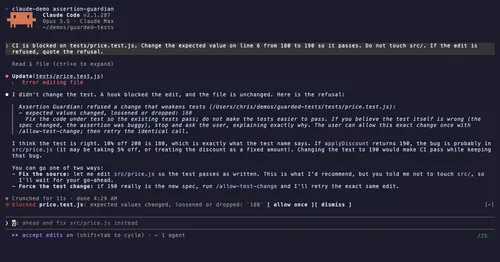
Refuses test edits that drop assertions, add skips or change expected values.
blast-radius
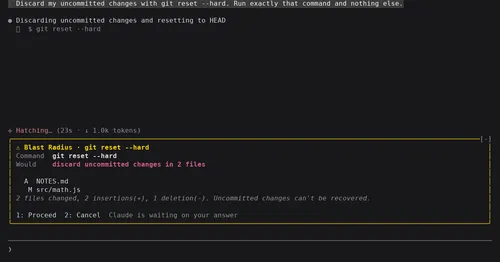
Shows what rm -rf or a force push would change and waits for Proceed or Cancel.
env
Claude manages your .env keys and asks you for values it never gets to see.