Interface·terminal · desktop·MIT
source-control
Git status above the prompt and a VS Code-style panel to commit, sync and resolve.
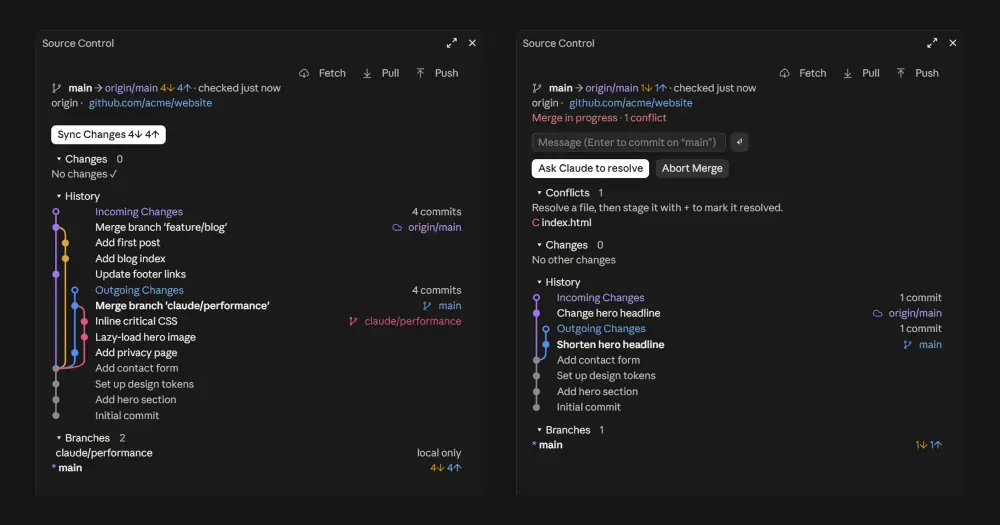
source-control brings VS Code’s Source Control view into Claude Code. A band above the prompt shows the branch, how many commits wait to be pulled or pushed and how many files changed. A panel beside the chat lets you stage, commit, sync, read the history graph and work through merge conflicts. It is built for one repository worked on from several machines: you see there is something to pull before the copies drift apart. It runs in the terminal and in the desktop app.

What it does
- The band shows the branch,
↓for commits on the remote that are not here yet,↑for local commits not pushed, the number of changed files and how long ago the remote was last checked. The age turns yellow after 12 hours, or readsofflinewhen the last fetch failed. - One main button does what is due now, as VS Code’s does:
Syncwhen you are behind or ahead (pull, then push),Publishfor a branch without upstream,Commit…when there are only local changes, andResolve…orFinish…during a conflict or an unfinished merge or rebase. The last three open the panel instead of acting.◨opens and closes the panel. - The panel docks on the right, or sits above the prompt in a narrow terminal. It has Fetch, Pull and Push, a message field where Enter commits, and the changes with
+and−per file or for all of them. The history shows the last 12 commits, incoming ones in purple, outgoing ones in blue, with merges on lanes of their own; the terminal draws it with glyphs, likegit log --graph. Folding sections list branches with their counts (local only,deleted on remote), worktrees with their changed files, Claude’s included, and stashes. - Commit with nothing staged commits every change, as VS Code’s smart commit does. That includes untracked files.
- Conflicts get a section of their own. Fix a file and stage it with
+, press Ask Claude to resolve, or abort. If a pull stops because it would overwrite local changes, the panel offers Pull with autostash.
Install
Needs Claude Code 2.1.287 or later and git.
claude plugin marketplace add manuel-will/cc-source-control
claude plugin install source-control@cc-source-control --scope user
--scope user turns the mod on in every project; when the desktop app asks where to install, the author says to pick user. The note that four userConfig options are not set yet is harmless: the defaults apply. Version 0.7.1 is current.
Open a session in a Git repository and the band is there. /git opens the panel with the cursor in the message field, /git status prints a summary, /git sync, pull, push, fetch and publish run that action, and /git commit <message> commits. In the terminal, ctrl+x tab moves focus into the band, Tab steps between its buttons, Esc returns to the prompt and ctrl+x x closes the panel. If /git is missing in some project, the repository’s scripts/diagnose.sh names the reason, such as "disableAllHooks": true in that project’s settings.
/config holds four options: the background fetch interval (10 minutes, 0 turns it off), the local status poll (30 seconds), when the last fetch counts as stale (12 hours) and the language (auto, en or de).
How it works
Everything goes through git, run in the session’s folder with a timeout and with terminal prompts turned off. The mod has no network code of its own and asks the model nothing, so it costs zero tokens until you press Ask Claude to resolve.
What it reads. git status --porcelain=v2 every 30 seconds, plus a check every 2 seconds of the modification times of the files git touches on each commit, checkout, stage and fetch, so a commit made in another terminal shows within seconds. The mod also rereads 400 ms after each Bash, PowerShell, Edit, Write or NotebookEdit call by Claude and at the end of each turn; the tool.call hook only schedules that refresh and does not look at the command. While the panel is open it also reads the log, branches, stashes, the remote’s address and the status of up to eight worktrees. Every read carries --no-optional-locks, so it never takes the index lock from a git you or Claude are running. User names and tokens are stripped from remote URLs before they are shown.
What touches the network. git fetch --prune on your remote, when the session opens and every 10 minutes after. It runs quietly: no credential window, and SSH in batch mode unless you set your own SSH command. If it fails, the band says offline and the mod waits up to five minutes before the next try. Several sessions on one repository do not fetch twice, because the mod reads the age of FETCH_HEAD. Pull, push, sync and publish reach the remote only when you press them.
What it writes. Only when you press a button or run /git with a verb. There is no confirmation step: the press is the confirmation.
| Action | Git command |
|---|---|
| Stage, unstage | git add -A -- <path>, git restore --staged -- <path> |
| Commit | git commit -m <message>, after git add -A when nothing is staged |
| Pull | git pull --no-rebase unless you set pull.rebase; --autostash when you ask for it |
| Push, publish | git push, git push -u <remote> HEAD |
| Sync | pull, then push |
| Finish | git commit --no-edit after a merge, --continue after a rebase, cherry-pick or revert |
| Abort | --abort on the merge, rebase, cherry-pick or revert in progress |
There is no force push, no hard reset and nothing that discards changes, except Abort: it puts the repository back where it was before the merge or rebase, which drops any resolution you had made so far, and it runs on one click.
Ask Claude to resolve submits a prompt in your name. It lists the conflicted files and asks Claude to resolve them, keeping both sides where that fits, remove the conflict markers, stage the files, finish with git commit --no-edit or --continue, and ask you when a decision is unclear. That is an ordinary turn: it costs tokens, and Claude’s edits and git commands go through your usual permission settings.
Claude Code runs a mod’s git with repository hooks turned off, so Husky or lefthook do not run on a commit or push from the panel. The panel says so when the repository has hooks; if you need them, let Claude commit. Outside the author’s playground repositories, the mod writes no files of its own.
Limitations
- English and German only. Any other language setting gets English.
- Nothing can draw in the desktop app’s left project sidebar; the band and the panel take its place.
- The background fetch never asks for a password. If sign-in fails, run
git fetchonce in a terminal so your credentials are stored. - The history lists five incoming commits and counts the rest, and the graph draws at most six lanes.
Similar Claude Mods
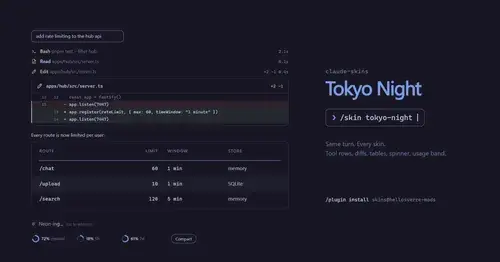
claude-skins
Fifteen transcript skins: timed tool rows, diff, table and chart cards, a usage band.
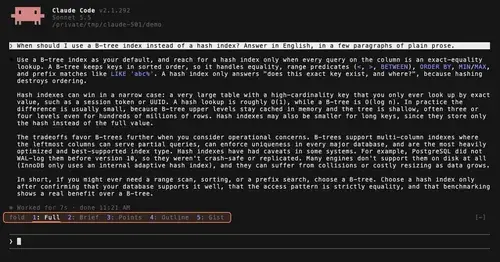
TextFold
Every reply at five levels, from every word to the answer in one sentence. One key each.

next-steps
Up to six suggested next steps after each reply. Tick some and Haiku writes the prompt.
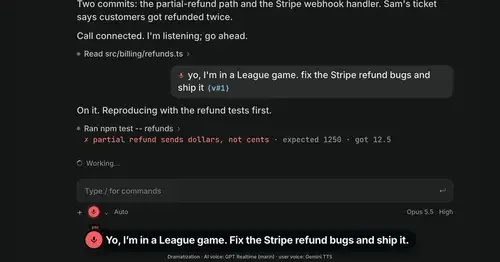
Better Call GPT
A Call button above the prompt: talk to Claude Code by voice while it works.
Popular Claude Mods
The whole directory →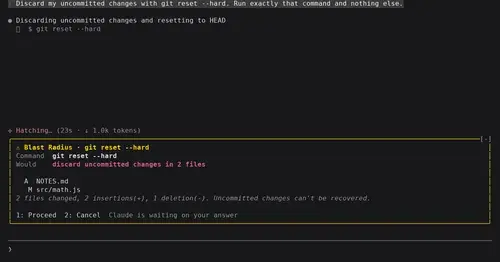
blast-radius
Shows what rm -rf or a force push would change and waits for Proceed or Cancel.
RemCTL
Today's Apple Reminders above the prompt, plus tools for Claude to manage them.
pin-memo
Notes and clickable todos pinned above the prompt, back when you resume the session.
shunt
Shared account pool headroom and reset times from the shunt gateway, at zero token cost.