Interface·terminal · desktop·MIT
Better Call GPT
A Call button above the prompt: talk to Claude Code by voice while it works.
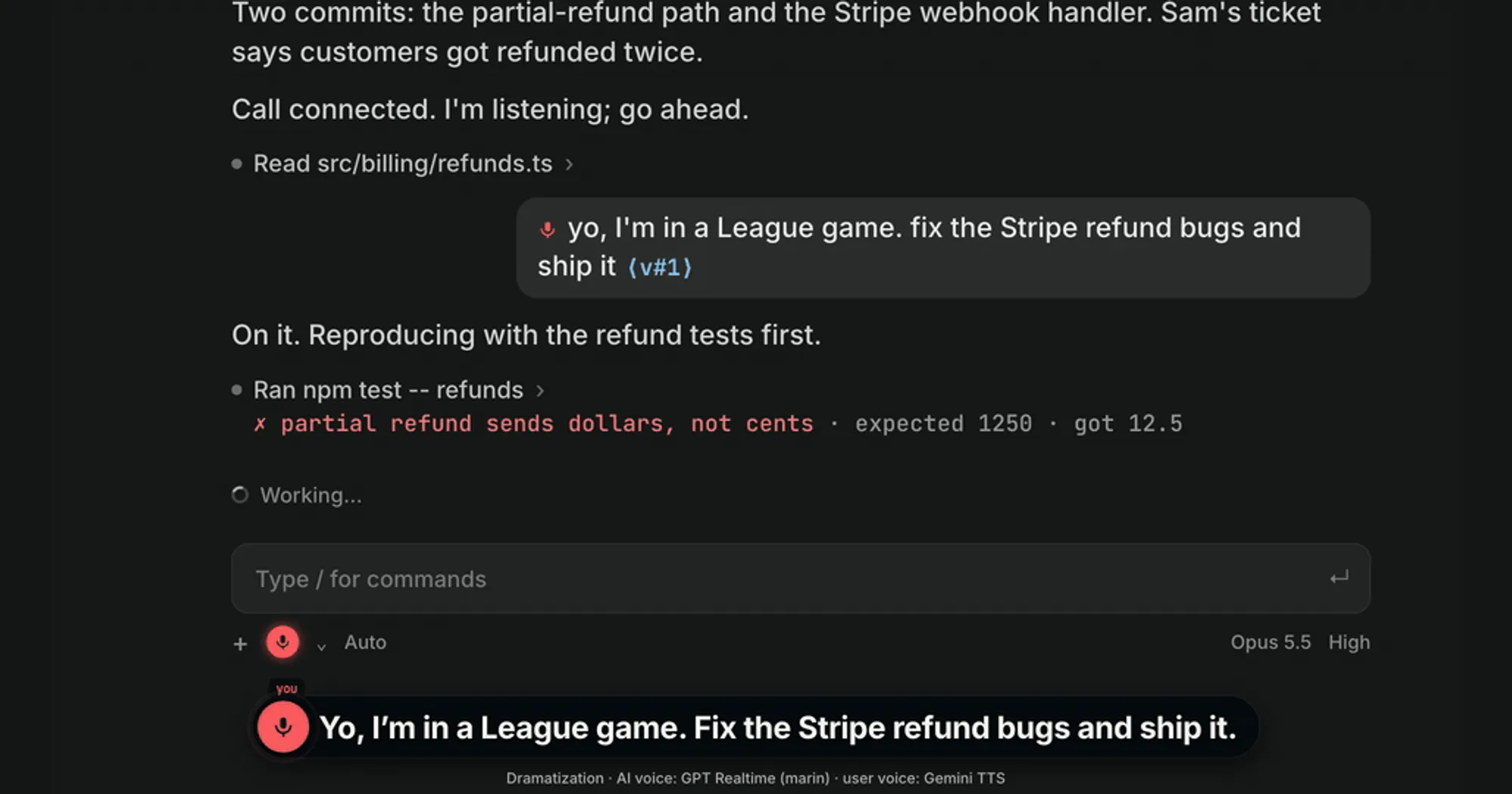
Better Call GPT puts your Claude Code session on a voice call. You talk while Claude works. A GPT Realtime voice handles the chat itself, passes real requests to Claude as if you had typed them, and reads the results back to you. It runs on macOS, and the voice service bills your own Azure or OpenAI account.
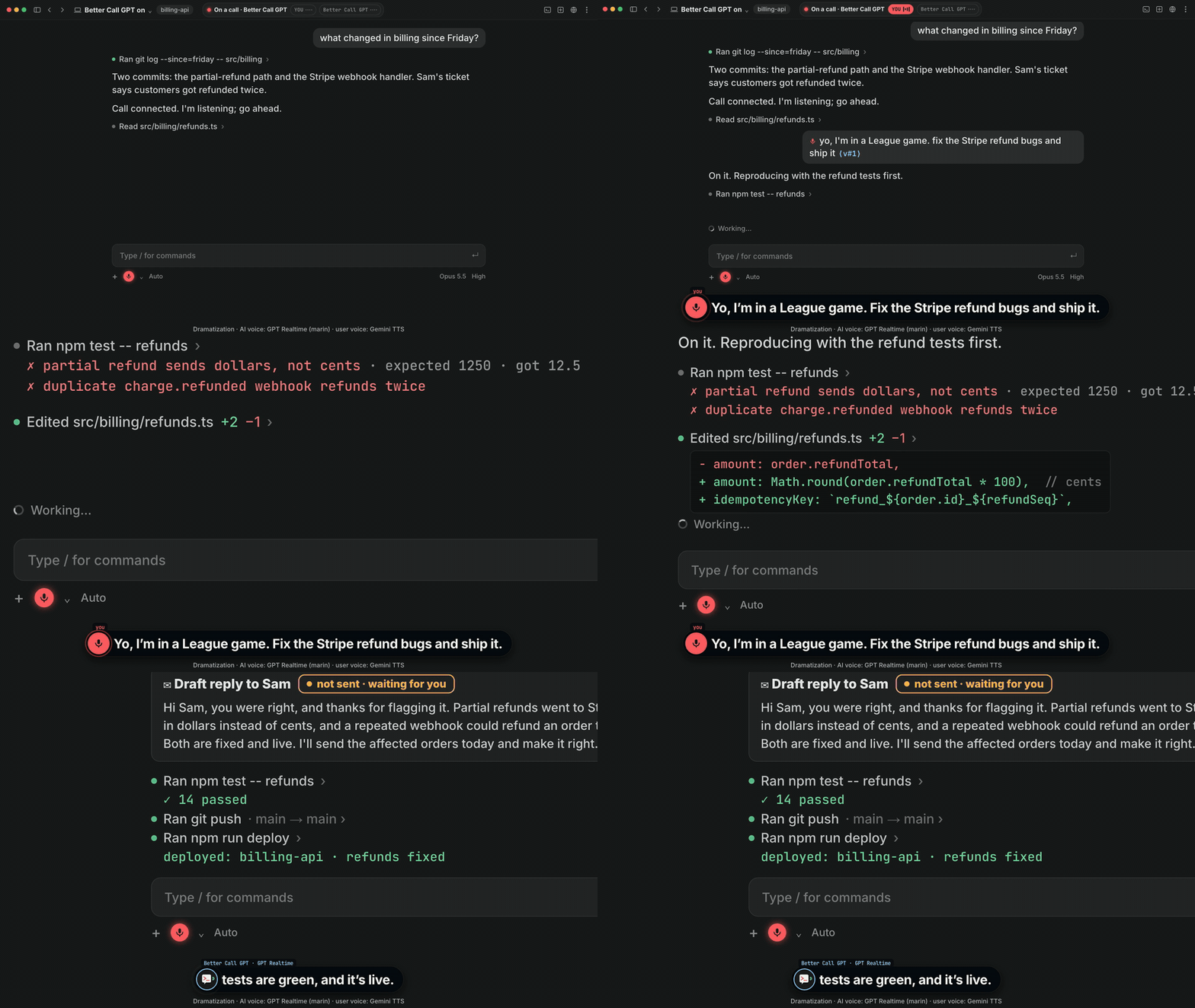
What it does
- One row above the prompt. With no call, it holds a
Callbutton. During a call it shows aLIVEpill, the last 60 characters you said that have not reached Claude yet (credentials masked), how many spoken messages wait in Claude’s queue, andSteerandHang upbuttons. Hotkeysc,sandh. - Full duplex, any language. You can interrupt the voice at any time. It opens in Chinese, then answers in whatever language you last spoke; English tech terms do not make it switch.
- Spoken work reaches Claude as your words, tagged
⟨v#1⟩,⟨v#2⟩and so on. Ask how it is going mid-task and the voice reports progress. Steersends what you just said now and ends Claude’s running turn, so your words are read next. Nothing is sent twice. On the default voice each request is handed over as soon as you finish it, andSteerbrings a queued one forward.- Your voice cannot approve anything. Permission prompts stay on your keyboard. The voice only tells you what Claude is asking for.
- The call ends when you say so, press
Hang up, run/clear, close the session or stay quiet for 10 minutes. /call,/steerand/hangupdo the same as the buttons./call-iconspicks the symbols on them:keys(the default),nerdfor a Nerd Font,emojiornone.
Install
Needs Claude Code 2.1.287 or later, plus macOS, uv, a microphone and a key for the voice service.
claude plugin marketplace add insta-fusion/bettercallgpt
claude plugin install bettercallgpt@bettercallgpt
Then put your key in ~/.config/bettercallgpt/.env, using the repo’s .env.example as the template. The default voice is GPT Realtime (gpt-realtime-2.1) through Azure Voice Live, which takes AZURE_OPENAI_ENDPOINT and AZURE_OPENAI_API_KEY. It cancels its own echo on the server, so open speakers are fine. The alternative is the Azure GPT-Live API (gpt-live-1): set VOICE_LIVE_PROVIDER=gpt_live plus its own endpoint and key, and use headphones. The OpenAI Realtime API is experimental and also wants headphones.
The README also offers a guided setup: npx skills add insta-fusion/bettercallgpt -g, then ask your agent to “set up bettercallgpt”. It installs the plugin, creates an empty key file and runs a readiness check. Either way, you paste the key into the file yourself, never into the chat.
Open a new session, send Claude one message, then press Call. A rising tone means you are live. The plugin’s /bettercallgpt:on, :status and :off commands also work, but :on asks for your approval first, and the author asks you not to allow-list it.
How it works
Two pieces run on your Mac. The mod is the call console: the row above the prompt and a few hooks. The voice is a separate Python process that your Call press starts as a child of Claude Code, with no model turn and no permission prompt. That process accepts this kind of start only from Claude Code itself, so a script run by a tool call cannot pass for your press. It binds to the session that started it and refuses any other. With no bettercallgpt command installed, Call runs the pinned v0.2.1 release from GitHub through uvx, so the first call downloads it.
What leaves your machine. Your microphone audio goes to the voice provider you configured, along with what the voice needs to talk about the work: your prompts, Claude’s progress and results, and a one-line summary of each permission request (the tool’s name and the Bash command, file path or MCP tool). The voice model decides what is chat and what is work, and only work reaches Claude. The hooks module itself makes no network request.
What it costs. The plugin is free and MIT. The voice service bills your own account for as long as the call is open, which ends at the latest after 10 minutes of silence. The README gives no figures, so check your provider’s realtime pricing. Claude spends tokens only on the requests the voice hands over, as if you had typed them.
What it touches. Spoken requests arrive as ordinary prompts and go through your normal permission settings: whatever Claude may do without asking, it may also do on a spoken request. The prompt.submit hook only checks whether a submitted prompt is a spoken one, to clear a pending Steer; it changes nothing. The classic.PermissionRequest hook only observes: during a call it writes permission.json with the tool’s name and the one-line summary (left out above 2,000 characters), then passes the request on untouched. Steer is the one action that changes Claude’s flow: it aborts the running turn when a spoken message waits behind it.
What it stores. The voice process keeps its state in ~/.local/state/bettercallgpt/<session id>/ (mode 0700; VOICE_LISTEN_STATE_DIR or XDG_STATE_HOME move it). Its status.json there feeds the row, which reads it every 2 seconds, twice a second during a call. The call ledger stays local with mode 0600. Your keys stay in ~/.config/bettercallgpt/.env, and the icon choice in the plugin’s store.
Limitations
- macOS only: the check that ties the voice to its session works only there. Linux, Windows and Cowork are not supported.
Callfails until the session has one message from you.- The author has run it in the terminal and in the Claude desktop app’s Code tab.
- The voice may announce a permission request that another hook or Claude Code then settles without a dialog, and it does not cover sandbox network prompts.
- If the voice cuts itself off mid-sentence on speakers, put on headphones or switch back to Voice Live.
More mods
The whole directory →
cc-changelog
The unofficial Claude Code changelog in a pane, plus fifteen tools the model can call.
cc-crayon
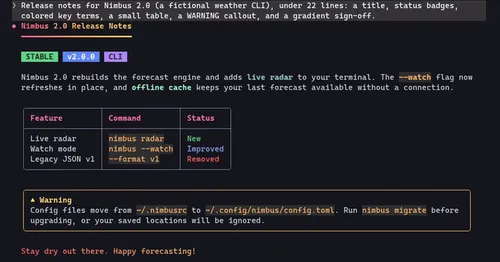
Every reply redrawn in color: themed Markdown plus inline tags the model can write.
cc-image-view
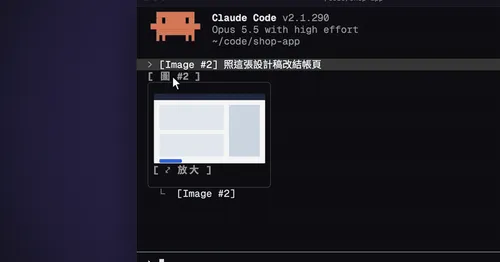
Thumbnails of pasted images above the prompt and under sent prompts, with a zoom pane.
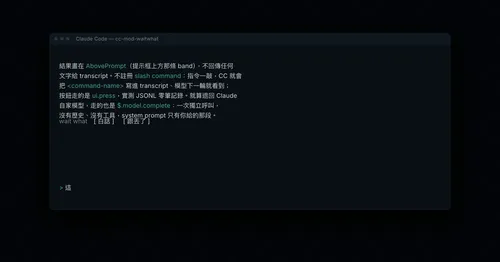
cc-mod-waitwhat
Buttons above the prompt retell the last reply in plain words. The model never sees it.