Interface·terminal · desktop·MIT
cc-crayon
Every reply redrawn in color: themed Markdown plus inline tags the model can write.
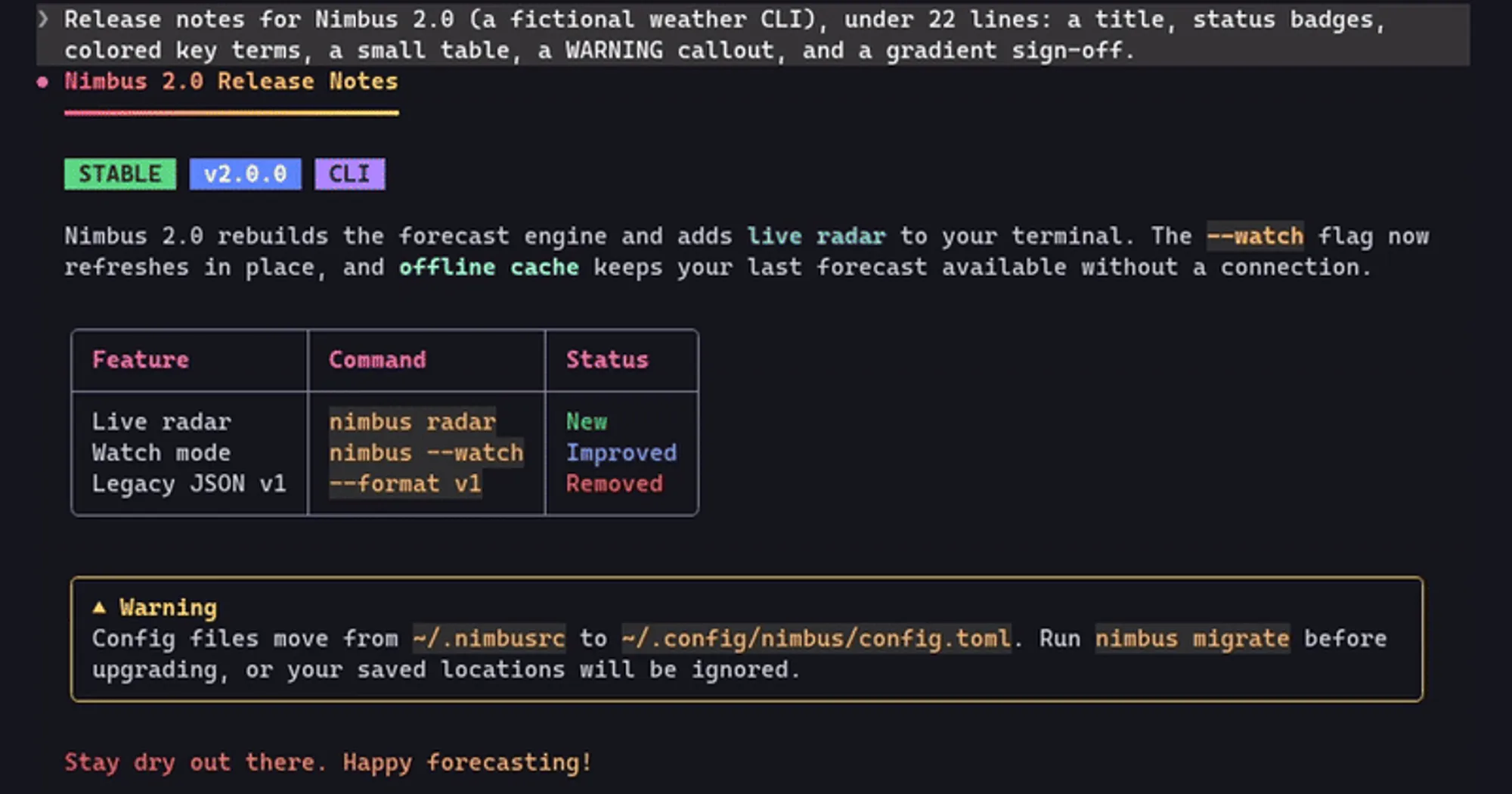
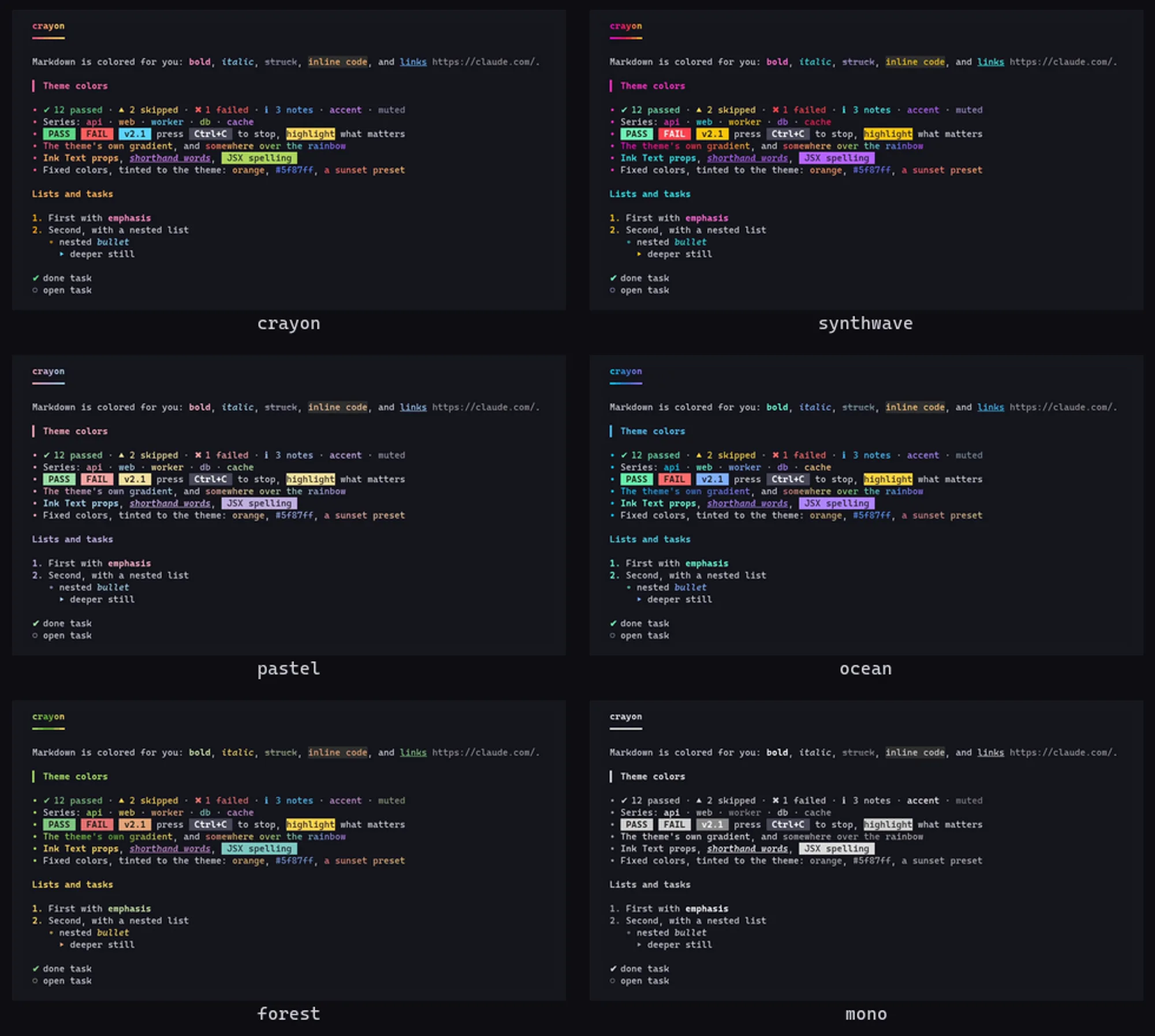
cc-crayon redraws every Claude Code reply in color. Plain Markdown is themed automatically, and the model learns a set of inline tags that draw as real Ink text styling (Ink is the library Claude Code draws its interface with): colored words, badges, gradients and boxed panels. Six themes switch with one command, and replies already on screen redraw to match. The Markdown coloring costs no tokens; teaching the model the tags adds a short guide to the system prompt.

What it does
- Markdown, no tags needed. H1 headings get a gradient and an underline, H2s a colored bar. Bold, italic, strikethrough and inline code each take a theme color. Bullets change glyph and color with depth, task items show ✔ or ○, and tables get rounded box lines with a colored header row. Quotes sit in a frame, GitHub alerts such as
> [!WARNING]become colored callout boxes, rules are gradient lines, and code fences keep Claude Code’s own syntax highlighter. - Tags the model can write. Colors that carry meaning (
<ok>,<warn>,<err>,<info>,<accent>,<muted>), five series colors<c1>to<c5>for telling items apart, solid labels like<badge ok>PASS</badge>,<hl>highlights,<grad>and<rainbow>text,<kbd>key caps and<panel title="…">boxes around any Markdown.<t>(or<Text>) takes Ink’s own props:color,bg,bold,italic,underline,strike,dim,inverse. - Six themes.
crayon,synthwave,pastel,ocean,forestandmono. Tags name theme roles rather than fixed hues, so a reply follows whichever theme you pick. Fixed colors still work (<orange>,<#ff5f87>) and are tinted toward the theme with their hue kept: pastel softens them, mono turns them gray. - Light or dark. cc-crayon reads your
/configtheme to choose a dark or light palette, and on a light background darkens every color until it reads.
Tags inside code spans and fences are left alone. A tag cc-crayon does not know, such as <div>, shows as written, and an unclosed tag ends with its paragraph.
Install
Needs Claude Code 2.1.287 or later.
claude plugin marketplace add jonpojonpo/cc-crayon
claude plugin install crayon@cc-crayon
The plugin’s own name is crayon, and so is its command. Restart Claude Code and run /crayon demo to see every element at once. Version 0.2.0 is current. To try it for one session without installing, clone the repo and start claude --plugin-dir ./cc-crayon.
/crayonshows the current settings and the theme list./crayon <theme>switches theme and redraws earlier replies./crayon onand/crayon offturn the drawing on and off. Off, Claude Code draws replies as usual./crayon dark,lightorautoforces a background;autofollows/config./crayon teach offdrops the tag guide from the system prompt and keeps only the Markdown coloring./crayon teach onbrings it back.
Settings survive restarts.
How it works
ui.render takes over the AssistantMessage component. Each finished reply is parsed and drawn as a tree of Ink Box and Text elements in the theme’s colors, with code fences handed to Claude Code’s highlighter. While a reply streams, Claude Code draws it with its own renderer, so classic.MessageDisplay strips the tags from those live lines to keep them from flashing, and each block switches to full color when it finishes. The original text of up to 3,000 stripped lines stays in session memory so the finished block can be drawn with its tags.
prompt.compose is how the model learns the tags. It appends one system prompt section, a guide to the markup that the author puts at about 600 tokens, whenever a UI draws replies and teaching is on. The guide steers the model toward theme colors, asks for a few accents rather than color on every word, and tells it never to put tags in code, files, tool inputs or commit messages. Nothing is added in claude -p runs.
The tags are part of the reply itself. The saved conversation keeps them, so the model sees them in its history and the ctrl+o transcript view shows them raw. Anything that reads the conversation without cc-crayon, a resumed session after you uninstall it included, receives the tags rather than the colors.
session.start loads the saved settings and registers /crayon; classic.SessionStart loads them again after /clear, a resume or a fork. config.set only watches for a /config theme change. cc-crayon reads the text of replies and your /config theme, writes no settings, makes no network requests, reads or writes no files and starts no processes. Its four settings (on or off, theme, background, teaching) live in its plugin store on your machine.
Limitations
- Replies longer than 30,000 characters, and tables wider than the terminal, fall back to Claude Code’s normal renderer.
- Nothing draws in
claude -p. - The author’s tests draw the full demo on the terminal, desktop, VS Code and mobile surfaces. This site has not checked any of them.
More mods
The whole directory →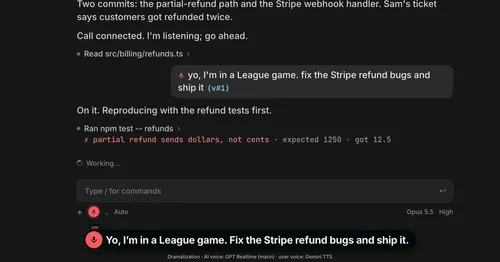
Better Call GPT
A Call button above the prompt: talk to Claude Code by voice while it works.

cc-changelog
The unofficial Claude Code changelog in a pane, plus fifteen tools the model can call.
cc-image-view
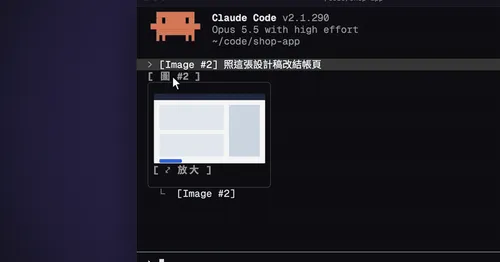
Thumbnails of pasted images above the prompt and under sent prompts, with a zoom pane.
cc-mod-waitwhat
Buttons above the prompt retell the last reply in plain words. The model never sees it.