Dashboards·terminal · desktop·MIT
What's Agent Doing
Claude's current step in plain English above the prompt, with a timer and a history.
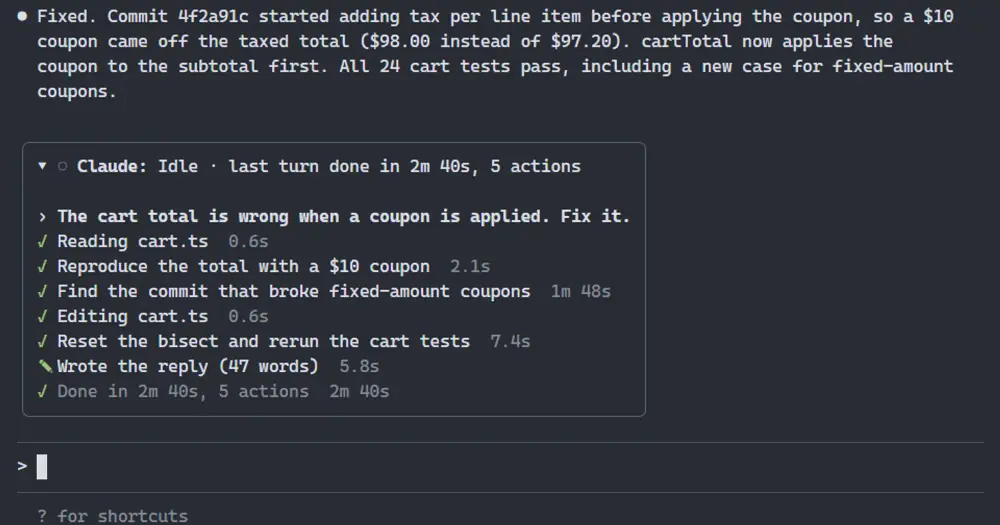
What’s Agent Doing keeps a small box above the Claude Code prompt that says, in plain English, what Claude is doing at this moment and for how long. Click its triangle and it opens into a history of every step of the session. It only displays: no network, no files, no tokens.
What it does
- Always current. The headline follows the turn: reading your prompt, thinking, writing a tool call, running it, reviewing the results, writing the reply, compacting. Between turns it says how the last one ended: done with its time and number of actions, interrupted, stopped on an error, or declined. A timer counts how long the current state has lasted, so a two-minute
git bisectreads as working, not stuck. - Commands explained. A Bash or PowerShell call shows the short description Claude writes with every command, such as
Find the commit that broke fixed-amount coupons, or the command itself when there is none. Other tools get a verb and a target:Reading cart.ts,Fetching github.com, or the server and tool name of an MCP call. Parallel calls show the newest with(+N more). - Thinking. When the model streams its thinking, the box quotes the latest sentence. Otherwise the last action stays on screen and the dot turns magenta.
- Waits.
Waiting for your approval: <step>while a permission prompt is open,Waiting for your answerwhile Claude asks you a question. - Subagents. A foreground agent shows as its task followed by its current action (
Running an agent: find the bug › Reading app.ts). Background agents get a row each, up to six, and keep it after your turn ends while they work. When one stops, its run goes into the history. - History. Click ▸, or focus the band with
ctrl+x taband press Enter. Each prompt, stretch of thinking, tool call, reply and turn ending appears with its duration, and tool calls are marked done (✓), failed (✗), denied (⊘) or interrupted (■). The box keeps the last 100 entries and shows as many rows as the band has room for, up to 12. - Shared band. Other mods that draw above the prompt stack beneath the box. It steps aside while a survey holds the band, and
ctrl+x ctrl+acollapses the whole band.
Install
Needs Claude Code 2.1.287 or later.
claude plugin marketplace add tzafrir/whats-agent-doing
claude plugin install whats-agent-doing@tzafrir
Start a new session or run /reload-plugins, and the box appears above the prompt. Update later with claude plugin marketplace update tzafrir.
How it works
The module reads these events and changes none of them: turn.step for the model’s stream (thinking text, reply text and tool-call input as it arrives), tool.call for each tool and how it ended, agent.spawn, classic.SubagentStop and the subagents’ own calls for the agent rows, classic.PreCompact and classic.PostCompact for compaction, and session.start, turn.start and turn.complete for the turn itself. Every hook passes its event on as it came, so what Claude sees and does is the same as without the mod, and the box costs no tokens. ui.render draws it in the AbovePrompt band.
classic.PermissionRequest only observes. It marks the step as waiting for your approval and passes the request on untouched: it never allows, denies or edits it, and adds no permission rules. The label clears once the call starts running.
The headline, the agent rows, the history and the open or closed state live in the session’s own state ($.state). Nothing is written to disk, nothing goes over the network, no process is started, and nothing carries over to the next session. While agents run, the module also asks Claude Code for its agent list once a second, to drop a row whose stop never arrived.
The box shows what Claude is working on: your prompts, file names, the hosts of fetched URLs, command descriptions or the commands themselves, MCP tool names and, where streamed, a line of thinking. Anyone who can see your screen, or a screen share, can read it. Control and invisible characters are stripped from labels before they are drawn.
Limitations
- The author lists the terminal and the desktop app’s Code tab. As with any mod, nothing is drawn in the VS Code extension’s chat panel, with
claude -por in cloud sessions. - The events and methods it relies on may change between Claude Code versions.
Similar Claude Mods

statuspane
Model, context, rate limits, cost and branch in a clickable card above the prompt.
plan-progress
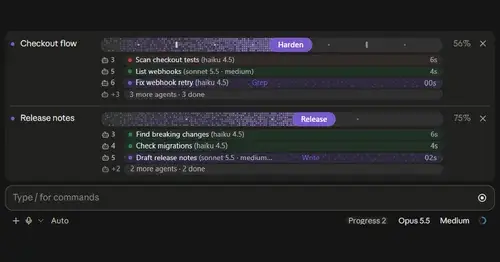
Claude's plan as live progress bars above the prompt, with subagents under each task.
savvy-progress
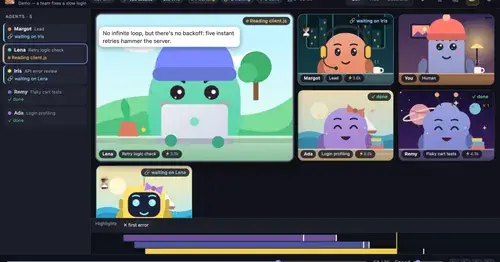
Running, finished and planned subagents with model, context, cost and time, in one panel.
Agent Standup band
A line above the prompt when another Claude Code session waits for you, plus toasts.
Popular Claude Mods
The whole directory →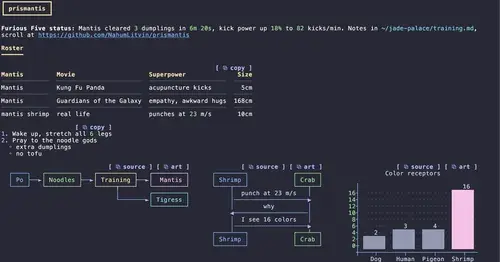
prismantis
Claude's replies in 15 themes: colored tables, highlighted code, diagrams and charts.
Agent Time Machine
Every tool call on a branching timeline with snapshots: inspect, restore, branch, rerun.
firstmate-calm
Hides tool rows and swaps the spinner for a sailboat. Toggle with /calm, zero tokens.
desktop-statusline
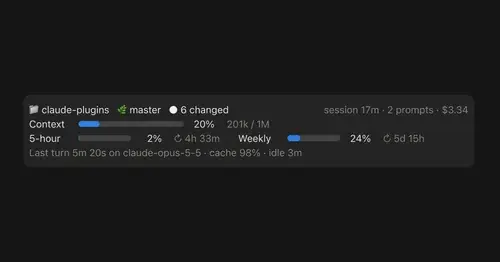
Git state, cost, context and plan limits above the prompt in Claude Desktop's Code tab.