Automation·terminal · desktop·MIT
threads
Spin up Claude sessions on other models, watch them in a pane, get their answers back.
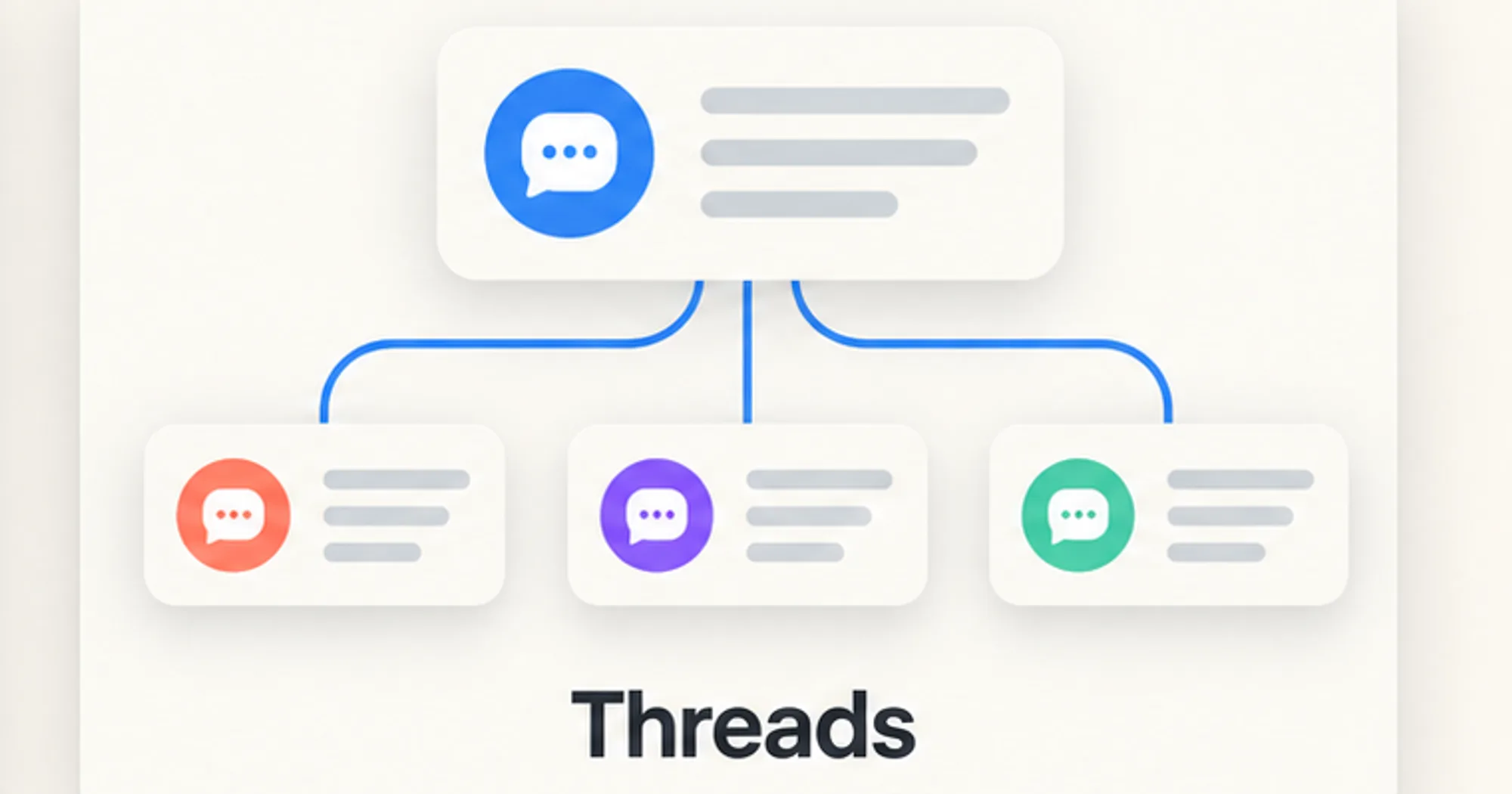
threads lets one Claude Code chat, the lead, start other Claude Code sessions on the models you choose, watch them work in a pane and steer them while they run. Each helper, a thread, has its own context, and its answer comes back to the lead when it finishes. You can ask in plain language (“spin up a Haiku thread to list the TODOs here”) or use /threads.
What it does
- Two kinds of thread. A session thread is its own
claudeprocess, on the CLI’s login. An inline thread is a background subagent of the lead chat, on the lead’s login and permission mode. By default you get a session thread when the CLI is logged in and an inline one otherwise. Models:haiku,sonnet,opus,fableor a fullclaude-*id, with an optional effort fromlowtomax. - A pane.
/threadsopens a pane beside the chat with every thread, its status, model, estimated cost and a mark for unread output. The selected thread shows its task, folder, last report and its transcript or live screen, with buttons to steer, interrupt, change model or effort, approve or deny a permission prompt, pin, archive, rename or close it. A line above the prompt sums up your threads and turns magenta when one needs you. - Steering. A message reaches a thread even mid-task. Threads can also type into a session thread’s prompt or press Escape in it.
- Reports. When a thread finishes, its latest answer is added to the lead chat, where the model reads it on your next turn.
/threads autowake onstarts that turn by itself. - Fork and handoff. A fork starts a thread that knows what the lead chat has established, from a model-written summary or from the full transcript saved as a file. A handoff passes it the work in progress so the lead is free.
- Plans. Phases run one at a time, each as its own thread on its own model, and each ends by writing a handoff file the next one starts from. A gate decides when the next phase starts: at once, after the lead model reviews the handoff, or when you run
/threads plan next. - Worktrees. A thread can work in its own git worktree and branch. An unchanged worktree is removed when the thread closes; one with commits or edits is kept for you to merge.
- Housekeeping. Four live threads at most by default (
/threads cap <n>). Finished session threads that sit idle for 120 minutes close themselves, keeping the transcript; pinned ones never do. Threads whose lead chat has closed can be adopted by another chat.
With the same author’s codex-computer-use installed, the pane also shows which Mac apps a thread is driving through Codex, and closing the thread frees them. If you only want to see every Claude Code session on your machine and save or close them, claude-fleet does that.
Install
Needs Claude Code 2.1.287 or later, plus tmux and a project folder you have already trusted in Claude Code. Session threads also need the Claude Code CLI logged in (claude auth status); without it, threads run inline in the lead chat.
claude plugin marketplace add promptadvisers/claude-mods-computer-use-threads
claude plugin install threads@two-mods
Open a new chat and run /threads setup: it checks the login, tmux, the folder’s trust and the free thread slots, and says what to fix. Then /threads opens the pane and /threads help lists every command. In the terminal, ctrl+x then tab gives the pane the keyboard, and the letter on each button is its key. The author suggests a disposable project for the first run.
How it works
Processes. A session thread is an interactive claude started inside a private tmux server (tmux -L cc-threads), so it needs no visible terminal. Threads watches it by capturing its tmux screen and reading the end of its transcript: every 2 seconds while the pane is open and a thread is working, every 10 seconds otherwise, and every 4 seconds to catch finished threads. It also runs claude auth status, ps, git for worktrees and, to open a thread in the Claude desktop app, macOS’s open.
What it reads. Claude Code’s session files in ~/.claude/sessions/, the threads’ transcripts in ~/.claude/projects/, and ~/.claude.json to check that a folder is trusted; it never accepts the trust prompt for you. Its hooks record the tool calls, model requests and permission checks of its own inline threads, as one-line summaries for their activity feed, and the cross-session messages the lead receives. Everything else passes through untouched.
What it saves. In ~/.claude/threads/: registry.json, which lists every thread on the machine and is shared by all chats; events.jsonl, a log of every action, including the first 500 characters of each message you send to a thread; plan records in plans/; and files in inbox/ and forks/ when a message is long or a fork takes the full transcript. Plans write their handoffs to a handoff folder in the project by default. Closing a thread keeps its transcript, and /threads clean removes closed threads older than seven days from the registry.
Usage. Every thread is a full Claude Code session or subagent and spends your usage like any chat. The cost in the pane is an estimate at API list prices, not your bill. A summary fork costs one extra model call from the lead, and each report is read as input on the lead’s next turn. Apart from the sessions it starts, the mod makes no network requests; its only socket call goes to the codex-computer-use daemon, when that is running.
Permissions. Session threads start in bypassPermissions by default, so they never stop to ask: they edit files and run shell commands without your confirmation. /threads mode default (or acceptEdits, plan, auto) changes that for new threads, as does the plugin’s defaultPermissionMode setting or a mode given for one thread. Inline threads always use the lead chat’s mode. Approving a thread’s prompt from the pane asks you to confirm first.
Limitations
- The author’s setup is a Mac: the setup check suggests
brew install tmux, and opening a thread in the desktop app uses macOS’sopen. - Session threads show in the Claude desktop app’s sidebar, and open there, only if Remote Control is available for your account.
- Inline threads live inside the lead chat: they end when it ends, keep the model they started on, and their permission prompts appear in the lead chat.
- A session thread’s model, effort and session name change only when it is idle.
- Separate worktrees stop two threads from editing the same files, but merging their branches can still conflict.
- The author calls the repository an unofficial, experimental integration, captured on 5 October 2026, and not affiliated with Anthropic or OpenAI. Its 102 tests for threads use simulated engine behavior.
More mods
The whole directory →
agent-router
Pick the exact model for each subagent role, from any Anthropic-compatible endpoint.
Agent Time Machine
Every tool call on a branching timeline with snapshots: inspect, restore, branch, rerun.
autodev-core
Autonomous sprint loop: brainstorm, auto, iterate, audit, review, ship. Redacts secrets.
autoresearch
Claude tries an idea, benchmarks it, keeps or reverts it with git, and goes again.