Interface·desktop·MIT
claude-latex
TeX math, TikZ diagrams and LaTeX blocks typeset in Claude's replies, in the desktop app.

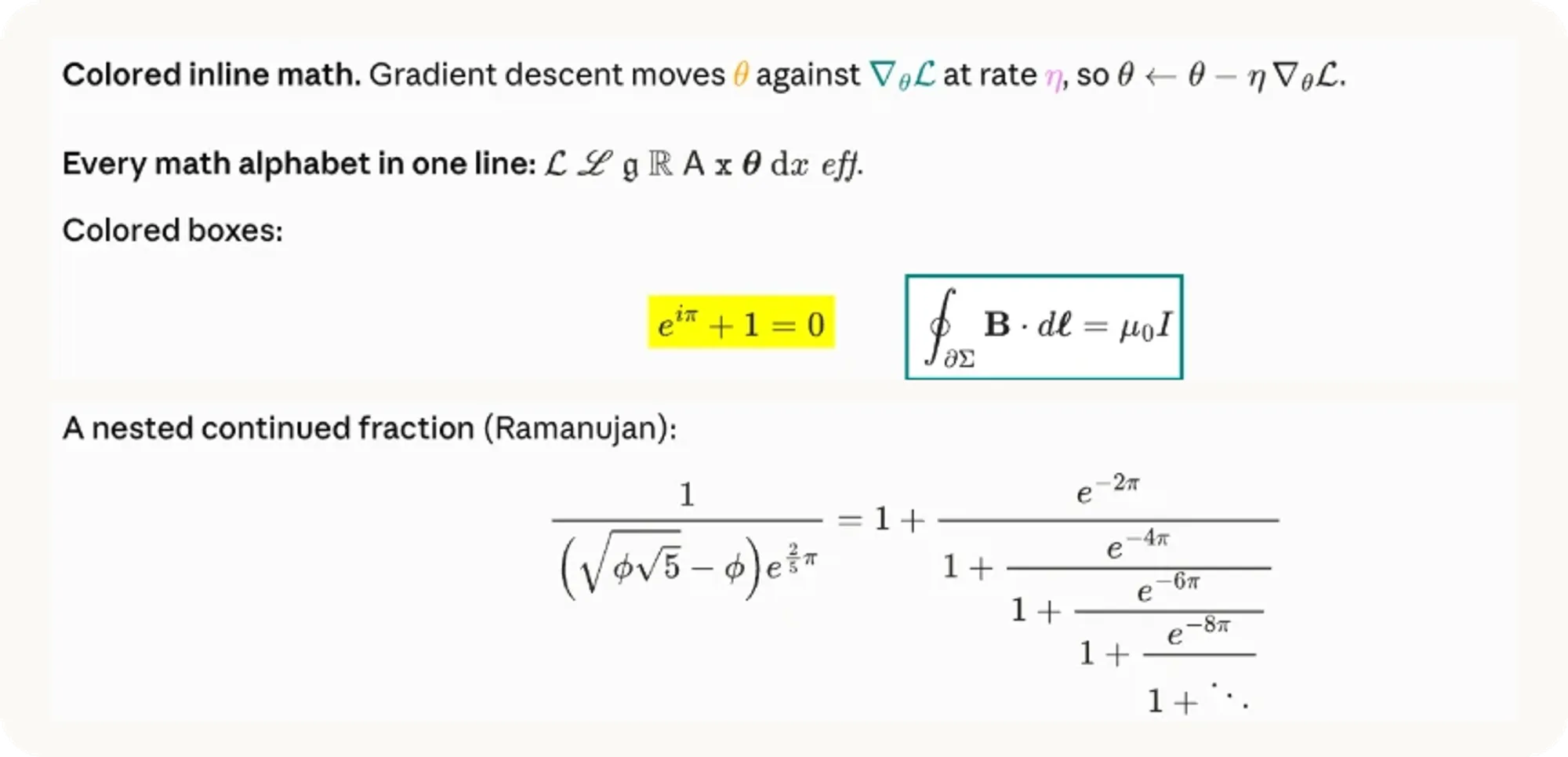
claude-latex typesets the math in Claude’s replies, in the Code tab of the Claude desktop app. It is a desktop mod: a terminal cannot draw its SVG, so claude in a shell keeps showing the source. Where a reply would read $\frac{\partial L}{\partial w}$, you see the formula, inline on the line of text or centered on its own. With a TeX install on your Mac, it also compiles TikZ diagrams and whole LaTeX snippets inside the reply, each run in a sandbox.
What it does
- Math, nothing to install.
$...$and\(...\)become inline formulas aligned to the text’s baseline.$$...$$,\[...\]and bareequation,align,gatherormultlineenvironments become centered display math. The bundled MathJax covers the AMS packages, mathtools, mhchem, physics, braket, cancel and color. - Diagrams and snippets. A
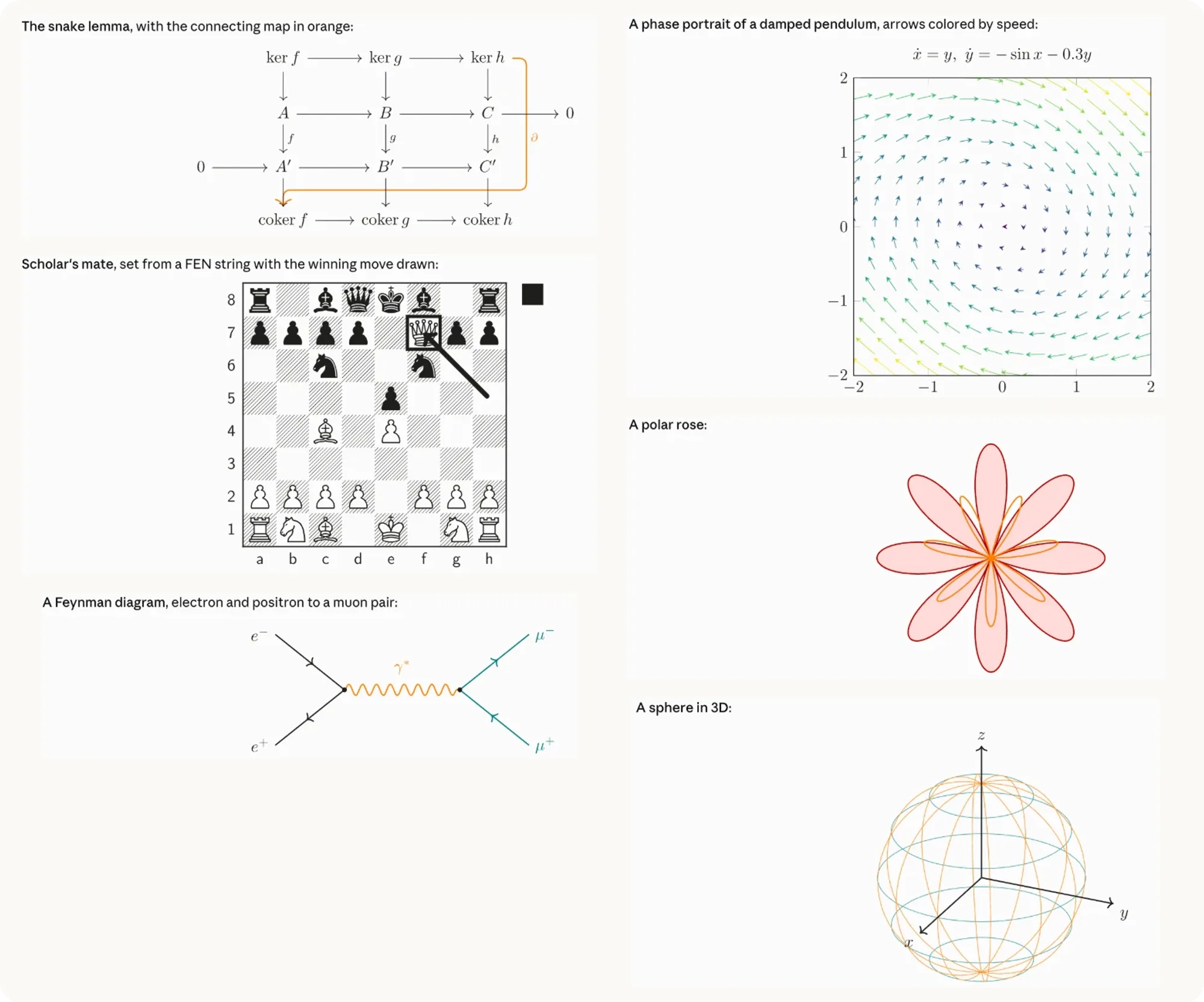
tikzortikzcdcode block becomes a diagram. Alatexcode block holds any document body up to 15 cm wide: chemfig molecules, circuitikz and quantikz circuits, forest trees, chess positions, theorem environments, tables.\usepackage,\usetikzlibraryand similar lines at the top of a block go into the preamble. Black ink follows your theme, and other colors stay as written. A display formula MathJax cannot draw goes to LaTeX as well. - Ten LaTeX fonts. MathJax draws in Computer Modern, almost instantly. To change the font, run
/latexand pick one under Math font:cm,libertinus,palatino,times,euler,concrete,fourier,stix2,kpfontsorcmbright. Your TeX install then typesets every formula in that font, MathJax’s version shows until it is ready (usually within a second), and diagrams and LaTeX blocks use the same font. The choice is saved to Claude Code’s settings and reloads the mod, so it applies at once. - Your macros.
\newcommandand\DeclareMathOperatorlines in~/.claude/latex-macros.texwork in every formula, in MathJax and in LaTeX. - Your own messages. Off by default. In
/latexyou can show the math from a message you sent under its bubble, or, experimentally, redraw the whole message as Markdown with its math. - Copy TeX. An optional button under each display formula and block copies its source.
Install
Needs Claude Code 2.1.287 or later and the Code tab of the Claude desktop app. Math works with nothing else. Diagrams, LaTeX blocks and the LaTeX fonts need a TeX install with latex and dvisvgm, such as MacTeX or TeX Live. On Windows the author documents math only: LaTeX blocks are not supported there yet.
claude plugin marketplace add zaahiral/claude-latex
claude plugin install latex@claude-latex
It installs as latex, version 0.5.0. Restart the desktop app, or run /reload-plugins in an open session. A welcome note above the prompt appears once and links to the settings; after that, /latex opens them. Then ask Claude for anything with math in it.
How it works
The mod hooks ui.render for messages and draws only on the desktop and mobile surfaces. When a reply contains math, it splits the text into pieces. Prose goes back to the app’s own Markdown renderer. Each formula becomes an SVG from a bundled copy of MathJax 3, which runs inside the mod with no network access, and a paragraph with inline math is laid out word by word so every formula sits on the baseline. As claude-mermaid does with Mermaid diagrams, it rewrites the reply itself, so the drawings scroll with the conversation. The README explains how to rebuild the MathJax bundle from mathjax-full 3.2.2 to check it against the published source.
Claude cannot see how its reply is drawn, so prompt.compose adds one short section to the system prompt in sessions that draw on desktop or mobile: write math as TeX rather than Unicode symbols, which syntax renders, what each code block compiles, and the size limits of a reply. It is about ten lines, a few hundred tokens of context per session. The “Tell the model how math renders here” switch in /latex turns it off. prompt.submit only marks that a turn has started, so forced redraws wait for the turn to end; it does not read your prompt. turn.complete then redraws whatever compiled during the turn.
LaTeX blocks go into a queue and compile in the background with your latex and then dvisvgm, up to three at a time. The reply shows “Compiling with LaTeX…” until the drawing lands. The mod looks for the two binaries in /Library/TeX/texbin, /opt/homebrew/bin, /usr/local/bin, /usr/bin and your PATH. A diagram takes 0.4 to 0.7 seconds the first time and comes from the cache after that. For each kind of document the mod saves a LaTeX format with the preamble already loaded, which roughly halves compile time.
Claude writes those blocks, so the mod treats each one as untrusted. Every latex and dvisvgm run goes through macOS’s sandbox-exec, with a profile that blocks the network, blocks reading your home folder apart from TeX’s folders and the mod’s cache, and blocks writing anywhere but those and the system temp folders. Shell escape is off, TeX’s own guard keeps writes inside the build folder, and a compile is stopped after 60 seconds. If sandbox-exec fails its test at startup, blocks still compile, without the sandbox, and only the debug log says so.
Compiled SVGs, the saved formats and the sandbox profile live in ~/.cache/claude-latex/. Each compile’s build folder is deleted after the run, and leftovers older than ten minutes are cleared at startup. ~/.cache/claude-latex/debug/setup.log records setup steps, render times, errors and the first 40 characters of each message drawn; the README asks you to attach it to bug reports. The plugin store keeps one flag: whether you dismissed the welcome note. The mod reads your macros file, writes setting changes through Claude Code’s config.set, and makes no network calls.
Limitations
- It draws only in the Code tab of the desktop app. In a terminal, the VS Code extension and
claude -p, formulas stay as source. The author expects the Claude mobile app to work through Remote Control but has not tested it. - On Windows, math renders but LaTeX blocks do not yet.
- The app caps what a mod may draw. One drawing can be at most 128 KB, so a dense plot shows an error in its place. A whole reply holds about 235 KB of drawing, roughly 75 formulas in a mostly-text reply or 4 to 6 diagrams; past that, a note appears and the app draws the rest itself.
- A macro defined inside one formula does not carry over to the next. Put shared ones in the macros file.
- A very long inline formula is scaled down to fit its line. Scrolling is on the author’s list.
- Rendering your own messages is experimental. The app’s bubble cannot be drawn into, so the mod draws its own and keeps the app’s row under it as a small pill for the time, rewind and fork controls.
More mods
The whole directory →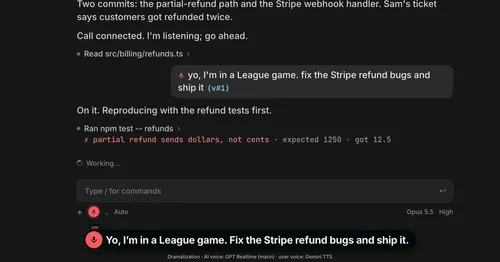
Better Call GPT
A Call button above the prompt: talk to Claude Code by voice while it works.

cc-changelog
The unofficial Claude Code changelog in a pane, plus fifteen tools the model can call.
cc-crayon
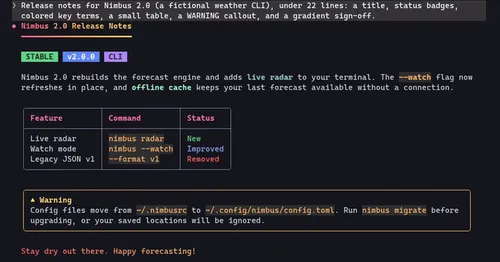
Every reply redrawn in color: themed Markdown plus inline tags the model can write.
cc-image-view
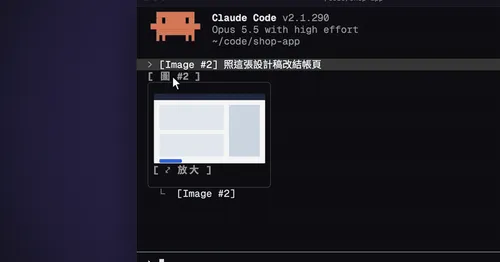
Thumbnails of pasted images above the prompt and under sent prompts, with a zoom pane.