Automation·terminal · desktop·GPL-3.0
ripple
Effort per prompt, subagents routed to GPT, DeepSeek or Claude, and cache warnings.
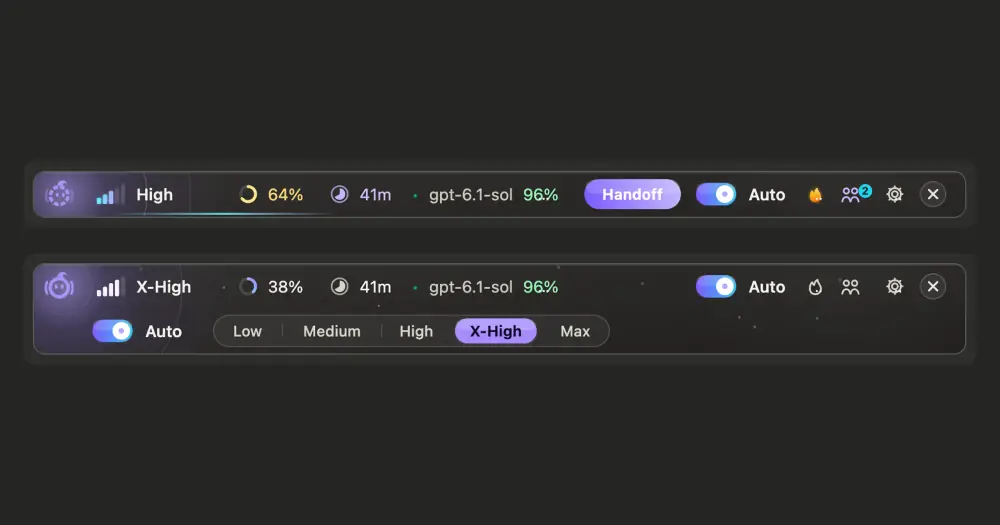
ripple picks the reasoning effort for every prompt, sends each delegated task to a model chosen by difficulty, and shows which model answered each request. It is the mod of ClaudeRipple, a local proxy that lets GPT, DeepSeek, GLM, Gemini, Kimi and 400+ other models answer in Claude Code and in Claude Desktop’s Code tab while you stay signed in to your Claude subscription.
The two are separate pieces. The proxy swaps the models and works without the mod. The mod needs the proxy: it reads its settings, request log and limits, and routes subagents to the models the proxy can reach.
What it does
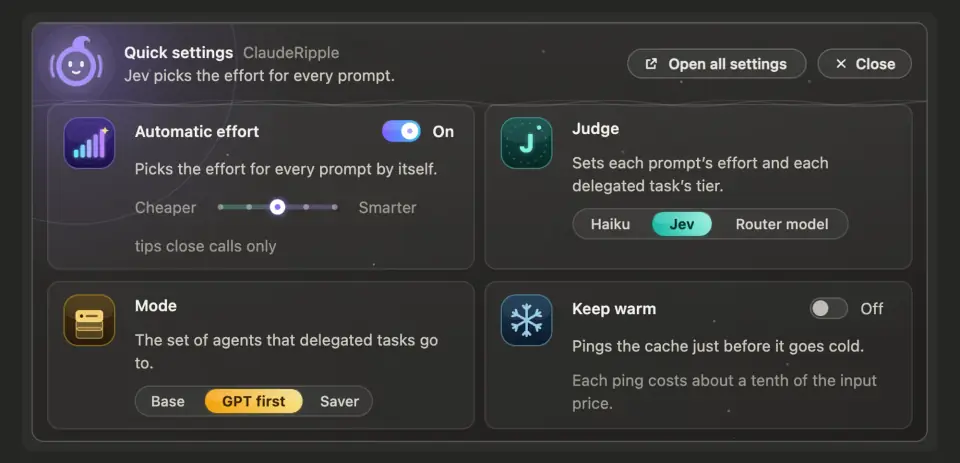
- Effort per prompt. When the main chat runs on Claude Opus, Sonnet or Haiku 5.5, a small judge model reads your prompt with the last exchange and sets the effort, low through max, before Claude answers. The judge is Claude Haiku 5.5 by default, or Jev (a model served by TypeSafe or OpenCode Zen), or any model the router knows. A slider tips close calls toward cheaper or smarter, and a follow-up of a word or two keeps the current level. Choosing a level yourself, from the band or the app’s own effort control, switches Auto off.
- Subagents routed by difficulty. Delegated work goes to
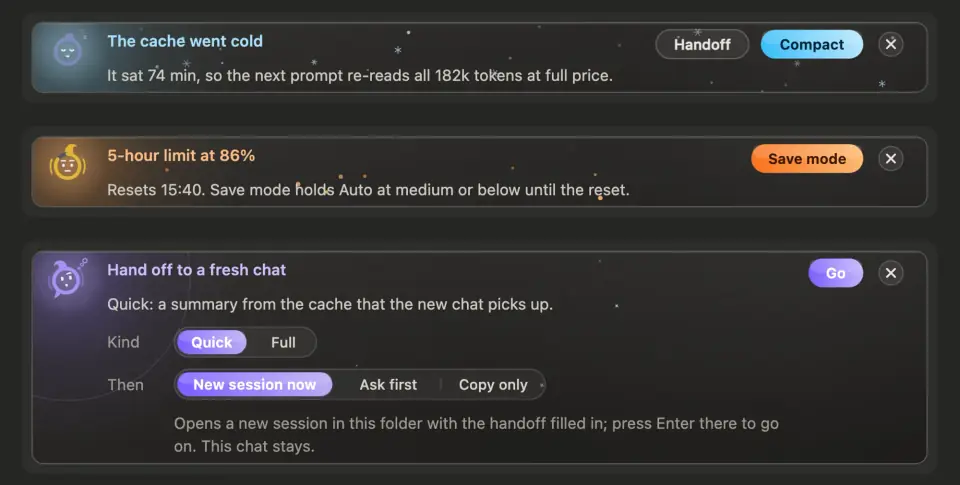
ripple:auto, an executor agent the mod registers. The judge rates each task light, standard, hard or planning, and each of those rungs has a model. Left empty, the rungs fill with the cheapest pay-per-token or free model you connected for light work (DeepSeek or GLM, say), GPT Sol for standard, GPT Astra for hard and Claude Opus for planning, with Claude models standing in for what is missing. Modes such as GPT first or Saver swap the whole set and can end at a set time or when a quota resets. A[[ripple: model@effort]]line at the top of a subagent prompt names the model outright, and the task panel shows the model and effort in each subagent’s title. - Cache and limit warnings. The band counts down the prompt cache, five minutes or an hour as each reply reports it. Cards appear when the cache has gone cold on a chat of 150k tokens or more, when the 5-hour or weekly plan window passes 80%, and, if you turn that card on, when the context passes 50%. The limit card offers Save mode, which holds Auto at medium or below until the window resets. Keep warm, off by default, pings the cache shortly before it expires while you are away, on chats of 30k tokens or more and for up to two hours after Claude’s last real reply (one to eight, in the settings).
- Compact and handoff. Buttons run
/compactor hand off to a fresh chat. A quick handoff writes a summary from the cached conversation; a full one has Claude check git and writeHANDOFF.mdat the project root. The new session opens in the same folder with the summary in its prompt box, waiting for Enter, and this chat is never cleared. Where that link cannot be opened, the summary is copied instead. A setting chooses whether Haiku or the session model writes/compactsummaries. - Log, agents and limits.
/ripple-logopens a pane with the router’s record of each request: model, provider, effort, tokens in, cache hit, tokens out, latency and status, with this session’s judge verdicts among them./ripple agentslists each subagent with its model, effort, who picked it and why. A limits row can show Claude’s 5-hour, weekly and per-model windows beside each ChatGPT account’s.
Install
Needs Claude Code 2.1.287 or later, plus the ClaudeRipple router on macOS, Windows, or Linux with a systemd user session. Models other than Claude need a ChatGPT plan that includes Codex, or an API key for DeepSeek, Kimi, GLM, OpenRouter or another provider.
On macOS or Linux, the author’s script installs the router, and a Node runtime if you have none:
curl -fsSL https://raw.githubusercontent.com/PBJ-2/clauderipple/main/scripts/install.sh | sh
clauderipple mod on
On Windows, in PowerShell:
irm https://raw.githubusercontent.com/PBJ-2/clauderipple/main/scripts/install.ps1 | iex
clauderipple mod on
With Node 24 or later already installed, npm install -g clauderipple followed by clauderipple install does the same. The install creates a local certificate, adds two lines to ~/.claude/settings.json and sets up a background router that starts with your computer, with no administrator rights. clauderipple mod on, or the switch on the dashboard’s Clients screen, turns the mod on.
Run clauderipple ui, add a provider under Providers (sign in to ChatGPT or paste an API key) and choose which model answers for each Claude name under Model mapping. For the models to show by name in Claude Desktop’s own picker, turn on Clients, Claude Desktop, Model picker, then quit and reopen the app. Linux needs certutil for this (libnss3-tools on Debian and Ubuntu).
The next session opens a three-step setup in the band: who judges, the workers, keep warm. /ripple reopens the quick settings, /ripple stats counts prompts, tokens by effort, judge calls and keep-warm pings, and /ripple-bar hides or shows the band.
How it works
The proxy. ClaudeRipple points Claude Code at itself through HTTPS_PROXY and NODE_EXTRA_CA_CERTS in ~/.claude/settings.json, the settings Anthropic documents for corporate networks, and only that process trusts its certificate. A request for a model you mapped is adapted to that provider’s format and sent there (ChatGPT’s Codex backend, Gemini, an Anthropic- or OpenAI-compatible API, a local Ollama), never reaches Anthropic, and counts against that provider’s plan or bill. Every other request goes to Anthropic unchanged. API keys sit in ~/.clauderipple/config.json and extra Claude logins in ~/.clauderipple/claude-accounts.json, both readable only by you, and the README says there is no telemetry. Picker mode also routes the desktop app’s own claude.ai traffic through the proxy and has your user account trust its certificate.
The mod. Its network calls go to the router’s admin API on 127.0.0.1 (port 8792 by default) for settings, the request log, limits and the model list. If you pick Jev as the judge, the judge’s input (your prompt and the last exchange, or a task’s description and brief) also goes to api.typesafe.ai or opencode.ai, with the TypeSafe key from TYPESAFE_API_KEY or ~/.config/jev/.env, or the OpenCode Zen key in ClaudeRipple’s config. With an eager mode on, it adds one line beside your first prompt telling Claude to delegate everything except judgment and final review to ripple:auto.
What it spends of your Claude usage:
- Each judged prompt and each
ripple:autodelegation costs one Haiku request capped at 160 output tokens, with one retry if it fails. Jev or a router model judges instead if you choose them, and Haiku covers a prompt when Jev fails. Short follow-ups, built-in slash commands and chats on other models are not judged. - Every second prompt once the context passes 30%, Haiku gets one more request, capped at 60 tokens, to ask whether a fresh chat would help.
- Keep-warm pings and quick handoffs fork the session on your current model, so each is a request that mostly reads cache. The settings put a ping at about a tenth of the input price.
- Haiku compaction sends the whole transcript to Haiku for a summary of up to 16k tokens.
It writes ~/.clauderipple/logs/worker-picks.jsonl (the last 3,000 lines): for each pick, the first 200 characters of the task description, the verdict, the model, the effort and the outcome, plus the brief’s length but never the brief. Handoffs over 12,000 characters go to ~/.clauderipple/handoffs/, and a Jev key you paste goes to ~/.config/jev/.env with mode 600. On a subagent’s tool calls it keeps the tool name and the first line of its command or path in memory, for the agents pane. It runs local programs only to open links (open, xdg-open or start), to read the macOS language and to chmod the key file.
Terms. ClaudeRipple is an independent project, not affiliated with or endorsed by Anthropic, as its README says. It uses the documented proxy settings rather than patching Claude Code, but whether running your Claude subscription through it fits your plan is yours to check against Anthropic’s terms. The author’s FAQ says only Anthropic can say how an account is treated, and marks two optional features as subject to those terms: Claude inside Codex on your subscription login, and rotating several Claude subscriptions. It also warns that Google’s terms treat a Google-account sign-in used from another program as a breach, and points to an AI Studio key instead.
Limitations
- ClaudeRipple is alpha by the author’s own label. Claude Code and Codex change their wire protocols often, and an update can break a translation until it catches up.
- In Claude Desktop only the Code tab and its subagents can use other models; the chat tab stays Claude. A model added to the picker works from the next session.
- Claude Code’s system prompt and tools are written for Claude, so another model may behave a little differently than in its own client. The author’s common setup is Claude as the main model with GPT or DeepSeek as subagents.
- With the router down, the band says so and the log, limits and worker list have nothing to show.
- Only the main chat delegates: a worker that tries to start a worker of its own is refused.
- Automatic effort covers only Claude 5.5 models as the main chat. On a chat that runs on GPT or another routed model it pauses, the band says so, and the effort you chose in the app is passed through.
- The desktop draws the band as a drawn capsule; the terminal draws a row of text, with
eopening the effort menu. A minimal layout keeps only a short line under the prompt.
Similar Claude Mods

harness-mods
Model routing, secret redaction, read cache and subagent accounting, per-guard modes.

lane-stack
Claude Code as PM for Codex, Qwen and Grok, with Jev compaction and effort routing.
token-weather-usage
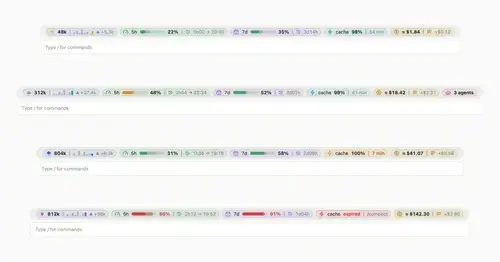
Context, 5-hour and 7-day limits, cache countdown and cost on one line above the prompt.

hope
Judges each turn's edits for slop; accept, edit or reject every finding.
Popular Claude Mods
The whole directory →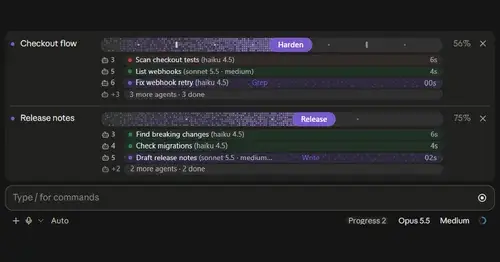
plan-progress
Claude's plan as live progress bars above the prompt, with subagents under each task.
show-your-work
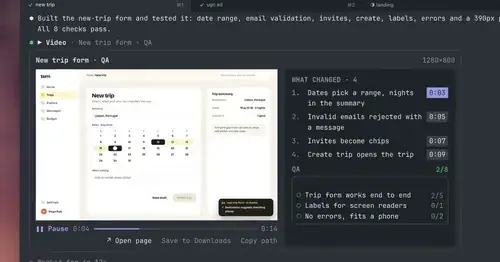
Claude shows screenshots and recorded Playwright runs in the chat, with before/after QA.
qa-guide
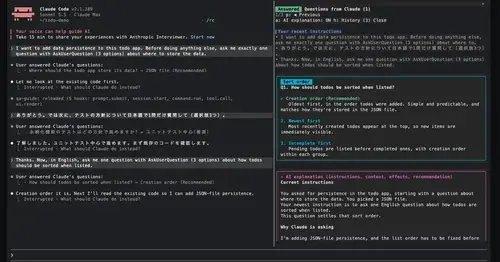
Explains each question Claude asks in a side pane: context, option effects, history.
subway-surfer
Subway Surfers from headless Chrome, drawn and played in a pane. Videos too.