Interface·terminal·MIT
show-your-work
Claude shows screenshots and recorded Playwright runs in the chat, with before/after QA.
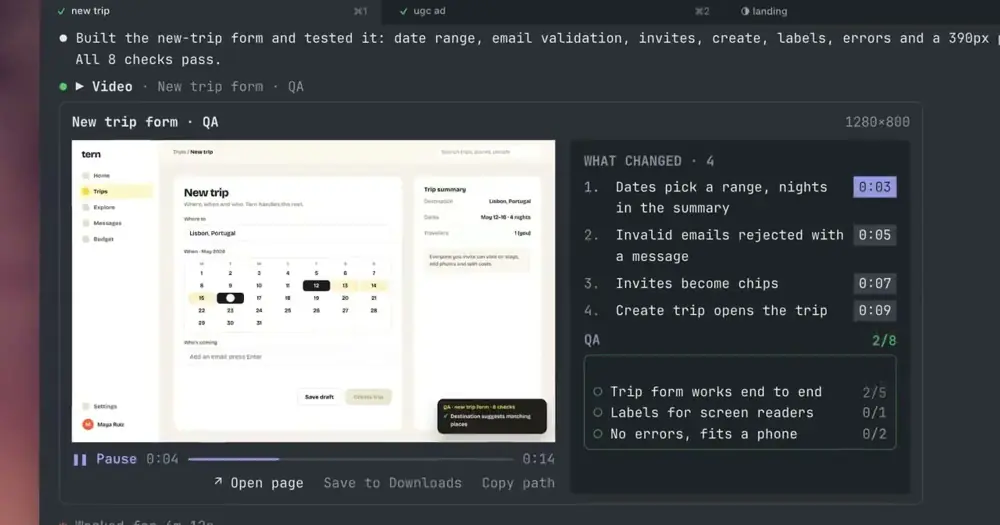
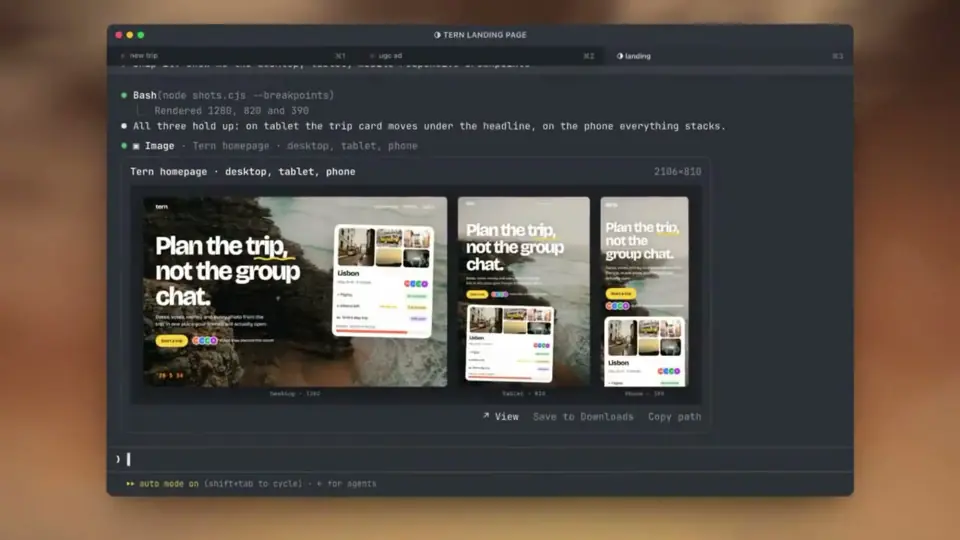
show-your-work lets Claude show you what it built without leaving Claude Code. It gives Claude two tools, one for pictures and one for videos, and both draw inline in the chat through the kitty graphics protocol. After visual work Claude uses them unprompted: it screenshots the page, records a Playwright run clicking through the feature and, for a fix, records the same steps on the old version so you can watch before and after side by side.
What it does
- Pictures in PNG, JPEG, WebP, GIF or TIFF: a screenshot, a chart, design concepts in one image, or one page at desktop, tablet and phone widths.
- Videos in MP4, MOV, WebM or GIF, in a player with play and pause, a clickable timeline and 5-second skips. A video Claude shows starts by itself.
- A QA report beside the video. Claude lists what it changed, each with the second it appears, and clicking one jumps there. Each check it ran turns green or red as the video reaches it, under a summary of up to three lines with pass counts.
- Before and after. Given the older file, the player gets Original and Updated tabs. For two recordings, Compare plays both side by side in sync, lined up on the checks they share (or on how the frames look when the runs differ in length), and lists what was fixed and what broke.
- Versions. A new version of something already shown links to it, and History steps back through every earlier version of a picture. A recording keeps only the original and the latest.
- Buttons under each item: Open page (when Claude passed the page’s URL) or View, Save to Downloads, and Copy path.
/img <path>shows a file of yours in the chat.
Install
Needs Claude Code 2.1.287 or later, a terminal with the kitty graphics protocol (Ghostty, kitty, WezTerm, Warp or Konsole) and ffmpeg for videos. The recorded runs and page screenshots come from Playwright, which Claude runs itself; the mod does not bundle it. The author lists macOS, Linux and Windows.
claude plugin marketplace add https://github.com/iamumeransari/claude-show-your-work.git#releases
claude plugin install show-your-work@iamumeransari
The #releases suffix, as in the README, points the marketplace at the branch the stable update channel follows; an install added without it is moved there by the updater. Version 0.6.4 is current. The first session plays a short welcome and a four-stop tour of the player, which /show-your-work tour replays, and /show-your-work opens the settings. Then ask for something visual, for example to fix a toggle and show you before and after.
How it works
Pictures and video frames go from disk straight to the terminal; Claude never sees them. The tool result Claude reads is one line with the title and size. What does cost context is fixed: the descriptions of the two tools, sent with every request, and one line the prompt.compose hook adds to the system prompt telling Claude to screenshot or record visual work and show it before saying it is done. The screenshots and recordings are ordinary tool calls Claude makes, and they spend turns like any other work.
The tool.call hook handles only the mod’s own two tools. It refuses anything that is not an image or video file, then copies the file into .show-your-work/ in your project, which gets its own .gitignore. Copies are kept seven days, at most the newest 50 per project and 500 MB across all projects. Videos are cut into PNG frames with ffmpeg, up to 12 a second and 24 at a time as they play, in a private temp folder (claude-show-your-work-<uid> under $TMPDIR) that is cleared after a week and trimmed past 500 MB. It also runs ffprobe, sips on macOS, perl to measure the terminal’s cell size, tmux to check pass-through, and open or xdg-open for the buttons. The tool descriptions ask Claude to save shots and recordings in a temp folder, not the project, unless you want to keep them.
Two things use the network, and both are on by default:
- Updates. Once a day the mod fetches
plugin.jsonfrom the channel’s branch on raw.githubusercontent.com (releasesfor Stable,latestfor Latest). When it is newer, the mod runsclaude plugin marketplace updateandclaude plugin updateitself, and the new version loads in the next session. Switching channel re-adds the marketplace at the other branch in a detached process. The settings only pick the channel:SHOW_YOUR_WORK_AUTO_UPDATE=0orCLAUDE_CODE_DISABLE_NONESSENTIAL_TRAFFICturns updates off, and a marketplace pinned to another ref, such as a version tag, is left alone. - Usage data. Anonymous events go to PostHog in batches, at most once a minute and at session end: what kind of item was shown, counts and durations, button presses, the terminal, OS and versions, and whether ffmpeg is installed, under a random install ID. The code sends no file names, paths, URLs, titles or prompts, drops the IP and disables the location lookup. It starts with the welcome. The tour’s last stop and
/show-your-workturn it off, which sends one final event saying so;SHOW_YOUR_WORK_TELEMETRY=0,DO_NOT_TRACK=1orCLAUDE_CODE_DISABLE_NONESSENTIAL_TRAFFICstop it too. A copy loaded with--plugin-dirsends no usage data.
Limitations
- Terminal only, and only one with the kitty graphics protocol. Elsewhere each item becomes a notice with a command to reopen the chat in a supported terminal. Background sessions can’t draw pictures either. The author does not document the desktop app.
- Behind tmux or Herdr, pictures need their pass-through on (
set -g allow-passthrough onfor tmux); the notice gives the setting to copy. - Videos play as frames, without sound, at up to 12 a second and 3,600 frames at most, so a clip longer than five minutes plays at a lower rate. A WebM with no recorded length is cut whole and capped at 900 frames.
- On Linux, ffmpeg is also needed for pictures other than PNG. Over SSH, pictures travel as bytes and video frames drop to 256 colours.
- Old items expire once their files are cleared. The box then offers a prompt that asks Claude to regenerate them.
/imgcan’t read an image pasted into the prompt, because pasted images reach Claude and not mods. On macOS it finds the original by name with Spotlight; elsewhere, type or drag in the path.
Similar Claude Mods

subway-surfer
Subway Surfers from headless Chrome, drawn and played in a pane. Videos too.
terminal-browser
A Chromium browser in a pane beside the transcript, for previews and agent browsing.
paste-view
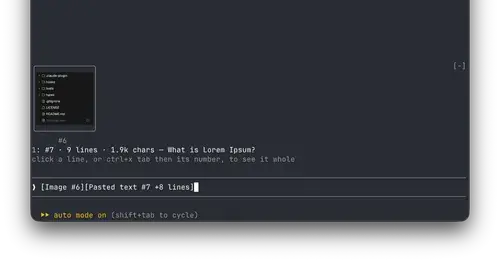
Previews of pasted text and thumbnails of pasted images, drawn above the prompt.
replay-theater
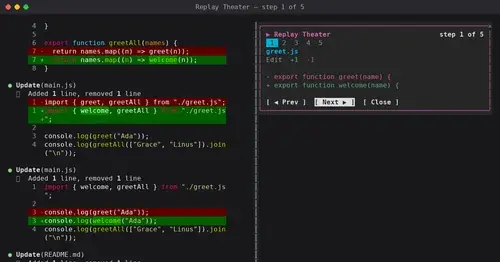
A /replay pane that walks through the last turn's file edits, one diff per step.
Popular Claude Mods
The whole directory →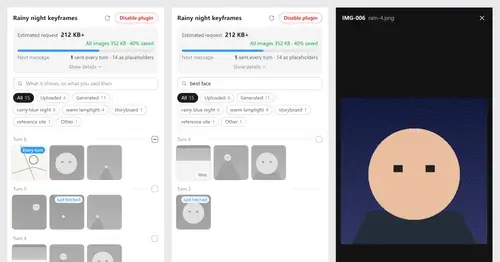
Context Attachment Manager
Pick which past images go out with your next message; the rest become placeholders.
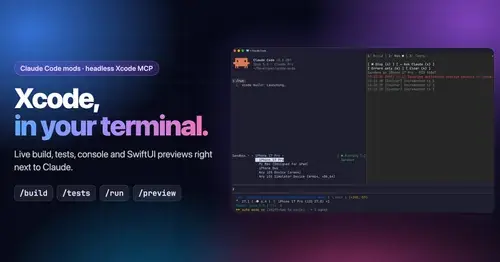
xcode-mods
Xcode build, tests, console and SwiftUI previews in panes, plus a toolbar band.
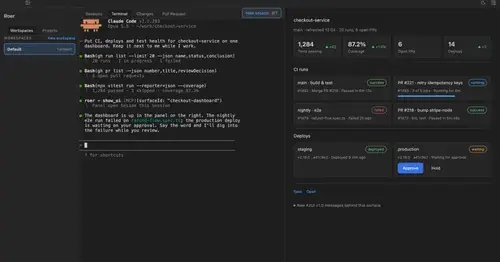
roer-ui
Claude draws forms, dashboards, tables and diffs you can click, in a pane. From JetBrains.
compact-handoff
Like /compact, but the conversation becomes your validated /handoff and work carries on.