Dashboards·terminal · desktop·MIT
xcode-mods
Xcode build, tests, console and SwiftUI previews in panes, plus a toolbar band.
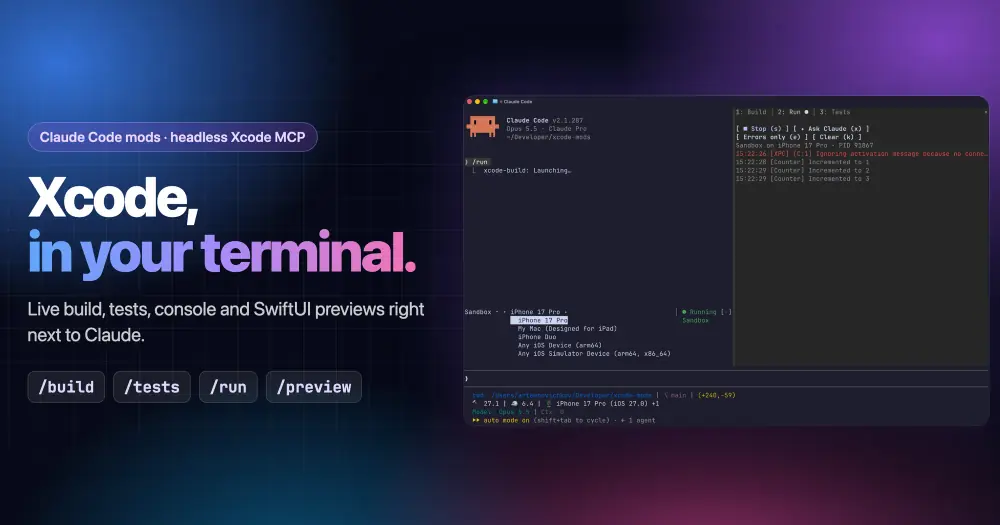
xcode-mods puts Xcode’s build results, test runs, app console and SwiftUI previews inside Claude Code, next to the conversation. A toolbar band above the prompt shows the scheme, the destination and the last result; an Xcode pane has Build, Run and Tests tabs; a Canvas pane shows rendered previews. It also follows Claude’s own Xcode tool calls, so when Claude builds or runs your tests, the result lands in the same pane as if you had started it.
What it does
| Command | What it does |
|---|---|
/xcode | Opens the Xcode pane |
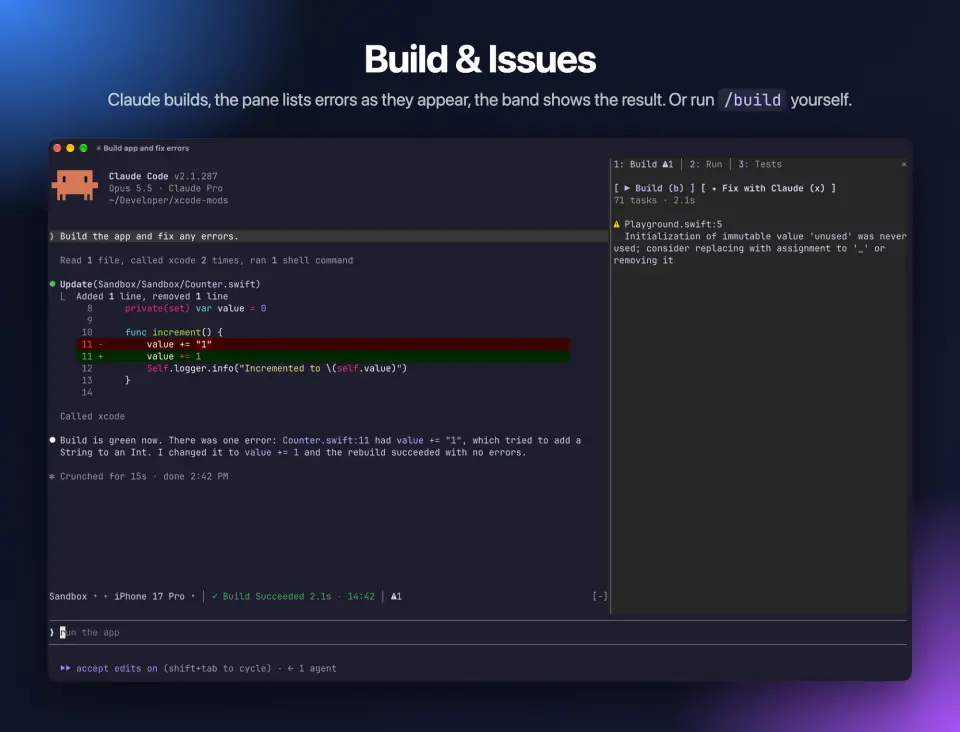
/build | Builds the active scheme |
/tests [filter] | Runs every test, or only those whose Target/identifier contains the filter |
/run | Builds, launches the app on the active destination and streams its console |
/stop | Stops the running app |
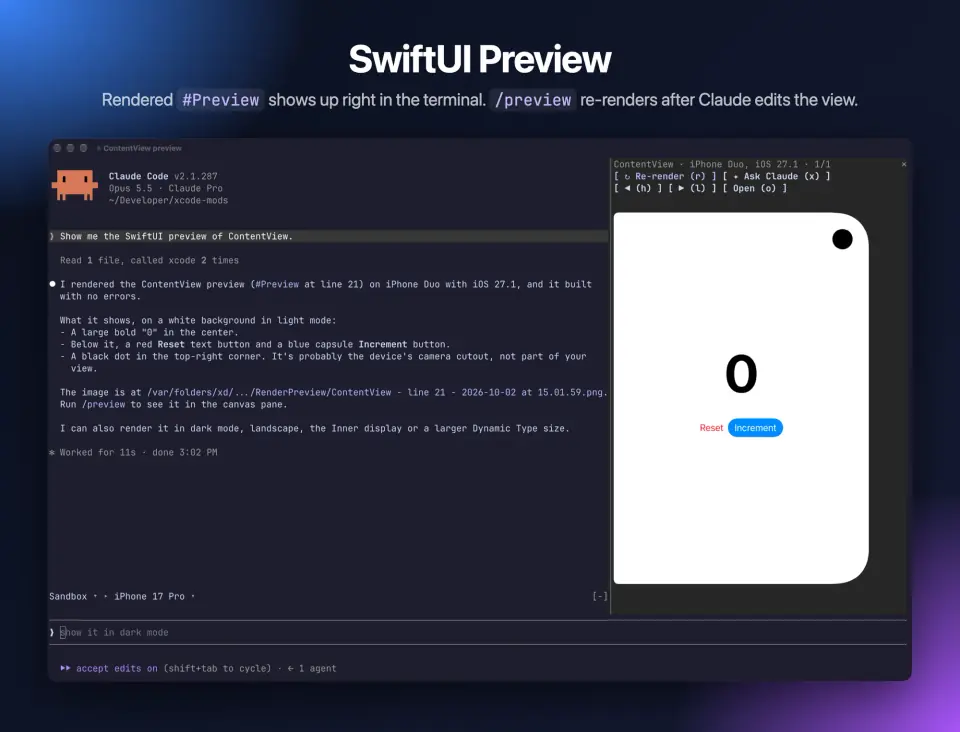
/preview [file.swift] | Renders a #Preview into the Canvas pane; without a file, it picks ContentView.swift or the first file that has one |
- Toolbar band. The scheme and the destination are pickers, and changing one switches it in Xcode too. Next to them: what is running now, or the last result with its time, and counters for errors, warnings and failed tests. Clicking a counter opens its tab.
- Build tab. Live progress while the build runs, then the errors and warnings. Clicking a file name opens that line in Xcode.
- Run tab. The app’s stdout and OSLog lines while it runs, with an errors-only filter and a clear button.
- Tests tab. Tests grouped by target and suite, failures first with their messages inline. Click a test to run only that one, or rerun the failed ones.
- Canvas pane. Keeps the last 10 snapshots. Once you have rendered a preview, it renders again by itself after Claude edits a Swift file that contains
#Preview. - Toasts. A notification when a build or test run ends or a launch fails, whoever started it, and when a preview is ready but the window is too narrow to open the Canvas.
- Hand it to Claude. Each tab and the Canvas have an
xbutton that turns what the pane shows into a prompt: fix these errors, fix these tests, explain this console, review this layout.
The tabs have single-key shortcuts (1 to 3 to switch, b to build, t to test, r to run), shown on each button.
Install
Needs Claude Code 2.1.287 or later, plus macOS with Xcode 27 or later and its MCP server in headless mode. To see previews in the terminal you also need a terminal with the kitty graphics protocol, such as Ghostty.
sudo xcrun mcp-server enable
claude mcp add --scope user xcode -- xcrun mcpbridge
claude plugin marketplace add artemnovichkov/xcode-mods
claude plugin install xcode-mods@xcode-mods
The first command turns on Xcode’s headless MCP server once; xcrun mcp-server status confirms it. The mod expects the server to be called xcode, as in the second command. Then add mcp__xcode to permissions.allow in ~/.claude/settings.json, or every build and every refresh asks for permission. That rule also lets Claude call any Xcode tool without asking.
Open Claude Code in a folder with an .xcodeproj or .xcworkspace up to three levels deep and the band appears above the prompt; /xcode opens the pane. In other folders the mod registers no commands and draws nothing. If the band says the xcode server is not connected, check /mcp and xcrun mcp-server status.
How it works
Every Xcode action goes through the xcode MCP server: BuildProject, RunAllTests and RunSomeTests, RunProject, StopProject, RenderPreview and the scheme and destination switches. While a build runs it reads the build log every half second; while the app runs it reads the last 300 console lines every second. If your project is not open in Xcode, the mod asks Xcode to open it.
It hooks tool.call for Claude’s calls to those same Xcode tools and reads their arguments and results to fill the band and the pane. It does not change or block them. It also watches Claude’s Edit and Write calls: once a preview is in use, it reads any edited .swift file to check for #Preview and re-renders 1.5 seconds later.
The local commands it runs are find (looks for the project at session start), grep (finds a file with #Preview when /preview gets no argument), sips (reads a snapshot’s size and writes a JPEG copy next to it), xed (opens a file at a line in Xcode) and open (opens a snapshot). There is no xcodebuild or simctl: building, testing and launching are Xcode’s job through the server.
The x buttons submit a prompt in your name. It carries the build errors (or warnings) with a request to fix them and rebuild, the failing tests with their messages, the last 50 console lines, or the path of the preview image with a request to review the layout. Those prompts cost tokens like any other; the commands and the other buttons call the server directly, with no model turn. The mod makes no network calls of its own.
Limitations
- macOS only, with Xcode 27 or later.
- The first preview takes a minute or more while Xcode builds the preview host. Later renders are fast.
- Xcode picks the preview device, and its MCP server does not let you choose one yet.
- In a terminal without the kitty graphics protocol, the Canvas pane shows the image path instead;
oopens it. The author says the Claude desktop app shows previews too; there the pane embeds the JPEG copy at 320 pixels wide.
Similar Claude Mods
fixkit
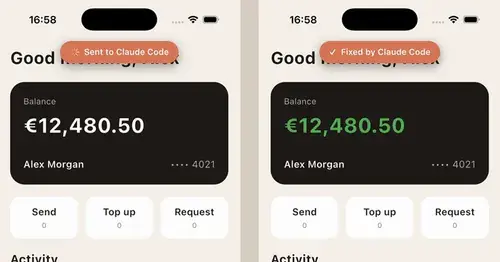
Long press a UI bug in your iOS app in the simulator and Claude Code gets the report.

RemCTL
Today's Apple Reminders above the prompt, plus tools for Claude to manage them.
savvy-progress
Running, finished and planned subagents with model, context, cost and time, in one panel.
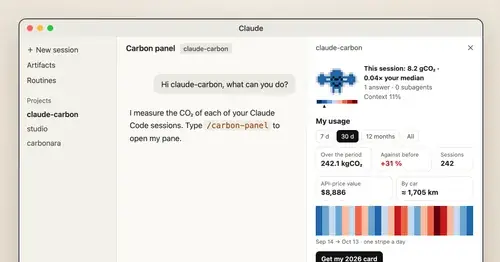
claude-carbon
Estimated grams of CO2 for each answer and session, with a molecule and warming stripes.
Popular Claude Mods
The whole directory →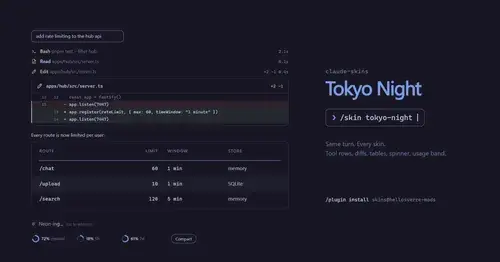
claude-skins
Fifteen transcript skins: timed tool rows, diff, table and chart cards, a usage band.
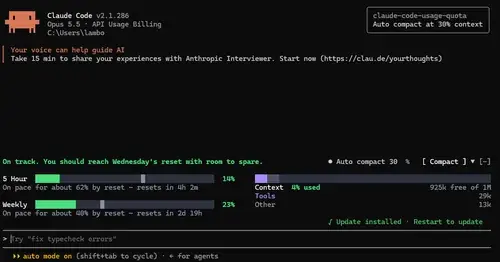
claude-code-usage-quota
5-hour and weekly plan limits, a run-out forecast and the context, with auto compact.
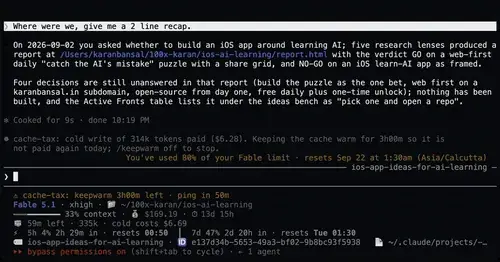
cache-tax
Keeps the prompt cache warm during breaks and stops a cold send once with its price.
auto-handoff
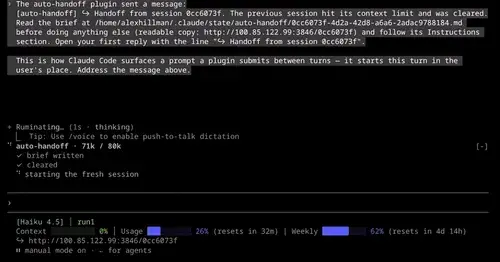
Hands a long session to a fresh one with a Haiku-written brief instead of compacting.