Interface·terminal·Apache-2.0
roer-ui
Claude draws forms, dashboards, tables and diffs you can click, in a pane. From JetBrains.
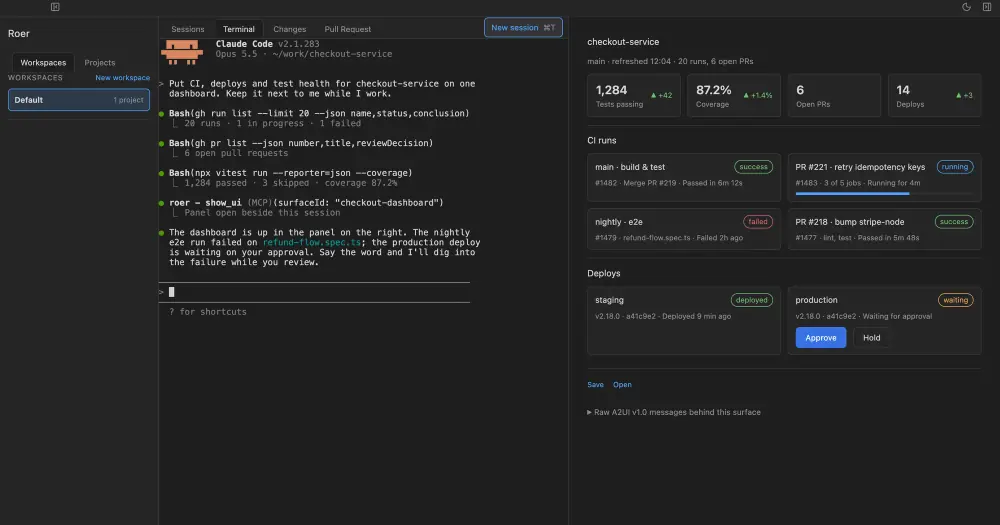
roer-ui lets Claude draw an interface in a pane beside the Claude Code transcript: a form, a dashboard, a table, a diff to review, buttons you can press. You type /roer and what you want to see, and Claude draws it. Nothing else from Roer has to be installed or running.
Roer is JetBrains’ workspace for terminal coding agents, a desktop app for macOS, Linux and Windows. It runs agent CLIs such as Claude Code, Codex, Pi or Junie in tmux sessions, walks you through their changes from diff to merged PR, and has a Generative UI panel where the agent draws views beside the session. roer-ui takes only that last part and puts it inside Claude Code. The README calls it a spike, and the plugin is at version 0.1.0.
The cover shows Roer’s own panel, not the mod. In Claude Code the same surfaces are drawn with terminal text, borders and colours.
What it does
- One command.
/roer a form to file a bugopens a pane titled Roer and sends your request to Claude as a prompt, with a note to draw it through the mod’sshowtool./roeron its own just opens the pane. - Two tools for Claude.
showtakes A2UI v1.0 messages, a JSON format in which an agent creates a surface, updates its components or its data, and deletes it. They are the same messages Roer’s ownshow_uitool takes.guideanswers with the component catalog and the pane’s rules, which Claude reads once per session before drawing. - The whole Roer catalog. Layout (rows, columns, grids, cards, tabs, expandable sections), inputs (buttons, text fields, checkboxes, pickers, sliders, date fields) and Roer’s own components: tables, charts, stat tiles, status cards, badges, diff views, and work items with requirements, decisions and findings.
- Data the pane computes. Any value can be bound to the surface’s data model, and edits in a field write back to it. A closed set of functions (arithmetic, comparisons, number formatting, plurals) computes in the pane, so a slider and a text that divides by it make a working calculator without a turn of Claude’s.
- Presses go back to Claude. A button with an event sends a prompt starting with
[roer-ui], carrying the action as JSON, and the whole data model too if the surface asked for it. Ticking a requirement, answering a decision or resolving a finding reports the same way. - Work without Claude. Three additions that neither A2UI v1.0 nor Roer’s panel has yet. A
loadDatamessage fills part of the data model from a command’s output or a file, so Claude names where a diff or a PR list comes from instead of typing it out. A surface can be created hidden. A button can open another surface and load data into it in the pane itself, for drill-downs, back buttons and refreshes.
Install
Needs Claude Code 2.1.287 or later and a clone of the JetBrains/roer repository. The repo has no marketplace file, so the mod loads from the clone with --plugin-dir, for one session at a time:
git clone https://github.com/JetBrains/roer ~/roer
claude --plugin-dir ~/roer/claude-plugin/roer-ui
Run the second command from your project’s folder, because the commands the pane runs use the session’s working directory. Then try /roer a form to file a bug. The examples the mod gives Claude fetch from GitHub with gh, so views of PRs and checks need the gh CLI.
How it works
The module hooks four events. session.start registers /roer and the two tools. command.run answers /roer. tool.call answers only the mod’s own show and guide, so it never sees your other tool calls. ui.render draws the pane. Surfaces, their data and the pane’s view state live in the plugin’s state on your machine, and the mod makes no network calls of its own.
What it spends: /roer starts an ordinary Claude turn. Claude reads the guide, a few kilobytes, once per session and writes the interface as JSON, which costs output tokens. Every press with an event is a new prompt and another turn, and it can carry the whole data model. Local actions, loadData, bindings and the pane’s functions cost no tokens, which is why they exist.
What it runs: a loadData message or a button’s local load names either a command, as an argument list run without a shell in the session’s working directory, or a file, which is read as cat -- <file>. Before anything runs, the mod asks Claude Code what your permission rules say about that command as a Bash call:
- Allowed commands run at once through
process.run, with a 60-second timeout, and their output is read whole. - Commands that need asking go through the Bash tool, so the permission dialog opens when Claude’s call lands or when you press the button. Your PreToolUse hooks see only these.
- Denied commands are refused.
The pane marks a button “(asks first)” or “(not allowed)” before you press it. Claude must write the command’s name out, and an argument taken from the data model must be an id, a number or a path that does not start with -, so text from a PR body or a file cannot turn into a command. A call is tried with placeholders first, so a malformed one runs nothing, and a command that fails cancels the whole call. A button can still do anything your permissions allow, merging a PR included. Output the Bash tool saved to a file for being too long is read back with fs.read.
Limitations
- Components a terminal cannot show are drawn another way. Images, video and audio become links. Charts are text bars or sparklines with the numbers beside them and no hover. A Mermaid component shows its source, not the diagram. A modal opens beneath its button. Diffs are unified only. A long text field is one line.
- A password field never shows its value, only its length, and cannot mask what you type into it.
- The engine refuses a drawing of more than 100,000 characters of text, so the open diffs share about 60,000. A file that does not fit says so, and closing another makes room.
- Table columns share the pane’s width, and the widest is cut first.
- The author documents the mod only in the terminal.
Similar Claude Mods

terminal-browser
A Chromium browser in a pane beside the transcript, for previews and agent browsing.
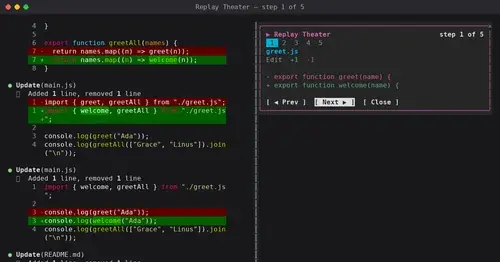
replay-theater
A /replay pane that walks through the last turn's file edits, one diff per step.
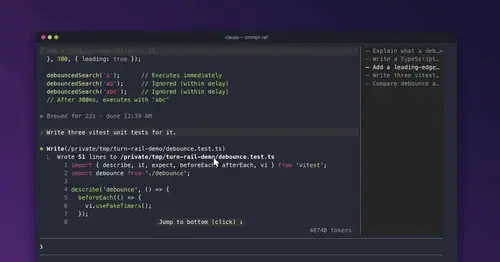
prompt-rail
Your session's prompts as a rail: hover to read one, click to jump back to it.
aside
Ask about the session so far in a read-only side pane. Nothing reaches the main thread.
Popular Claude Mods
The whole directory →firstmate-calm
Hides tool rows and swaps the spinner for a sailboat. Toggle with /calm, zero tokens.
codex-computer-use
Claude's computer use on Codex's engine: one session per chat, per-app approval.
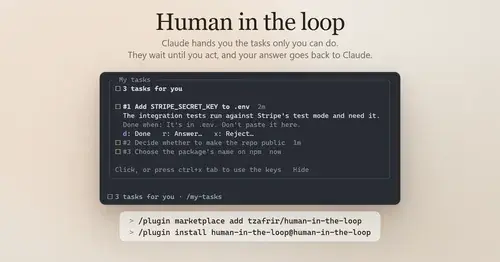
Human in the loop
Claude assigns you what only you can do. Tasks wait in a pane until you answer.
Claude-sama
An unofficial kami mascot who reads above the prompt and reacts to what Claude is doing.