Interface·terminal·MIT
prompt-rail
Your session's prompts as a rail: hover to read one, click to jump back to it.
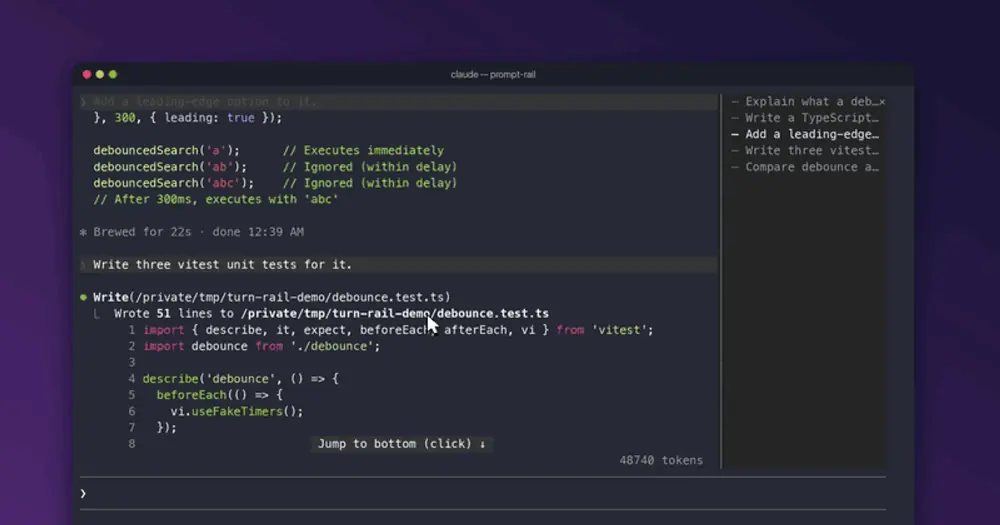
prompt-rail gives every prompt you send in a session a mark on a rail, either above the prompt input or in a pane beside the transcript. Hover a mark to read that prompt, click it to scroll the transcript back to where you asked it. A heavy mark shows which prompt you are reading and follows you as you scroll. It costs no tokens.
What it does
In the horizontal layout, the default, the rail is a row of bars right above the input, one per prompt, with a text line over them. The line shows the prompt you are reading. Hover a bar and the line shows that prompt, numbered, with a summary of its turn: how long it took, how many tools it called and which files it edited with Edit or Write (three by name, then a count). A turn that is still running, was interrupted or ended in an API error says so. With more prompts than columns, the bars show a window around the one you are reading, and ‹ and › mark what is hidden.

In the vertical layout, the rail is a pane called Prompts, docked beside the transcript, with one row per prompt and its opening words. Click anywhere on a row to jump.
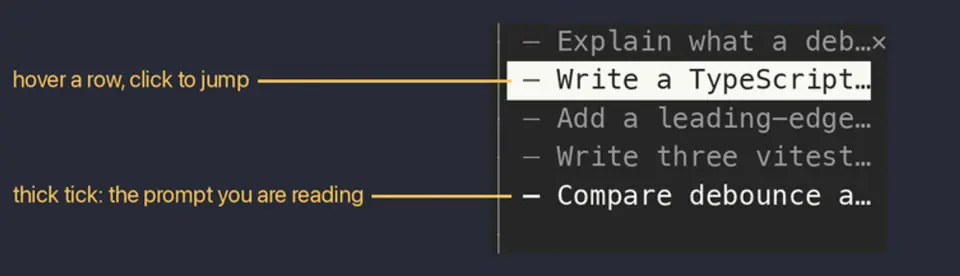
The prompt you are reading is the one whose rows reach the top of the screen. A reply or a tool call counts as part of the prompt it answers.
- Jumps by command.
/prompt-rail nextand/prompt-rail prevstep through the prompts,firstandlastgo to the ends,/prompt-rail 12(or#12) goes to a number, and/prompt-rail find <words>goes to the newest prompt that contains those words. They work while Claude is mid-turn too. - What gets listed. Only prompts you typed or sent through Remote Control; slash commands are left out. Prompts you type while Claude works are listed too. Prompts you abandon with
/rewinddrop off, prompts from before a resume stay, and/clearstarts the rail empty. - Keyboard.
/prompt-rail-nextand/prompt-rail-prevtake no argument, so you can bind them in~/.claude/keybindings.json, as below. In the horizontal layout,ctrl+x tabmoves the focus to the bars: the arrow keys walk along them showing each prompt,Enterjumps andEscreturns to the input.
{
  "bindings": [
    {
      "context": "Chat",
      "bindings": {
        "ctrl+k": "command:prompt-rail-prev",
        "meta+j": "command:prompt-rail-next"
      }
    }
  ]
}
Install
Needs Claude Code 2.1.287 or later and an interactive terminal. The author says hover and click work best with "tui": "fullscreen".
claude plugin marketplace add oikon48/prompt-rail
claude plugin install prompt-rail@oikon48
Start a new session and the rail opens on its own, in the horizontal layout. /prompt-rail vertical moves it to the pane, /prompt-rail horizontal brings it back and /prompt-rail off hides it. The same choice is the Rail mode row in /config, and it holds across sessions. /prompt-rail alone reopens the rail in its current layout.
How it works
The list comes from the session’s transcript file, the .jsonl Claude Code writes as you work. The classic SessionStart hook (classic.SessionStart) hands the mod the file’s path. It reads the file again when a turn starts and after each one ends (classic.Stop), and only if the file’s size or modification time changed. From each row it keeps a few fields in memory: the message text, the ids that tie replies and tool calls to their prompt, tool names with the path of an edited file, durations and timestamps. Tool results and the rest of each tool call’s input are dropped as the file is read.
A transcript over 4 MB is too large for one read, so the mod streams it with tail, started through process.spawn, from where the last read stopped. That is the only process it starts. If tail fails, a toast says so and the rail lists prompts as they are drawn instead.
When you send a prompt, prompt.submit (or session.receive, for one from Remote Control) notes its text so the rail can list it before Claude Code stores it. The prompt goes through unchanged. turn.start and turn.complete mark a turn as running and record its duration and how it ended. The ui.render hooks on prompt, reply and tool rows only read which rows are on screen, to know where you are, and leave the transcript as it was. A jump is a ui.scroll to the prompt’s row.
Prompt text and turn details live in memory for the session and are rebuilt from the transcript; the mod writes none of them to disk. Its plugin store keeps the transcript path of the 20 most recent sessions, so a reloaded module can rebuild its list, and the layout for a session that cannot save the setting. Otherwise the layout is the plugin’s mode setting. Its state holds only a counter that redraws the rail. The mod makes no network calls and asks the model nothing.
Limitations
- Terminal only. The author checked the Claude desktop app, with its bundled Claude Code 2.1.280, and it draws no rail.
- Claude Code seats the vertical pane on its own only in a window at least 144 columns wide, or 110 once you have opened it with
/prompt-rail. Narrower, it waits undrawn. - All plugin panes share the dock’s width. Drag its edge to narrow it, down to 24 columns.
- While a subagent’s transcript is in view, the rail says it lists the main conversation only and refuses jumps until you switch back.
- A prompt Claude Code refuses to scroll to gets a dotted tick, and
nextandprevskip it. The row of a/compactis one of these after the first try. - Near the end of the transcript,
nextstops short, because there is nothing left to scroll.
Similar Claude Mods

command-buttons
Run and Copy buttons under shell commands Claude writes, with hotkeys above the prompt.
Fanyi
Write in your language; Claude works in English and each reply is translated underneath.
glass
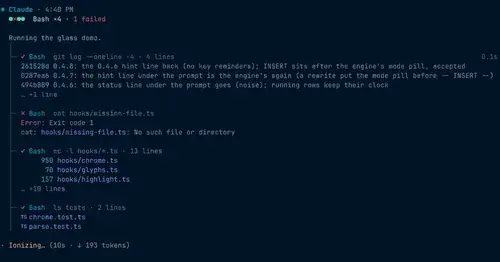
The transcript redrawn like a desktop app: colored commands, a tool tree, code cards.
cc-stretch
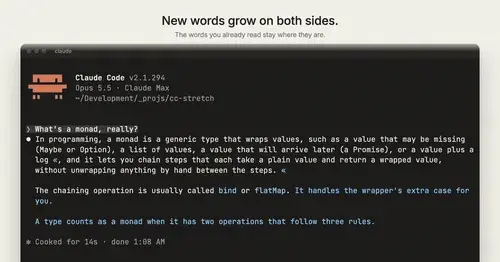
Replies arrive short; click a phrase and it grows in place, click « to fold it back.
Popular Claude Mods
The whole directory →
shared-session
Share a session by link: teammates join from their Claude Code and prompt it live.
qa-guide
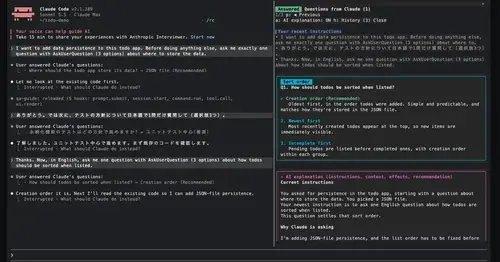
Explains each question Claude asks in a side pane: context, option effects, history.
kindex-modern
Task tools backed by a Kindex store in your repo, plus repo memory on every prompt.
env
Claude manages your .env keys and asks you for values it never gets to see.