Interface·terminal·MIT
Fanyi
Write in your language; Claude works in English and each reply is translated underneath.
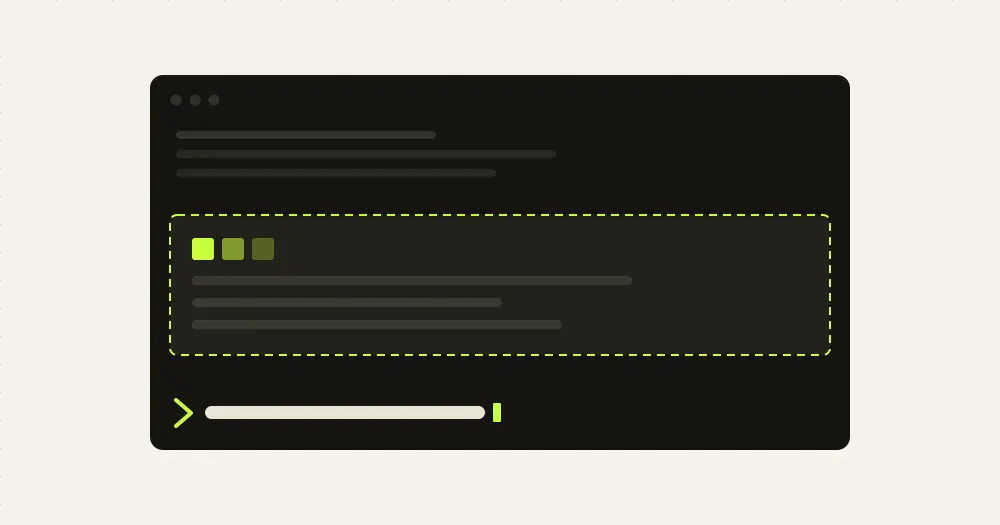
Fanyi lets you write to Claude Code in your own language while Claude keeps working in English. Each prompt is translated to English before Claude reads it, and each block of Claude’s reply gets a translation in a dim box underneath, streamed as it’s written. The translations of replies are for your eyes only: they never enter the conversation, so they add no Claude tokens. (Fanyi is Mandarin for “translate”.)
The translating is done by a second model you choose, on any OpenAI-compatible API, or by Apple’s on-device Translation framework on a Mac.
What it does
- Your prompts. A prompt in your language reaches Claude in English. Your message row shows what you typed, with the English that was sent dimmed under it. A prompt already in English, or one starting with
/or!, is sent as typed. - Claude’s replies. Every text block not already in your language gets its translation, rendered as Markdown, in a box under the original.
- Questions. In the AskUserQuestion dialog, the question gets its translation on the line below, each option’s description gets one after an arrow, and the header chip is translated if it fits. Option labels stay English, because a label is the answer Claude receives; their translation leads the description’s.
- Typed answers. Text you type under “Other” or into a text question is translated to English before Claude reads it, like a prompt. A picked option goes through unchanged.
- Tool rows. A Bash command or subagent row titled by its description shows the translation under that title.
The language picker offers 19 languages. Simplified Chinese is the default, so pick yours first.
Install
Needs Claude Code 2.1.287 or later and Node.js 18 or later for the bundled translation server, plus either an API key for an OpenAI-compatible Chat Completions endpoint or macOS 15 or later with the Xcode command line tools (xcode-select --install) for the on-device engine.
claude plugin marketplace add JrCx7scC/claude-code-fanyi
claude plugin install fanyi@claude-code-fanyi
Restart Claude Code and run /fanyi settings to pick your language, enter the API host and key, and choose a model, or pass the key at install time with --config api_key=<your-key>. The mod calls its own MCP server’s tools, so Claude Code may ask you to approve a plugin:fanyi:translator tool: allow it, or add "mcp__plugin_fanyi_translator" to permissions.allow in ~/.claude/settings.json. Version 0.13.0 is current.
A line above the prompt reads Fanyi ● On · ⚙. Click On or Off to switch translation, or ⚙ for the settings pane. Without a mouse, Ctrl+X then Tab focuses the line and Enter presses. /fanyi toggles, and /fanyi on and /fanyi off set it.
Settings
The pane applies each choice as you pick it and keeps it across sessions:
- Engine. API, which streams from your model, or Apple on-device, which keeps everything on the Mac and finishes a reply in under a second but handles technical terms worse. Apple’s engine needs the language pack downloaded in System Settings, General, Language & Region, Translation Languages.
- Detection. “On this Mac” lets Apple’s NaturalLanguage framework tell a text’s language with no API call. “Ask the model” leaves it to the API model.
- API host, key and model. Any OpenAI-compatible base URL, without
/chat/completions; the default ishttps://opencode.ai/zen/go/v1, OpenCode Go’s endpoint. The pane shows only the key’s last four characters, and an empty key removes it. Models come from the API’s/modelslist, or you type an id.
/plugin configure fanyi@claude-code-fanyi sets the starting values: api_key, base_url, model (default deepseek-v4.1-flash) and disable_thinking. That last one, on by default, tells the API to skip reasoning; on DeepSeek the author says it cuts time to first token from 6 to 15 seconds to about 1.5.
How it works
The hooks module itself makes no network requests. All translation goes through a small MCP server bundled with the plugin, a dependency-free Node script, which is why the mod keeps working with CLAUDE_CODE_DISABLE_NONESSENTIAL_TRAFFIC set.
prompt.submitsends each prompt to the translator and hands Claude the English instead. Claude only ever reads the English; the mod redraws your message row with the original from its own records.tool.callon AskUserQuestion does the same for answers you type. A secondtool.callhook refuses the translator tools if Claude tries to call them, so only the mod can.session.appendstarts a background translation for each text block of a main-conversation reply once it’s stored, so Claude’s next step isn’t held up.ui.renderon the reply keeps Claude Code’s own drawing and adds the box under it, redrawn as text streams in.
Whether a text needs translating is decided first by its script, for a language not written in Latin script: a prompt is translated if it contains your script, a reply if less than half of its letters are in it. Next comes on-device detection, if you chose it and are on a Mac. Otherwise the model decides, answering with a marker instead of a translation, so a text already in the right language still costs a short call.
What it costs. The API engine bills your translation provider, not your Claude plan. Every prompt, reply block and typed answer that the script or on-device check can’t rule out is one request, and the short strings of a dialog or tool row share one batched request. Finished translations are saved, so a restart or /resume draws them again without paying twice. The Apple engine keeps everything on the Mac at no cost.
What leaves your machine. With the API engine, your prompts, Claude’s reply blocks (code included, since only the Apple engine sets code aside before translating), question text and tool row descriptions go to the host you configured. Every request carries a claude-code-fanyi/<version> User-Agent and an x-opencode-session header holding your Claude Code session id, which OpenCode Go requires and other providers ignore.
What it stores. In the plugin’s store: your settings, and the finished translations for each engine, model and language, about 3 MB of the newest. Reply translations are keyed by a hash of the English rather than the English itself; up to 300 prompts are kept as pairs of what you typed and the English sent. The API key lives in the macOS Keychain, or in a file only you can read on other systems; a key set through the plugin options goes to your system’s credential store.
Limitations
- A prompt in your language waits for its translation before it’s sent: about 1.5 to 5 seconds with the API, under one with Apple.
- The Apple engine doesn’t stream, so a reply’s translation appears whole.
- Right after a start or
/resume, replies wait quietly, up to 60 seconds, for the translation server to connect. - Prompts always go to English. Subagents’ replies aren’t translated, and the dim summary line before a tool call stays English, because it’s a thinking block that plugins can’t redraw.
- A question dialog or tool row shows English for about a second until its translation arrives.
- A failed translation is retried twice, after 2 and 6 seconds, and at most three run at once.
- The author documents the mod in the terminal only.
Similar Claude Mods

claude-queue
Prompts typed with /q wait in a stack above the prompt and go out when the turn ends.
firstmate-calm
Hides tool rows and swaps the spinner for a sailboat. Toggle with /calm, zero tokens.
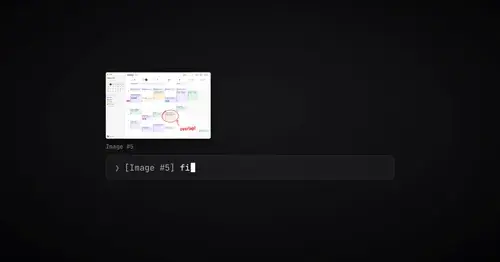
paste-preview
Thumbnails of pasted images, plus an editor to circle what matters before Claude sees it.
aside
Ask about the session so far in a read-only side pane. Nothing reaches the main thread.
Popular Claude Mods
The whole directory →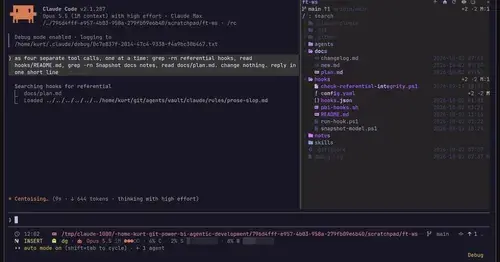
filetree
Sidebar file tree with git status that lights up what Claude reads, edits and commits.
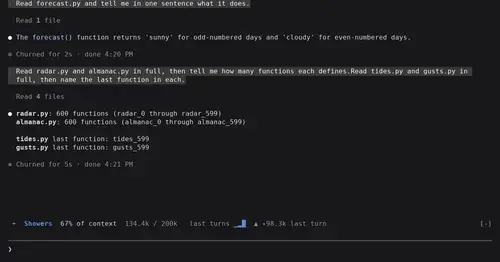
token-weather
Context window fill as a weather forecast above the prompt, with a chart of recent turns.
cs
Rotate and wrap keys above the prompt from 40% context, forced rotation at 80%. Needs cs.
savvy-progress
Running, finished and planned subagents with model, context, cost and time, in one panel.