Automation·terminal · desktop·MIT
shared-session
Share a session by link: teammates join from their Claude Code and prompt it live.
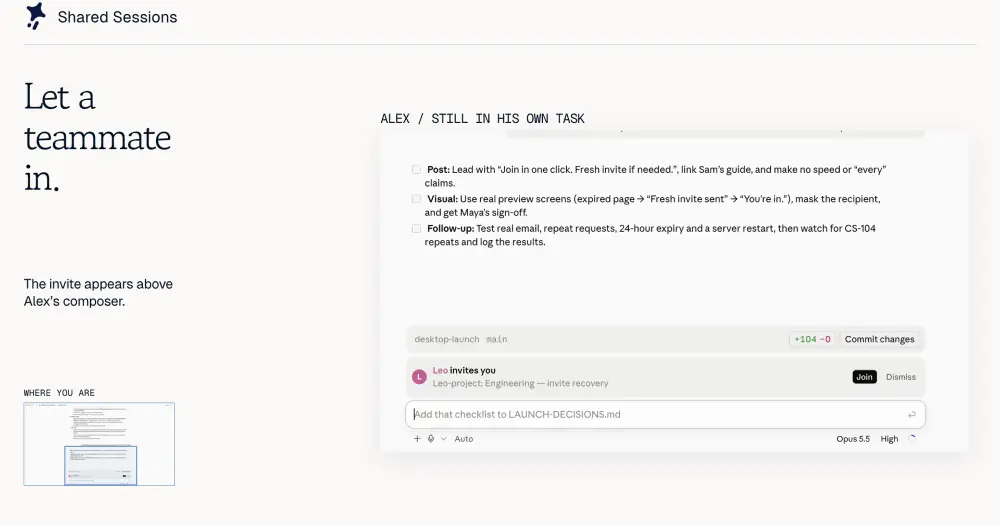
shared-session makes a Claude Code session multiplayer. You share a link, or share with your team after signing in with GitHub or Google, and teammates join from their own Claude Code and prompt it. One session does the work: every tool runs on the host’s machine, the host approves what guests ask for, and everyone sees each turn live. The traffic goes through the project’s public relay unless you run your own.
The plugin calls itself Shared Sessions in its interface. It works in the terminal and in Claude Desktop, according to the README.
What it does
- Share and join. Press Share above the prompt or run
/share-session, and the link is copied. A teammate pastes it into a fresh Claude Code session and is in, with the session’s history played back. No model call is spent on the join. - Guests prompt the host’s Claude. What a guest types reaches the host’s session as “Name: text” and runs after any turn already running. The guest’s own model is never called.
- Live view. Guests see the host’s replies and thinking as they stream, tool calls drawn as tool cards with their results, and the files, widgets, published Artifact pages and localhost previews the host’s Claude shows, opened in their own Claude Code.
- The Room (
/room). Who is here, an activity timeline, a side chat that Claude never reads, what Claude showed, and the host’s controls. - Teams (
/team). Sign in to see your team’s live sessions, join with one press, and invite teammates into a session (/invite <name>). A team can be members only or anyone with the link, and can admit people by email domain or GitHub organization. - Extras.
/share-file <path>shows a file to everyone./share-preview <port>lets guests open a dev server running on the host. - Survives restarts. A host that closes Claude Code keeps the room for 24 hours and takes it back up on reopening.
/stop-sharing,/clearor logging out ends it.
Install
Needs Claude Code 2.1.287 or later, plus curl, and the plugin installed on every machine that shares or joins. Localhost previews forwarded over TCP also need Node 20 or later and a POSIX sh.
claude plugin marketplace add Paradigm-Study/claude-share
claude plugin install shared-session@claude-share
Start a new session after installing; in Claude Desktop, quit and reopen the app. Leave the plugin’s Share server option empty to use the public server, press Share above the prompt and send the link.
How it works
What goes to the relay
The default server is claude-share.proud-limit-da0a.workers.dev, a Cloudflare Worker run by the project. Every room on it holds what the host’s session stores as it happens: each prompt, Claude’s replies, every tool call with its full input, and its result. While someone else is in the room, the reply’s text and thinking also stream through as Claude writes them; the code says the server passes these on without storing them. A tool call still being written goes out only as a progress line (the tool and a file name or the command’s first line), and its arguments follow once the call is made.
A session with earlier prompts asks first whether to include them (/share-session all or /share-session new). Including them uploads the existing conversation, read from the session’s transcript file on disk, so it covers what came before a compaction, with pictures from the newest 60 results as room files. Only from now on sends nothing earlier, not even the first prompt as the room’s title.
Files travel too. Whatever the host’s Claude shows (a sent file, a widget, an Artifact page with its assets, a file opened in Desktop’s Files pane) is uploaded to the room, and so are guests’ attachments, up to 8 MB each. The host can set What Claude shows to Stays with me to keep all of that on their machine. The side chat goes through the room as well, and your display name is taken from git config user.name, or your login name without one.
From a guest’s machine only what the person types and attaches leaves. The context Claude Desktop adds to a prompt is stripped, and messages delivered by channels, other sessions or background tasks are never forwarded.
Encryption and retention
Traffic is HTTPS. The README says it is encrypted in transit, “not end to end”, and that the relay can read shared content. Anyone with a room link can join unless the room is restricted to a team.
According to the README, rooms and their files are deleted 24 hours after the host stops sharing or was last seen, team accounts and settings persist until the account is deleted, and a room on the public server takes up to 20 people and 100 MB of files. The README points to the repo’s guide for the full data, retention and access details, which we did not review. Neither the README nor the plugin’s code says whether the public server logs requests or addresses.
Running your own relay
From a clone of the repo with Node 20 or later, node scripts/setup.mjs deploy sets up a Cloudflare Worker or a Node server; the Cloudflare account and the browser authorization need a person. For a server you already run, use node scripts/setup.mjs host --server https://your-server. You can also set the server with /plugin configure shared-session or the SHARED_SESSION_SERVER environment variable. Joining always uses the server in the link. A server without sign-in still shares by link but offers no teams.
What the host decides
Your own permission rules are checked first, and anything they deny stays denied. On top of them, during a turn a guest started, the plugin asks you before edits, shell commands and network use. Tools that only read inside the project run without asking. The question offers Allow once, Always allow for that person, or Decline, and previews the exact command, diff or new file. It asks even in a permission mode that would let the call through.
The Room’s settings change this for everyone: Ask me before can cover every tool, reads included, or nothing, which leaves only your own rules. Teammates can be limited to watching and chatting. If the dialog doesn’t show, the question moves to the row above the prompt and counts as declined after 10 minutes; in claude -p, where nothing is drawn, it is declined.
Previews of your localhost are shared by themselves. When your Claude opens a localhost page in the browser pane, or writes a localhost address that answers HTTP, the plugin offers it to the room and says so in a toast; you can stop it in the Room. Guests open it through a link on the relay that lasts ten minutes and works in one browser, and your plugin fetches each request from that port only. /share-preview <port>, or Allow forwarding in the Room, goes further: guests can forward the port to their own localhost over raw TCP. A guest pressing Esc stops the turn running on your machine.
What runs on a guest’s machine
Nothing the host’s Claude runs. A guest’s turns are played back from the room, and tool cards are calls to the plugin’s own replay tool, which only returns the host’s result. Files the host’s Claude shows are saved into .shared-session/<host>/ inside the guest’s project, which the plugin adds to git’s local exclude list, and opened in the guest’s own viewers. The plugin approves those viewer calls itself, never over an explicit deny and never for an outside link, unless the guest picks Ask me first for what the host’s Claude shows, in the Room. A forwarded TCP preview opens a port on the guest’s machine only when the guest presses Open.
Cost and local files
All model work happens on the host’s usage, including every guest prompt. Guests spend nothing.
To take rooms back up after a restart, the plugin saves each room’s token in ~/.claude/shared-session/rooms/, in files only your user can read. If you turn on Updates in the Room, or already have auto-update on for this marketplace (the repo’s setup script turns it on), it writes that setting to ~/.claude/settings.json, copies itself to ~/.claude/shared-session/plugin, adds that folder to CLAUDE_CODE_PLUGIN_DIRS with CLAUDE_CODE_PLUGIN_DIR_WATCH=1 in the settings’ env, and from then on replaces its own files with the repo’s main branch whenever the server reports a newer version. Open sessions reload it in place. In Claude Desktop, the Allow pinning button adds four allow rules for Desktop’s sidebar tools to the same file, so a shared session can retitle and pin its sidebar row.
Limitations
- Guests see the first 40 lines of each tool result, and subagents’ inner steps are not mirrored.
- Some viewers are Desktop-only; a guest in the terminal gets the file or a link instead.
- A preview needs the host’s session and dev server to stay open.
- While the host’s Claude Code is closed, a guest’s prompts are not sent.
- The plugin does its network and file work through
/bin/shandcurl. The README doesn’t mention Windows.
Similar Claude Mods
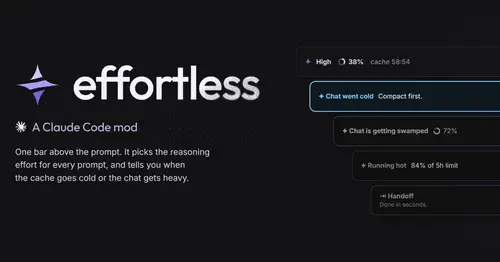
effortless
Picks the effort for every prompt and shows how long the prompt cache stays warm.
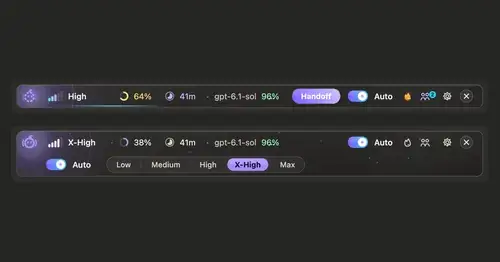
ripple
Effort per prompt, subagents routed to GPT, DeepSeek or Claude, and cache warnings.

Agent Time Machine
Every tool call on a branching timeline with snapshots: inspect, restore, branch, rerun.
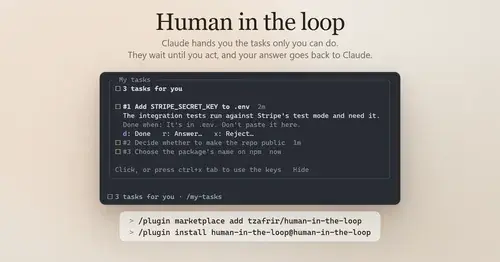
Human in the loop
Claude assigns you what only you can do. Tasks wait in a pane until you answer.
Popular Claude Mods
The whole directory →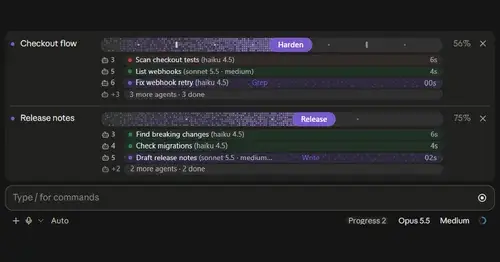
plan-progress
Claude's plan as live progress bars above the prompt, with subagents under each task.
secret-redactor
Swaps secrets, emails and IPs for placeholders before the model sees them.
inbox
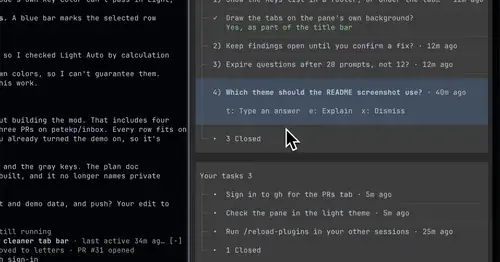
Claude's questions, your tasks, its findings and your PRs, sorted in one pane.
paste-preview
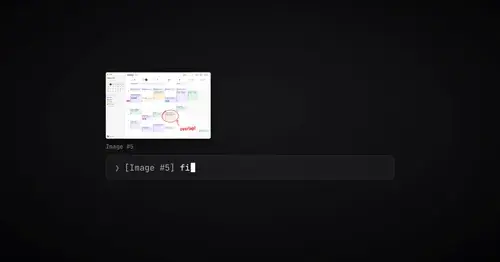
Thumbnails of pasted images, plus an editor to circle what matters before Claude sees it.