Interface·terminal · desktop·MIT
qa-guide
Explains each question Claude asks in a side pane: context, option effects, history.
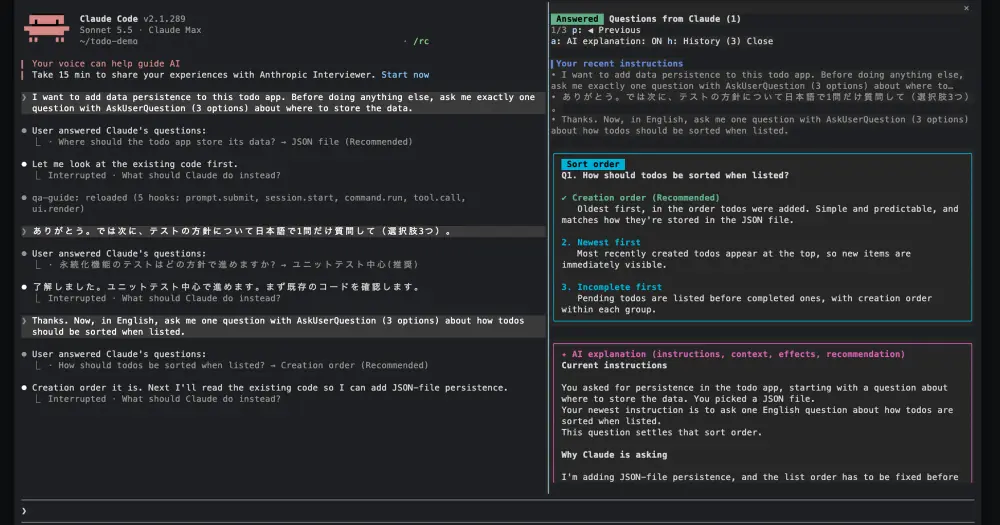
qa-guide opens a side pane whenever Claude asks you something with AskUserQuestion, the multiple-choice dialog. The pane says why Claude is asking, what each option leads to and what you last told it, so you can answer without scrolling back through a long session. It also catches questions Claude writes as plain text at the end of a reply.
What it does
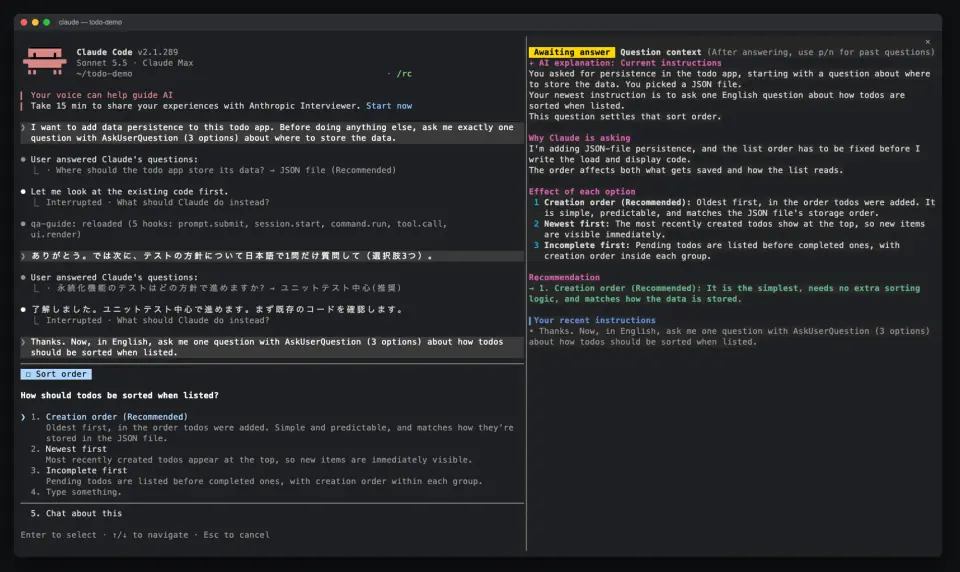
- While the dialog is open, a compact view fits the pane without scrolling. It holds an AI explanation in four parts (the instructions Claude is working under, why it is asking, the effect of each option numbered as in the dialog, a one-line recommendation), your latest prompt and the end of Claude’s text before the question. The question and options are not repeated: the dialog already shows them.
- After you answer, a full view shows each option with its description and preview, a green tick on your choice, free-text and multi-select answers, your last prompts and the explanation.
- History keeps the last 20 questions of the session. With the pane focused,
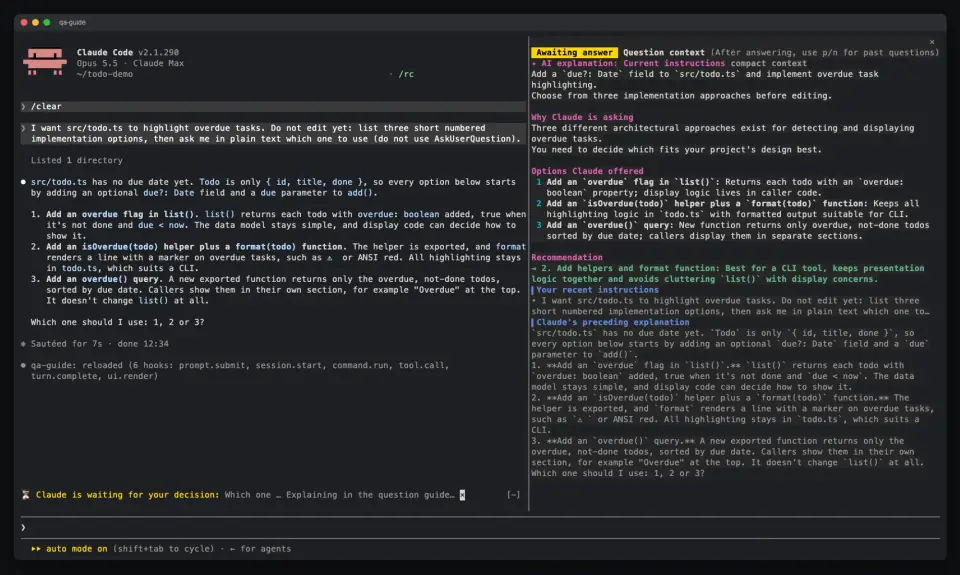
pandnstep back and forward,lreturns to the latest andhshows the list.Ctrl+XthenTab, or a click, focuses the pane;Escgoes back to the prompt. - Plain-text questions. When Claude ends a turn with a question in prose, a band above the prompt shows it with an Explain button. Click it, focus the band and press
e, or type??and Enter: qa-guide handles??itself and never sends it to Claude. The explanation lands in the pane, and your next prompt is recorded as the answer.×dismisses the band. - Full context regenerates one explanation from the whole session instead of a compact summary. The button takes a click where the surface supports clicks, and in the Claude Desktop app it works while the dialog is still open. From the keyboard, answer first, focus the pane and press
f.aturns automatic explanations off for the next questions. - English and Japanese. By default each question picks its language: hiragana or katakana in the question or its options means Japanese, anything else English. Set
languagetoenorjato fix it.
Install
Needs Claude Code 2.1.287 or later. The pane opens on its own only in a terminal at least 144 columns wide; below that, a toast points you to /qa-guide, which opens it at any width.
claude plugin marketplace add aieo-product/claude_qamods
claude plugin install qa-guide@claude-qamods
Inside a session, /plugin marketplace add and /plugin install with the same arguments do the same. The installer may warn about unset options. Ignore it: all four have defaults, language auto, context compact, showCost on and chatQuestions on, and you change them in /config or with /plugin configure qa-guide@claude-qamods. Then wait for Claude to ask you something, or run /qa-guide.
Version 0.5.1 is current. It comes from aieo-product, the account that also publishes kaneed-dungeon.
How it works
The module hooks six events. prompt.submit keeps your last five typed prompts, up to 600 characters each. tool.call on AskUserQuestion gathers the context, opens the pane and starts the explanation without holding the dialog back, then records your answer; when a subagent asks, the context comes from that subagent’s conversation. turn.complete checks the end of Claude’s reply for a plain-text question with a local heuristic, no model involved. ui.render draws the pane and the band, and session.start and command.run register and answer /qa-guide.
Explanations are model calls on the account your session already uses. qa-guide makes no network requests of its own. By default it asks Haiku, with a prompt capped at 12,000 characters: its instructions, your last three prompts, the last 2,500 characters of Claude’s text before the question, the questions, and the last 12 tool calls since your last prompt, each as the tool’s name and first text argument (a command or a path, say) cut to 120 characters. The author puts that at about 1,500 to 4,000 input tokens whatever the session’s length, plus up to 1,500 output tokens, and measured an explanation at roughly $0.001 to $0.004 at API prices.
Full context, or context set to full for every dialog question, forks the whole session transcript to the session’s model with one question and no tools. The transcript normally comes from the prompt cache, and the author estimates 1,000 to 3,000 added input tokens and 500 to 1,000 output. If the cache has expired, or right after /model, the whole transcript is processed once as fresh input. Before Claude’s first reply there is nothing to fork, so it falls back to Haiku.
Each explanation shows its measured input, cache and output tokens and, unless showCost is off, an estimate from a table of API list prices built into the mod. The full view’s toolbar adds a session total. On a Pro or Max plan these tokens count against your usage limits instead of being billed. Drawing the pane or the band never calls a model, and detecting a plain-text question costs nothing until you ask for its explanation.
Nothing is written to disk. Prompts, questions, answers and history live in session memory, survive a hot reload and are gone when the session ends.
Limitations
- The open dialog holds the keyboard, so the pane cannot scroll until you answer. That is why the compact view is trimmed to fit the pane’s height.
- Plain-text detection is a heuristic. It can miss a question or take another line for one.
- Labels and explanations come only in English and Japanese. Chinese text on its own selects English.
- The price table dates from September 2026 list prices and needs an update when prices change. Models missing from it show tokens without an estimate.
Similar Claude Mods
archpane
An architecture diagram Claude draws in a side pane and updates while you talk.
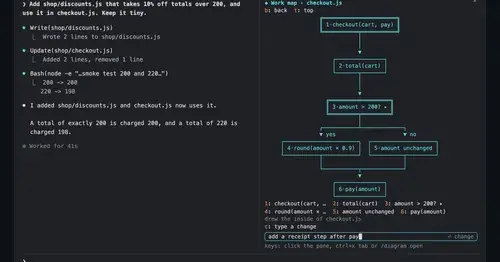
diagram-pane
Every diagram Claude draws, pinned in a side pane, plus a live map of the work.
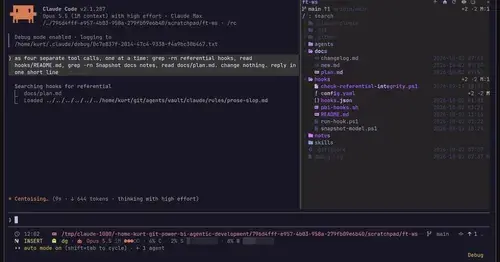
filetree
Sidebar file tree with git status that lights up what Claude reads, edits and commits.
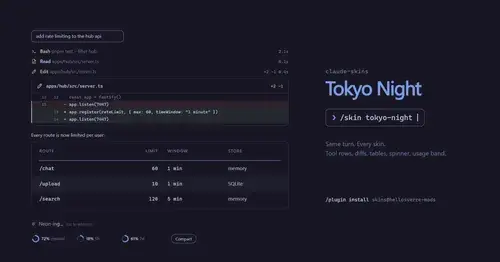
claude-skins
Fifteen transcript skins: timed tool rows, diff, table and chart cards, a usage band.
Popular Claude Mods
The whole directory →
terminal-browser
A Chromium browser in a pane beside the transcript, for previews and agent browsing.
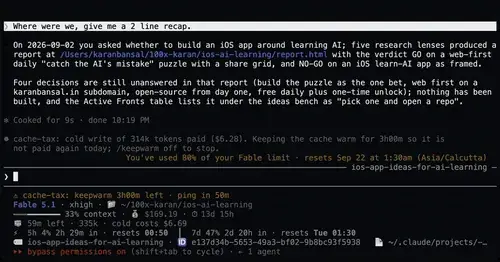
cache-tax
Keeps the prompt cache warm during breaks and stops a cold send once with its price.
compact-handoff
Like /compact, but the conversation becomes your validated /handoff and work carries on.
Habblaud
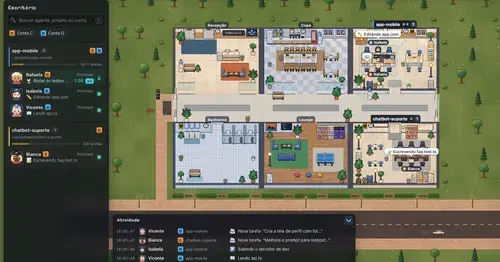
A pixel-art office where each Claude Code agent shows, live, what it is doing.