Interface·terminal · desktop·MIT
archpane
An architecture diagram Claude draws in a side pane and updates while you talk.
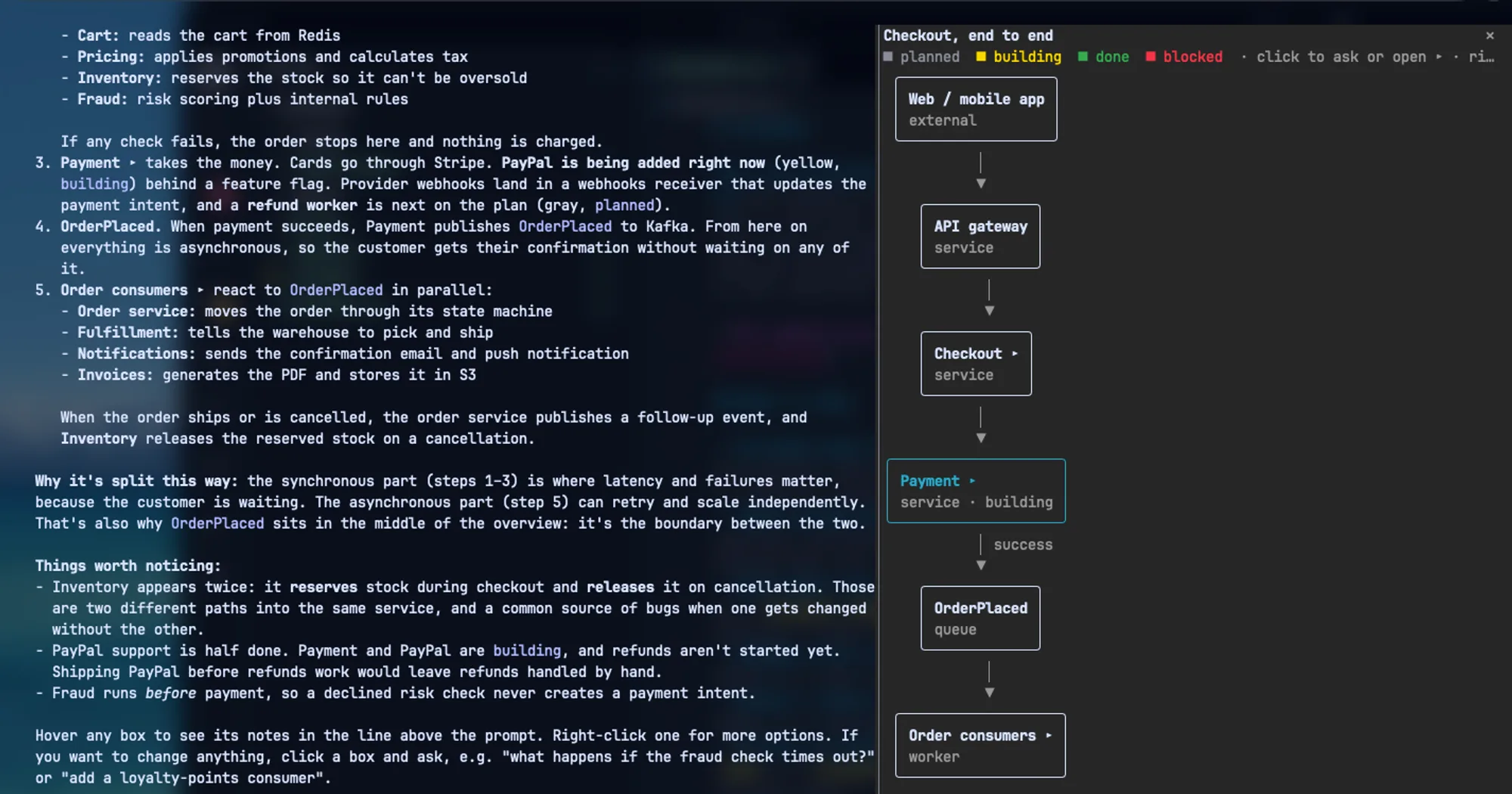
archpane gives Claude Code a side pane with an architecture diagram that Claude draws and keeps current while you talk. Ask it to diagram how checkout works, then to add a fraud check before payment, and the boxes change in place. Any box can open a subdiagram of what happens inside it, and a click on a box puts a reference to it in your prompt.
Unlike claude-mermaid, which draws the mermaid blocks inside Claude’s replies, archpane keeps named diagrams outside the transcript and edits them as the conversation moves on.
What it does
- Draws as Claude writes. Boxes appear in the pane while Claude is still streaming the edit, before the call finishes.
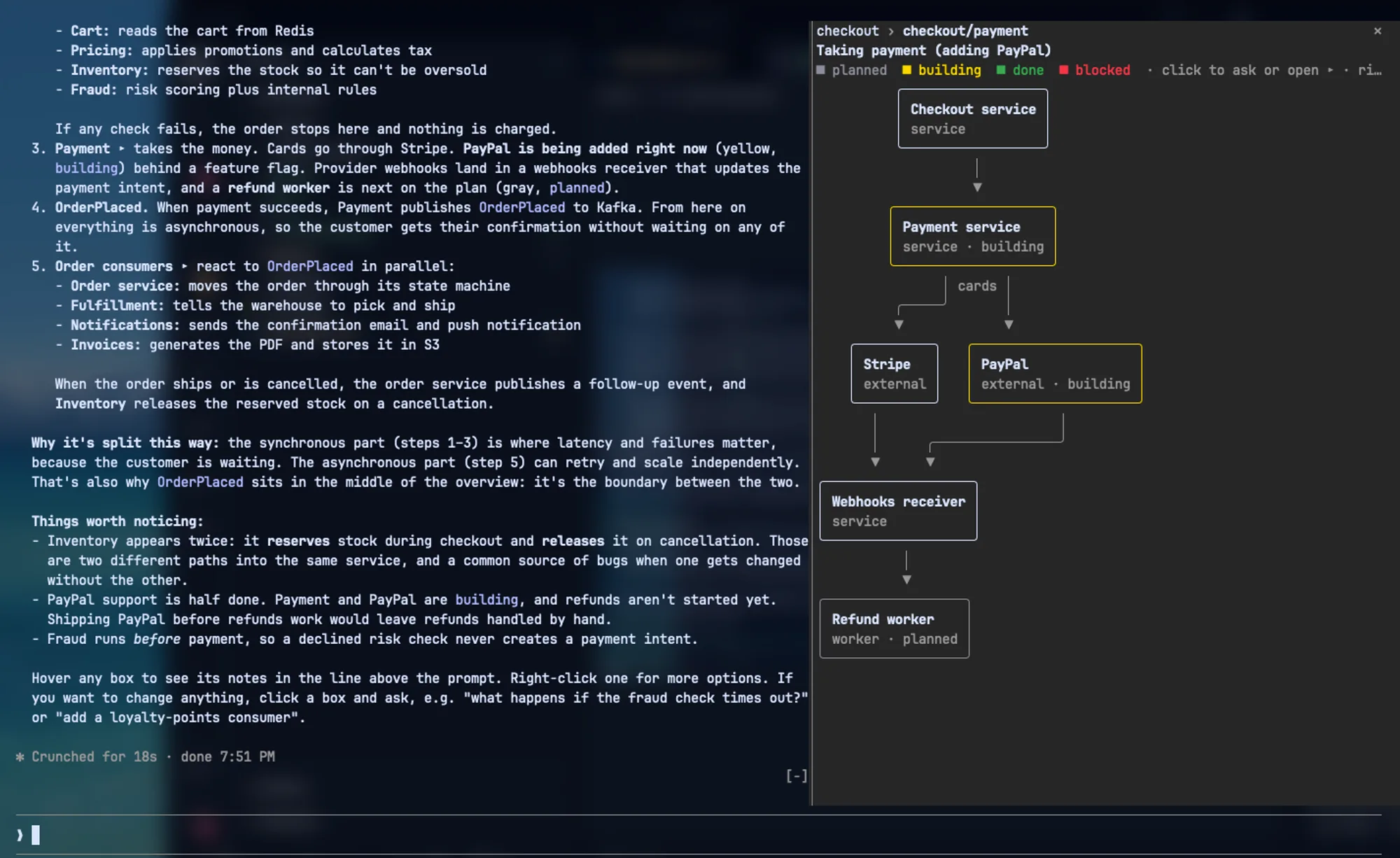
- Subdiagrams. A box marked ▸ opens a diagram of its internals, and a breadcrumb at the top of the pane leads back. If the linked diagram doesn’t exist yet, a toast tells you to ask Claude for it.
- Status colors. A component can be planned (gray), building (yellow), done (green) or blocked (red), so the diagram doubles as a build tracker. Claude is told to update the status as work lands.
- Ask about a box. Clicking a box without ▸ puts
[diagram <name>: <id>]in your prompt. Type your question after it; the tool tells Claude to look the component up. - Mouse. Hover a box to see its id, kind, group, status, note and outgoing edges in the line above the prompt. Right-click for a menu with Ask about this, Open detail and Copy id. Drag sideways to pan a diagram wider than the pane.
- Groups. Components that share a group are drawn inside a labeled border.
- Several diagrams per project.
/diagram paymentsswitches to, or creates, the diagram calledpayments./diagram listlists the project’s diagrams.
Install
Needs Claude Code 2.1.288 or later and a terminal that passes mouse events to Claude Code. The author tests it in Ghostty; tmux is untested. The pane docks beside the chat in the fullscreen layout at 110 columns or wider. Narrower than that, it shows inline above the prompt.
claude plugin marketplace add facumarcet/archpane
claude plugin install archpane@archpane
Restart Claude Code once if /diagram doesn’t appear. Run /diagram to open the pane on the project’s last diagram (or a new one called main), then ask Claude something like “diagram the services in this repo and how they talk to each other”. The first time Claude draws, Claude Code asks permission for the mcp__archpane__diagram tool. To skip that prompt, add "mcp__archpane__diagram" to permissions.allow in ~/.claude/settings.json.
Version 0.3.0 is current. From a clone of the repo, claude --plugin-dir ./archpane/plugins/archpane loads it for one session.
How it works
At session start the module registers a diagram tool, which Claude sees as mcp__archpane__diagram, and its tool.call hook answers every call to it. The tool has six operations: get returns the diagram as JSON, set replaces it, patch adds, changes or removes boxes and edges, and list, open and delete manage diagrams by name. A diagram is plain JSON: nodes with an id, label, kind, group, status, note and an optional link to a subdiagram, and edges from caller to callee with an optional label. A bundled skill teaches Claude to draw diagrams that read well in a narrow pane.
Every edit is checked before it is saved: at most 100 components and 200 edges, no edge to a missing box, and a drawing small enough for the pane. A rejected edit leaves the diagram as it was and tells Claude why. An accepted one answers with the laid-out size and what would make it more readable: wider than about 100 columns, more than two edges that skip levels, or a group around a single box. It also lists linked subdiagrams that haven’t been drawn yet, so Claude draws them next.
The live drawing comes from a turn.step hook. It passes every streamed chunk through untouched and reads only the input of the diagram tool, drawing the boxes that are complete so far without saving them. The finished call saves. If the call is interrupted or denied, a turn.complete hook puts the saved version back. The layout itself, top-down ranks with right-angled edges in terminal cells, is computed locally by the module.
Diagrams are stored in Claude Code’s plugin store on your machine, keyed by the directory Claude Code was started in and the diagram’s name, along with which one was open last. Nothing is written to your repository. The module makes no network calls, and its tool.call hook is limited to its own tool, so it does not inspect your other tool calls.
The diagrams cost tokens, because Claude writes each one as JSON in a tool call and get reads the whole diagram back. Opening the pane with /diagram, hovering, panning and clicking cost none until you send a prompt.
Limitations
- Diagrams live only on your machine, so you can’t share them with teammates yet.
- If two sessions edit the same diagram at once, the last save wins.
- You can’t move boxes by hand. The layout places them.
- A diagram holds at most 100 components and 200 edges. Anything bigger has to be split into an overview and detail diagrams, and a diagram too large to draw shows a notice in the pane instead.
- After an update, a dim
archpane: …error line can appear. Running/diagramonce redraws the pane. - The author documents and tests it in a terminal only. The pane code has a branch for the desktop app too, but nothing in the README covers it.
More mods
The whole directory →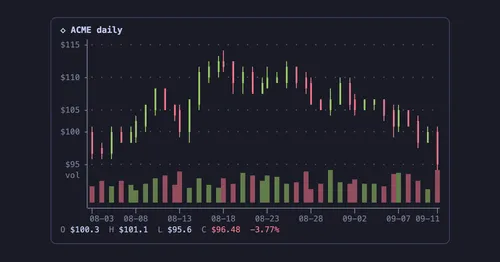
agent-charts
Claude's chart blocks drawn as line, candle, heatmap, pie and KPI charts in the terminal.
pin-board
Pin standing notes with /pin; Claude keeps following them after /compact and /clear.

asd-ste100
Each answer rewritten as a Simplified Technical English manual page in a side pane.
Better Call GPT
A Call button above the prompt: talk to Claude Code by voice while it works.