Interface·terminal · desktop·MIT
asd-ste100
Each answer rewritten as a Simplified Technical English manual page in a side pane.
asd-ste100 shows each Claude Code answer rewritten in Simplified Technical English, in a pane beside the transcript, laid out as a page of an aircraft maintenance manual. ASD-STE100 is the standard for that language: the controlled English the aerospace industry writes its maintenance manuals in, with a limited dictionary of approved words and rules such as one idea per sentence, the active voice and a cap on sentence length. Claude’s own answer stays as it wrote it, and the rewrite costs one Haiku call per answer.
The default level is the “80% Karpathy Mode”, named after Andrej Karpathy’s tip to ask a model for “80% of the way to ASD-STE100”, because the full standard is strict. The mod can also make Claude write its answers in STE directly.
What it does
- The STE pane. After each answer, Haiku rewrites it as an STE document and the pane draws it as a manual page. A header block carries the task number, the title, the page block (
001for a description,201when the text has steps), the mode, the revision and the date. Sections are numbered1., sentencesA., procedure steps(1)and list items(a). WARNING, CAUTION and NOTE lines become boxes. Unapproved words show in red with the approved word after them (utilize →USE), and a line above the footer says what the rewrite changed, such asavg words 19 → 7 · too long 3 → 0. - Pane keys.
vthe STE version,othe original answer,cthe check,rrewrite again (each one adds a revision),sthe session record,xclose. - The check tab. The score out of 100 as a gauge, the four longest sentences as bars against the word limit, and a table of findings (unapproved words, passive voice, noun clusters and other style issues), each with what to use instead.
- Two levels. The 80% level caps sentences at 25 words, swaps jargon for simple verbs (use, start, before) and keeps modern tech nouns such as API or cache. Strict follows Issue 9 of the standard (January 2025, 53 writing rules and a dictionary of about 900 words): 20 words for a procedure step, 25 for a description, and no semicolons, contractions or Latin abbreviations.
/asd 80and/asd strictswitch between them. - STE mode.
/asd onmakes Claude write the answer itself as an STE document, in the language of your prompt, and addsSTE [PRAGMATIC 80%]beside the spinner and to the status line./asd offturns it back. Without it, only the pane is in STE. - Session record.
/asd sessionwrites the whole session as an STE document with the sections Purpose, Decisions, Completed work and Open items, on the pane’s session tab.gwrites it again. It runs only when you ask. - On demand.
/asd check <text>scores a passage locally,/asd rewrite <text>rewrites it, and/asd statusshows the settings. Claude also gets two tools,mcp__asd-ste100__validate_steandmcp__asd-ste100__rewrite_ste, plus the agent skillasd-ste100:asd-ste100, which it uses when a request matches.
Install
Needs Claude Code 2.1.287 or later.
claude plugin marketplace add JAICHANGPARK/ASD-STE100
claude plugin install asd-ste100@asd-ste100
Ask Claude anything. When the answer ends, the STE pane opens beside the transcript; in a terminal narrower than 144 columns it waits, and /asd pane opens it. The plugin options defaultMode (pragmatic or strict) and autoInject (STE mode from the start) set the defaults. Whatever you set with /asd is saved machine-wide and overrides them in every project.
How it works
The mod makes extra model calls, and each one counts against your Claude usage like any other request Claude Code sends:
- Pane rewrite, on by default. When a main-loop turn ends (
turn.complete; subagent and aborted turns are skipped), the mod keeps the answer and, once the turn is over, sends its full text to Haiku withmodel.complete, capped at 3,000 output tokens./asd auto offstops it, andrin the pane then rewrites on demand. /asd rewriteand therewrite_stetool. One Haiku call each, capped at 1,000 and 1,500 tokens./asd session.model.forkasks your session’s own model once, over the conversation it already holds in the prompt cache. If that fails, and always with/asd session lite, the mod sends the conversation text, cut to its last 150,000 characters, to Haiku, capped at 4,000 tokens. The author says the fork gives the more accurate record and lite costs less.- STE mode. No extra call, but while
/asd onis set,prompt.composeadds the STE rules to the system prompt of every request.
prompt.submit reads your prompt only to note whether it asks for STE and which script it is written in, for the session record. The prompt goes on unchanged. tool.call answers only the mod’s own two tools: validate_ste runs the bundled linter locally, and no other tool’s calls reach the mod. ui.render draws the pane and the spinner suffix.
The /asd settings live in the plugin’s store. The pane’s answer, rewrite, score and session record are kept in the mod’s state in Claude Code. The mod makes no network requests of its own and runs no processes: the only text it sends anywhere goes in the model calls above.
Limitations
- The linter works on heuristics, with no part-of-speech tagging, and on a curated word list instead of the official dictionary, which the repo does not include. The standard itself is free on request from asd-ste100.org. Read the score as a guide.
- The per-answer rewrite runs whether or not the pane is on screen, for example in a terminal under 144 columns.
/asd auto offsaves the call if you do not read the pane. - The rewrite names the answer’s language to Haiku by its script: Korean, Japanese and Chinese are detected, and anything else is named English. A Korean answer becomes a Korean STE document, but an answer in Spanish or French may come back in English.
- The pane docks beside the transcript in the fullscreen layout. The author says the spinner indicator also shows in the Desktop app and documents the pane only in the terminal. In
claude -pand the VS Code chat panel the hooks run but nothing draws.
More mods
The whole directory →
agent-charts
Claude's chart blocks drawn as line, candle, heatmap, pie and KPI charts in the terminal.
pin-board
Pin standing notes with /pin; Claude keeps following them after /compact and /clear.
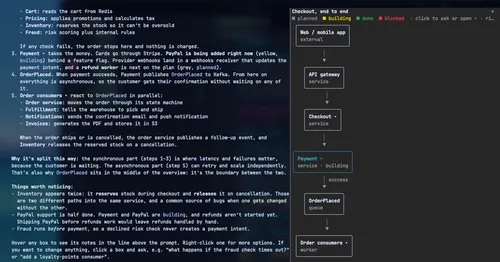
archpane
An architecture diagram Claude draws in a side pane and updates while you talk.
Better Call GPT
A Call button above the prompt: talk to Claude Code by voice while it works.