Interface·terminal · desktop·MIT
cc-stretch
Replies arrive short; click a phrase and it grows in place, click « to fold it back.
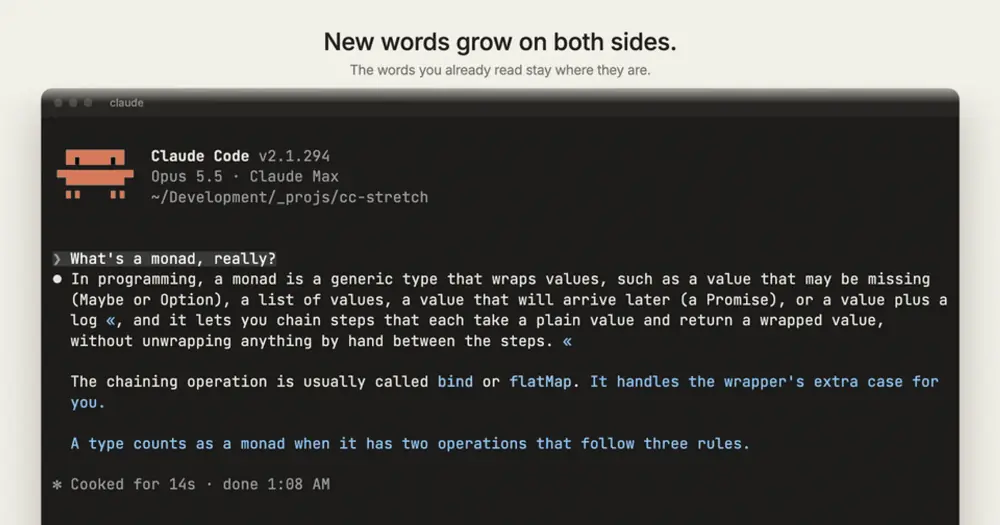
cc-stretch makes Claude’s replies short and lets you open the rest one phrase at a time. A reply arrives as one to three sentences; a linked phrase inside it grows in place when you click it, and « folds it back. The words you already read never move: the new ones open up around them, on both sides. With your next prompt, Claude is told which phrases you opened, so it doesn’t assume you read the ones you skipped.
The name comes from Ted Nelson’s stretchtext (1967), text that lengthens and shrinks on demand, which never caught on because someone had to write every level by hand. Here Claude writes them. The author measured the result on 69 real replies from four of their own coding projects: before any click, a reply was 17% of the words Claude wrote without the plugin, and it kept about two of every three most important points. They add that their replies run long, so if yours are short you save less.
What it does
- Nesting. A long form can hold more stretches, each one a further level of depth.
- Clean streaming. While a reply streams, its stretches already show as short forms, so the markup never flashes past.
- Letters for the keyboard. In fullscreen, alt+↓ or ctrl+↓ puts a letter over each closed stretch (up to 26) in the latest three replies on screen that hold one, and typing the letter opens it. alt+↑ or ctrl+↑ puts letters over each
«, to close. Any other key puts the letters away and is typed as usual. Clicking a reply’s⏺bullet does the same as alt+↓. - Colour. The words a click adds are tinted in Claude Code’s theme colours, one colour per stretch, with older ones faded so the newest stands out.
- Your own marking. Openable phrases are underlined by default. In the fullscreen terminal,
/cc-stretch:styleshows a toolbar above the prompt: toggle bold, italic, underline, strikethrough and dim, and pick a highlight, either one colour from nine swatches ortinted, which puts each closed stretch on the colour its words take once open.savekeeps the style in two plugin settings,marksandhighlight, which/plugin’s Configure options also edit;closedrops a style you tried and did not save.
Install
Needs Claude Code 2.1.287 or later, and for clicks either the terminal’s fullscreen renderer or the Claude desktop app.
claude plugin marketplace add pro-vi/cc-stretch
claude plugin install cc-stretch@cc-stretch
In the terminal, run /tui fullscreen in a session: it switches to the fullscreen renderer, restarting and resuming the session. In the desktop app stretches are links and need no setting. Ask Claude anything and click an underlined phrase. To update, run claude plugin update cc-stretch@cc-stretch; the author notes that as of Claude Code 2.1.302 this marketplace updates on its own only after you turn on its auto-update in the Marketplaces tab of /plugin. Version 0.5.1 is current.
How it works
Claude writes every level itself, in the same reply, with a {{short|long}} markup. The mod never asks the model again to expand a phrase, so opening one costs nothing, and a reply costs about as many tokens as it did without the plugin. The saving is in reading, not in tokens.
prompt.composeadds a short guide, under 2,000 characters, to Claude’s system prompt. It asks for a reply that reads complete at its shortest, one to three sentences, with anything you must decide or do outside every stretch, and for long forms that keep the short form’s words in order and grow around them. Stretches never go in code, tables or headings, and a reply that is already short gets none. When the session has no screen attached, the guide is left out.classic.MessageDisplayhides the long forms while a reply streams. It skips that whensession.surfacesshows the desktop app attached, because the desktop builds its links from the markup.ui.renderredraws each reply. In the fullscreen terminal, every paragraph that holds a stretch is drawn by a small client module running on the screen’s side, so a click answers at once and the new words arrive outward from the ones you read, over half a second to a second and a half. In the desktop app the reply becomes Markdown whose closed stretches are links to a reserved.invalidaddress the mod answers itself, so a ctrl- or cmd-click that hands one to a browser goes nowhere. Anywhere else every stretch is drawn open.prompt.submitadds one line of context to each prompt you type: the short forms of the stretches you opened since the last reply and of those you didn’t, or, with no click recorded, a note that you may have read only the short forms. That line and the guide are the extra input.
Which stretches are open, which you opened since your last prompt and their colours live in the plugin’s state. config.set writes only when you press save in the toolbar, as cc-stretch.marks and cc-stretch.highlight in your user settings, and config.list reads your theme to pick light or dark colours. ui.copy puts a selection on the clipboard. The mod makes no network calls and runs no processes.
Limitations
- Clicks work only in the terminal’s fullscreen renderer and the Claude desktop app. Everywhere else, including the terminal’s main screen, where a printed reply can’t change, every stretch shows open, so nothing is hidden, and the first such reply says why. As of Claude Code 2.1.300 some setups start on the main screen even with fullscreen set (
tmux -CC, SSH from Windows, a machine where an earlier fullscreen start failed); starting Claude Code withCLAUDE_CODE_NO_FLICKER=1forces fullscreen. - On Windows, clicks are reported not to work yet (issue #1).
- Wherever the plugin isn’t loaded, the
{{short|long}}markup shows as raw text. A terminal session that also has the desktop app attached shows it while a reply streams. - The mod draws stretch paragraphs itself, so the transcript’s own selection doesn’t reach them. A drag there is the mod’s: it copies on release and stays inside that paragraph. A double-click copies the word under it.
- The letter chords are the ones that scroll the diff panel’s file list, so while that panel is open with more than eight files they scroll it instead. On macOS 26, ctrl+↑ and ctrl+↓ open Mission Control and the app’s windows by default. If both chords of an action are taken, bind another key to
app:diffFileListDownorapp:diffFileListUpin theGlobalcontext of~/.claude/keybindings.json. - The desktop app has no style toolbar.
- The author checked it in the terminal on macOS with Claude Code 2.1.292 to 2.1.294 and 2.1.300 to 2.1.302, and in the desktop app with 2.1.295; a reader reports clicks working on Linux with 2.1.302. Events and methods can change between Claude Code versions.
Similar Claude Mods

Image Preview
Hover a pasted [Image #N] to see the picture; click it to open the file.
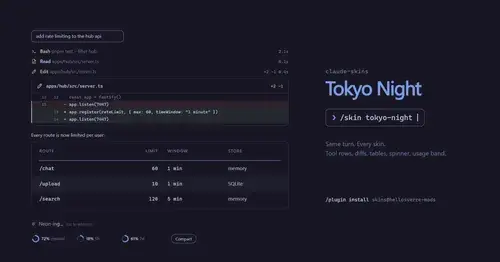
claude-skins
Fifteen transcript skins: timed tool rows, diff, table and chart cards, a usage band.
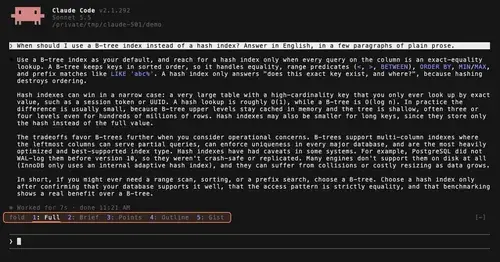
TextFold
Every reply at five levels, from every word to the answer in one sentence. One key each.
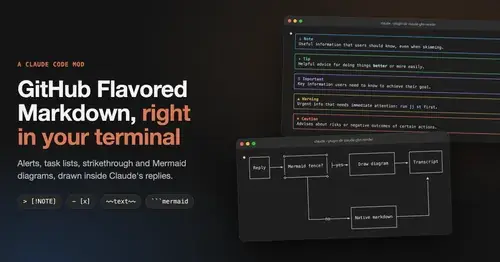
gfm-render
GitHub alerts as colored boxes, checkboxes, strikethrough and Mermaid art in replies.
Popular Claude Mods
The whole directory →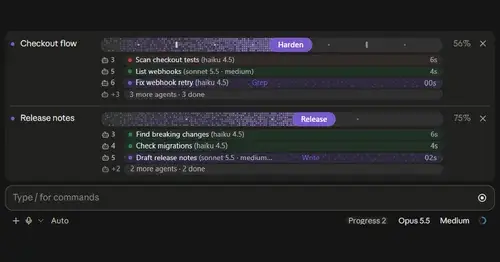
plan-progress
Claude's plan as live progress bars above the prompt, with subagents under each task.
Habblaud
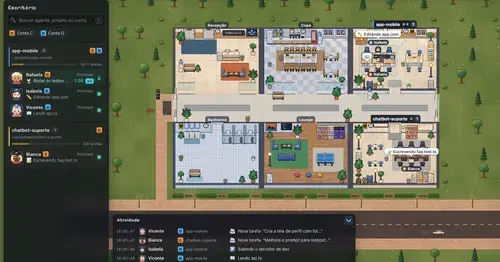
A pixel-art office where each Claude Code agent shows, live, what it is doing.
Context Attachment Manager
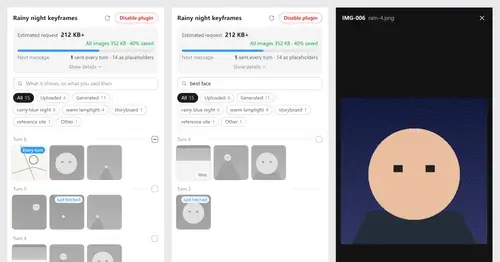
Pick which past images go out with your next message; the rest become placeholders.
glass
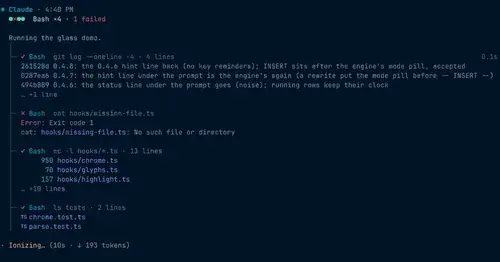
The transcript redrawn like a desktop app: colored commands, a tool tree, code cards.