Context & memory·terminal · desktop·MIT
Context Attachment Manager
Pick which past images go out with your next message; the rest become placeholders.
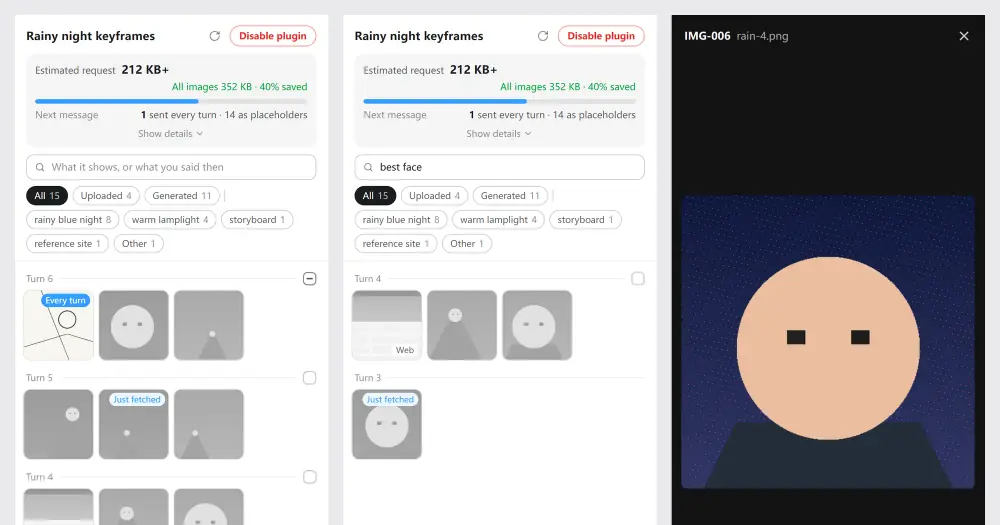
Context Attachment Manager lets you decide which images already in a Claude Code session go to the model with your next message. The ones you leave out become short placeholders, so the conversation goes on and each request stays small. It is made for long sessions full of screenshots and mockups, and the author tests it in the Code tab of Claude Desktop.
Claude Code sends the whole history, images included, with every request. The author first built the plugin for Codex, after a dozen generated images pushed one task’s requests to about 44 MB, then brought the same panel to Claude Code. That is why the install ID still says codex-attachment-manager: the project was called Codex Attachment Manager until it stopped being Codex-only.
What it does
- A panel of every image in the session, the ones you pasted and the ones the model opened, as thumbnails grouped by turn, newest first. Marks show which go every turn and which the model just fetched; images that will not be sent are gray. Click one for a preview with its ID, turn, source and size.
- Auto-select, on by default: images from earlier turns are left out, and the model fetches the ones it needs by ID with the plugin’s
cam_view_imagetool, for that turn only. Check Send every turn on a reference image to keep it in every message. - Manual mode: with Auto-select off, every image goes until you uncheck Send in its preview, or a whole turn with the box at the end of its line. When the model needs a missing image it replies
need IMG-xxx, and a bar at the top of the panel lists the request. - Placeholders that explain themselves: a note tells the model you left the images out to save context, so it does not invent details it cannot see. A duplicate’s placeholder points to the copy still being sent.
- Notes on each image (new in 0.8): the model writes a hidden line on what each new image shows and what you said about it (“too dark”, “best face”). The placeholders carry those notes, so after a compaction the model still picks the right image, and the panel’s search finds an image by what you remember. Filters split uploads, generated images and scenes.
- Through compaction: after Claude Code compacts, the plugin keeps sending the images you checked, right after the summary, and tells the model the others exist so it can ask for them.
- Savings card: an estimate of the next request’s size and how much you save against sending every image.
Install
Needs Claude Code 2.1.287 or later, plus Node 24 or later on your PATH (Claude Desktop does not ship it; with Codex installed, the plugin uses Codex’s own) and a Claude subscription sign-in.
claude plugin marketplace add chipfighter/context-attachment-manager
claude plugin install codex-attachment-manager@codex-attachment-manager
In Claude Desktop you can run only the first command and install it from the Code tab instead: + next to the prompt box, Plugins, Add plugin, Context Attachment Manager. Then start a new session. Once it has images, the panel opens by itself in Claude Desktop’s built-in browser, beside the conversation, and /cam opens it again any time. If /cam is the first message of a new session, the prompt box may say the command does not exist: send it anyway. In a terminal, /cam shows a small pane with a link to the panel and a button that copies it.
How it works
Read this before installing: the plugin puts a local proxy between Claude Code and Anthropic.
- The engine. The plugin’s MCP server starts a small proxy on
127.0.0.1:17891. At session start the hooks module waits for it to answer, then points that Claude Code process at it: it setsANTHROPIC_BASE_URLtohttp://127.0.0.1:17891and adds the loopback addresses toNO_PROXY. It puts the original values back when the session ends and edits no settings file. - What it touches. All of that process’s requests to
api.anthropic.compass through the engine. It rewrites the main conversation: it swaps the images you left out for placeholders, labels each image with its ID and adds the note for the model. Everything else, your sign-in headers included, is forwarded as it is. Subagents keep their own history. A session that already uses another endpoint, or Bedrock, Vertex or Foundry, is left alone, and the pane says your checks have no effect. - Network. The hooks module only talks to the engine on 127.0.0.1, with
http.fetch, for a health check and the panel’s numbers. Withmcp.callit drives Claude Desktop’s own browser tools (Claude_Browser) to open, follow and close the panel’s tab. The author states that the plugin sends nothing anywhere besides the requests Claude Code already makes to Anthropic. The engine goes through your system proxy. - Tool calls. The
tool.callhook acts only oncam_view_image, adding the session id; every other call passes untouched. APreToolUsehook approvescam_view_imagewithout a prompt, unless your own settings or hooks deny or ask. The model can fetch an image for one turn only, and only with Auto-select on; the selections are yours alone. - What it stores. A local folder (
%USERPROFILE%\.codex-attachment-manageron Windows,~/Library/Application Support/codex-attachment-manageron macOS,~/.local/share/codex-attachment-manageron Linux) keeps your selections, request sizes and counts, hashes used to match the model’s earlier thinking, and logs; the author says none of it holds conversation content or credentials. The image notes are read from Claude Code’s own conversation records, which the plugin never modifies. The folder stays after you uninstall. - Tokens. The panel does not go through the model. The notes add a few lines at the start of each reply, and every image the model fetches adds a request to that turn. On Claude accounts created on or after August 31, 2026, leaving an image out also drops earlier thinking that no longer matches the conversation, so the model may think again and use more tokens. The panel tells you each time; since 0.8 it also happens once, in the turn where a session’s first image arrives.
Limitations
- The author has tested it on Windows only. Nobody has tried it in the desktop apps on macOS or Linux yet.
- Only images are managed.
- Images you keep checked from before a compaction go with every request and fill context, but Claude Code’s context meter does not count them. If requests grow, uncheck some or switch on Auto-select.
- The notes are Markdown link definitions that Claude Desktop does not display. A place that shows the raw reply may, and the author has not checked Claude Code in a terminal yet.
- The panel opens through Claude Desktop’s browser tools, which are not a plugin interface; where they fail,
/camfalls back to the pane with the link. Claude Desktop closes its built-in browser after about 30 minutes away from a session, and the panel opens again with your next message. If you close it yourself, it stays closed in that session until/cam.
Similar Claude Mods
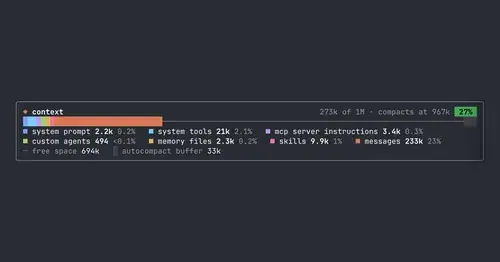
context-bar
Your context window as one stacked bar above the prompt, a color per category.

fast-jev-compaction
Compaction that drops stale tool calls instead of summarizing; the rest stays verbatim.
handoff-compact
Compaction becomes a handoff: goal, proof, decisions, dead ends and the next step.
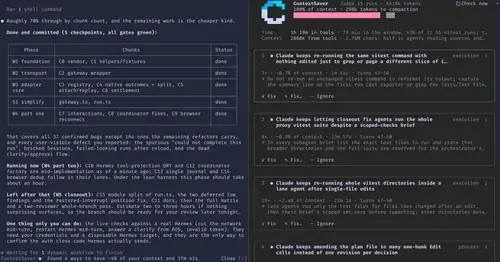
ContextSaver
Spots repeated waste in a session, prices it in context and time, fixes it in one click.
Popular Claude Mods
The whole directory →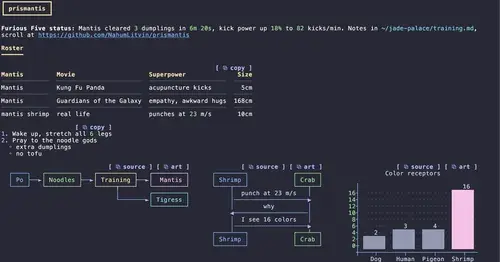
prismantis
Claude's replies in 15 themes: colored tables, highlighted code, diagrams and charts.
claude-toons
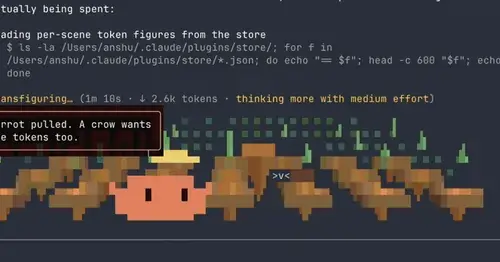
Cartoons of Clawd under the spinner that change with what Claude is doing.
paste-view
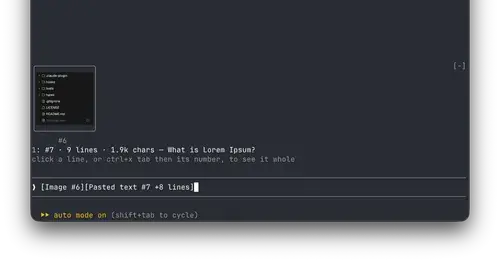
Previews of pasted text and thumbnails of pasted images, drawn above the prompt.
intermission
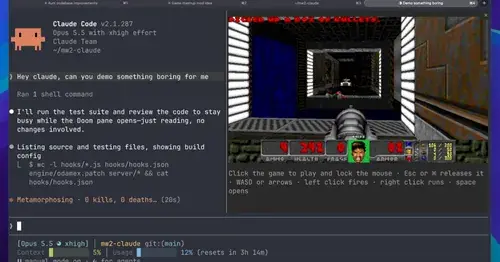
Multiplayer Doom deathmatch in a pane while Claude works, handed back when it needs you.