Context & memory·terminal · desktop·MIT
fast-jev-compaction
Compaction that drops stale tool calls instead of summarizing; the rest stays verbatim.
fast-jev-compaction changes what happens when Claude Code compacts a session. Instead of replacing old turns with a summary, it asks TypeSafe’s Jev model which old tool calls and tool results are still needed, drops or shortens the rest, and keeps everything else word for word, including every prompt and reply. It is for long sessions where a summary loses the file path, exact error or constraint you need later.
What it does
- Two questions per tool call. On
/compactand on auto-compaction, Jev is asked about every tool call outside the protected messages: does the call itself still matter, and is its result still needed in full. - Three outcomes. If the result is still needed, call and result stay. If only the call matters, the call stays and the result is cut to its first 300 characters plus a one-line note. Otherwise both go, so no result is ever left without its call.
- Protected messages. Tool calls in the first message and in the newest six messages are never touched. User and assistant text is never removed or shortened, and the order does not change.
- Its own trigger. After every turn the mod checks how full the context is and, from 60% by default, starts a compaction itself.
- Falls back to the summary. If Jev cannot cut at least 25% of the characters, or anything fails, Claude Code’s built-in summary runs as usual. A toast says which of the two happened, with the reduction and how many messages were kept.
Install
Needs Claude Code 2.1.287 or later, plus a TypeSafe API key.
Install from the original repository, as below, rather than from one of its many copies and forks. The same repository also publishes fast-jev-compaction as an npm library for your own agents; the plugin does not need it.
claude plugin marketplace add tamaratran/fast-jev-compaction
claude plugin install fast-jev-compaction@fast-jev-compaction
The install asks for the plugin options. Leave the API key empty to read TYPESAFE_API_KEY from the environment, which you can set in ~/.claude/settings.json:
{ "env": { "TYPESAFE_API_KEY": "<your key>" } }Restart Claude Code or run /reload-plugins. From then on /compact and auto-compaction go through Jev. The other options, with their defaults:
| Option | Default | What it sets |
|---|---|---|
keepThreshold | 0.5 | Minimum Jev probability for a call or a result to stay |
preserveRecentMessages | 6 | Newest messages that are never touched |
compactAtPercent | 60 | Context fill at which the mod starts a compaction |
minReductionRatio | 0.25 | Minimum cut needed to replace the history; below it, the built-in summary runs |
truncateHeadChars | 300 | Characters kept from a result that is cut; 0 keeps only the note |
maxStateTokens | 25000 | Estimated size of the conversation sent to Jev |
maxRequestTokens | 30000 | Estimated size of one request, conversation plus questions |
model | jev-latest | Jev model name |
How it works
Every compaction sends part of your session to TypeSafe, so check what before you install.
- What leaves your machine. The whole conversation so far, oldest first: your prompts, Claude’s replies and the input of every tool call, such as file paths, shell commands and the text of edits. Tool results are not sent; each one is replaced by a note with its status and length. The last three prompts also go along as the task description.
- Where. TypeSafe’s System One endpoint at
api.typesafe.ai, through Claude Code’s own HTTP call, with your key. Jev is the same TypeSafe model that typesafe-mod uses. - How much. The conversation is fitted to about 25,000 estimated tokens: tool inputs are cut down, long texts abridged and old messages collapsed, oldest first. The questions go in batches so each request stays under about 30,000 tokens, below Jev’s 32,000 limit, and the same conversation is resent with every batch. A long session with many tool calls therefore costs several requests, sent in parallel. They are charged to your TypeSafe key; the README gives no prices.
- The key. The mod looks for it in the plugin option, then in the
TYPESAFE_API_KEYenvironment variable, then in theenvblock of your Claude Code settings. Without a key, every compaction falls back to the built-in summary. - Failures. A Jev error, a malformed answer, a missing key or a conversation that does not fit even after all the shortening lead to the built-in summary, with the reason in the toast. When Jev answers but the cut is under the minimum, its requests are spent and Claude Code still writes its summary.
- When it works. The hook hands Claude Code the kept original messages instead of a summary, and Claude Code does not write one. Each decision, with Jev’s two scores, goes to the log. The mod stores nothing else.
Limitations
- Only tool calls and results can be removed; text is abridged only in what Jev sees. Short sessions often fall back to the summary because there is not enough to cut.
- A Jev score is a probability, not proof that a removed result was safe to drop. Claude can run the tool again to get it back.
- Token sizes are estimated from character counts, not measured with a tokenizer.
- The plugin was written against the Claude Code 2.1.274 hook types and last updated on 18 September 2026. Mod events and methods can change between Claude Code versions.
More mods
The whole directory →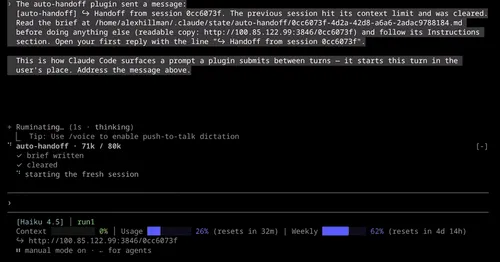
auto-handoff
Hands a long session to a fresh one with a Haiku-written brief instead of compacting.

cache-keepalive
Keeps the prompt cache warm while background tasks run, and caps what the pings cost.
cache-keeper
Prompt-cache timer, keep-warm pings, cold-send guard, a board of chats and a handoff.
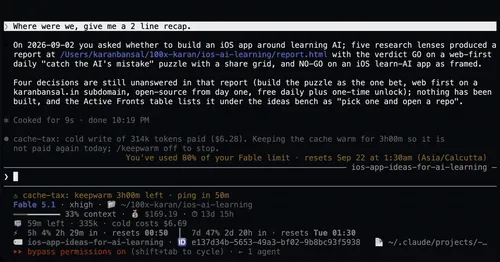
cache-tax
Blocks a cold prompt-cache send once with its price, then keeps the cache warm for hours.