While you wait·terminal · desktop·MIT (code), CC BY-NC 4.0 (art)
Claude-sama
An unofficial kami mascot who reads above the prompt and reacts to what Claude is doing.
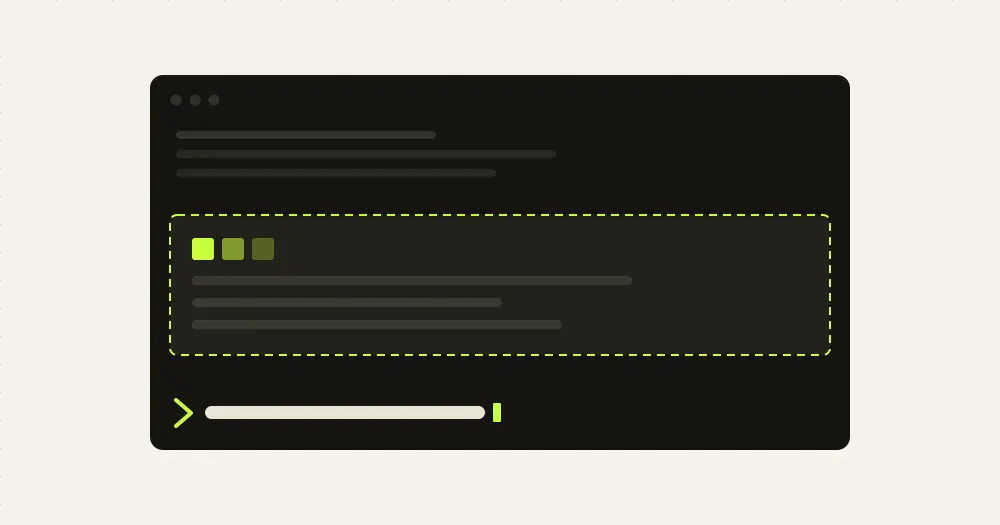
Claude-sama is an unofficial fan mod that moves a small kami, a Japanese spirit who lives in words, into the band above the Claude Code prompt. His face follows what Claude is doing, he says a short line now and then, and an offering box beside him shows how full the context window is. He is the author’s own character and a fan tribute to Claude, not an official one: the project states it is not affiliated with or endorsed by Anthropic.
His lines in the band are prewritten and drawn only on your screen, so they cost no tokens. The default voice setting is the exception: it adds a 292-character instruction to each request, about 70 tokens and usually served from the prompt cache, so Claude can close a finished task with one quiet line in his voice. /claudesama voice off removes it.
What it does
- Moods. He reads when nothing is happening, thinks when a turn starts, writes in the margins once Claude calls tools and smiles when the turn ends. He tilts his head when Claude asks you a question or waits for a permission, shows a torn page on an error and closes his book when Claude refuses. Three failed test or build runs in a row bring out his wild soul; the next passing run calms him. After four quiet minutes he falls asleep.
- Lines. A greeting by time of day, a word when a long turn finishes, a reaction to a force push, to
ultrathinkor to praise in your prompt. He speaks twelve languages and picks one from/claudesama lang, then Claude Code’s language setting, the language of your prompts and your system locale. - Offering box. The context window as a percentage, taken from Claude Code’s own figure and updated when each response lands, with no polling. After a compaction or
/rewindit shows a local estimate marked~until the next response. He says something when it gets full. /omen. One fortune slip a day, shown in the band and never in the conversation. Drawing again the same day shows the same slip. Each language has its own kind: the English one runs from great blessing to great curse, with an HTTP status code as the lucky number.- His book.
/claudesamaopens a six-page panel: his profile, today’s omen, offerings (context tokens, usage limits and session cost when Claude Code reports them), a reading log kept on your machine, short stories about him, and settings. Keys 1 to 6 switch pages and Esc closes it. - In the terminal. A Claude-sama color theme, dark and light, in
/theme, and his own words on the spinner. kitty and Ghostty show his real picture; other terminals draw him in half-block pixels. While Claude works he shrinks to one line. - In the desktop app’s Code tab. A painted or pixel picture that gets smaller in a narrow window, a His book button, and a reaction when you click him. He also leaves marks in the conversation: his name above Claude’s replies, a short line above a question Claude asks you, a line after
/compactand a spark next to each tool call.
The book’s settings page and these commands change how he behaves: /claudesama voice off|light|full, /claudesama warmth warm|clingy (clingy adds “missed you” lines), /claudesama band on|compact|off (full, one line or hidden), /claudesama marks on|replies|off for the desktop marks, and /claudesama lang <code>|auto.
Install
Needs Claude Code 2.1.287 or later. The optional macOS companion also needs Swift 5.9 or newer (Xcode 15 Command Line Tools or later).
claude plugin marketplace add ninondev/claude-sama
claude plugin install claudesama@claudesama
He appears in every new session; sessions already open need a restart. Add --scope project or --scope local to the install command to keep him to one project. /claudesama opens his book.
To remove him, first run /claudesama:icon clear if you changed the app icon and /claudesama:companion uninstall if you installed the companion, then claude plugin uninstall claudesama@claudesama.
How it works
The hooks module draws the band and the spinner word, and follows the session, turns, tool calls and permission checks to pick his face. To do that it reads:
- the text of your prompts, to guess their language (it switches after two prompts agree, or after one long, clear one) and to spot
ultrathink, praise or a mention of Python; - the command of each tool call, to count failed test and build runs and to catch a force push;
- Claude’s final answer, to catch a “you’re absolutely right”;
- Claude Code’s context and usage figures, your settings (reduced motion, language, time zone, theme) and a few locale and terminal variables.
It makes no network calls and no model calls, and collects no telemetry. It keeps its settings, a turn count, today’s omen, the language it heard and when you were last active in Claude Code’s plugin store on your machine (~/.claude/plugins/store/); none of your prompts go there. Nothing polls: he animates only while visible, and stays still with reduced motion on.
The voice is a section of the system prompt. full has Claude speak as him throughout and cut filler from its replies. Both levels tell Claude to keep technical content unchanged and to drop the voice for errors, security, health, legal or money topics, and for anyone who is upset.
On macOS, the optional companion is a separate app built on your Mac from the plugin’s source, with /claudesama:companion install or a button in his book. It stands beside the Claude window wearing the same face, and needs the Accessibility permission to follow it. While its folder exists, the mod writes a feed to ~/Library/Application Support/Claude-sama/ through /bin/sh: his state, what Claude is doing, and short excerpts of Claude’s replies and notifications, kept until you have seen them or the session ends. The app never goes online. An instruction you type in its Activity panel reaches the session as a normal prompt and costs tokens like any other.
/claudesama:icon apply puts him on the desktop app’s icon, on macOS and in Linux launchers, by having Claude run one shell script that you see and approve.
Limitations
- The author tested the terminal on macOS, and CI runs it on Linux and, as an experimental job, Windows. The desktop Code tab is tested on macOS only, not yet on Windows. The companion is macOS only.
- The author’s tests used Claude Code 2.1.288 on macOS; CI uses 2.1.287.
- On macOS, a custom app icon makes
codesign --strictreport extra Finder data. The app still opens, and/claudesama:icon clearremoves it.
Similar Claude Mods

claude-pokemon
A pixel Pokémon above the prompt that follows Claude's tools, levels up and evolves.
flow-scenes
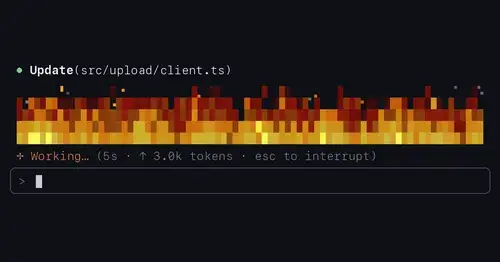
Eleven ambient scenes above the prompt that grow busier as Claude works.
Claude Fables
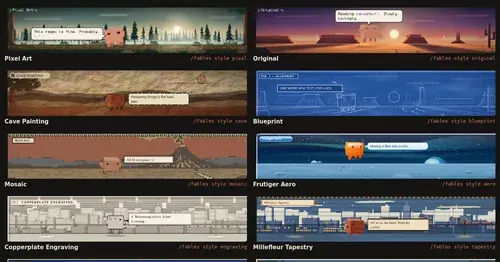
Short animated cartoons of Claude's work above the prompt, scripted by Sonnet or Haiku.
mindful-claude
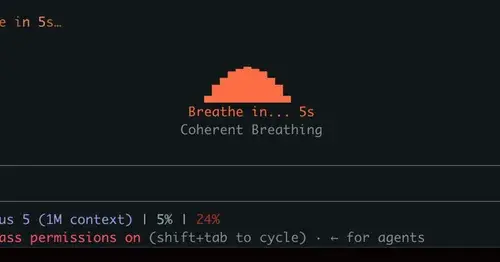
Guided breathing above the prompt while Claude works. Four techniques, zero tokens.
Popular Claude Mods
The whole directory →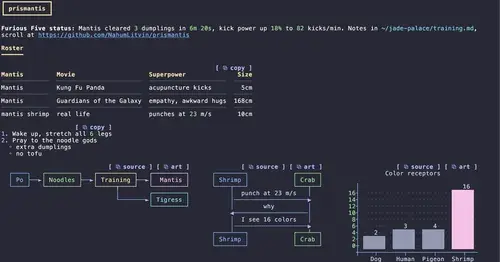
prismantis
Claude's replies in 15 themes: colored tables, highlighted code, diagrams and charts.
claude-carbon
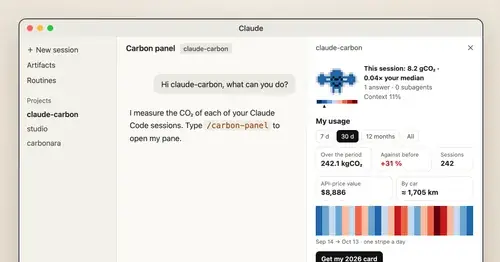
Estimated grams of CO2 for each answer and session, with a molecule and warming stripes.
lcm
Every message kept in SQLite, old context compacted into summaries Claude can expand.
antiburn
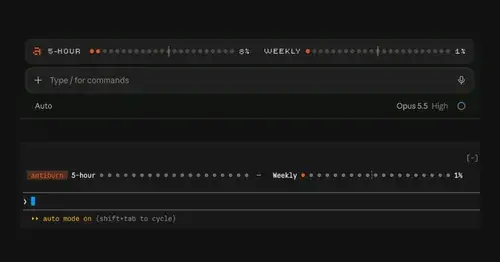
Five-hour and weekly usage meters above the prompt, with reset times and pace.