While you wait·desktop·MIT
Claude Fables
Short animated cartoons of Claude's work above the prompt, scripted by Sonnet or Haiku.
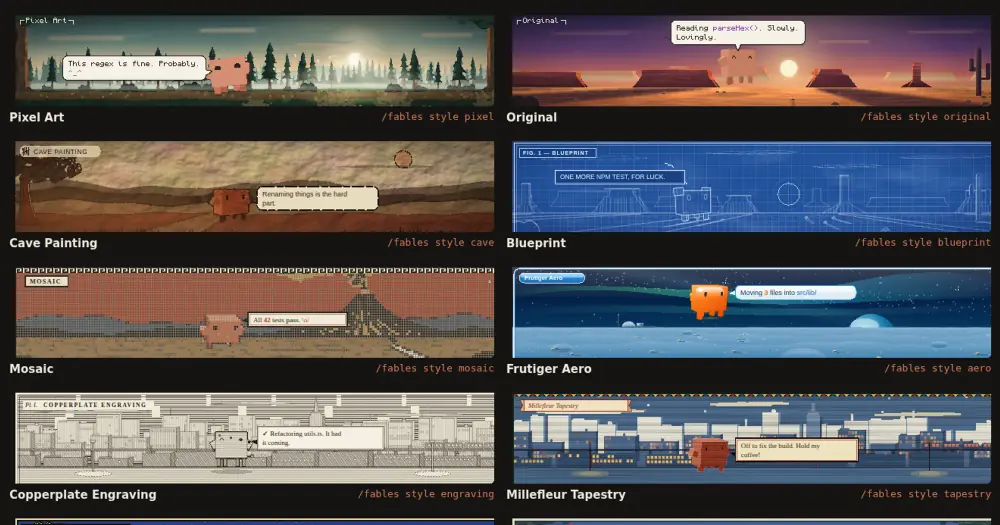
Claude Fables turns what Claude is doing into a short animated cartoon above the prompt in the Code tab of the Claude desktop app. Every few seconds Sonnet, or Haiku if you prefer, writes the next scene from Claude’s latest tool calls and words, so a search can become Claude digging by a volcano and a failed test a trip and a shrug. Each scene is a model request, and nothing is drawn outside the desktop app.
What it does
- A scene every few seconds. Claude, drawn as a small orange 3D critter, plays out the latest step with one of 20 actions: it sneaks on a bug hunt, digs while searching, inspects code while editing, trips when a test fails and celebrates a milestone. A second action can follow the first, such as a trip and then a shrug.
- Seven backdrops: a forest at dawn, a moon base, a city after rain, a desert at sunset, a night eruption, a lab late at night and a sleeping village.
- Captions that read like a terminal. A speech bubble types out what Claude says, naming the real files, functions and commands. Code, paths, numbers, failures and successes each get their own color.
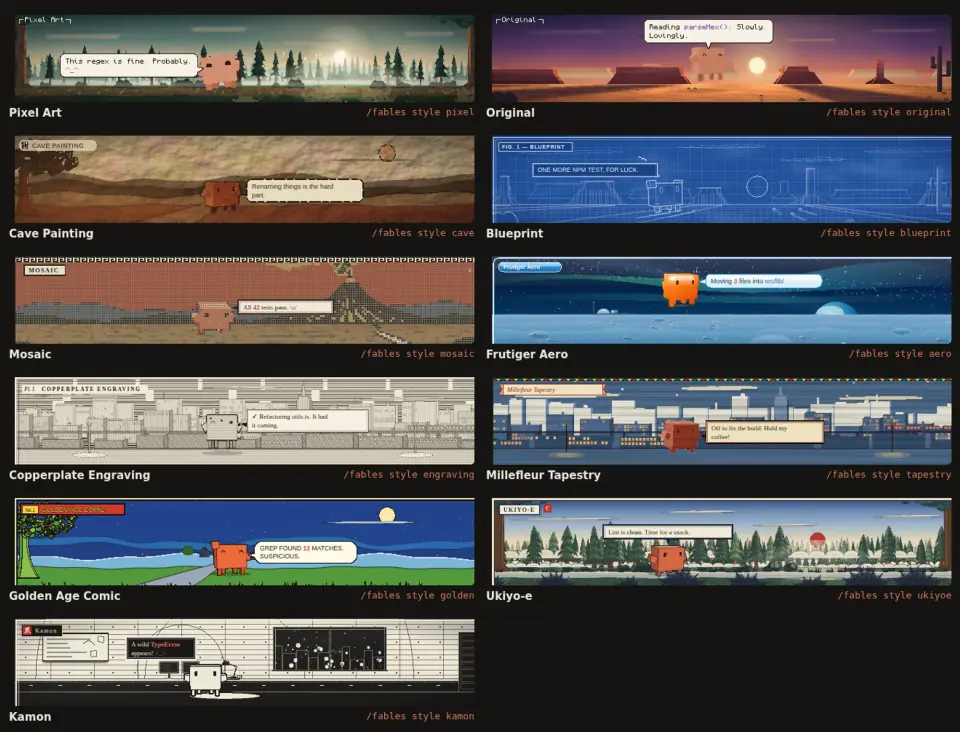
- Eleven styles. Pixel Art is the default, and Original draws the same scenes smooth. Nine more come from the author’s Claude Mascot Style Gallery: Cave Painting, Blueprint, Mosaic, Frutiger Aero, Copperplate Engraving, Millefleur Tapestry, Golden Age Comic, Ukiyo-e and Kamon. Each one redraws every element, Claude included, and the narrator writes the caption in that style’s voice. Styles change the look only, not the story.
- Commands.
/fablesturns the cartoons on or off, and/fables onand/fables offset it directly./fables style ukiyoepicks a style,/fables stylelists them and/fables style offgoes back to Pixel Art./fables model haikuor/fables model sonnetpicks the narrator, and/fables modelshows which one is on. Every choice survives restarts. The default narrator is also the Scene model setting in the config menu.
claude-toons does a similar job in the terminal: it draws under the spinner, mostly from ready-made scenes, and by default asks a model only for news. Claude Fables draws only in the desktop app, and a model writes every scene.
Install
Needs Claude Code 2.1.287 or later, git and the Claude desktop app. The repository has no marketplace, so you clone it somewhere permanent:
git clone https://github.com/henrik-thevibe/Claude-Fables ~/code/Claude-FablesThen add the folder’s full path to CLAUDE_CODE_PLUGIN_DIRS in the env block of ~/.claude/settings.json:
{
  "env": {
    "CLAUDE_CODE_PLUGIN_DIRS": "/Users/you/code/Claude-Fables"
  }
}
Restart the desktop app and give Claude a task in the Code tab. The plugin loads as fables, and the first scene appears above the prompt after a few seconds. To remove it, take the path out of CLAUDE_CODE_PLUGIN_DIRS and restart.
How it works
The hooks keep a short log of the turn. prompt.submit takes the first 300 characters of your prompt. tool.call turns each of Claude’s tool calls into one line: a shell command’s description (or the command itself, cut to 100 characters), the name of a file read or edited (not its path), a search pattern, a fetched URL, a web search query, a subagent’s task. Denied or failed calls are marked as failures. session.append picks up the text of Claude’s replies, cut to 220 characters, and passes the message on untouched: the mod writes nothing into the conversation. Subagents’ calls and words are left out, and so are tool results.
Once a second the narrator checks for news. When there is some, it asks Sonnet or Haiku through model.complete, sending a fixed system prompt, your prompt, the last 14 log lines, the last four captions and, in a gallery style, the voice to write in. That is everything the model sees. Only one request runs at a time, scenes are at least 5 seconds apart and errors back off up to a minute. A failed tool call or the end of a turn gets a scene straight away, and the closing scene is asked to fit the ending: a celebration when Claude finishes, a shrug if you interrupt.
The reply has to be a small JSON scene: backdrop, Claude’s action, particles, caption, tone and a chapter tag. A validator drops unknown fields, clamps numbers and cuts the caption to 80 characters, and a reply that does not parse is skipped. The model writes data, never code. Each scene becomes one SVG that animates itself, drawn in the band above the prompt at the window’s width and 192 px tall. Scenes play from a queue and each stays up until its caption has been read. The last one stays 30 seconds after the turn ends, then the band clears.
Every scene is one request on your account, so the cartoons use your plan’s usage or your API credit while Claude works. The author puts it at a few requests a minute and gives no token figure. Haiku answers in about a second and costs less but writes plainer captions; Sonnet, the default, is wittier. Nothing is asked while Claude is idle or the mod is off. The plugin store keeps only on or off, the style and the model, and the mod makes no network calls of its own.
Limitations
- Desktop only. Outside the desktop app’s Code tab the band stays as Claude Code draws it. The narrator does not check where it runs, though, so a terminal session that loads the mod (the
settings.jsonentry applies to every session) still asks the model for scenes nobody sees./fables offstops that, and the setting carries over to later sessions. - Early release. Version 0.1.0, from a repository created on 2 October 2026. The author built it in Claude Code cloud environments, tested it in the desktop app and expects rough edges.
Similar Claude Mods
pixelband
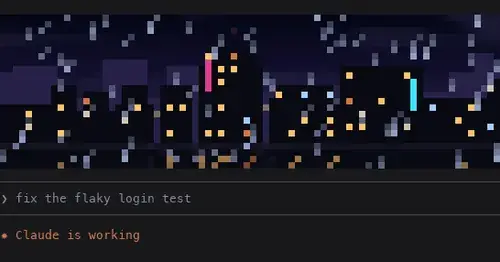
Pixel art above the prompt that reacts to Claude: seven scenes, or your own image or GIF.

clawd-madenci
A pixel Clawd mines, builds and blows up TNT above the prompt while Claude works.
orrery
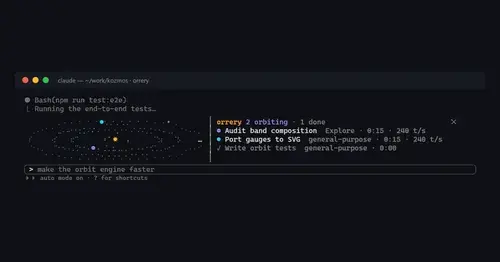
Subagents orbit a sun above the prompt, faster while they stream tokens.
claude-pokemon
A pixel Pokémon above the prompt that follows Claude's tools, levels up and evolves.
Popular Claude Mods
The whole directory →cache-keeper
Prompt-cache timer, keep-warm pings, cold-send guard, a board of chats and a handoff.
claude-code-usage-quota
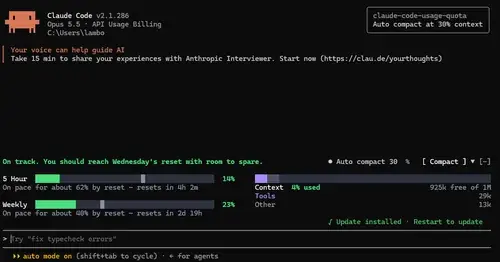
5-hour and weekly plan limits, a run-out forecast and the context, with auto compact.

threads
Spin up Claude sessions on other models, watch them in a pane, get their answers back.
CodeCraft
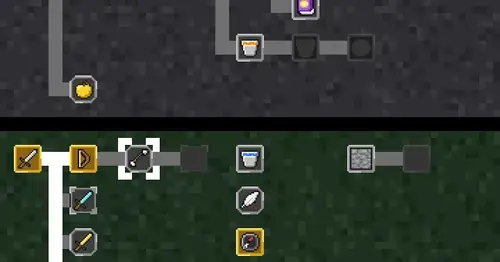
Hearts for context, food for usage limits, armor for git, XP for verified work.