While you wait·terminal · desktop·MIT
pixelband
Pixel art above the prompt that reacts to Claude: seven scenes, or your own image or GIF.
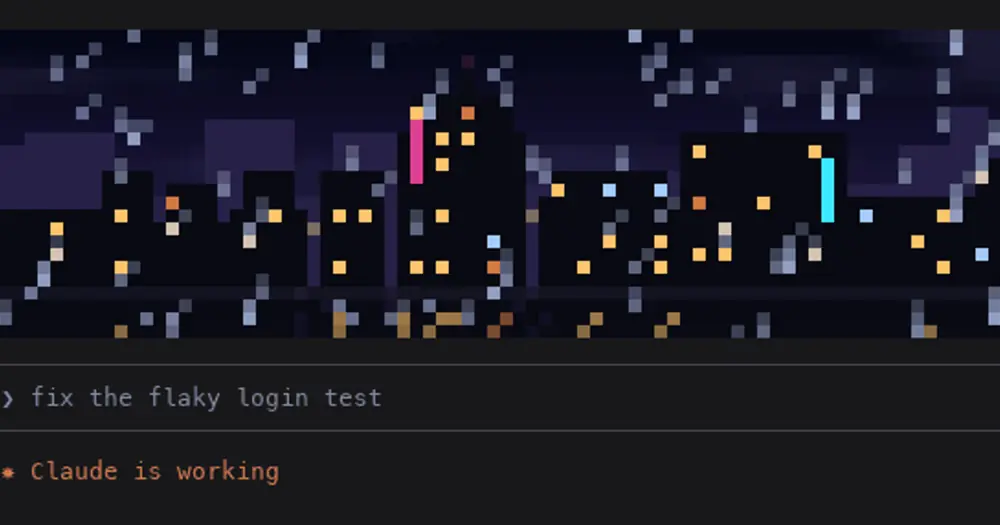
pixelband puts a strip of pixel art above the Claude Code prompt and animates it with what Claude is doing. You pick one of seven animated scenes or set your own image or GIF. Nothing it draws reaches the model, so it costs zero tokens.
The scenes are pixelband’s own frames; the author notes that the prompt box around them is a mock-up.
What it does
- Seven scenes, drawn from code rather than video:
creation(Michelangelo’s hands with a spark in the gap between the fingertips),city(rain on a city at night),space(stars and a ringed planet),aurora,fire,matrix(green code rain) andaquarium. Each one changes while Claude works and celebrates when a turn ends: the rain gets heavier and lightning strikes, the stars go to warp speed and flash, the flames climb and burst into embers. - Your own image.
/pixelband set <path>takes PNG, JPEG, HEIC, WebP and other formats, and animated GIFs loop with their own timing. Add--hereto make it the banner for the current project only, so each repo can have its own. A full-width band is only about 100 by 24 pixels, so pixelband crops the image to the band, boosts the colours and cuts them to a small palette rather than trying to show a photo.moveandzoom(up to 4x) aim the crop;layout fitshows the whole image instead. - Reactions on any image. A band of light sweeps across while Claude works, the picture flashes with sparkles when Claude answers, and it glitches with a red tint when a turn ends in an error.
- Five styles:
original,gameboy,pico8,monoandsepia. They work on scenes too, socitywithgameboyis a rainy city in four greens. - Out of the way while Claude works. The band shrinks to a 3-row strip during a turn and grows back at the end.
/pixelband working hidehides it instead andworking fullkeeps it full size./pixelband sizesets the height from 2 to 24 rows; the default is about a quarter of the terminal.
Install
Needs Claude Code 2.1.287 or later. Scenes, PNG, GIF and BMP need nothing else. For JPEG, HEIC, WebP and other photo formats pixelband calls macOS’s built-in sips or ImageMagick; on Linux, install ImageMagick or use a PNG.
claude plugin marketplace add furqan-khan07/pixelband
claude plugin install pixelband@pixelband
Type /pixelband to open the menu. Pick a scene, or drag an image into the image field, then choose a style, height and crop. Each change shows in the band at once, and Undo changes puts everything back. If the menu ignores your keys, press ctrl+x then tab to give it the keyboard. Without the menu, /pixelband scene city or /pixelband set ~/Pictures/cat.jpg does the same, and /pixelband help lists every command.
How it works
The hooks module listens to turn.start and turn.complete to know when Claude is working, has answered or hit an error, and ignores subagents’ turns. In the terminal it draws the band as a grid of half-block cells, two pixels per character, or four with /pixelband pixels fine for fonts where pixels look wide. A timer swaps only that grid about 12 times a second, so nothing else in Claude Code redraws; with a still image it runs only while an effect plays. In the Desktop app’s Code tab it draws the same pixels as an SVG and redraws it for each frame.
PNG, GIF and BMP are decoded inside the mod. Other formats go to sips, magick or convert, which write a small BMP to your temp folder that pixelband reads and deletes. GIFs over 4 MB are cut into pieces with split and read one by one. Those tools and rm are the only commands it runs.
It reads the image you give it and, when you open the menu, lists your Downloads, Desktop and Pictures folders to offer your four newest images. It stores its settings and a shrunk copy of each banner, global or per project (a GIF keeps up to 120 frames), in Claude Code’s plugin store on your machine. It makes no network calls and reads no prompts or tool calls.
Limitations
- The VS Code extension’s chat panel draws no mods, so pixelband shows nothing there.
- Colours look best in a true-colour terminal. macOS Terminal before macOS 26 shows 256 colours; pixelband picks from those itself, but dark night skies come out greyer.
/pixelband colormode full|256|autooverrides the detection, and through tmux you need true colour enabled there too. - Only your own turns animate it. Subagents working in the background do not.
- GIFs can be up to 30 MB. Long ones keep every second or third frame.
Similar Claude Mods
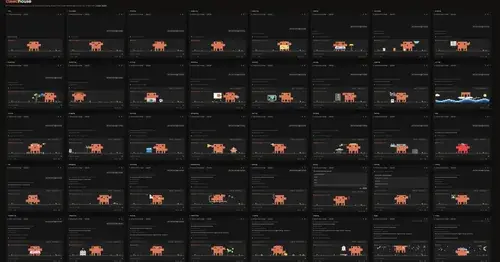
clawdhouse
A pixel Clawd above the prompt or in a pane, acting out what Claude is doing.
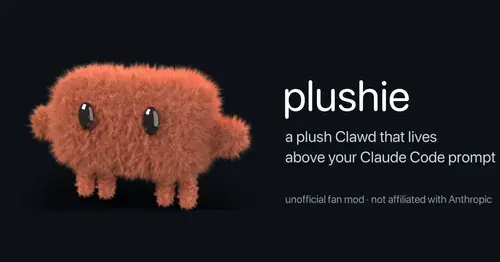
plushie
A plush Clawd above the prompt that reacts to what Claude is doing. Pat it or drag it.
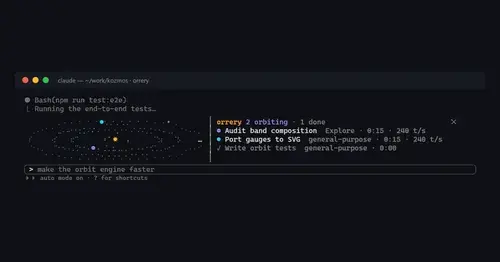
orrery
Subagents orbit a sun above the prompt, faster while they stream tokens.

claude-pets
A pixel pet in a pane that reacts to your session and levels up as you work.
Popular Claude Mods
The whole directory →
claude-carbon
Estimated grams of CO2 for each answer and session, with a molecule and warming stripes.
claude-toons
Cartoons of Clawd under the spinner that change with what Claude is doing.

secret-redactor
Swaps secrets, emails and IPs for placeholders before the model sees them.
next-steps
Up to six suggested next steps after each reply. Tick some and Haiku writes the prompt.