While you wait·terminal · desktop·MIT
clawdhouse
A pixel Clawd above the prompt or in a pane, acting out what Claude is doing.
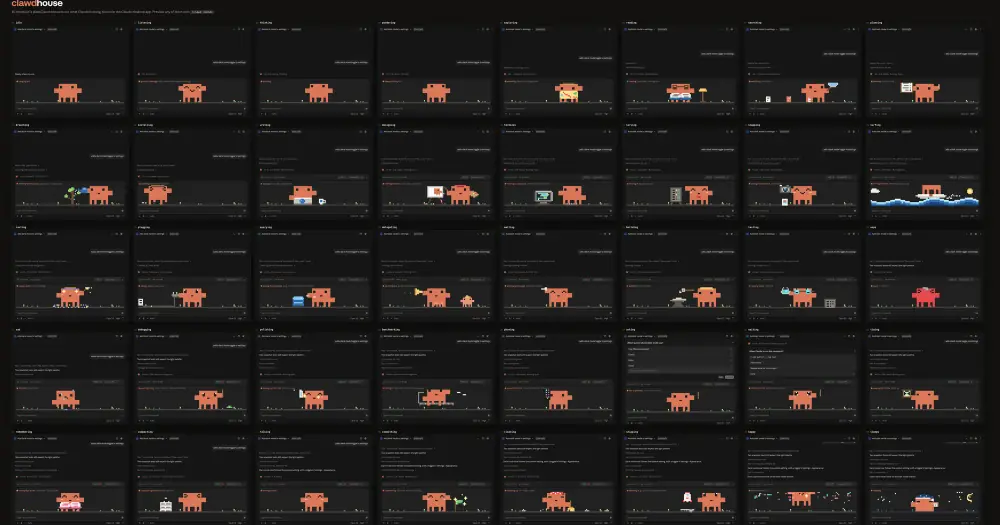
clawdhouse puts Clawd on a small stage above the Claude Code prompt and has him act out whatever Claude is doing. He reads under a lamp when Claude opens a file, types at a laptop during an edit, puts on goggles for a test run and holds up a sign when a tool call needs your OK. Clawd is the pixel crab from Claude Code’s own branding, but this mod is a fan project by Ishu Agrawal, not made or endorsed by Anthropic.
What it does
- 40 moods, picked per tool call.
GrepandGlobsend him around with a magnifier, CSS and SVG edits put him at an easel, and edits toCLAUDE.mdor memory files open a pink diary. Bash commands are sorted by their first line: tests, builds, installs,git commit(he plants a flag),git pushand deploys (a rocket countdown), debuggers (he chases a bug with a net), linters, branch work, database clients, dev servers, benchmarks andcurleach get their own scene. Web searches put him on a surfboard, subagents arrive as mini Clawds, one per helper, and skills earn a wizard hat. - The rest of the turn. Your prompt drops in as a letter. While Claude reasons he stares at a light bulb, while it writes the reply a speech bubble fills up, and a compaction has him stomping a pile of paper flat. A finished turn throws a party; an interrupted or failed one gets a rain cloud. Six seconds later he is back to idle.
- Reactions. Short readouts float over his head, taken from what the tool returned: tests passed or failed, lines added and removed, search hits, the new commit hash, the exit code of a failure. A call that takes 30 seconds or more, every tenth tool call in a turn and three green test or build runs in a row get their own reaction, and a call you deny gets a shrug.
- A caption line on top of the stage names the mood and what it is about: the file as
project › file, the command, the website. Books, laptop stickers and code sparks take the colour of the file’s language. - Idle life. Between turns he wanders, waves, sits, juggles, kicks a ball and chases butterflies. After 90 seconds of quiet he falls asleep in a nightcap. Night brings stars and a moon, October a pumpkin and falling leaves, December snow, and each session starts with a greeting for the time of day.
- Petting. In the terminal, click him for a happy hop with hearts, or drag him and let go to throw him.
If you would rather look after a pet than watch one, cc-tamagotchi feeds on Claude’s work and needs your care.
Install
Needs Claude Code 2.1.287 or later.
claude plugin marketplace add ishuagrawal/clawdhouse
claude plugin install clawdhouse@clawdhouse
Start a new session or run /reload-plugins and Clawd appears above the prompt. He calls you friend; to use your name, add --config name=YourName to the install command, or change the option later from the /plugin menu.
/clawd pane moves him into a side pane, /clawd stage brings him back above the prompt and /clawd hide puts him away. /clawd alone lists every mood, and /clawd testing or any other mood name previews that scene.
How it works
To choose a mood, the hooks module reads each tool’s name and input: file paths, the first line of Bash commands, commit messages, URLs, search queries and subagent descriptions. To react, it reads the tool’s output for test counts, search hits, commit hashes and exit codes. prompt.submit gives it your prompt, whose first 36 characters become the caption while he listens, and tool.check tells it when a call is waiting for your permission.
Every hook passes its event on unchanged, so clawdhouse never blocks a tool call or alters what Claude sees, and nothing it draws reaches the model. It makes no network calls. It keeps the current mood, the caption and where you put Clawd in Claude Code’s plugin state, and reopens the pane in the next session if you left him there. All the art is drawn in code; there are no image files.
Limitations
- In the terminal a client module animates him at 25 frames a second. In the Desktop app’s Code tab, where that module cannot run, the hooks module draws him itself at 8 frames a second, and petting and dragging are not available.
- The stage takes up to 16 rows above the prompt. When there is too little room, he shrinks to a one-line icon and his mood label.
Similar Claude Mods
persona-panel
A maid persona and a pixel portrait panel whose expression Claude changes as it works.

clawd-madenci
A pixel Clawd mines, builds and blows up TNT above the prompt while Claude works.
claude-pets
A pixel pet in a pane that reacts to your session and levels up as you work.
claude-pokemon
A pixel Pokémon above the prompt that follows Claude's tools, levels up and evolves.
Popular Claude Mods
The whole directory →
codex-computer-use
Claude's computer use on Codex's engine: one session per chat, per-app approval.
ripple
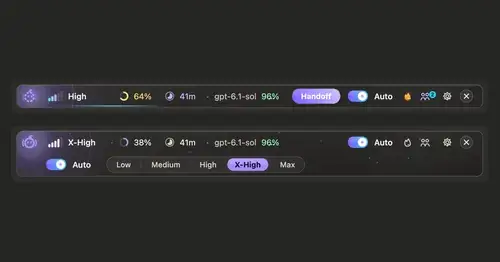
Effort per prompt, subagents routed to GPT, DeepSeek or Claude, and cache warnings.
env
Claude manages your .env keys and asks you for values it never gets to see.
roer-ui
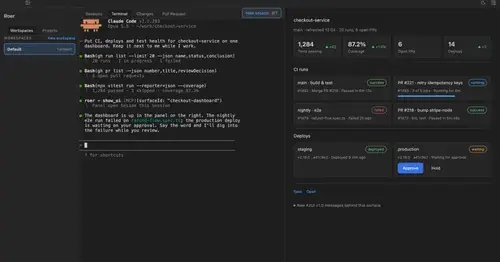
Claude draws forms, dashboards, tables and diffs you can click, in a pane. From JetBrains.