While you wait·terminal · desktop·MIT
claude-pets
A pixel pet in a pane that reacts to your session and levels up as you work.
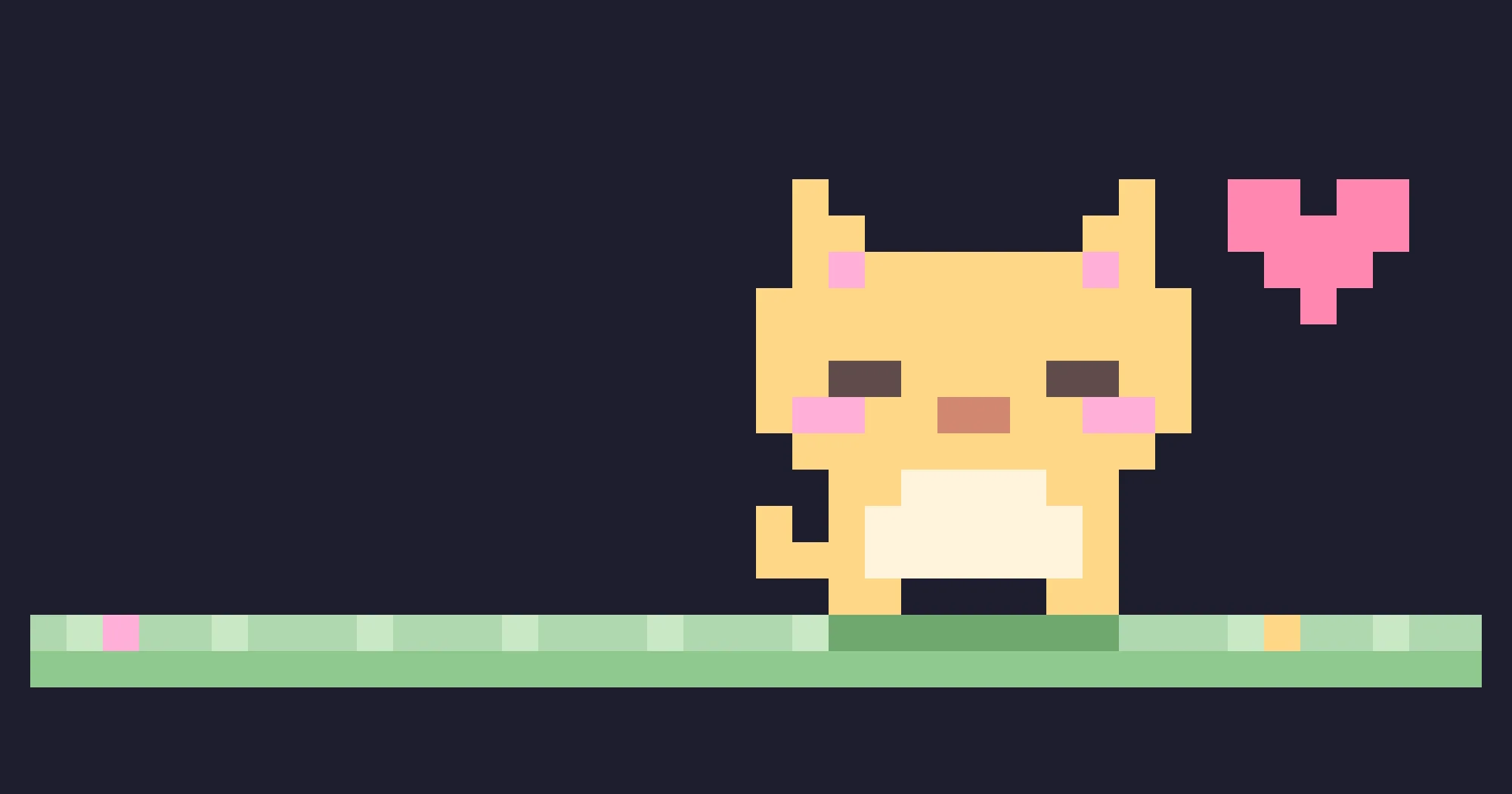
claude-pets keeps a pixel pet in a Claude Code pane. It paces a strip of grass, reacts to what your session does, and gains experience from every tool call and finished turn, so it levels up the more you work. The level carries over between sessions. The plugin installs as pets.
What it does
- Reacts to your session. While a tool runs, it stops pacing and
. . .shows above it. When Claude finishes a turn, it bounces with a sparkle and saysnice work!. After about two minutes with no tool call, turn or pat, it falls asleep (z Z) until the next one wakes it. When any rate-limit window passes 80%, it walks with a tear and the line above it readslimits are close…. - Takes a pat.
/pet patputs a heart over it, with its species’ purr and the number of pats so far. - Grows. A tool call is worth 1 experience point, a pat 2, a finished turn 5, and every 1,000 output tokens 1. Input and cache tokens don’t count, because they grow with the length of the conversation, not with the work done. Level
n + 1needs25 × n²points: level 2 at 25, level 5 at 400, level 10 at 2,025, with no cap. A toast announces each new level. - Shows its stats. Above a wide prompt, a panel beside the yard lists the species, level, experience, a progress bar and the four counts. Docked beside the transcript, the panel sits under the yard. With room for neither, the line above the pet shows the level and a five-cell bar.
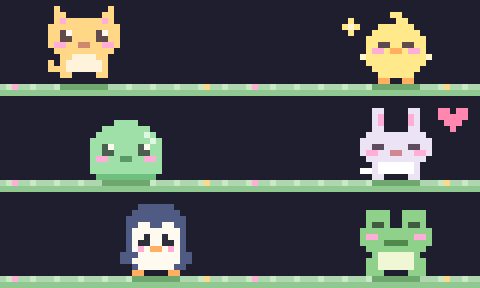
/pet statusprints the same numbers as a reply, plus the levels of your other pets. - Is yours. Eight species: cat, chick, dog, slime, bunny, hamster, penguin and frog.
/pet choose <species>brings one out and/pet name <name>names it, up to 20 characters. Each species is a separate pet with its own name and level, and switching leaves the others where they were. - Comes in two sizes.
/pet size medium, the default, draws a 12×12 sprite in 9 terminal rows;/pet size smalldraws an 8×8 sprite in 6. The size is kept across sessions, and a height you drag the pane to yourself wins over it.
Install
Needs Claude Code 2.1.287 or later. The plugin is called pets and comes from the claude-pets marketplace:
claude plugin marketplace add uppinote20/claude-pets
claude plugin install pets@claude-pets
Run /pet to let the pet out; /pet pat, name, choose and size open the pane too. /pet bye or ctrl+x x closes it.
How it works
At session start the hooks module registers /pet and loads your saved pets. tool.call only counts the call and switches the pet to its working pose: it does not look at which tool ran or what it was given. turn.complete reads the turn’s output token count; a subagent’s turn adds its tool calls and tokens but does not count as a turn. session.measure supplies the rate-limit percentages behind the tear.
On the terminal, the yard is a single Raster element of half-block characters, two pixels to a cell. Surfaces without Raster (the author names desktop, VS Code and mobile) get the same pixels as an SVG card, with a pink name tag showing the level, a speech bubble and a line of counts under the grass.
Everything it keeps is one record in Claude Code’s plugin store on your machine: the species that is out, the size, and for each species its name and its counts of pats, tool calls, turns and output tokens. It saves at the end of each turn and when you pat, name, choose or resize, not on every tool call, and it re-reads the record before each save, so two sessions open at once add to the same pet instead of overwriting each other. It reads no prompts or files and makes no network calls.
Limitations
- Claude Code’s hook events and methods can change between versions, and the author warns that a new release may break the pet until the plugin catches up.
- The author also describes the SVG card in VS Code and in the Claude mobile app, through Remote Control or a Claude Code on the web session that enables the plugin in its repository’s
.claude/settings.json. Claude Code’s documentation says Remote Control draws on your computer’s terminal, and that the VS Code chat panel and cloud sessions run hooks without drawing. We have not tested either case. Where a surface can’t place the pane,/petreplies with the reason instead of claiming the pet is out.
More mods
The whole directory →
adlib-lyrics
Word-by-word lyrics of what plays in Music or Spotify, above the prompt. macOS only.
player
Apple Music remote above the prompt: track, progress bar and click buttons. macOS only.
cat-spinner
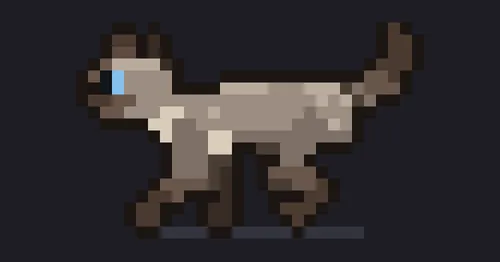
A pixel-art cat above the spinner that walks, plays, sits to think and reacts to tools.
cc-buddy
The retired /buddy companion back above the prompt, leveling up from commits and tests.