While you wait·terminal·MIT
cat-spinner
A pixel-art cat above the spinner that walks, plays, sits to think and reacts to tools.
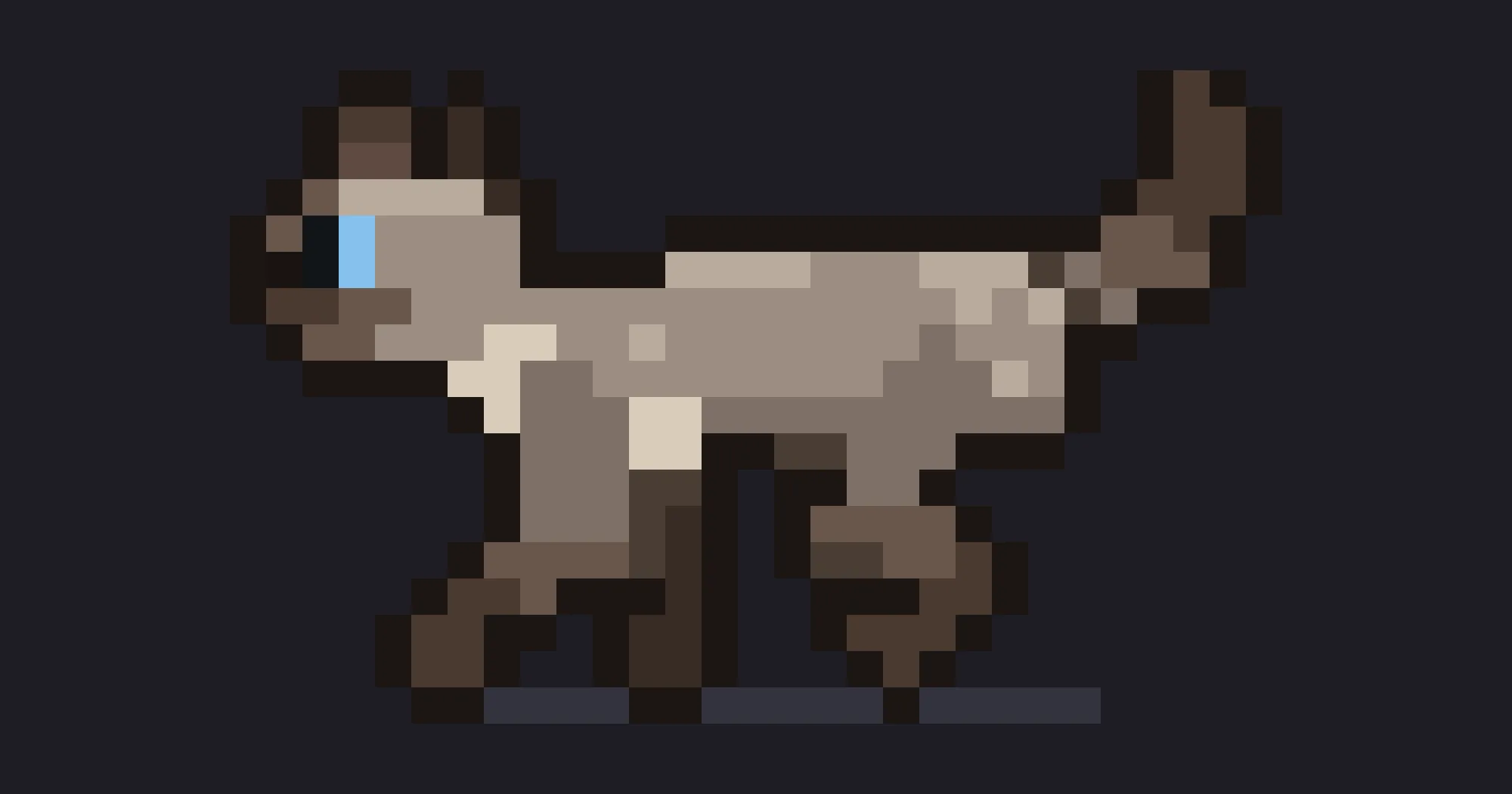
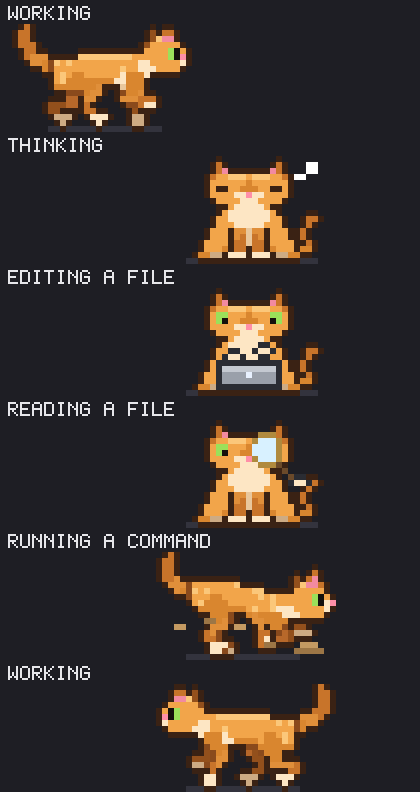
cat-spinner adds a pixel-art cat above the Claude Code spinner. While Claude works, the cat walks back and forth or plays with a ball of yarn. When Claude thinks, it sits down facing you with a thought bubble, and when Claude edits, reads or runs a command, it acts that out. The spinner line stays where it was, with its word, elapsed time and token count.
What it does
- Reacts to tools. During Edit, Write, MultiEdit or NotebookEdit it sits and types on a tiny laptop. During Read, Grep, Glob, LS, WebFetch or WebSearch it sweeps a magnifying glass across its eyes. During Bash it crouches and digs, flinging dirt behind it. A tool that fails or is denied makes it jump with its back arched and a
!overhead. Any other tool leaves it on its animation. Each reaction lasts at least about a second, so a quick read still shows. - Sits to think. It stops, sits facing you, blinks slowly and cycles
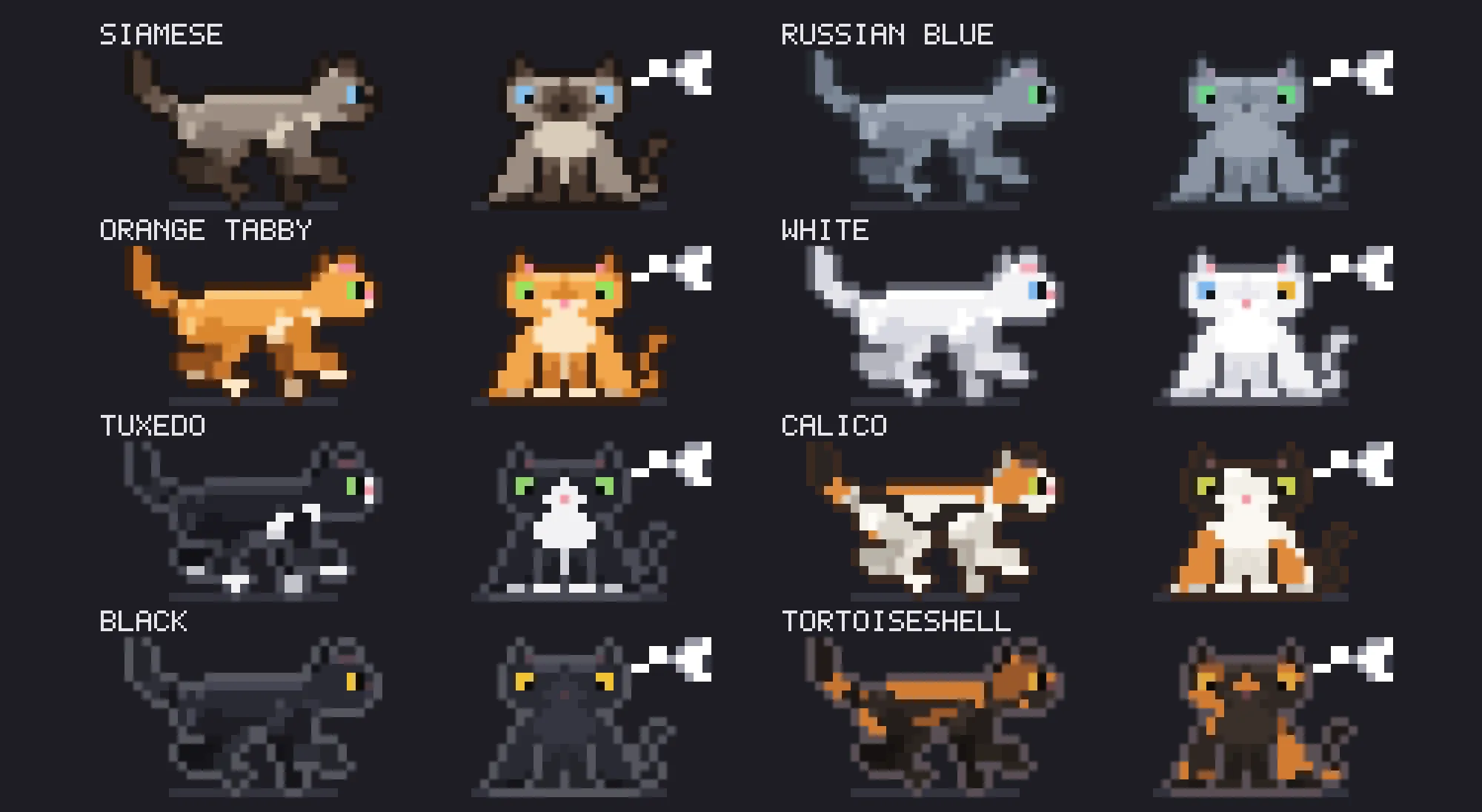
hmm,...,?and!in a thought bubble, then gets up when the thinking ends. Thinking wins over tool reactions; a failure interrupts anything. - Eight cats. Siamese (the default), orange tabby, tuxedo, black, Russian Blue, white with one blue and one amber eye, calico and tortoiseshell. The calico and tortoiseshell patches are fixed to the body, so they move with the cat.
- Four animations. Walk, the default. Yarn: it swats a ball of yarn and chases it as it rolls. Pounce: the same game with random swat strength, pauses to watch, and a stalk that ends in a leap. Random: a different one of the three each time Claude starts working.
- Naps between turns, if you want. When Claude finishes, the cat curls up asleep above your prompt where it stopped, with drifting z’s, and wakes with a long stretch when you send a message. It is off by default because the nap takes six rows; otherwise the cat leaves with the spinner and picks up where it was next turn.
- Dresses up for Halloween. Through October by default: a purple witch hat, a jack-o’-lantern in place of the yarn, bats, glowing lanterns along the ground, and a cat that thinks
boo. - One settings dialog.
/cat-spinneropens a live preview of your cat above six settings: Cat, Animation, Width, Alignment, Season and Between turns. Changes save as you pick them. Shortcuts skip the dialog:/cat-spinner calicoor any other coat name (siamese,orange,tuxedo,black,russian-blue,white,tortoiseshell),/cat-spinner pounce(orwalk,yarn,random),/cat-spinner compact(orfull),/cat-spinner center(orleft,right),/cat-spinner plain(orauto,halloween) and/cat-spinner nap(orhide). Full width spans the terminal and follows resizes; compact caps the track at 90 columns, and only then does alignment apply. The same settings appear for cat-spinner in/config.
If you want a pet that lives in its own pane and levels up across sessions instead, claude-pets does that; cat-spinner stays on the spinner line.
Install
Needs Claude Code 2.1.287 or later and a terminal, ideally with 24-bit color so the coats look right.
claude plugin marketplace add swicken/cat-spinner
claude plugin install cat-spinner@cat-spinner
Start a new Claude Code session and send a prompt: the cat appears the next time Claude works. If the install says userConfig options are not set, you can leave them; the defaults give you the walking Siamese at full width.
How it works
The mod wraps the terminal spinner and draws a nine-row pixel grid above it, two pixels per cell using half-block characters with separate foreground and background colors. A timer repaints the grid about 11 times a second while a turn runs and stops when the turn ends. The nap has its own slower timer, four frames a second, and draws in the band above the prompt only between turns.
prompt.submit and turn.complete start and stop the animation. tool.call tells it which tool is running and whether it failed or was denied; it reads the tool’s name and outcome, not its input, and it never reads your prompt. It makes no network calls and sends nothing to the model. The only thing it writes is its six settings, through Claude Code’s plugin config. The Halloween season follows your system date.
Limitations
- Terminal only. The author notes that the Desktop app and other surfaces keep the normal spinner, because the cat’s pixel grid exists only in the terminal. There,
/cat-spinnershows a one-line hint instead of the preview. - The macOS Terminal app may show the coat colors less accurately.
- The nap appears only when there are six free rows above the prompt, and it steps aside when Claude Code shows a survey there.
- The author calls it an early version that is still changing.
More mods
The whole directory →
adlib-lyrics
Word-by-word lyrics of what plays in Music or Spotify, above the prompt. macOS only.
player
Apple Music remote above the prompt: track, progress bar and click buttons. macOS only.
cc-buddy
The retired /buddy companion back above the prompt, leveling up from commits and tests.
persona-panel
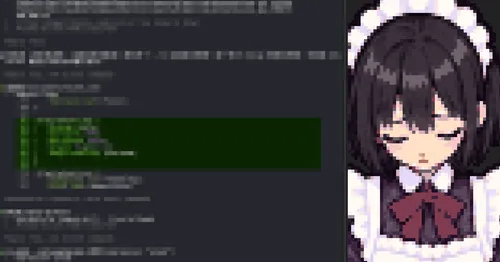
A maid persona and a pixel portrait panel whose expression Claude changes as it works.