Dashboards·terminal · desktop·MIT
CodeCraft
Hearts for context, food for usage limits, armor for git, XP for verified work.
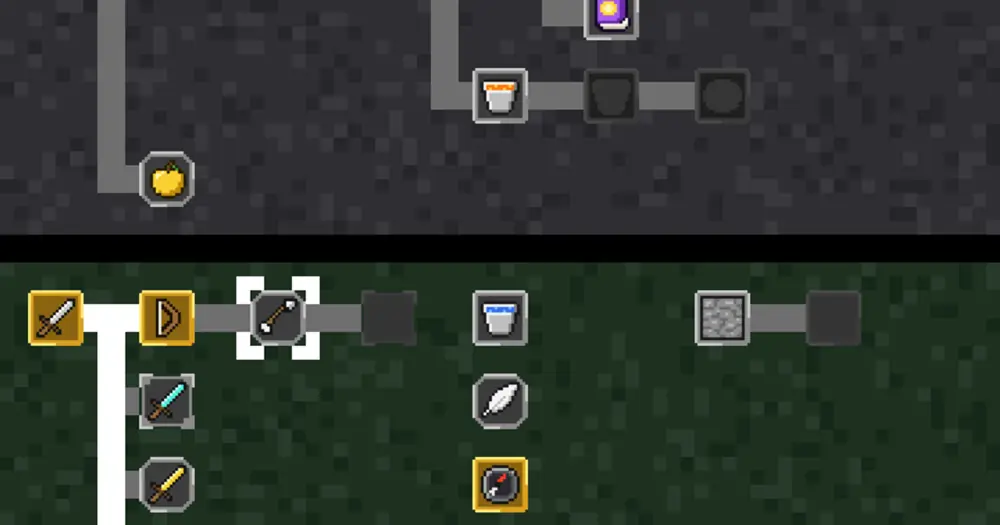
CodeCraft turns the band above the Claude Code prompt into a Minecraft-style HUD where every icon measures something real: hearts for the context window left, drumsticks for your five-hour usage limit, armor for how safe your work is in git, and an XP bar that fills only for verified work. It also restyles the transcript as in-game chat and keeps 60 advancements across sessions. The author states it is not an official Minecraft product and is not associated with Mojang or Microsoft.

What the HUD shows
- Hearts are the context window left. Each heart is 10% of the window and fills by halves, so ten full hearts is a fresh session. At 80% used, a toast and a
low health · /compactnote appear. The hearts flash white for a moment when a tool call fails. - Food is the five-hour usage limit left: ten drumsticks that empty from the left. At 80% used, a toast warns you, with the reset time in UTC.
- Armor counts safety nets out of 10 points, inside a git repository only: 4 while no file has been edited since the last green test run, 3 when
git statusshows nothing uncommitted, 3 when no commit is waiting to be pushed. Below 10, the missing nets are named beside it. - Level and XP come from verified progress alone: 7 XP for a commit, 10 for opening a pull request, 7 for a green test run that covers new edits or follows a red one, and 5 more when it turns a red run green. Some advancements pay a bonus. Each level costs more than the last, on the game’s own curve, and XP starts from zero in each new session.
- Verification sits beside the bars: how many edits no green test run or commit has covered yet, or which of the two verified them last, plus a count of failed or refused tool calls.
- Hotbar: while a turn runs, one slot per tool used in it with its call count, the running one framed in white. Each subagent that is out shows as a villager with its task.
- Boss bar: a shell command that has run for 5 seconds gets a bar draining toward its timeout, 2 minutes unless the call sets another.
The chat
Your prompts appear under your name (taken from the USER variable, Steve when it is unset) beside a pixel head, and replies under <Claude>. Tool calls become short gray lines such as [Claude: ran pytest -q]. A failed one turns red with a death message like “pytest was slain by Zombie (3 failed)”, and when the same command or file edit fails three times in a row, a toast says your tool broke.
The spinner names what the running tool does (Mining for a code search, Crafting for an edit), and the footer shows the permission mode as a game mode: Survival by default, Creative for accept edits, Adventure for auto, Spectator for plan and Hardcore for bypass permissions. A CODECRAFT title and a splash line sit above the first prompt.
Advancements
There are 60, in five tabs named after the game’s (Story, Nether, The End, Adventure, Husbandry), and six stay hidden until earned. Real work earns them: Stone Age for editing a file, Monster Hunter for turning a red test run green, Hidden in the Depths for finding the first bad commit with git bisect, Homesteader for working 7 days in a row. The long ones count across sessions and repositories, up to 250 verified commits, 50 pull requests or 100 days worked.
/advancements opens the screen: keys 1 to 5 switch tabs and n and p move the marker. In kitty and Ghostty each tab is drawn as the game’s tree of icons, and hovering an icon shows what it asks for; elsewhere each advancement is a card with its condition. /inventory prints your level, armor, the files edited this session with their edit counts, and the advancements earned.
Install
Needs Claude Code 2.1.288 or later.
claude plugin marketplace add mkpvishnu/claude-mods
claude plugin install codecraft@claude-mods
The marketplace is called claude-mods, a name other mod collections also use, so if you already added one with that name the add command collides with it.
Start a new session and the HUD appears above the prompt. The icons are pixel sprites in kitty and Ghostty; other true-colour terminals get the same HUD as block art made of text, and narrow ones get plain symbols.
Optional status line
The plugin also ships a status line script (needs jq) with the directory, git branch and changes, model, exact context and usage figures, and the time. A mod cannot replace your status line by itself, so your own script has to hand over to it. Put this at the top of your script, after it reads its input into $input:
if [ -n "$CODECRAFT_STATUSLINE" ] && [ -x "$CODECRAFT_STATUSLINE" ]; then
    printf '%s' "$input" | "$CODECRAFT_STATUSLINE"
    exit
fi
The mod sets CODECRAFT_STATUSLINE only in sessions where it is loaded, so your own status line comes back when the mod is off.
How it works
The tool.call hook watches every tool call without changing or blocking it. It reads the tool name, the shell command, the path of an edited file and the result text, to spot test runs, checks, builds, commits, pushes, pull requests, failures and merge conflicts. session.measure supplies the context and five-hour limit percentages, session.compact notes that a compaction happened, and the classic SessionStart, UserPromptSubmit and Stop hooks pass the permission mode for the game-mode label.
It runs read-only git commands in your working directory: git rev-parse --show-toplevel at session start, then git status --porcelain and git rev-list --count @{upstream}..HEAD after each turn and after edits and shell commands.
Progress is saved in the plugin’s store under ~/.claude/plugins/store/: the advancements earned; lifetime counters; the days you worked, the paths of the repositories you worked in, the languages you edited and the MCP servers you called; and one record per session with its XP, counters and the paths of the files edited, dropped after a week unused. Two sessions open at once merge their progress instead of overwriting each other.
It makes no network requests and no model calls. It reads the USER, TERM, TERM_PROGRAM and KITTY_WINDOW_ID variables and sets CODECRAFT_STATUSLINE.
Limitations
- Test runs are recognised by command name:
pytest,go test,cargo test,npm,pnpmoryarn test,jest,vitest,tox, andmakeorjusttargets with “test” in the name. A runner outside that list, such asbun test, earns no XP and never restores the 4 armor points after an edit. Linters, type checkers and builds work the same way, with their own lists (eslint,ruff,mypy,tsc --noEmit,cargo build,npm run buildand similar). - The chat styling comes with the HUD: the mod has no settings to turn either off.
- Armor exists only inside a git repository, and a branch without an upstream never earns the 3 pushed points.
- The food row appears only when Claude Code reports a five-hour limit for your account.
- The README covers terminals only. The code also opens the advancements screen in Claude Desktop’s Code tab and has a plain-symbol fallback for the HUD, but neither the author nor we have shown it running there.
Similar Claude Mods

todos
The repo's TODOs and FIXMEs above the prompt at session start, newest first.
desktop-statusline
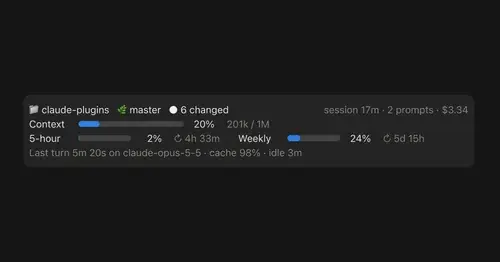
Git state, cost, context and plan limits above the prompt in Claude Desktop's Code tab.
claude-code-usage-quota
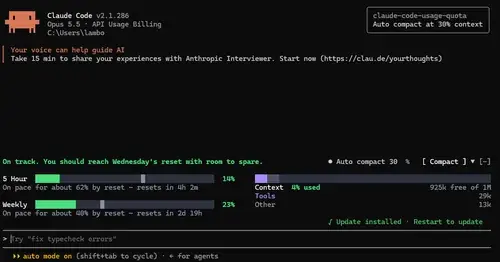
5-hour and weekly plan limits, a run-out forecast and the context, with auto compact.
Flightdeck
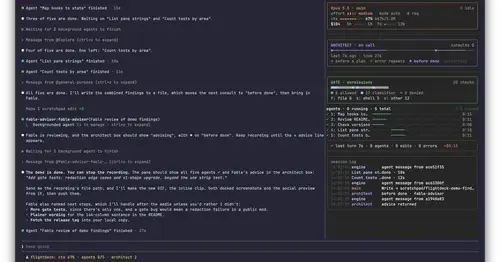
Subagents, permission checks, advisor consults, context and cost, live in a pane.
Popular Claude Mods
The whole directory →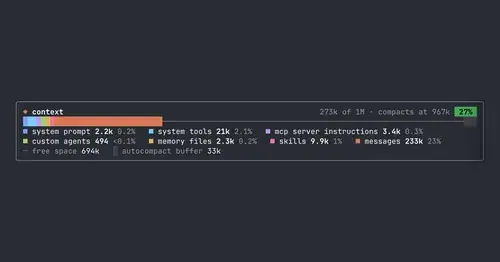
context-bar
Your context window as one stacked bar above the prompt, a color per category.
token-weather
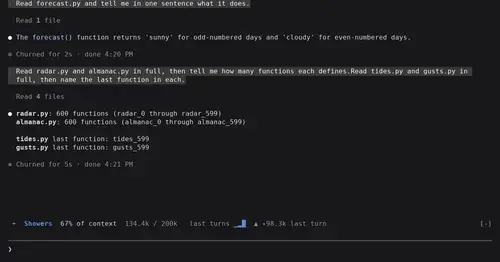
Context window fill as a weather forecast above the prompt, with a chart of recent turns.
inbox
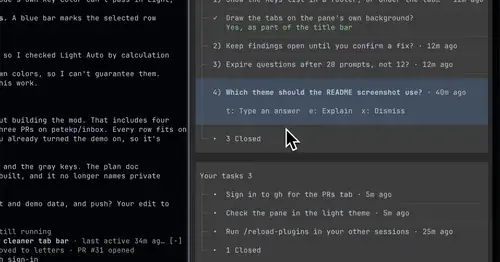
Claude's questions, your tasks, its findings and your PRs, sorted in one pane.
asd-ste100
Each answer rewritten as a Simplified Technical English manual page in a side pane.