Context & memory·terminal · desktop·MIT
antiburn
Five-hour and weekly usage meters above the prompt, with reset times and pace.
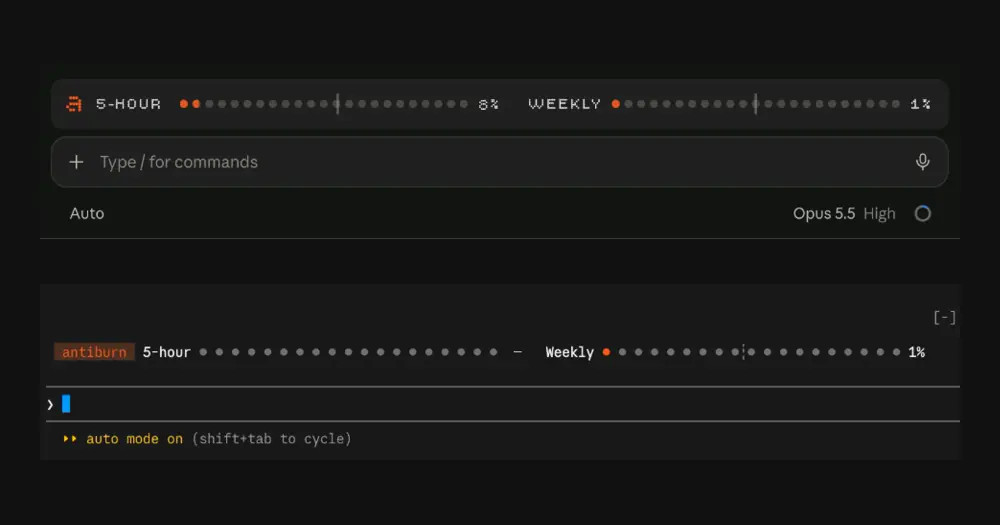
antiburn draws your Claude account’s five-hour and weekly usage above the Claude Code prompt: two rows of dots, the exact percentage and a pace marker, in the terminal and in the Code tab of Claude Desktop. It starts when the plugin loads, with nothing to configure.
The plugin comes from the team behind antiburn, a free desktop app for macOS, Windows and Linux. The app reads the session logs of Claude Code, Codex, Cursor, Copilot and eight more agents, and flags common causes of token burn: sessions that run too deep, premium models on subagents, broken caching, and tools, MCP servers and skills that load every session but go unused. The plugin works without the app and does not talk to it.
What it does
- Meters. Dots fill as you use each window. The pace marker shows how much of the window has elapsed, so usage past it means you are spending faster than an even pace. The author calls it a reference, not a forecast. A missing reading shows as unavailable, never as zero.
- Details. Activate a meter’s label or its pace control to reveal the reset time or the pace. In the terminal, press Ctrl+X, then Tab, to focus the strip; Tab moves between controls and Enter activates one. Pointer reveals in the terminal work only in the fullscreen layout.
- Layout. Claude Desktop draws the dots in SVG across the available width. The terminal uses text glyphs and stacks the two meters when space runs short. Whatever other mods draw above the prompt stays: antiburn adds its strip below it.
- Commands.
/antiburnprints usage, reset and pace details as text,/antiburn refreshchecks again, and/antiburn helpexplains both.
The author’s recording uses synthetic usage data.
The meters track account limits, not how full the context window is; token-weather covers that.
Install
Needs Claude Code 2.1.287 or later.
claude plugin marketplace add antiburn/antiburn
claude plugin install antiburn@antiburn
Open a new session, or run /reload-plugins in the current one. In Claude Desktop, start a session in the Code tab: the blank new-session page shows no mod UI. The marketplace installs a generated copy pinned to a fixed commit, currently version 0.2.5.
How it works
The meters show the rate limits Claude Code already reports to mods, through session.measure and session.usage(). Reading them involves no model call and costs no tokens.
In Claude Desktop, when that native reading is empty or unavailable, the plugin asks Anthropic directly: a GET with no body to https://api.anthropic.com/api/oauth/usage, sent through Claude Code’s HTTP API. Claude Code supplies an opaque authorization handle and keeps the credential, and the request carries no prompt, project or session content. It runs only when Desktop attaches, on refresh and after /clear or resume. A good reading is reused for 60 seconds, and failures back off from 60 seconds to 15 minutes, longer if the server asks. Terminal-only sessions and API-key logins never make this request.
State lives in memory for the session. The plugin writes no files, reads no transcripts or credentials and sends no telemetry. The only program it starts is a browser opener, when you activate the antiburn logo in the terminal: cmd.exe /c start "" https://antiburn.com on Windows, or open and then xdg-open elsewhere, each with a five-second limit. If none works, the status line shows the address. In Claude Desktop the logo is a plain link.
Live checks (development build only)
The repo also holds antiburn-live, the development source this plugin is generated from. In its checks mode it watches the session for eight burn patterns, such as retry loops, a context over 400,000 tokens, long reading without edits and an outdated model, and offers a one-press fix: a prompt to Claude, a compaction or a command placed in the prompt box. The author keeps that build out of the marketplace, documents it only for local development and says the public privacy description does not cover it. We don’t recommend installing it. The public plugin has none of these checks.
Limitations
- It runs in the terminal and the Code tab of Claude Desktop. Ordinary Claude chat and Cowork are outside it.
- Account readings depend on the Claude Code version, the login type and policy. API-key sessions get no account fallback.
- A failed request can leave the last reading on screen, marked stale or unavailable. A retry time is when the next account check may run, not a countdown.
- After
/clearor a reload, the strip can disappear until the session initializes again. Past readings are not restored. - In earlier Desktop checks,
/antiburnsometimes reported that it was not a command at startup. The cause is unverified; reloading plugins or running/antiburn helpmay help. - The author’s runtime checks, on version 0.2.1, covered Claude Code 2.1.304 and Claude Desktop on macOS. Other hosts and platforms still need their own checks.
Similar Claude Mods

cache-keeper
Prompt-cache timer, keep-warm pings, cold-send guard, a board of chats and a handoff.
ContextSaver
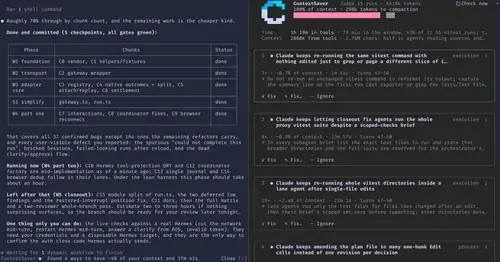
Spots repeated waste in a session, prices it in context and time, fixes it in one click.
context-inspector
What fills the context window, what is waste and what compaction kept, with advice.
cache-tax
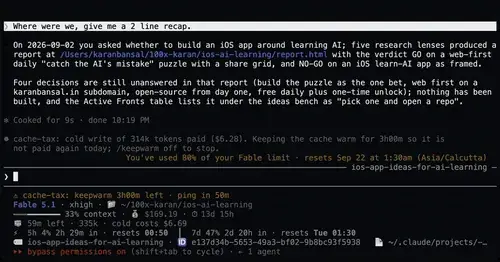
Keeps the prompt cache warm during breaks and stops a cold send once with its price.
Popular Claude Mods
The whole directory →
effortless
Picks the effort for every prompt and shows how long the prompt cache stays warm.
auto-handoff
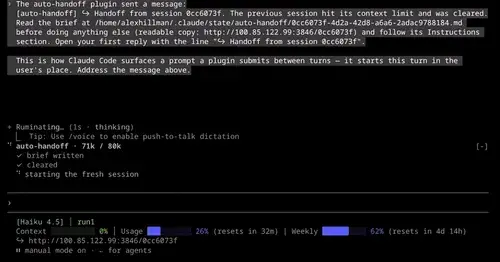
Hands a long session to a fresh one with a Haiku-written brief instead of compacting.

Habblaud
A pixel-art office where each Claude Code agent shows, live, what it is doing.
CodeCraft
Hearts for context, food for usage limits, armor for git, XP for verified work.