Context & memory·terminal · desktop·no license file
context-inspector
What fills the context window, what is waste and what compaction kept, with advice.
context-inspector tells you what fills the Claude Code context window and how much of it is waste: files read again while the earlier copy is still there, near-identical tool outputs, and files a compaction dropped and Claude had to read back. It only observes; it never changes the conversation, tool calls or compaction.
What it does
/context-inspect prints an overview of the main context. Add a section name for the full list, and --agents to include subagents:
- occupants: what is in the window now, by category (each tool, attachments, prompts, responses) and by file or command, with the largest items.
- rereads: every repeated read of a file gets a reason: skipped by the engine as unchanged, restored after compaction, a different range, after an edit, after a compaction, changed on disk, or unchanged with the first copy still in the window. Only the last is counted as pure waste.
- similar: tool outputs that are identical, or within 3 bits on a 64-bit SimHash of word triples. Numbers are folded first, so test runs that differ only in timings group together. The match is lexical, not semantic.
- compactions: the edited files, files read, errors and identifiers you typed before each compaction, and which of them still appear in the summary and kept messages, plus the tokens read back afterwards.
- efficiency: per turn, measured input growth against lines changed by edits. Turns that grew without edits are marked as exploration, not as a fault.
- advice: rule-based tips, each with its evidence and an estimated saving: Grep and read a range instead of a whole large file, trim long command output, ask subagents for shorter results, disable MCP servers whose tools are loaded but never called, slim a large
CLAUDE.md.
The status line shows the window’s fill and the waste still in it, such as ctx 62% · waste≈8.1k. /context-pane keeps the overview open in a pane, and a toast flags the session’s first high-priority tip (the toastAdvice setting turns it off).
The fill and each request’s input tokens come from Claude Code. Per-item sizes are estimates, marked ≈: characters divided by four, 1,500 per image, scaled by a factor calibrated against the measured input growth and clamped between 0.5 and 2.
For the window’s make-up at a glance, context-bar draws it as one stacked bar above the prompt; context-inspector is about which parts are waste and why. The same author’s agent-profiler does the same kind of accounting for a session’s time.
Install
Needs Claude Code 2.1.287 or later.
claude plugin marketplace add YeonwooSung/my-claude-code-mods
claude plugin install context-inspector@my-claude-code-mods
It records from the start of the session. Run /context-inspect advice for the tips alone.
Everything it counts arrives through the session.append event, which the author lists as missing in the 2.1.280 early-access build. The author gives 2.1.287 as the minimum and ran the test suite on 2.1.292.
How it works
For each row that enters the conversation (prompt, response, tool result, attachment) the mod keeps its size, a hash and a SimHash, never the text, plus the target of the tool call behind it: file path, command line, search pattern, URL or subagent. It reads input tokens when each model request ends, and the messages before and after each compaction. MCP and memory file sizes come from Claude Code’s context breakdown when you run /context-inspect. All of it stays in memory, up to 20,000 items.
/context-export writes that ledger as JSONL to ~/.claude/context-inspector/<sessionId>/ (outputDir changes the folder). File paths stay as they are; command lines, patterns and URLs are masked for obvious secrets and cut to 200 characters; errors and identifiers are stored as hashes. The author warns that the hashes are unsalted, so a short value can be confirmed by guessing: the export is not anonymized. The mod makes no network requests and no model calls, so it costs no tokens.
Limitations
- A reload, resume or
/clearempties the ledger. Only the main conversation is read back, without attachments, subagents or timing, and the first compaction afterwards counts every recovered prompt and response as dropped. - Compaction checks are string matches: a file the summary paraphrases counts as lost, and a name that survives says nothing about the decisions around it.
- Outputs over 262,144 characters or 20,000 words are only grouped when identical.
- Habit tips (large reads, long output, verbose subagents, unchanged re-reads) cover the whole session, including output a compaction already removed, so they can exceed the status line’s waste.
- The pane draws in the terminal and, per the author, the desktop app. In the VS Code chat panel only the command text shows; under
claude -pit records, and-p "/context-inspect"prints the report. - The repository has no license file, so its code comes with no stated terms of reuse.
More mods
The whole directory →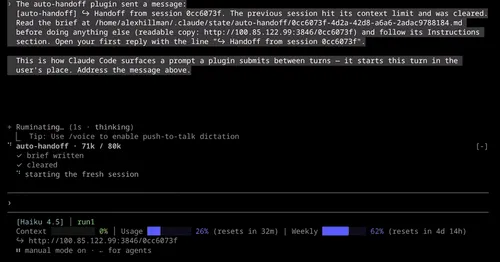
auto-handoff
Hands a long session to a fresh one with a Haiku-written brief instead of compacting.

cache-keepalive
Keeps the prompt cache warm while background tasks run, and caps what the pings cost.
cache-keeper
Prompt-cache timer, keep-warm pings, cold-send guard, a board of chats and a handoff.
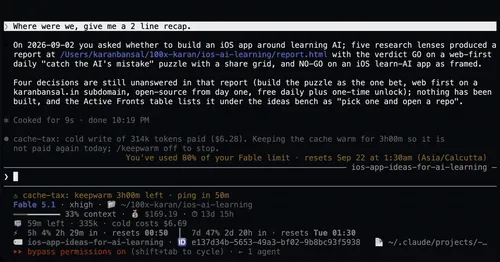
cache-tax
Blocks a cold prompt-cache send once with its price, then keeps the cache warm for hours.