Interface·terminal · desktop·MIT
glowup
A live side pane for changes, subagents and context, shareable themes and a pixel pet.
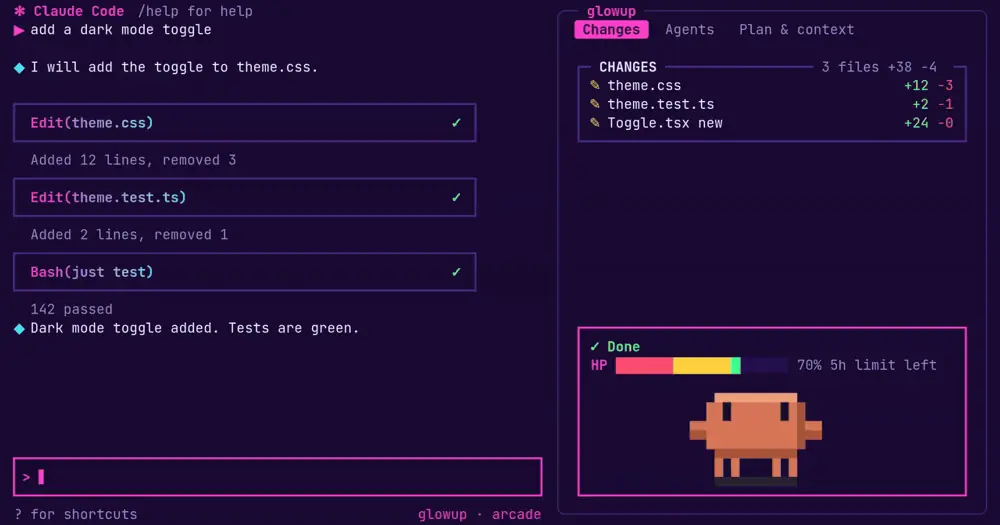
glowup adds a cockpit to Claude Code without moving the transcript or the prompt: a side pane that tracks the files Claude changed, the subagents it runs and what is filling the context window, a one-line band above the prompt, looks you can swap and share as JSON, and Clawd, a pixel pet who acts out what Claude is doing. The default pack, classic, keeps Claude Code’s own colors, so you can take the pane and leave the look alone.
What it does
The pane and the band
The pane has four tabs:
- Changes lists the files Claude edited or created, newest first, with added and removed line counts from git. A commit drops the committed files.
- Diff shows those files’ hunks in your theme’s colors.
- Agents lists subagents with elapsed time, tokens used and the tool each one is running.
- Plan & context, the tab it opens on, shows Claude’s task list, then a context bar split by source, a chart of context use over the session, the growth per turn with the turns left before auto-compact, and the three heaviest sources you could trim, such as an MCP server’s tools, a
CLAUDE.mdor the skill listing.
Below the tabs, a status box shows the current action, the running subagents and a row of hearts for whichever of your 5-hour and weekly limits is closer to running out. On an API key it shows what the session has cost instead.
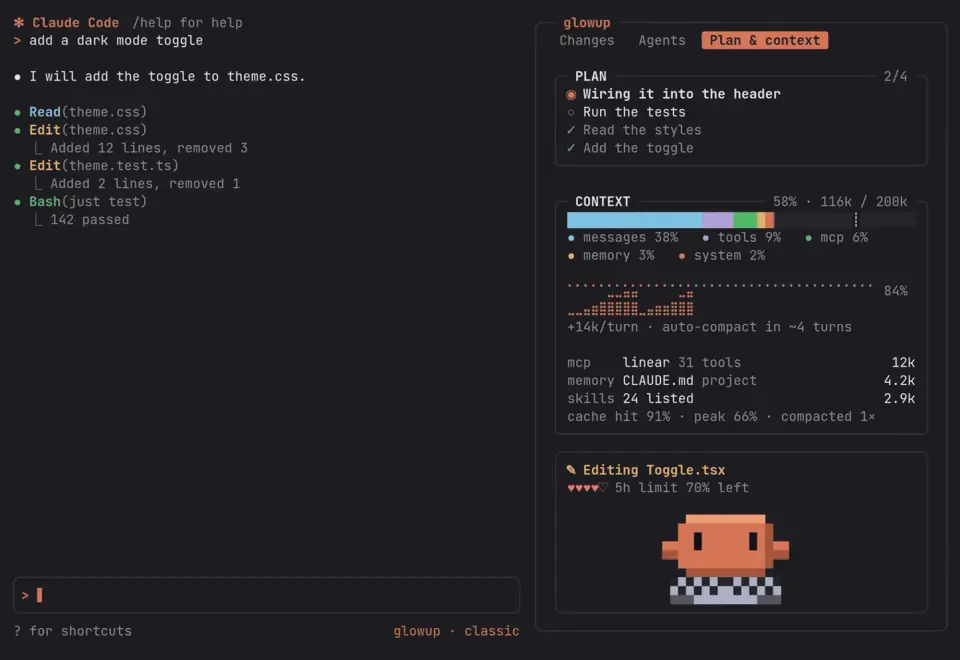
When the pane is not docked, a single line above the prompt carries the summary while Claude works: the action, the subagents, plan progress and five hearts for the context left, each worth 20% of the window. It folds away after the turn.
glowup can also draw your whole status line. It asks once, on first run; say no and yours is left alone, and glowup only adds a short entry under the prompt while Claude or a subagent works. If you say yes, you pick the fields and their order from activity, context, 5-hour and weekly usage, cost, model, effort, subagents, plan, branch, changes and working directory. /glowup statusline on switches later and /glowup statusline restore puts yours back.
Packs, themes and sharing
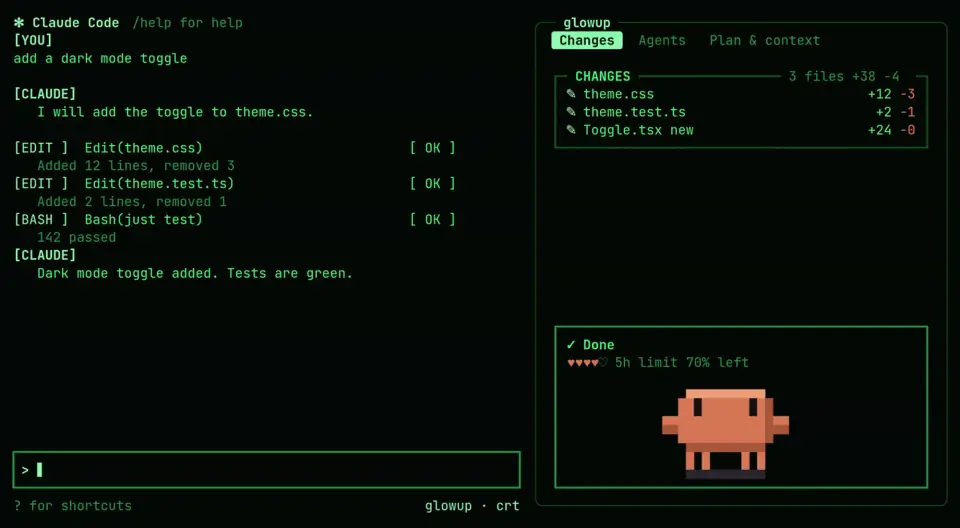
Four packs ship: classic, crt (green phosphor), cozy (warm pastels) and arcade (neon on deep purple, with an HP bar and a combo counter). A pack sets the colors, how transcript rows are drawn (bordered cards or retro [EDIT ] tags), the border shape and one of ten spinners. A theme is only the palette part: colors, a few glyphs, spinner words and the heart characters. Seven themes ship, among them aurora, cyberpunk, vaporwave and high-contrast. You can lay a theme over any pack or override a single color, and the override survives pack changes.
/glowup pack arcade
/glowup theme aurora
/glowup color accent #ff8800
Sharing works with plain files, no account. Packs and themes are JSON files that can extends another one, so a custom file lists only what it changes. /glowup pack save <name> writes your current look to ~/.claude/glowup/packs/<name>.json. Host that file at any https:// address and others install it with /glowup pack <url>, or /glowup theme add <url> for a theme. glowup refuses other schemes, wants a name of lowercase letters, digits and dashes that is not a built-in one, validates the contents and saves the file beside your own; a pack only replaces one you already have with --force, and packs over 64 KB are refused. What travels is the look alone: colors, row style, borders, spinner and glyphs. Installing one runs no code.
The config screen can also copy a link to the author’s web studio at glowup.khimani.dev, with your pack and layout settings encoded in the link itself, after the #, for fine-tuning in a browser. To make a pack from scratch, ask Claude: glowup ships a skill that writes one from a palette, an image or a description, or adjusts an existing one. /glowup import <file> turns a Ghostty or base16 color scheme into a pack, and /glowup export konsole writes your look as a Konsole scheme.
Clawd
Clawd lives at the bottom of the pane and reacts to the session. He types while Claude edits or runs commands, walks while it reads and searches, juggles when three or more subagents run, hops on a passing test and sweats on a failing one. A question mark means Claude is waiting for your approval. He pants once context passes 80% and falls asleep after a minute with nothing happening. Speech bubbles add a short line at the end of a turn or when something fails.
/glowup pet robot swaps him for the second built-in pet, /glowup pet add <file|url> installs one made in the studio, and /glowup pet off removes him. /glowup motion reduced hides him as well, switches to the stock spinner and stops the shimmer. With motion on, nothing flashes more than 2.5 times a second.
Install
Needs Claude Code 2.1.289 or later, plus git for the line counts and the Diff tab.
claude plugin marketplace add NovusEdge/glowup
claude plugin install glowup@glowup
These commands do not check your version: on an older Claude Code the hooks fail to load with an expected record, received undefined error. The author’s own installer, curl -fsSL https://glowup.khimani.dev/install.sh | sh, previews packs and pets while you choose, then runs the same claude plugin commands; pipe it to less instead of sh to read it first. Version 0.12.1 is current.
Run /glowup for the short command list and /glowup config for the settings screen, which opens in a new terminal window (/glowup config pane shows the same settings inside Claude Code). The main choices also sit in Claude Code’s /plugin menu. Whichever change you made last wins, and /plugin edits apply at the next session start or after /reload-plugins.
How it works
The module hooks 17 events. tool.call sees every tool call with its input and result, which is how the pane knows the current action, the changed files, test outcomes and subagents; classic.PermissionRequest tells it when an approval dialog is open. After edits and Bash runs it calls git in your project for line counts, and runs git diff only while the Diff tab is on screen, reading untracked files up to 64 KB. The plan comes from Claude Code’s own task files under ~/.claude/tasks/, and the context box and hearts from the session’s usage data. prompt.submit only catches a pasted /glowup command, which it runs instead of sending to Claude.
On disk, glowup keeps its settings in the plugin’s store and your packs, themes and pets in ~/.claude/glowup/. If you let it draw the status line, it points the statusLine entry in your user settings at its own script, keeps your old entry for /glowup statusline restore, and rewrites a status file every minute. The script falls back to your own command once that file is 10 minutes old.
It makes no network calls on its own. It fetches only when you install a pack, theme or pet from a URL, with a 10-second timeout, and the first /glowup config downloads its glowup-installer binary for your platform if it is not there yet. Nothing costs tokens by default. /glowup bubbles haiku lets Claude Haiku write some of Clawd’s lines: small, throttled calls billed to your account, told only the mood, the kind of work, whether tests passed, the time of day and the pet’s voice, never your commands or file paths.
Limitations
- The pane docks beside the transcript only in fullscreen on a terminal at least 144 columns wide, or 110 once you have opened it yourself. Narrower, you get the band, and
/glowup paneopens the pane as a drawer above the prompt. Under 80 columns both shrink to fit. - Pack row styles are drawn only in the terminal; the code leaves transcript rows untouched on other surfaces. Nothing draws in
claude -p. - Planned, without dates: sound and voice layers for packs, more spinners, two more pets and opening a subagent from the Agents tab.
Similar Claude Mods
claude-skins
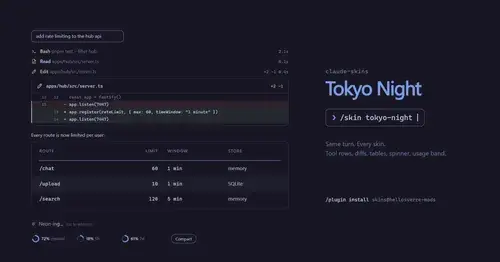
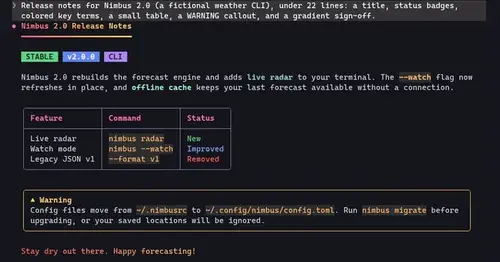
Fifteen transcript skins: timed tool rows, diff, table and chart cards, a usage band.
cc-crayon
Every reply redrawn in color: themed Markdown plus inline tags the model can write.
prismantis
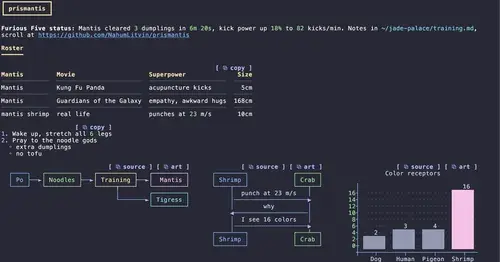
Claude's replies in 15 themes: colored tables, highlighted code, diagrams and charts.
claude-review
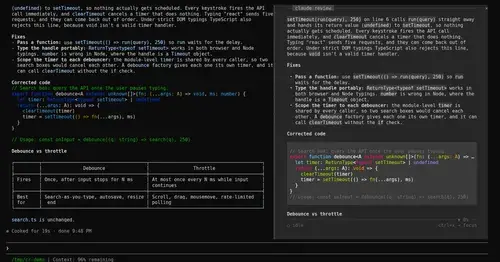
The latest reply in a docked reading pane, with its plan, question and tasks a key away.
Popular Claude Mods
The whole directory →
storybloq
A board of the tickets and issues kept in .story/, in a pane beside the transcript.
token-weather
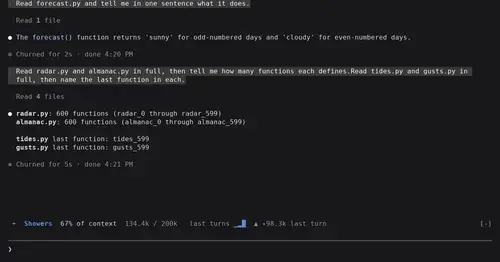
Context window fill as a weather forecast above the prompt, with a chart of recent turns.
lcm
Every message kept in SQLite, old context compacted into summaries Claude can expand.
Claude-sama
An unofficial kami mascot who reads above the prompt and reacts to what Claude is doing.