Interface·terminal · desktop·MIT
claude-review
The latest reply in a docked reading pane, with its plan, question and tasks a key away.
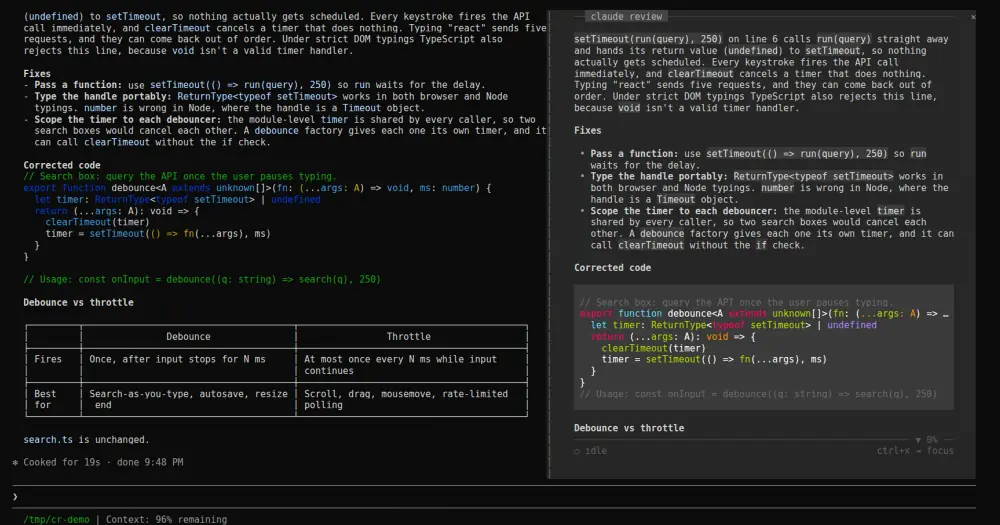
claude-review shows the session’s latest reply in a pane docked beside the conversation, laid out for reading in a padded column instead of the transcript’s flow. It follows the live turn as Claude writes, and keeps the plan, the question Claude is waiting on and the task list one key away. It only reads the session, so it costs zero tokens.
What it does
- Follows the live turn. The pane refreshes as rows land, so it updates while Claude writes, not only when the turn ends.
rbrings you back to the live turn from anywhere. - Switches surfaces with
t. A turn can carry a plan, a question, the response and the task list. A plan waiting for your approval, or a question Claude is blocked on, comes first while Claude waits. When there is more than one, the key row lists them as tabs. - Steps through turns with
handl. An earlier turn opens with the prompt it answered, so you never read a reply out of context. The task list shows on the latest turn only. - Freezes with
f. The view holds still while Claude keeps working, andfagain releases it. While frozen or on an earlier turn,new replylights up in the key row when the live turn gets one. - Copies with
y. The surface on screen goes to your clipboard. - Scrolls with
jandk, the arrows, the mouse wheel, PgUp and PgDn, Home and End.gjumps to the top. The rules above and below the text show ▲ and ▼ with a percentage when there is more. - Opens a guide with
m. It lists every key and the session’s diagnostics: session id, model, project, which turn is on screen and the pane’s size.qcloses the pane.
The letter keys work only once the pane has the keyboard: press ctrl+x, then Tab. Until you do, its key row reads ctrl+x ⇥ focus. Esc hands the keys back to the prompt.
In the terminal the reply is drawn in a monochrome markdown theme. Emphasis comes from weight (bold, italic, underline) rather than color, and only code blocks keep their syntax colors. The one color in the frame is cyan, for a state you set: frozen, or a new reply waiting.
Install
Needs Claude Code 2.1.287 or later.
claude plugin marketplace add r3al1tym/claude-review
claude plugin install review-pane@claude-review
The plugin is called review-pane; the pane and its command carry the claude review name. The next session opens the pane by itself once the terminal is 144 columns or wider. At any width, /claude-review opens it, and the same command closes it. To stop it opening on its own, turn off Open on start for the plugin in /config.
To run it from a clone, the README links the folder into ~/.claude/skills/, where Claude Code loads it in every session and reloads it when you save a file. claude --plugin-dir <path-to-clone> loads it for one session only.
claude-review began as a Python TUI you ran in a second terminal. The mod replaces it; the last CLI release, v0.5.3, still installs with pipx from that tag.
How it works
The module reads the conversation with session.messages(). It refreshes on session.append when a prompt, a response or a tool result lands, waiting 120 ms for a burst of rows to settle, and again on turn.complete. Subagent rows don’t trigger a refresh, and a closed pane reads nothing.
A turn is your prompt plus everything Claude produced after it: its latest text, the plan from ExitPlanMode, and an AskUserQuestion that is still unanswered. The task list is rebuilt by replaying the session’s TaskCreate and TaskUpdate calls, or its last TodoWrite list.
It writes nothing to the session, makes no network calls, touches no files and never calls the model. Control bytes a transcript may carry, such as pasted ANSI escapes or OSC 52 sequences, are stripped before anything is drawn. The only text that leaves the pane is what y puts on your clipboard, through Claude Code.
In the terminal the mod lays out its own rows, so the top rule with the claude review label, the bottom rule and the key row stay pinned while the text scrolls between them. The README says the desktop app draws the same reply with its own Markdown, plus a row of buttons for the surfaces, earlier, later, freeze and copy.
Limitations
- No horizontal scroll. Wide tables shrink their widest columns and wrap, and code lines wider than the column are cut at the edge.
- Outside the terminal, a reply longer than 9,800 characters is cut, with a note to copy it for the full text.
- The author checked this version against Claude Code 2.1.287 with
claude plugin validateandclaude plugin test. Mod events and methods can change between Claude Code versions.
Similar Claude Mods

mdview
Click a .md path in the session to read it rendered beside the conversation.
gfm-render
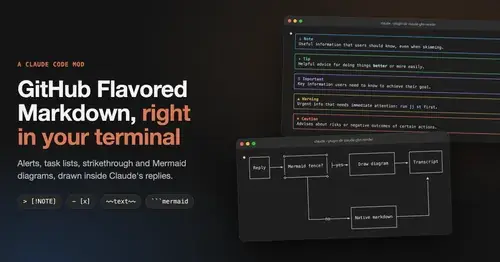
GitHub alerts as colored boxes, checkboxes, strikethrough and Mermaid art in replies.
prismantis
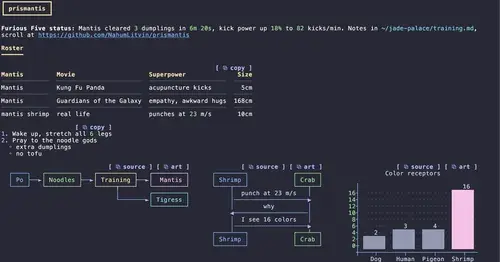
Claude's replies in 15 themes: colored tables, highlighted code, diagrams and charts.
ui-themes
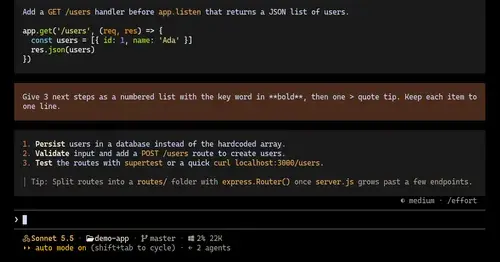
Padded, coloured prompt and reply boxes, themed markdown and a matching status line.
Popular Claude Mods
The whole directory →fast-jev-compaction
Compaction that drops stale tool calls instead of summarizing; the rest stays verbatim.
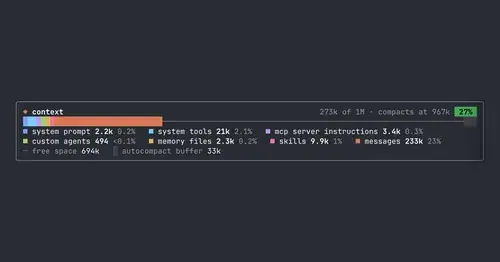
context-bar
Your context window as one stacked bar above the prompt, a color per category.
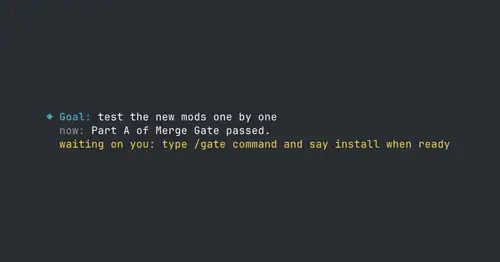
where-am-i
Goal, what Claude is doing now, what waits on you and the next step, above the prompt.
handoff-compact
Compaction becomes a handoff: goal, proof, decisions, dead ends and the next step.