Interface·terminal·MIT
mdview
Click a .md path in the session to read it rendered beside the conversation.
mdview turns the Markdown paths in a Claude Code session into links. A click opens the file in a pane beside the conversation, drawn by Claude Code’s own Markdown renderer, and from there you can point at any block and tell Claude what to change. It is for the plans, reports and notes Claude writes as .md files and hands you as a path.
What it does
- Clickable paths. A
.mdpath that names a real file gets a↗, whether it sits in backticks, bare in the text or in a Markdown link. Links appear in Claude’s replies, underRead,WriteandEditrows, and under your own prompts.path:42andpath#headingopen at that line or section. - A reader. Contents (
t), find (f), long files in parts (p,n), links between files followed inside the pane, and back (b). Any other text file opens as highlighted code with line numbers, and common HTML and tables too wide for the pane are turned into something a terminal can draw. - Pictures. Sharp in Ghostty, kitty and iTerm2 3.7 or later, colored half blocks in other terminals. PNG, JPEG, GIF and HEIC work.
- Edit by pointing. Hover a paragraph, list, table, code block or picture and a
✎appears. Click it, type the change and press Enter: mdview sends it as your prompt, naming the file, the lines and how the block begins. A line under the block follows the edit, fromWaiting for Claude…toUpdatedorNo changes made. - Live. A file Claude writes redraws at once; one changed by something else, within 1.5 seconds.
- Claude can open files too. The mod gives Claude a
showtool, so asking to see a file opens it in the pane. - Other viewers. In Warp a click opens Warp’s own Markdown viewer, split to the right, by default. Elsewhere you can send clicks to the app macOS opens
.mdfiles with./md modeor the/configrows switch it, per terminal.
Install
Needs Claude Code 2.1.287 or later in the fullscreen layout (/tui fullscreen), the only layout where a click reaches a mod.
claude plugin marketplace add xuanji86/claude-mdview
claude plugin install mdview@claude-mdview
Click a path with a ↗, or run /md <path>, optionally with #heading or :line; /md alone reopens the last file. Esc or q closes the pane.
For sharp pictures in iTerm2 3.7, set this for iTerm2 alone, for example in ~/.zshrc. Do not set it for Warp, where forced pictures garble the screen.
[[ $TERM_PROGRAM == iTerm.app ]] && export CLAUDE_CODE_FORCE_TERMINAL_IMAGES=1How it works
mdview checks that each .md path in the conversation names a real file, and reads a file when you open it. It hooks tool.call to notice when Claude’s Write or Edit touches a Markdown file, so links and the open pane redraw; it reads only the file path. turn.start and turn.complete tell it which turn carries an edit you sent.
It sends a prompt only when you press Enter in a ✎ bar, as you and with the text you typed. It runs macOS’s sips to convert and scale pictures, into files under $TMPDIR (half-block ones are removed once read), and open when you choose the app or Warp’s viewer, for Markdown files only; Claude’s show tool never uses open. /md mode changes the plugin’s setting. It makes no network requests, stores nothing across sessions and calls no model of its own.
Limitations
- Clicks need the fullscreen layout; on the main screen, use
/md. The author documents it only in the terminal. - Pictures other than PNG, and every half-block picture, go through
sips. Outside macOS you see their alt text, so only PNG files draw, and only in terminals that place pictures themselves, such as kitty and Ghostty. - The pane docks beside the transcript, which keeps a minimum width, so mdview never takes the whole screen.
- Math, mermaid diagrams and heading sizes show as written. Long files come in parts, because a pane holds about 100,000 characters.
- A reply with a clickable path is drawn by mdview, so copying it brings its
⏺along.
Similar Claude Mods
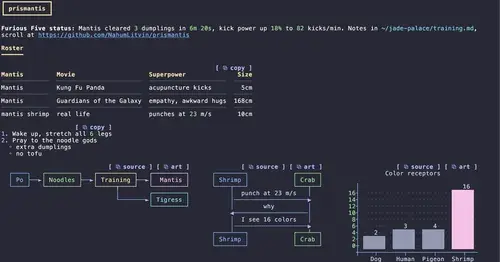
prismantis
Claude's replies in 15 themes: colored tables, highlighted code, diagrams and charts.
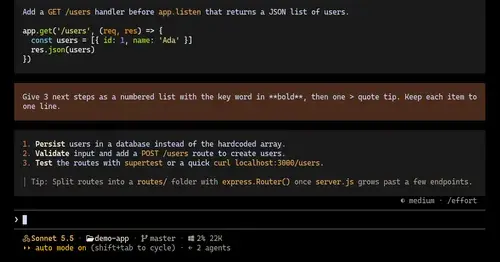
ui-themes
Padded, coloured prompt and reply boxes, themed markdown and a matching status line.
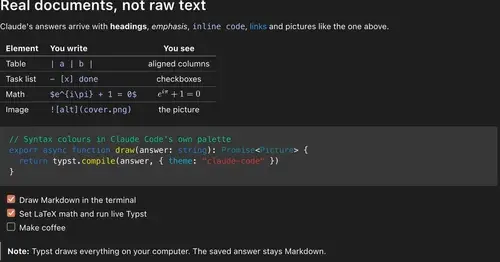
cc-intelligent-ui
Claude's answers as typeset pictures: Markdown, LaTeX math, charts and diagrams.
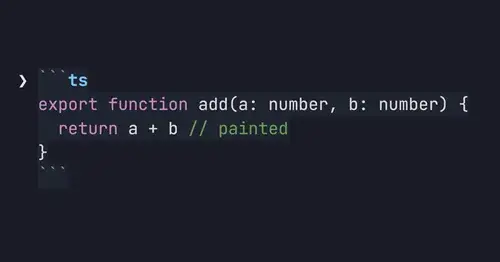
md-prompt
Markdown and syntax-highlighted code painted in the prompt box as you type.
Popular Claude Mods
The whole directory →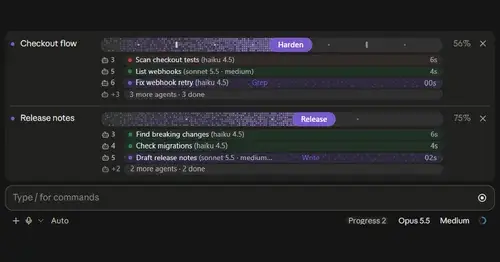
plan-progress
Claude's plan as live progress bars above the prompt, with subagents under each task.

claude-latex
TeX math, TikZ diagrams and LaTeX blocks typeset in Claude's replies, in the desktop app.
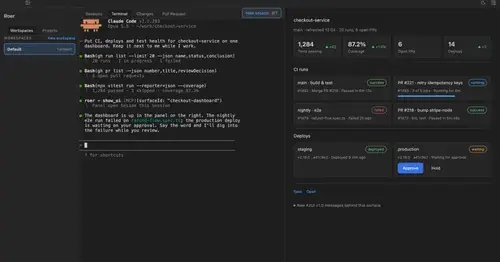
roer-ui
Claude draws forms, dashboards, tables and diffs you can click, in a pane. From JetBrains.
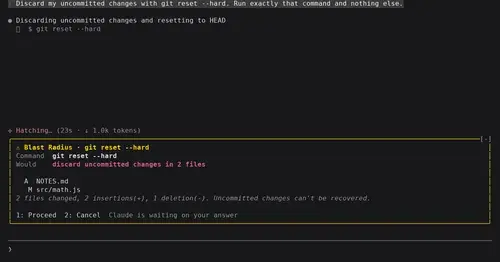
blast-radius
Shows what rm -rf or a force push would change and waits for Proceed or Cancel.