Context & memory·terminal·PolyForm Shield 1.0.0
storybloq
A board of the tickets and issues kept in .story/, in a pane beside the transcript.
storybloq is the dashboard Mod of Storybloq, a project memory for Claude Code and Codex that keeps tickets, issues, handovers and lessons as JSON and Markdown files in a .story/ folder inside your repository. The Mod draws that ledger as a board in a pane beside the transcript and keeps it current while Claude works, so a team can see what is open, blocked, in progress and done without leaving the session. It only reads files, opens no network connection and adds nothing to the model’s context. The repository’s star count covers the whole product, not this pane.
Install
Needs Claude Code 2.1.287 or later, Node.js 20 or later and an interactive terminal; the author’s own floor is Claude Code 2.1.272. There is no marketplace: the storybloq CLI installs the plugin, at version 1.16.0 in lockstep with the package.
npm install -g @storybloq/storybloq@latest
storybloq setup --client all
Setup copies the plugin to ~/.claude/skills/storybloq/, registers the storybloq MCP server and installs the CLI’s command hooks; --client claude skips the Codex parts. storybloq update installs the newest package and re-runs setup. Run storybloq init --name "<project>" once in the repo to create .story/, then start claude: the pane appears on its own. /story loads the project state into the conversation when you ask for it; /plugin configure storybloq turns the pane off. The author pins the event names against Claude Code 2.1.274 and calls the plugin API early access. Storybloq/plugin-archive is an older install through the plugin system that the README no longer recommends.
The license, PolyForm Shield 1.0.0, allows any use except building a product that competes with Storybloq. It is source-available rather than OSI open source, which is why this page uses the generic cover instead of the repository’s screenshots.
How it works
What it draws. The header carries the wordmark, the version and the project folder. The board has four columns, Blocked, Open, In progress and Done, over every active ticket and issue in the project, tickets first and issues sorted by severity; a docked pane stacks the columns to fit any width. A blocked ticket is one whose blockedBy still points at unfinished work; Open is the remainder, so a hand-edited status such as deferred still lands in a column. Under the board: open issues by severity and a context gauge, which is how full the session is toward its automatic compaction point rather than a share of the model’s window, so it reaches 100% when compaction is due. While a /story auto session runs, its stage is tagged on the card it is working (T-001 [Code] ...) or on the In progress heading, read from .story/status.json and dimmed with a question mark when older than 12 hours. The counts follow the same rules as storybloq status, and the repository’s tests hold the two equal. On a terminal narrower than the pane dock, the same numbers go out as one dim line above the prompt instead, up to 143 columns. Since 1.16 the pane opens with a brief dot-wave logo and animates state changes; startupLogo, motion and changeHighlights in /plugin configure storybloq turn each off.
When it refreshes. At session.start it checks that the session is interactive and that .story/ exists; without the folder it stays hidden, logs one line and waits for storybloq init. turn.start marks the board as working and, during the turn, the context gauge refreshes as tools run, at most every five seconds. At turn.complete it re-reads the context fill and rescans the ledger. At tool.call it lets the call run untouched and then, only if the call could have written under .story/, asks for a rescan, so a ticket moved mid-turn changes column before the turn ends; it never blocks or rewrites a call. At session.compact it refreshes the context percentage and redraws, nothing more. A 25 ms timer drains each scan in chunks and every two seconds stats the ledger for writes made outside the session, by the CLI, the Mac app or a teammate. Scans are keyed on modification times, so an unchanged ledger costs a stat sweep. prompt.submit passes your prompt through untouched and only re-asks for the pane when a narrow start parked it; config.set follows a theme change so the text stays readable on light terminals. Closing the pane leaves the Mod on; the next session.start opens it again.
What it keeps. Parsed records, with titles cut to 80 characters, go to Claude Code’s per-plugin store, capped at 4 MiB, so a reload does not reread the whole folder. The module’s declared $ calls are file reads and stats, a clock, the merged settings, that store and the UI: no network, no subprocess, no model call. The storybloq CLI and the MCP server are separate processes that the Mod never launches.
The rest of Storybloq is not the Mod, but setup installs it alongside. Command hooks run the CLI at PreCompact (snapshots), at SessionStart after a compaction (a resume prompt, which is input tokens) and at Stop (a gitignored .story/status.json for the Mac app). The StopFailure hook for usage-limit auto-resume was retired in 1.16, because Claude Code now continues past a usage limit on its own; setup removes it from older installs, although the README still describes it. The MCP server gives Claude tools that read and write .story/, and the /story skill loads the latest handover and open work into context on request. Everything is files in the repository: .story/ is meant to be committed except snapshots/, sessions/, status.json, bus/ and the other machine-local paths its gitignore covers, and the optional Mac app watches the same folder on the same machine. The README describes no sync to storybloq.com. For a project memory that injects retrieved context into every prompt instead of drawing a pane, see kindex-modern.
Limitations
- The plugin API is early access, and the author expects event names to change between releases.
- Nothing is drawn without
.story/, underclaude -por through the SDK. Terminals narrower than the pane dock get one line above the prompt. - Writes from outside the session show within about two seconds; writes from inside show when the tool call finishes or by the next prompt.
- The board covers tickets and issues. Autonomous mode, team mode, Bus and federation are CLI and MCP features; the pane only reflects their results.
More mods
The whole directory →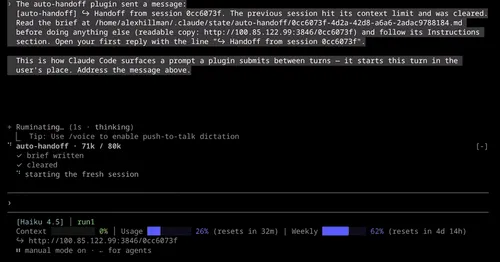
auto-handoff
Hands a long session to a fresh one with a Haiku-written brief instead of compacting.

cache-keepalive
Keeps the prompt cache warm while background tasks run, and caps what the pings cost.
cache-keeper
Prompt-cache timer, keep-warm pings, cold-send guard, a board of chats and a handoff.
cache-tax
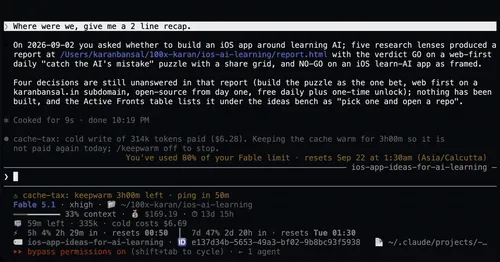
Blocks a cold prompt-cache send once with its price, then keeps the cache warm for hours.