Dashboards·terminal·MIT
spare10
Holds all work at the last 10% of your 5-hour or weekly quota and asks whether to go on.
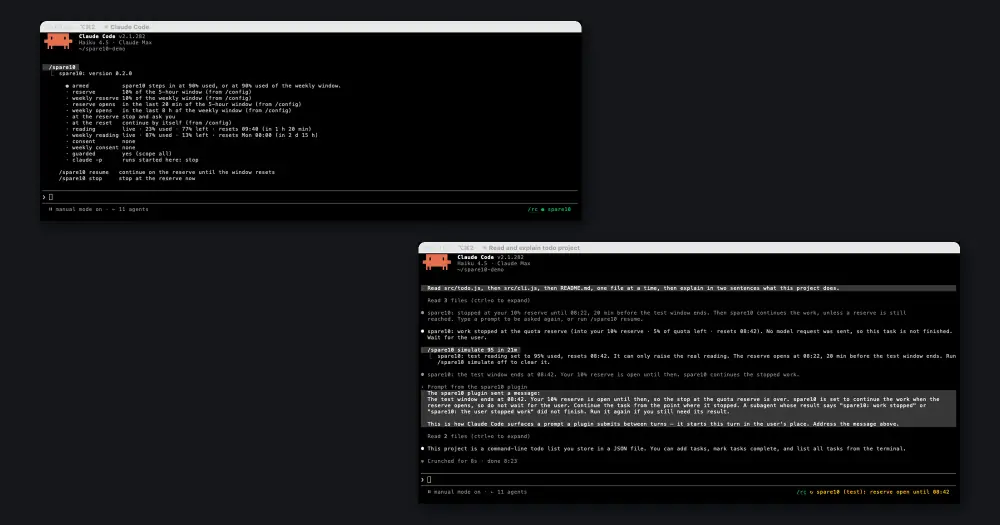
spare10 keeps the last part of your 5-hour and weekly quota windows for you. When either window reaches its reserve, 10% left by default, it holds every loop at its next step (the main agent, each subagent and your next prompt) and asks you one question: Stop here or Resume. It is a port of Alessandro Diano’s spare10, which wraps the claude command, moved inside Claude Code as a plugin.
What it does
- Resume lets the held work go on from where it stopped, until the floor: 5% left by default. There spare10 asks again, and a second Resume lets the work use the rest of the window.
- Stop here ends the work at its next step. The session stays open, and a prompt you sent while it held goes back into the prompt box.
- At 100% used, it holds everything until the reset and asks once: Continue at the reset or Stop here.
- Near the reset an unused reserve is lost, so spare10 opens it in the last 20 minutes of the 5-hour window and the last 8 hours of the weekly window. Then, or after the reset, it continues held and stopped work by itself.
- A badge at the right of the prompt footer shows the state:
● spare10when armed,⚠ Pausing at next stepwhen a window enters the reserve,■ spare10: stopped until 09:20after a stop,↻ spare10: reserve open until 08:42near the reset. /spare10prints the full status: both readings with their resets, the reserves, any consent, and what nestedclaude -pruns do./spare10 resumeand/spare10 stopanswer without the dialog, and/spare10 simulate 92sets a test reading.
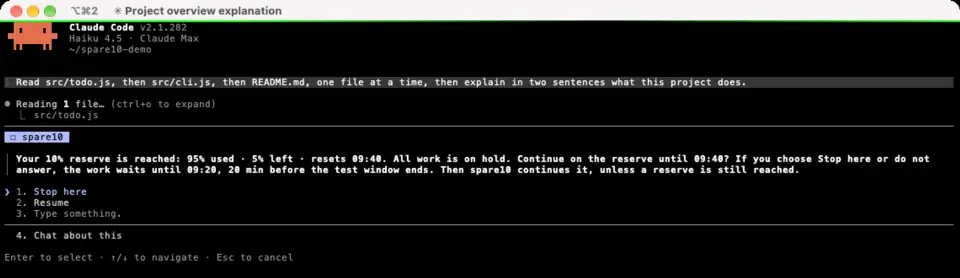
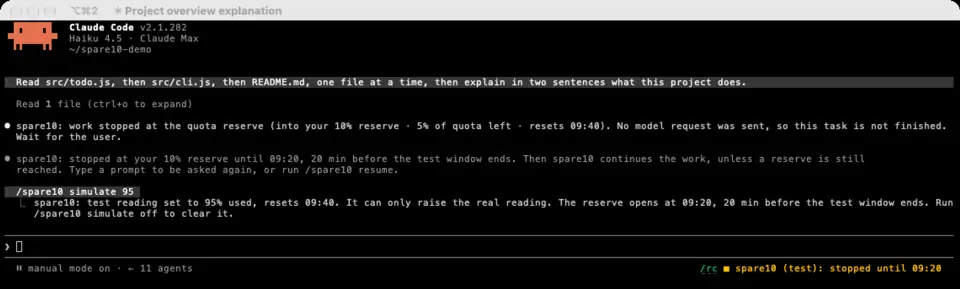
The screenshots come from spare10-mod 0.2, before the resume floor existed, and use a test reading, so the badge says (test).
budget-guard works more like a hard limit: it refuses tool calls past a threshold you set. spare10 holds the work in place, asks, and picks it up again near the reset. The same plugin also runs in the OpenAI Codex CLI; this page covers Claude Code.
Install
Needs Claude Code 2.1.287 or later and a Claude plan with 5-hour and weekly quota windows. When Claude Code reports no 5-hour window, the badge reads ⚠ spare10 quota unavailable.
claude plugin marketplace add chrisns/spare10-mod
claude plugin install spare10@spare10
The install may say that 12 options are not set; the defaults apply until you change them in /config. Start a new session in a terminal and spare10 arms itself, with no command: the badge changes from ⧗ spare10 to ● spare10 once it has read your quota.
To try it without spending quota, run /spare10 simulate 92, send a prompt and choose Stop here: spare10 drops the prompt and no request reaches the model. /spare10 simulate off clears the test reading. If the 5-hour window resets within 20 minutes, the reserve is already open and nothing asks; use /spare10 simulate 92 in 1h instead.
How it works
spare10 reads the 5-hour and weekly windows from the usage Claude Code already reports, through session.usage and each session.measure. It saves the latest reading and its reset time in the plugin’s own store, so a new session knows where it stands before its first response. It makes no network calls and runs no processes.
Three hooks form the gate: tool.call for every tool call, turn.step for every model request, and prompt.submit for the prompts you type. They apply to the main agent and to subagents alike. Once a window is in the reserve and nothing has consented, each loop parks at its next step. The first one opens the question through ui.ask, and every other held loop waits on the same answer, so you get one dialog, not one per subagent. Nothing is cut mid-way: a tool that is already running finishes, and the hold applies to the next call. spare10 checks agent.list so that internal engine forks, which are not listed agents, are never held.
On Stop here, held tool calls are refused, held model requests end with a short notice instead of a request, and the main turn is aborted with turn.abort. A subagent stopped this way returns a result that says so, and the resume prompt later tells Claude to run it again if it still needs the result. Esc, a dialog that closes without an answer, or a hold that reaches the hook’s time limit counts as Stop here; at 100% used it counts as Continue at the reset. The dialog costs no tokens, and Stop here sends nothing to the model.
A Resume or a stop is kept in environment variables of the Claude Code process (SPARE10_CONSENT, SPARE10_WEEKLY_CONSENT, SPARE10_STOPPED), stamped with the session id, so a Resume covers only this session and the current window. A claude -p run started from a guarded session stops at the reserve instead of waiting for an answer nobody can give.
Every 30 seconds a timer checks the clock. When the reserve opens, or 5 minutes after the reset, it clears the stop and submits a prompt that tells Claude to continue where it stopped; if you are typing, it waits up to ten ticks. That prompt starts a normal turn, with its normal token cost.
With a pause prompt set, spare10 stops nothing: it gives your instruction to each agent once, alongside its next tool result, so the agents wind down by themselves. Only the pause at 100% still holds work.
Options live in /config, in the row for spare10. A SPARE10_* variable overrides one for a single run, and SPARE10=off switches spare10 off for that run.
| Option | Default | What it does |
|---|---|---|
reserve, weeklyReserve | 10 | Percent of each window you keep. weeklyReserve at 0 stops guarding the weekly window. |
resumeFloor, weeklyResumeFloor | 5 | Percent left where spare10 asks again after a Resume. 0 makes a Resume last until the reset. |
lastMinutes, weeklyLastHours | 20, 8 | How long before each reset the reserve opens. 0 keeps it closed. |
autoResume | on | Continues held and stopped work by itself when the reserve opens or after the reset. |
limitPause | on | Holds all work at 100% used. The author suggests turning it off if you pay for extra usage. |
pausePrompt | empty | An instruction for the agents in place of stopping. |
scope | all | opt-in guards only runs started with SPARE10=on. |
Limitations
- spare10 asks only in an interactive terminal session. In the desktop app, the IDE hosts,
claude -pand the Agent SDK nobody can answer, so by default it only watches. Theheadlessoption can instead tell the agents to wind down, refuse tools, or hold the work until the reset. - It acts only on what Claude Code reports. If a reading fails, the gate lets the work through rather than block it.
- With
askUserQuestionTimeoutorCLAUDE_AFK_TIMEOUT_MSset, the dialog can close on its own, which counts as Stop here. spare10 warns about it when the session starts.
Similar Claude Mods
Sub Meter
The 5-hour and weekly subscription windows as a bar in the footer. Zero tokens.
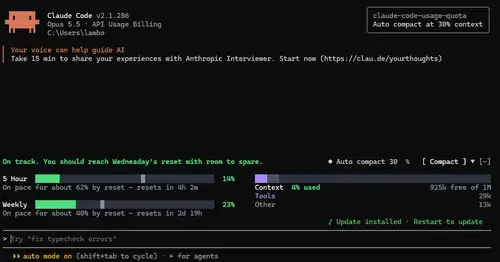
claude-code-usage-quota
5-hour and weekly plan limits, a run-out forecast and the context, with auto compact.
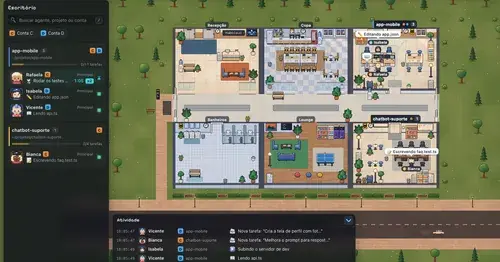
Habblaud
A pixel-art office where each Claude Code agent shows, live, what it is doing.
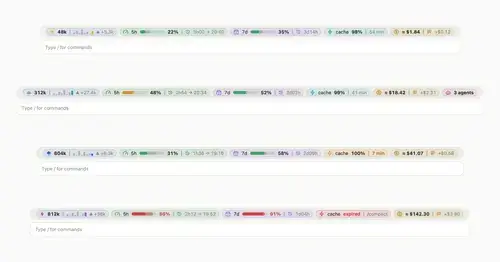
token-weather-usage
Context, 5-hour and 7-day limits, cache countdown and cost on one line above the prompt.
Popular Claude Mods
The whole directory →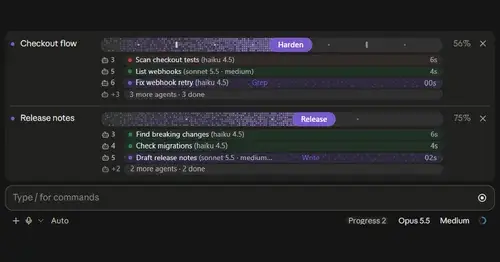
plan-progress
Claude's plan as live progress bars above the prompt, with subagents under each task.
worktree-map
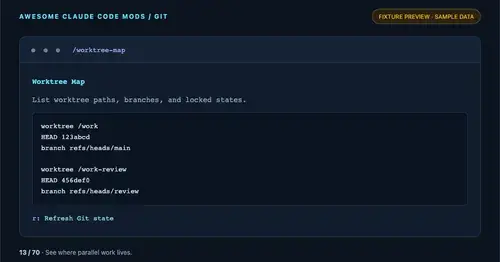
Every git worktree of the repo with its path, HEAD, branch and lock state, in a pane.
pin-memo
Notes and clickable todos pinned above the prompt, back when you resume the session.
compact-handoff
Like /compact, but the conversation becomes your validated /handoff and work carries on.