While you wait·terminal·MIT
cc-shorts
Your YouTube Shorts feed in a pane, with sound, while Claude works. macOS only.
cc-shorts plays your YouTube Shorts feed in a Claude Code pane, picture and sound, so you can scroll while Claude works. It uses your browser’s cookies through yt-dlp, so it is signed in as you: likes and watch history land on your real account. It runs on macOS only.
What it does
/shortsopens a pane and plays Shorts one after another. In terminals with the kitty graphics protocol, such as Ghostty and kitty, the video is drawn in real pixels; in the rest, such as iTerm2 or tmux, it is drawn with half-block characters.- Under the video you get the creator’s name, the title, the time played and eight keys, also drawn as buttons:
jnext,kprevious (from the start),ppause or play,rreplay,llike or unlike,mmute,opause and open the Short in your browser,xclose. Clicking the creator’s name opens the Short too. - Closing the pane keeps your place: the next
/shortsin the same session resumes the same Short. - While the pane has the keyboard, it switches macOS to an English layout so an input method (Chinese or Japanese, say) cannot swallow the keys, and puts your layout back when you leave the pane.
Install
Needs Claude Code 2.1.287 or later, plus macOS, yt-dlp, ffmpeg with the audiotoolbox output device and a browser signed in to YouTube: Chrome, Safari, Edge, Firefox, Brave, Opera, Vivaldi, Chromium or Whale (Arc does not work). deno is recommended: yt-dlp uses it to solve YouTube’s JavaScript challenges and may miss formats without it. Homebrew’s ffmpeg has audiotoolbox, and Homebrew’s yt-dlp brings deno along:
brew install yt-dlp ffmpegThen install the mod:
claude plugin marketplace add mthli/cc-shorts
claude plugin install cc-shorts@cc-shorts
Start a new session in a folder you trust and run /shorts. The first time, it asks which browser you use YouTube in, offering the ones it finds on your Mac. /shorts browser changes it later.
How it works
Watching costs no tokens: the pane never talks to the model. The one exception is the optional install request described below.
Your cookies. A Python helper built on yt-dlp reads the chosen browser’s cookies on your Mac and sends them only to YouTube. What macOS asks depends on the browser:
- Chrome, Edge, Brave and the other Chromium browsers: macOS asks whether the
securitytool may read the browser’s Safe Storage key from the Keychain. Allow covers one read, so the prompt comes back for every feed request, like and watch-history report. Always Allow ends the prompts, but from then on any program that runssecuritycan read that key without asking. - Firefox needs no permission.
- Safari’s cookies are readable only with Full Disk Access, which you grant to your terminal app and, through it, to everything the terminal runs.
Your account. cc-shorts is an independent project, not affiliated with YouTube or Google. It reads the feed through YouTube’s internal web API, the unofficial one the website uses, so it can break whenever YouTube changes it. It also writes to your account the way the website does: a Short goes into your watch history once you have watched 10 seconds of it (half of it, if it runs under 20 seconds), and l likes or unlikes it. The author states plainly that this goes against YouTube’s Terms of Service, as any automated client signed in as you does, and puts the account at risk. To stay close to a person’s pace, it fetches the feed in small batches and asks for the next one only when five Shorts are left.
Downloads. Shorts are downloaded at most 480 pixels wide, up to five ahead of the one playing, into a folder for the session under $TMPDIR/cc-shorts/. ffmpeg plays each one at its normal speed, sending the sound straight to your speakers and the frames to the pane about 30 times a second. Older files are deleted as you go, except one kept for k. The folder goes when you close the pane or the session ends, and a new session clears folders left behind by a crash.
What it keeps. In Claude Code’s plugin store on your machine: the browser you chose, where the feed left off, and the IDs of the last 1,000 Shorts you watched, so the feed skips them.
The install request. Each session checks in the background for yt-dlp, ffmpeg and deno and shows a toast if one is missing. While yt-dlp or ffmpeg is missing, /shorts asks whether Claude should install them instead of opening the pane. Only if you choose to, cc-shorts submits a prompt in your name asking Claude to run brew install for what is missing (without Homebrew, to tell you to install it yourself), to leave Homebrew’s untrusted-tap warning alone, and to stop and tell you if anything needs sudo or your password. Claude’s commands go through your permission settings like any others.
Limitations
- macOS only: the sound goes through ffmpeg’s AudioToolbox device, and the keys rely on switching macOS input sources.
- Terminal only. The author says the Desktop app and IDE extensions do not play the pane; outside a terminal it shows a single line asking you to run Claude Code in one.
- The author has tested it on Claude Code 2.1.287 only. Mod events and methods can change between Claude Code versions, and another version may fail to load it.
- It looks for its tools on Claude Code’s own
PATH: one installed somewhere else counts as missing. - Without a browser signed in to YouTube there is no feed: YouTube serves none to signed-out visitors.
- When YouTube changes its site,
brew upgrade yt-dlp(orpipx upgrade yt-dlp) fixes most breakage. cc-shorts also relies on some yt-dlp internals, so a new yt-dlp can break it until cc-shorts ships an update.
Similar Claude Mods
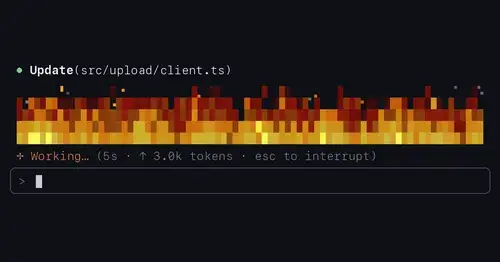
flow-scenes
Eleven ambient scenes above the prompt that grow busier as Claude works.
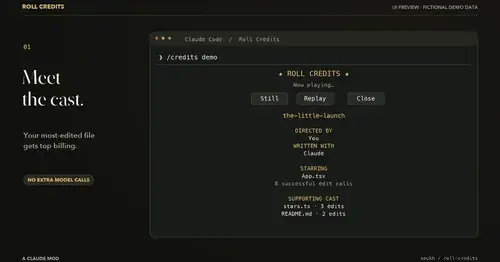
roll-credits
Movie-style credits for your session in a pane: top file, tools, turns and plot twists.
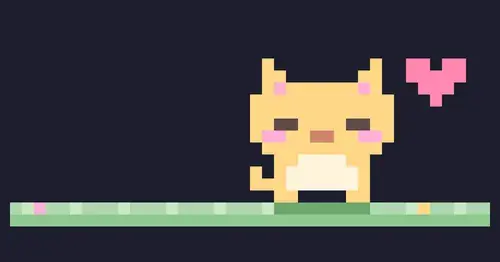
claude-pets
A pixel pet in a pane that reacts to your session and levels up as you work.
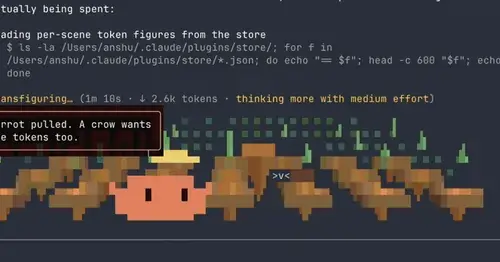
claude-toons
Cartoons of Clawd under the spinner that change with what Claude is doing.
Popular Claude Mods
The whole directory →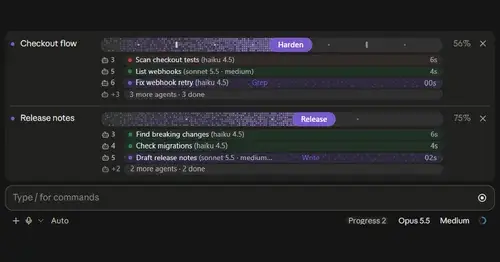
plan-progress
Claude's plan as live progress bars above the prompt, with subagents under each task.
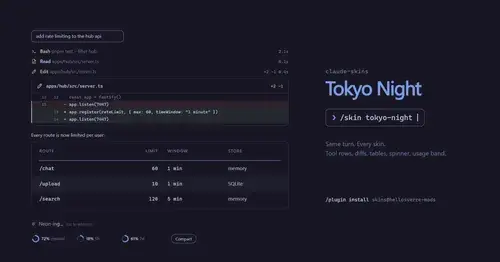
claude-skins
Fifteen transcript skins: timed tool rows, diff, table and chart cards, a usage band.

RemCTL
Today's Apple Reminders above the prompt, plus tools for Claude to manage them.
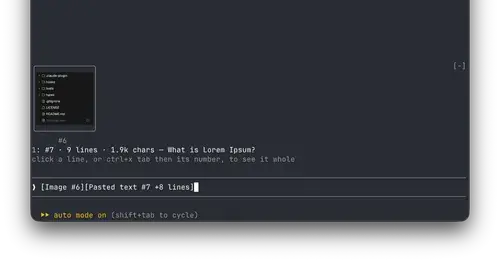
paste-view
Previews of pasted text and thumbnails of pasted images, drawn above the prompt.