Security·terminal·MIT
wp-credential-guard
Masks WordPress logins for the model and puts the real values back into Bash commands.
wp-credential-guard swaps a WordPress username and Application Password for placeholders such as [WP-USER-3c4d] and [WP-PASS-9a1f] before the model reads your prompt, then puts the real values back inside the Bash command that uses them. The model never sees the credential; the curl or wp call still gets it. It is for anyone who drives a WordPress site from Claude Code through the REST API or WP-CLI and has to paste a login to do it.
secret-redactor does the same job for API keys, emails and IPs in general. This one knows only WordPress shapes, and its distinctive part is the round trip: the placeholder is substituted and shell-quoted at execution, so the model can write a working command without ever holding the value.
Install
Needs Claude Code 2.1.287 or later. The plugin lives in plugins/wp-credential-guard of the author’s marketplace, which also lists 13 other plugins that are skills, not mods.
claude plugin marketplace add nathanonn/agent-skills
claude plugin install wp-credential-guard@nathanonn-agent-skills
Run /hooks once and confirm prompt.submit, skill.prompt, tool.call and ui.render are listed from this plugin. Then send a prompt with a dummy credential: a dim line reading wp-credential-guard: masked 1 username and 1 password (session-only) means it is running. The author stresses this check because a plugin folder copied into .claude/plugins/ shows as installed but registers no hooks, and every credential then passes through with no warning.
How it works
Detection. A password is recognised by shape: the six groups of four alphanumerics WordPress prints (AAAA BBBB CCCC DDDD EEEE FFFF), or the space-stripped 24-character form WP-CLI returns, which must be mixed case so ObjectIds, slugs and the engine’s own toolu_ ids are left alone. Around that, a set of ordered rules reads -u user:pass and --user= in every quoting, https://user:pass@ in a URL, and labels such as password:, app password, username: or wp_user =. Shell references like $WP_APP_PASSWORD pass through untouched, and an existing placeholder is never re-minted.
Usernames. A name is masked wherever a rule finds it. It is also remembered for the rest of the session, so a later bare log in as exampleuser gets masked too, but only when a structural form identified it (a -u pair, URL userinfo, a label with a separator), it is at least four characters long and it is not on the generic list (admin, root, editor, wordpress and the like). A hand-built stop list keeps words such as login: failed from a pasted log line out of the sweep.
The vault. The placeholder-to-value map is two Map objects in module memory, deliberately not the plugin store, so it dies with the session and nothing is written to disk. Placeholders are a four-hex-digit digest salted with 16 random bytes per session: the same credential gets the same placeholder within a session and a different one next time, so two leaked transcripts cannot be correlated.
The five hooks. prompt.submit masks what you type, logs the count with $.ui.log and appends a short context note telling the model to use the placeholders verbatim in Bash. skill.prompt masks the text a skill expands, which covers the Skill tool and preload paths. tool.call on Skill masks the arguments the model passes to that tool. ui.render on UserMessage rewrites the message row on screen. tool.call on Bash does the restore: each placeholder is replaced by its value, quoted for the bare, single-quoted or double-quoted context it sits in. If the command carries a placeholder the vault has never held, the call is denied with the unknown placeholder named, rather than run with literal text.
Scope. Restoration happens only in Bash. A Write, Read or MCP call keeps the placeholder. The plugin makes no network requests. Its only token cost is the one-paragraph note added to prompts that contained a credential.
Limitations
- Slash commands are refused, not masked. A typed
/name argsreaches the model in two copies and only one of them can be rewritten, so the prompt is dropped with an explanation. Paste the credential as a plain message first, then run the command with the placeholder. - The screen rewrite is cosmetic. The author states that no hook in the set can reach a message the engine has already stored, so the session JSONL may still hold what you typed. Treat the on-disk transcript and your terminal scrollback as containing the value.
- Usernames are only partly covered. Generic names are never swept, names under four characters are masked only where a rule finds them, and a distinctive name is swept only after a structural form has seen it once. The author’s own summary: the site URL and username are the pair most likely to remain in a transcript.
- A false positive costs the whole prompt when it looks like a slash command, and the stop list’s false-positive rate over long sessions is unmeasured.
- Untested surfaces: subagent preload, compaction,
/resume, session export, other text-rewriting plugins loaded alongside, and any host other than an interactive terminal (--print, the SDK). Whether the expanded credential actually authenticates against a live site is also outside the test suite, which checks byte fidelity through bash (99 passing, one known limitation: an empty password is declined).
Similar Claude Mods

anchorwatch-mod
Blocks rm -rf, force pushes, DROP TABLE, curl | sh and cat .env before they run.
env
Claude manages your .env keys and asks you for values it never gets to see.
recording-mode
Masks keys, names and money on screen and keeps private files closed while you record.
toolgate
Asks TypeSafe's Jev seven risk questions per tool call, then allows, asks or denies.
Popular Claude Mods
The whole directory →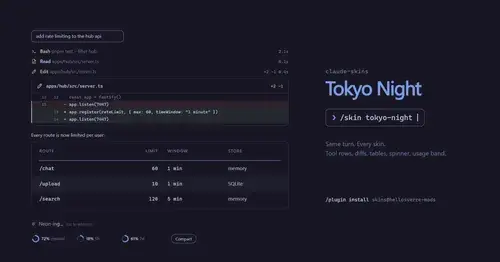
claude-skins
Fifteen transcript skins: timed tool rows, diff, table and chart cards, a usage band.
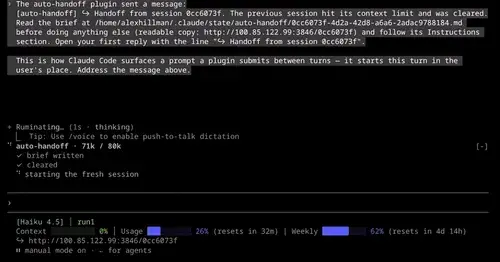
auto-handoff
Hands a long session to a fresh one with a Haiku-written brief instead of compacting.
collision-guard
Asks before Claude edits a file another open chat just changed.
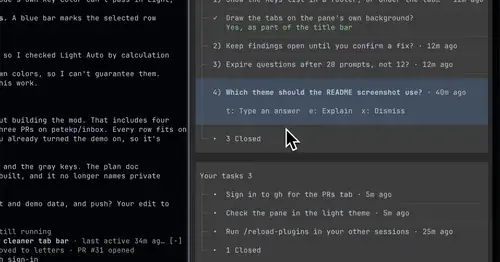
inbox
Claude's questions, your tasks, its findings and your PRs, sorted in one pane.