Dashboards·terminal·MIT
tw-stock-mod
Taiwan and US stock watchlist above the prompt, with a P&L view for your holdings.
tw-stock-mod draws a stock watchlist above the Claude Code prompt, laid out like a broker’s quote table. During Taiwan trading hours it shows a Taiwan list, during US hours a US list, and the colour convention flips with the market: red for gains on the Taiwan board, green for gains on the US board. Prices come from Yahoo’s public endpoints with no key and no account, and the mod spends zero model tokens. A third board, crypto, is one switch away.
What it does
- Three watchlists built in: 20 Taiwan symbols, 20 US symbols and 10 crypto pairs. The table shows 10 at a time in two columns and turns the page every 10 seconds; rows sort by daily change unless you set
"sort": "list", and the crypto board opens sorted by market cap. - Market switcher. The title row moves between the boards, with the session state and trading hours next to it;
marketSwitcherin the config draws it as a dropdown (select, the default), tabs or one cycling button. Outside both stock sessions the band keeps the market that closed most recently. The crypto board, which never closes, is left out of that automatic pick: it appears only when you switch to it or set"market": "crypto". - Trend view. Click a row, or press the chart button, to swap the table for one symbol’s candlesticks drawn with half-block characters, coloured by that market’s convention.
- P&L view. With holdings configured, the market button gains a stop that shows a sortable, scrollable table of your positions: quantity, cost, price, today’s move, today’s P&L, total P&L and percentage, plus a portfolio total.
- Split-flap footer. The index line (Dow, S&P 500 and Nasdaq on the US board) turns like a Solari airport board. The animation runs in the client surface and adds no render calls.
- Snooze. One button hides the band for 30 minutes and pauses the feed with it.
- Config in
stock-band.json: your own lists, sort, column count, refresh and feed intervals, the market a session starts on, and your holdings./tw-stock-mod:stock-band-setupwrites the file for you.
Install
Needs Claude Code 2.1.287 or later and an interactive terminal. The author’s own floor is Claude Code 2.1.269.
claude plugin marketplace add darrell-tw/darrelltw-mods
claude plugin install tw-stock-mod@darrelltw-mods
The author recommends running the install from inside one project and adding --scope local to the second command, so the band appears only there. Restart Claude Code and the band draws above the prompt on the market the clock picks. If nothing shows up, the README’s “Nothing shows up?” section lists the four checks to run, in order.
How it works
The module hooks session.start, ui.message and ui.render. It rebuilds the board every 3 seconds (refreshMs) and requests prices every 30 seconds (feedMs, floor 15 seconds, with a self-enforced budget of 300 requests an hour). It never calls the model and never touches the prompt.
Prices come from Yahoo’s public spark endpoint, batched at 20 symbols per request, so each built-in list plus its indices costs two requests a tick. The trend view adds one per-symbol chart call for the symbol it draws. Yahoo’s Taiwan quotes run about 20 minutes behind the exchange and the footer says so. What leaves the machine is the list of symbol codes, including the codes of your holdings so they get priced. Nothing else does.
The crypto board, added in September 2026 and not yet in the README, reads Pionex’s public ticker endpoint instead: one request a tick for the whole market list, about 55 KB, filtered locally to your pairs, so no symbol list leaves the machine. After a rate-limit answer it waits 90 seconds. Once an hour it also asks CoinGecko’s free coins/markets endpoint for circulating supply, which only orders the list by market cap; a CoinGecko outage changes the order, never the prices. Neither needs a key.
A closed market is not polled: one fetch after the close captures the closing price, then the feed sleeps until the next session. If a fetch fails while the market trades, the last good snapshot stands for 120 seconds; after that the band switches to deterministic demo prices and the footer tag changes to say so, so you never read a made-up number as a live one.
Two config files merge: ~/.claude/stock-band.json for personal preferences and holdings, and <project>/.claude/stock-band.json for the watchlist, which is safe to commit. Everything written at runtime (quote cache, heartbeat, fetcher log and pid, fetched holdings) goes to ~/.claude/stock-band/<project slug>/, never into your repo. A Yahoo-only install never creates that folder.
Shioaji, the optional real-time route. Set "twSources": ["shioaji", "yahoo"] in the user-level config and the band spawns scripts/fetch-quotes-shioaji.py itself, detached from the session and kept alive by a heartbeat file. The script logs in to SinoPac’s Shioaji API with keys it reads from an env file (~/.sinobon.env by default), then writes real-time Taiwan quotes and the positions in your brokerage account to the runtime folder. It needs a SinoPac account with API access enabled and a Python 3.12 interpreter with the shioaji package. Your credentials go to the broker’s API and nowhere else. A stock-quote-sources skill in the plugin walks you through the setup when you ask Claude for it.
Capital, the Windows route. Contributed in September 2026, "twSources": ["capital", "yahoo"] with a capital block does the same through Capital Securities’ (群益) SKCOM API: the band runs scripts/fetch-quotes-capital.py itself, which logs in with CAPITAL_USER_ID and CAPITAL_PASSWORD from an env file (~/.capital.env by default) and writes quotes and holdings to the runtime folder, under %USERPROFILE% on Windows. You supply the path to a registered SKCOM.dll (there is no default, since Capital ships it as a zip), a Python interpreter with comtypes whose bitness matches the DLL, and a Capital account with API access. The same skill covers this setup, and --check on the script verifies it.
Limitations
- The band’s labels are in Traditional Chinese: market names, button captions, column headers and the footer’s source tag. US symbol names are in English, Taiwan names in Chinese.
- Draws only in an interactive terminal: nothing in
claude -p, the desktop app or mobile. The band is measured on macOS iTerm2, Terminal.app and tmux; the README still lists Windows and the VS Code integrated terminal as untested, although the Capital route only runs on Windows. - The crypto board is in the code (version 0.13.4) but not in the README, so its config keys (
lists.crypto,"market": "crypto") are documented only by the source. - The two-column table needs 77 columns. Below that it draws a single column with five rows per page, and under about 46 columns the name column goes too.
- Yahoo rate limits are real. Every non-2xx answer doubles the wait, up to 5 minutes.
- No hotkeys: every button is a click, or focus then Enter.
- Uninstalling leaves the runtime folder under
~/.claude/stock-band/behind.
Similar Claude Mods
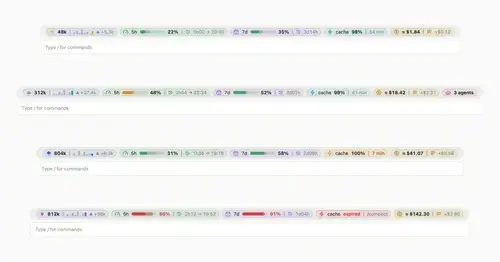
token-weather-usage
Context, 5-hour and 7-day limits, cache countdown and cost on one line above the prompt.

shunt
Shared account pool headroom and reset times from the shunt gateway, at zero token cost.
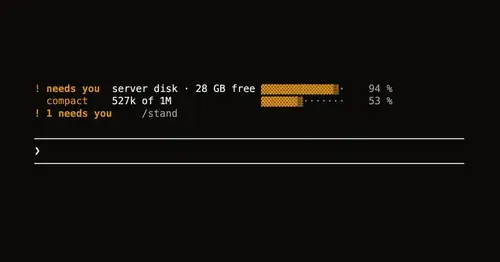
Leitstand
Disk space, context fill and blocked hooks above the prompt, only when they need you.
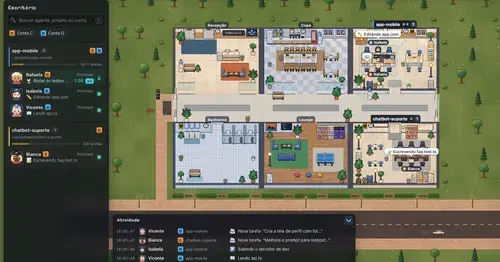
Habblaud
A pixel-art office where each Claude Code agent shows, live, what it is doing.
Popular Claude Mods
The whole directory →collision-guard
Asks before Claude edits a file another open chat just changed.
cache-keeper
Prompt-cache timer, keep-warm pings, cold-send guard, a board of chats and a handoff.
cc-image-view
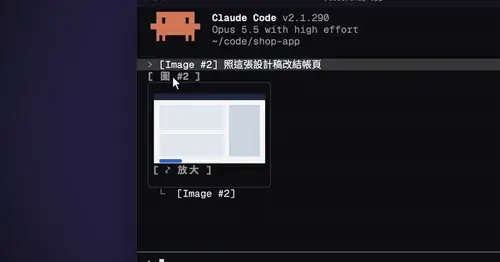
Thumbnails of pasted images above the prompt and under sent prompts, with a zoom pane.
next-steps
Up to six suggested next steps after each reply. Tick some and Haiku writes the prompt.