Dashboards·terminal · desktop·MIT
time-blame
After each turn, how much time went to Claude, your tools and you.
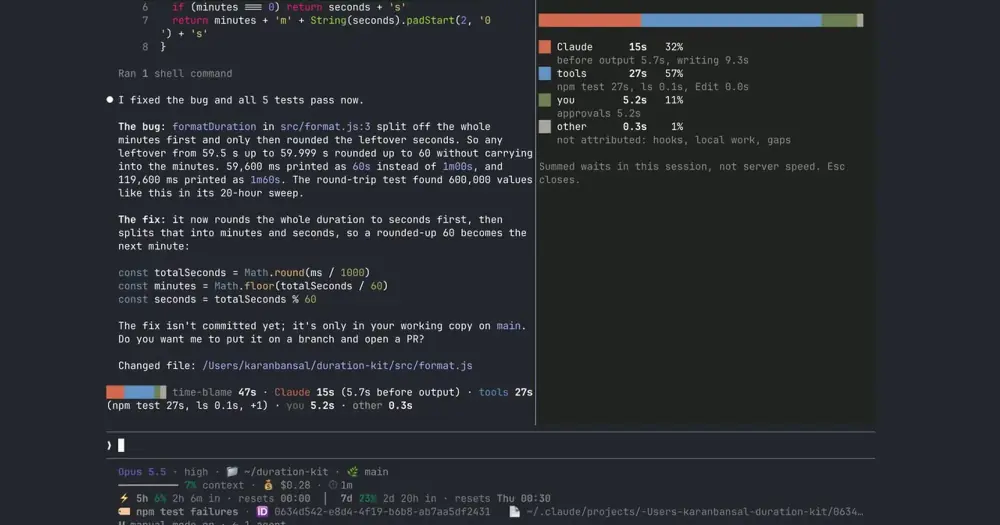
time-blame tells you, after each Claude Code turn, how its time was spent: on Claude, on your tools, on you answering a permission dialog, or on nothing it can name. /blame adds up the whole session in a panel. Claude never reads any of it, and nothing leaves your machine.
The author’s recording on Claude Code 2.1.302, with the waits played at 6× speed.
What it does
- A line per turn. Every turn of 3 seconds or more closes with its total and the parts, for example 47 seconds split into 15 for Claude, 27 for
npm testand 5.2 for your approvals. In the terminal the line takes the place of Claude Code’s “Worked for” line, in color and with a small bar. In the Desktop app and VS Code, and for an interrupted turn, it is a dim log line. /blame. A panel with the session’s totals: one bar across the top, then Claude, tools, you and other with their time, share and detail (before output against writing, the slowest tools, approvals). It counts every turn, short ones included. Esc closes it, and where no panel can open the same receipt prints as log lines.- Tools by name. Bash calls are named by program and subcommand (
npm test,cargo build,git push) from a fixed list. A script name, a path or anything else readsBash, because a command line can carry private names. In a chain such asgit stash && npm test, the test or build step names the call. MCP tools readMCP, and two tools running at once readparallel toolsinstead of blaming the slowest.
For the cost side of a session, the same author’s cache-tax shows what a cold prompt cache charges you.
Install
Needs Claude Code 2.1.302 or later.
claude plugin marketplace add karanb192/time-blame
claude plugin install time-blame@time-blame
Restart Claude Code or run /reload-plugins. The line shows up after your next turn of 3 seconds or more; run /blame for the receipt. To try it for one session without installing, clone the repo and start claude --plugin-dir ./time-blame.
How it works
Every millisecond of a turn lands in exactly one bucket, so the parts always add up to the total:
- You: a permission dialog, from the moment it opens until the tool starts, plus the whole of an
AskUserQuestionorExitPlanModecall. It wins over any bucket it overlaps. - Tools: the execution time Claude Code reports with each tool result. It wins over Claude, so a tool that starts while Claude is still streaming is the tool’s time.
- Claude: each model request, split into before output (from sending to the first text, thinking or tool-call chunk, including queueing, retries and network) and writing (from that chunk to the end).
- Other: what is left, such as hooks, local work and the gaps between steps. It is always shown.
A subagent’s time sits inside the Agent call that started it, labelled subagent; its own steps are not counted again.
To measure all this, the mod hooks turn.start, turn.step and turn.complete for model requests, tool.call for each tool, and the classic PermissionRequest, PostToolUse and PostToolUseFailure events for dialogs and execution times. It reads timestamps, the kind of each streamed chunk but never its text, and tool names. For Bash it reads the command line, matches it against its list of programs and drops it.
It runs no processes, makes no network calls and writes no files. The totals live in memory and reset on /clear, /resume and a plugin reload. What it draws goes to the screen only, so it costs no tokens. If one of its hooks throws, Claude Code skips it and the call runs as it would without the mod.
Limitations
- The total is longer than Claude Code’s “Worked for”, which leaves out the time a dialog waits for you. In the author’s run, Claude Code said 13 seconds and time-blame 26.
- On a Claude Code install managed by an organization, the classic hook events skip plugins a person installs, so approval waits fall into the tool’s time.
- A retry that succeeds leaves no record a mod can read, so retry time shows as Claude’s before output, not as a bucket of its own.
- The numbers are waits summed on your machine in this session, not a measure of how fast Anthropic’s servers are.
Similar Claude Mods
Project Sentinel
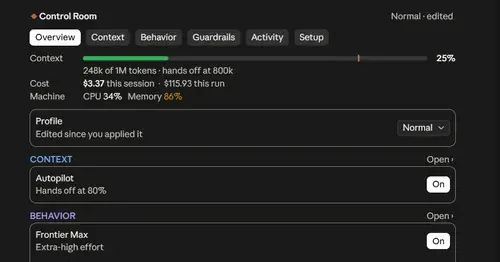
Status bar, Control Room pane and automatic context handoffs for long Claude Code runs.
Flightdeck
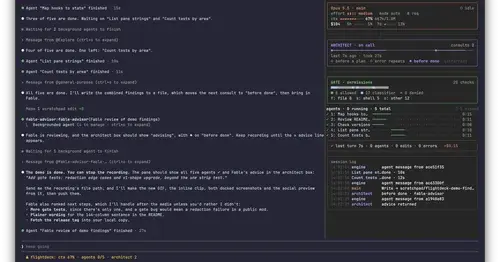
Subagents, permission checks, advisor consults, context and cost, live in a pane.
Habblaud
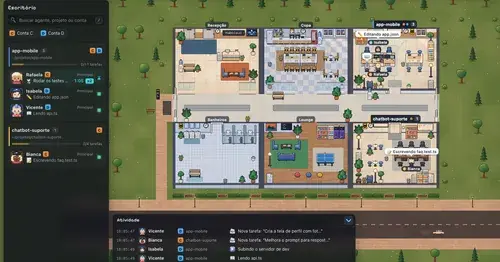
A pixel-art office where each Claude Code agent shows, live, what it is doing.
RemCTL
Today's Apple Reminders above the prompt, plus tools for Claude to manage them.
Popular Claude Mods
The whole directory →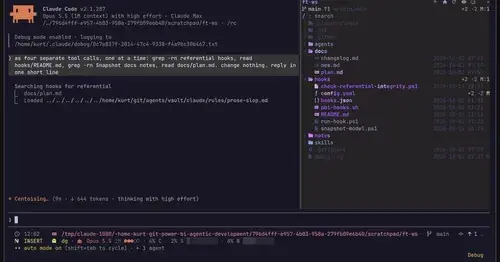
filetree
Sidebar file tree with git status that lights up what Claude reads, edits and commits.
storybloq
A board of the tickets and issues kept in .story/, in a pane beside the transcript.
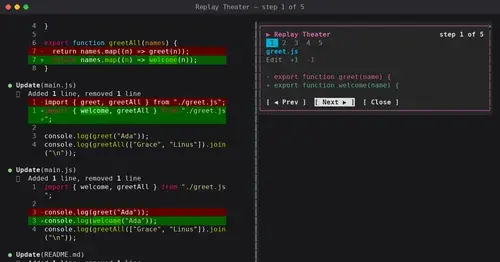
replay-theater
A /replay pane that walks through the last turn's file edits, one diff per step.
next-steps
Up to six suggested next steps after each reply. Tick some and Haiku writes the prompt.