Dashboards·terminal · desktop·MIT
Project Sentinel
Status bar, Control Room pane and automatic context handoffs for long Claude Code runs.
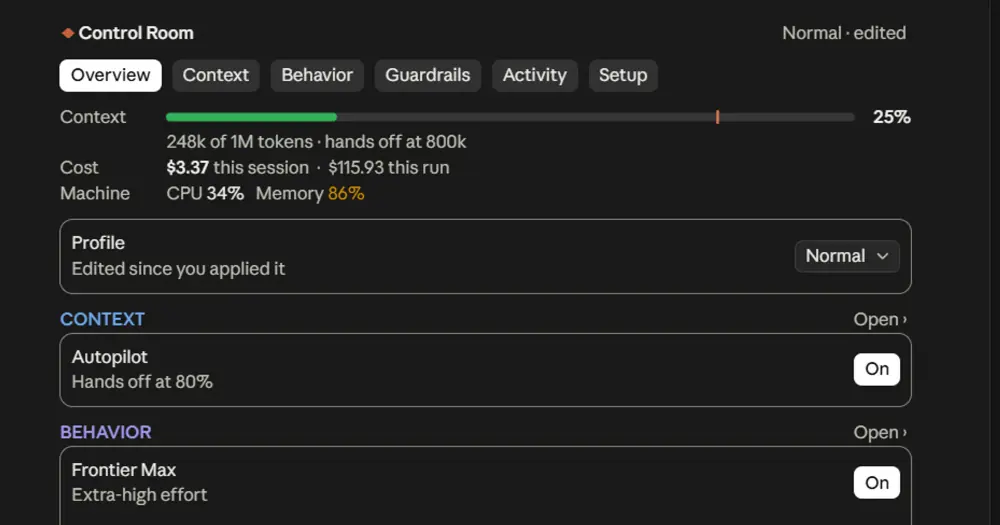
Project Sentinel keeps long Claude Code runs on track. It draws a status bar above the prompt with the run’s milestones, how full the context is, the prompt cache and your plan’s five-hour usage, hands the run over to a fresh context before the current one fills up, and asks before risky tool calls. It works in the terminal and in the Code tab of Claude Desktop.

What it does
- Status bar. The top line says in words what the run is doing (
Documenting the helpers · step 4 of 4,Waiting for the test run), with chips only for what needs a look, such as a failing lint check or RAM near its ceiling. Below it: Work (milestones done of total, from Claude’s own task list), Context (a bar with a notch at the handoff point), Cache (while you are away or after a costly rebuild) and 5H, the plan’s five-hour usage as Claude Code reports it. - Control Room panel.
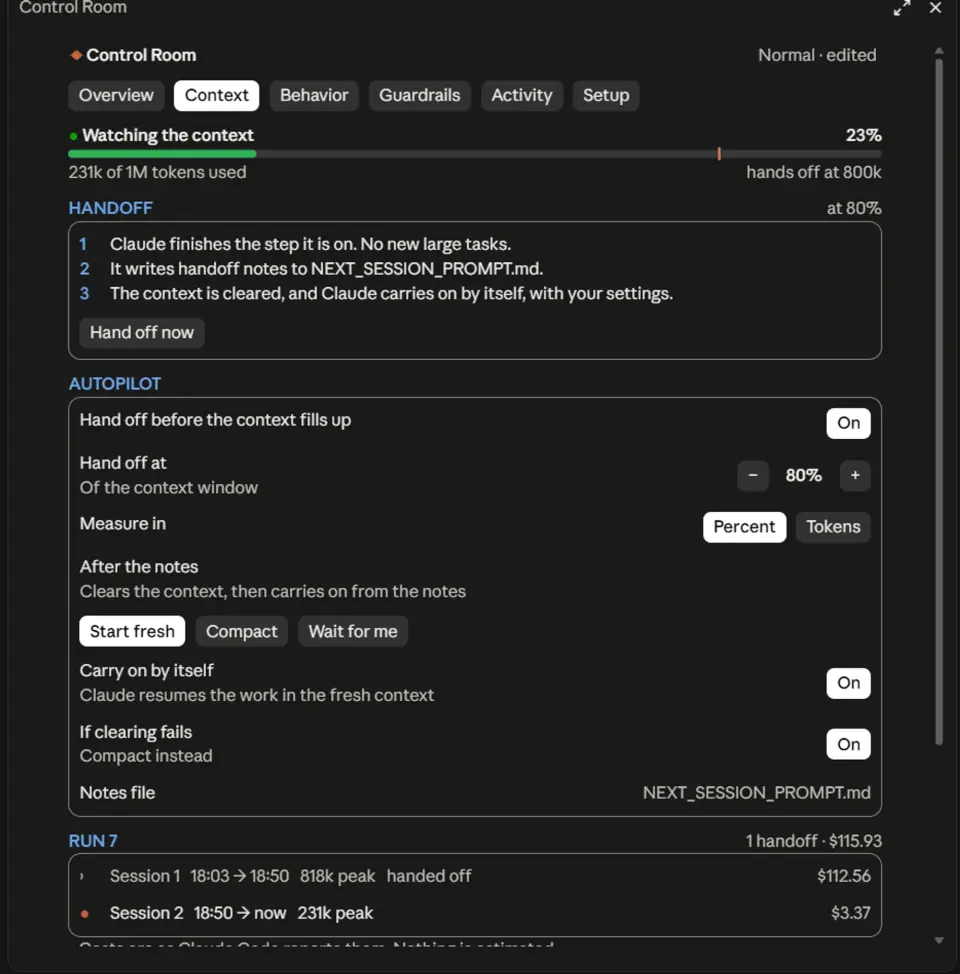
/cropens it beside the conversation, with six sections: Overview, Context, Behavior, Guardrails, Activity and Setup. Activity leads with failures, refusals and slow calls, then every changed file with its diff. Every control in the panel is also a/crcommand. - Context Autopilot. When the context reaches 70% (set it as a percentage or a token count), Claude finishes its step, updates the milestones and the project’s docs, and writes handoff notes to
NEXT_SESSION_PROMPT.md. Project Sentinel checks the file was written, runs/clear, and asks Claude in the fresh context to read the notes and carry on. The milestones and the objective carry over, so Work keeps climbing while Context starts again. A build or test run still going is waited for, 20 minutes at most by default; a dev server is not. Type “handoff now” or/cr handoff nowto skip the wait. - Permission categories. Installs, downloads, deletions, edits outside the project, pushes and deploys are set to ask first; force pushes, resets and dangerous commands are refused with a reason Claude can read. It asks even in a permission mode that would not, and never loosens a deny from Claude Code or your organisation. Guardrails changes each category;
/cr profileswitches everything at once. - Cache Guardian. It shows how much of the conversation sits in the prompt cache, when it will lapse and why each rebuild happened, and asks before a model switch throws away 100k or more warm tokens. Keep warm (
/cr cache keep on, off by default) holds the cache while you are away. - Operations.
/cr queue <text>gives Claude work for after the current turn or milestone, never in the middle of one. Claude can leave you a decision instead of stopping and keep working;/cr decide D-1answers it./cr watch in 2h <what>parks the run and wakes Claude then to check a result. Before you send a message into a large conversation whose cache has lapsed, the Cold Resume Guard asks whether to continue, start fresh from the handoff notes or compact first. - The rest, each with its own switch: Frontier Max (Extra High effort plus finish-and-verify instructions), a lazy-exit guard that continues a turn Claude ended with work plainly left, answer styles, a model router, subagent limits, advisory CPU and memory ceilings, a run budget, and Kit, a pixel companion above the status bar (
/cr companion on).
Unlike mission-control, which maps agents and the files they touch, Project Sentinel acts on the run itself: it hands off, asks before risky calls and queues work.
Install
Needs Claude Code 2.1.289 or later.
claude plugin marketplace add Arjun0014/project-sentinel
claude plugin install project-sentinel@control-room
The marketplace is called control-room, the plugin’s name before 1.4.0, and the panel keeps it. Start a session and type /cr, or /control-room if another plugin already uses /cr. /cr status prints the summary as text, run cost included, and /cr help lists every command.
A fresh install starts with opinions: Autopilot on at 70%, Frontier Max on at Extra High effort, the permission defaults above, and Focus view on, which shrinks each tool call in the transcript to one line and hides results and inline diffs (Activity keeps everything). /cr profile classic turns Autopilot and Frontier Max off, and /cr focus off brings the full transcript back. An install from before 1.7.0 keeps its own settings.
How it works
What it blocks. Every tool call passes through one hook that reads its name and input in memory to sort it into a category; nearly every call goes through unchanged. It never changes a call’s input or answers a permission prompt for you. With subagent limits on (off by default) it can refuse a new subagent, and with machine-load limits on it can hold back an extra heavy job.
What it automates. Its prompts go to the model your session already uses, one at a time and only when nothing is running: the handoff request, one retry if the notes are missing, the continuation in the fresh context, and whatever you set up in Operations (queued work, your answers, a watcher’s wake). The only commands it runs are /clear and compaction; the only tool it calls is TaskStop, when you press Stop. It adds a section of policies for the features you turned on to Claude’s system prompt, and offers Claude two small tools of its own: milestones, only where Claude Code has no task list, and decision_request.
What it costs. Those prompts are ordinary turns and spend your usage like any other. Frontier Max asks for Extra High effort on each request where the model has an effort setting, which means more thinking per request than a lower setting. Keep warm re-sends the last request with a one-word reply asked for, shortly before the cache would lapse; the author puts each refresh at mostly cache reads, a tenth of the input price, and it stops after two idle hours. Two features ask Claude Code’s small model: the lazy-exit guard’s optional check, with your request and the end of Claude’s answer, and the Handoff Supervisor, once, with only the command and description of a background task it does not recognise.
What stays local. It makes no network requests of its own and sends no telemetry. It runs fixed programs without a shell: a read-only git status after a turn (terminal only), git hash-object on a completed milestone’s changed files to tell later whether that verification went stale, and a CPU and memory sampler (typeperf on Windows, top on macOS, /proc on Linux) while live load is on, which it is by default. Settings, run records, queued work, decisions and watchers stay in Claude Code’s plugin store on your machine; deleting that file clears them.
Limitations
- The author verified 1.7.0 in the CLI on Windows 11. On Desktop, the app itself was last checked with 1.4.0; Operations and later changes were only checked in a preview tool that mimics the app’s layout. Cloud sessions are untested.
- Permissions match command patterns and are not a sandbox. Machine-load ceilings are advisory: they hold back extra heavy jobs, they do not set an OS quota.
- In headless runs (
claude -p, CI) no one can answer, so calls in an Ask category are refused. Set the categories you need to Default there. - Watchers are timers inside the running Claude Code. With it closed or the machine asleep nothing wakes; an overdue watcher waits for you when the session opens again.
- CPU and memory read as unavailable on a Windows installed in a language other than English, and sampling on macOS and Linux has not run live.
- The panel docks beside the conversation in the fullscreen terminal from 110 columns; narrower, it opens above the prompt. The Git branch and uncommitted files show only in the terminal.
Similar Claude Mods

token-ledger
Session cost, last turn's tokens and cache hit ratio under the prompt, table in a pane.
Habblaud
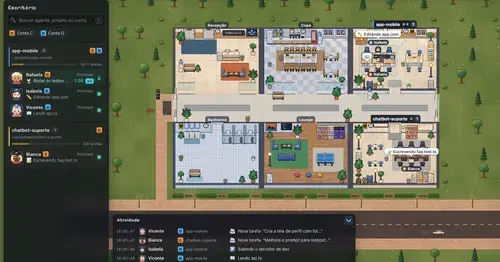
A pixel-art office where each Claude Code agent shows, live, what it is doing.
context-lens
Window fill, growth per turn and turns left before compaction, pinned under the prompt.
inbox
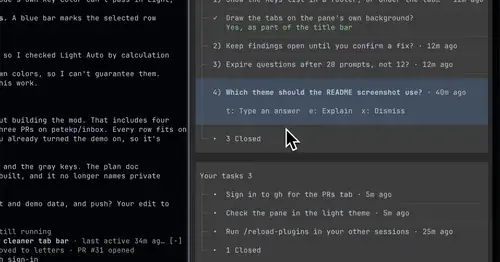
Claude's questions, your tasks, its findings and your PRs, sorted in one pane.
Popular Claude Mods
The whole directory →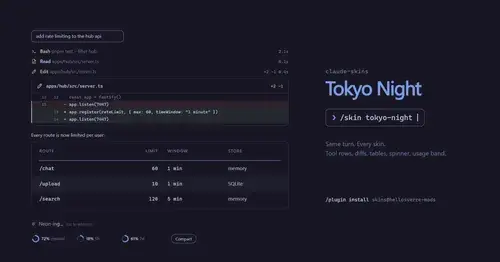
claude-skins
Fifteen transcript skins: timed tool rows, diff, table and chart cards, a usage band.
cc-stretch
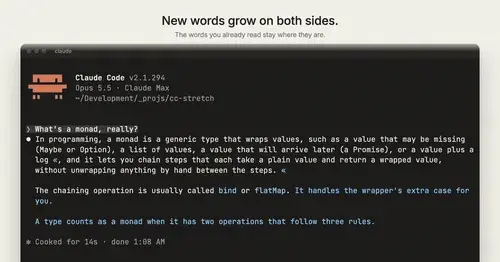
Replies arrive short; click a phrase and it grows in place, click « to fold it back.
secret-redactor
Swaps secrets, emails and IPs for placeholders before the model sees them.
cs
Rotate and wrap keys above the prompt from 40% context, forced rotation at 80%. Needs cs.