Automation·terminal · desktop·MIT
noctis
Runs a Claude Code job queue overnight, pausing before usage limits and resuming after.
noctis lets a long Claude Code job run overnight on a Pro or Max plan without running into the usage limit. It pauses just before the 5-hour or weekly limit, waits for the reset and continues the same session, while it works through a list of jobs you hand it with /noctis:start <file>. Its decisions are fixed rules over your usage data, so making them costs no tokens.
What it does
- Pauses before the limit. By default at 92% of the 5-hour window and 95% of the weekly one, or sooner when a burst of usage or the burn rate says the next turns would cross it. Before it pauses, it saves a checkpoint: your last request, the files touched,
git status, the todos and the next jobs. - Resumes on its own. A reset less than about five and a half hours away is waited out inside the same turn, with the context intact. For a later reset, such as the weekly one, a scheduled task runs
claude --resumewhen the window reopens, days later if needed and even if Claude Code was closed. A desktop notification tells you when work resumes. Overload errors (529 and 5xx) get their own retry with backoff. - Never spends extra usage. It stops at 100% of a window even with its thresholds switched off or during
/noctis:pause, and refuses a fan-out workflow too big for what is left."credits": {"allowPaid": true}in its config lets it go over. - Works through a queue.
/noctis:start jobs.mdruns the jobs in a file, one per line (- [ ] write tests for the payments module), in order and without stopping to ask. A long prompt with several tasks becomes a queue by itself. ATASKS.mdin the project can drive every session once you trust it, with priorities, dependencies and GitHub issues. Steps marked(human)wait for you,(opus)or(sonnet)give one step its model, anoctis-verifyline runs your checks between items, and long builds run as background jobs the queue waits for. - Keeps the context small. Once a session passes 100,000 tokens of context, each next item goes to a fresh
noctis:workersubagent with a brief of its own. After a compaction, Claude is told the item in hand, the files changed and how the check stands. An item Claude keeps stopping on goes once to a stronger model, andnoctis queue statusshows what each item took. - Picks a model per kind of work. Setup asks one question and saves the answer as your roles profile. The Code profile puts coding on Opus 5.5 at xhigh effort, Balanced puts it on Sonnet 5.5 at high effort to spend less, and file search and output digests run on Haiku 4.5. An optional router sends research and writing to a subagent of their own.
- Status line. A line under the prompt shows both usage windows with their reset times, the model and effort, and how full the context is.
- Lean compaction. It compacts between turns once the context reaches 70%, with a summary format made for long jobs. This is the mod part, described below.
Claude Code can already continue a session after a limit resets, as long as the session stays open, the machine stays awake and the reset is less than 24 hours away. noctis adds the pause before the limit with a checkpoint, the relaunch when Claude Code was closed or the reset is days away, and the queue. When Claude Code’s own continue fires, noctis cancels its relaunch.
noctis also runs in Codex CLI, Antigravity CLI, Factory Droid and GitHub Copilot CLI, with fewer features.
Install
Needs Claude Code 2.1.287 or later and a Pro or Max plan for the limit guard. It runs on Windows, macOS and Linux as one Go binary, with no Node or Git Bash to install.
claude plugin marketplace add synex1437/noctis
claude plugin install noctis@noctis
Then run /noctis:setup and /reload-plugins inside Claude Code. If /noctis:setup isn’t found yet, run /reload-plugins first.
Setup switches Claude Code to auto permission mode: Claude edits files and runs commands without asking you, which is what lets it work while you sleep. Run /noctis:setup --permissions keep to leave your mode as it is. Setup also sets the default model and effort and points the status line at noctis, after backing up settings.json.
To start, put your jobs in a file and run /noctis:start TASKS.md; /noctis:stop ends the queue early and /noctis:status shows usage, pause points and the last decisions. /noctis:pause [minutes] turns off limit pauses, routing and queue continuation for a while (60 minutes by default, the stop at 100% still applies), and /noctis:resume ends the pause. !noctis why lists the decisions noctis made and why, and !noctis doctor checks the install; the noctis command takes a leading ! because the plugin’s bin/ folder is on the PATH of Claude Code’s shell. To watch before letting it act, set "mode": "observe" in ~/.claude/noctis/config.json: it logs every decision and enforces none, not even the stop at 100%.
The author supports Claude Code from 2.1.251. The limit guard, the queue and the status line run through ordinary hooks and work from that version. The lean compaction is the part built on function hooks, so it runs only where mods are on, which by default means 2.1.287 or later. Profiles that use Sonnet 5.5 need 2.1.284 or later.
How it works
The plugin. Most of noctis is a Go binary in the plugin’s bin/ folder, called from ordinary Claude Code hooks: at session start and end, on each prompt, before tool calls, after tool batches, at the end of each turn, on rate-limit and overload failures, and around compaction. The binary decides with fixed rules, in about 5 ms per hook on Linux according to the author, without calling a model, and writes every decision to a journal that !noctis why prints. Its hooks on prompts, tool calls and turn ends have a six-hour timeout, which is how a reset is waited out inside the turn.
It reads usage from the status line first. When that is not enough, it asks the usage endpoint the Claude app uses on api.anthropic.com, with the login token Claude Code already stores. Once a day it fetches plugin.json from GitHub to look for a newer version (update.check: false turns that off). Nothing else goes over the network except a webhook you configure and GitHub calls through your own gh CLI when you import issues. There is no telemetry.
Its config, journal and logs live in ~/.claude/noctis/. For a reset too far away to wait out, it registers a task with Task Scheduler on Windows, launchd on macOS or systemd on Linux that relaunches the session with claude --resume; on Windows, and on Linux with CAP_WAKE_ALARM, the task can wake the machine. On a server running Claude inside tmux, the relaunch opens as a new tmux window.
A TASKS.md drives nothing until you run !noctis queue trust, and a line added or changed later stops it until you trust the file again. If Claude runs noctis queue trust itself, the hook refuses the call. A check command on a noctis-verify line runs only while your trust covers that line. The binaries in bin/ are committed to the repository; the author’s CI rebuilds them on every push and fails unless they match byte for byte.
Removing the plugin deletes the binary that undoes setup, so uninstall in this order inside Claude Code:
!noctis install --uninstall --host claude
/plugin uninstall noctis
The first line cancels pending resumes and restores settings.json; adding --purge also deletes ~/.claude/noctis/.
The mod: lean compaction. The function-hook module, lean.js, hooks three events:
turn.complete. When a turn of the main conversation ends with an answer, it reads the context fill from Claude Code. At 70% or more it compacts the conversation right away, between turns. It does this once per crossing and arms again after the context drops back under 70%. It holds off while the 5-hour window is within six points of its pause point (86% with the default 92%), and does nothing if you turned Claude Code’s automatic compaction off withDISABLE_AUTO_COMPACT,DISABLE_COMPACTorautoCompactEnabled: false.session.compact. On every compaction, it hands the summarizer its own instructions, unless that compaction already brings some, such as/compactfollowed by your own. The summary gets short sections: your requests and requirements, the task or queue item with its acceptance criteria, each file changed and why, each check command run with its exit status, errors and their fixes, decisions and ruled-out approaches, open questions and the next step. A check that failed, timed out or was killed is marked UNVERIFIED, to be run again. File contents and tool output that can be read again are left out.session.start. It records the session ID and start time in~/.claude/noctis/lean.json, keeping the 50 latest sessions.
With prompt caching turned off (DISABLE_PROMPT_CACHING), it also trims what the summarizer reads. Outside the last six assistant messages, it strips system reminders from your messages, replaces the result of a read-only call (Read, Grep, Glob, WebFetch, WebSearch) that ran again later with the same input by a short note, and cuts any tool result or tool input over 2,000 characters down to its beginning and end. It skips the summaries Claude Code computes ahead of time in that mode, and logs each compaction (messages changed, characters trimmed, tokens before and after) to ~/.claude/noctis/compact.log, keeping the last 200 lines. With caching on, the default, it only swaps in its instructions.
The decision to compact costs nothing, but a compaction is a summary written by the model, so it uses tokens like any compaction. The module makes no network requests and draws nothing. Its settings go under compaction in ~/.claude/noctis/config.json: "lean": false turns it off, compactAtPercent moves the 70% mark (0 turns early compaction off), and keepTurns, maxToolResultChars and instructions change the trimming and the summary format. The author tested it with Claude Code 2.1.281.
Limitations
- With an API key there are no usage windows, so the limit guard has nothing to act on and the status line waits for limit data. The queue, the router and the overload retry still work.
- Another tool that resumes sessions after a limit, such as unsnooze or claude-auto-resume, races noctis. Use one of them.
- noctis cannot turn off auto-reload of extra usage on your account; that setting is in your Anthropic billing settings.
- Waking the machine for a relaunch is documented only for Windows and for Linux with
CAP_WAKE_ALARM. - The author documents noctis only in the terminal, and a relaunch after a long wait reopens the session with the
claudeCLI.
Similar Claude Mods

lane-stack
Claude Code as PM for Codex, Qwen and Grok, with Jev compaction and effort routing.
ripple
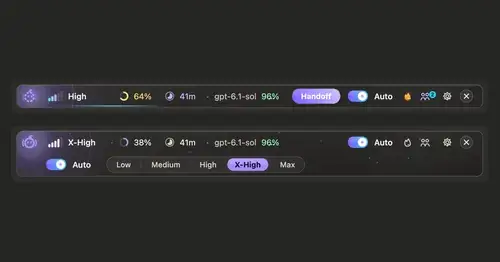
Effort per prompt, subagents routed to GPT, DeepSeek or Claude, and cache warnings.
shared-session
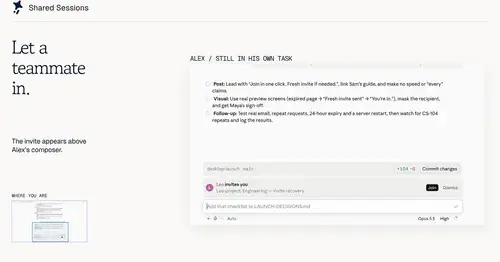
Share a session by link: teammates join from their Claude Code and prompt it live.

codex-computer-use
Claude's computer use on Codex's engine: one session per chat, per-app approval.
Popular Claude Mods
The whole directory →
storybloq
A board of the tickets and issues kept in .story/, in a pane beside the transcript.
worktree-map
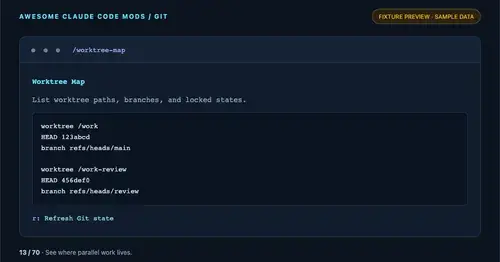
Every git worktree of the repo with its path, HEAD, branch and lock state, in a pane.
claude-pokemon
A pixel Pokémon above the prompt that follows Claude's tools, levels up and evolves.
cc-prompt-enhance-mod
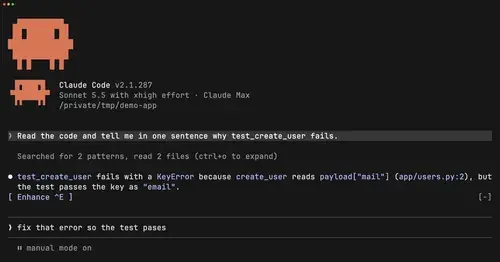
Enhance button above the prompt: Sonnet sharpens your draft using the conversation.