Dashboards·terminal · desktop·MIT
goal-meter
A progress bar and ETA for /goal, built from Claude's own task plan.
goal-meter adds a progress bar to Claude Code’s /goal, the command where you describe what done looks like and a goal check reports whether Claude has got there. The bar is built from a task plan Claude writes before it starts and updates as it works: tasks done out of the plan, elapsed time and an ETA at the goal’s own pace. The mod sends no requests of its own to Claude.
What it does
- A band above the prompt with the goal, a headline such as
5 of 8 tasks · 69%, the bar, elapsed time, the ETA with its clock time, how much the plan has grown and how many subagents are running. Below it: the last two tasks done, what is running and who runs it, the next tasks, and the goal check’s latest “not met yet” reason. Pressgfor the full list. - A footer label such as
◎ goal 69% · ~17m, visible even when the band is hidden. - Weighted progress. Claude sizes each task S, M or L, and they count 1, 2 and 3. When Claude finds more work, or the goal check says the goal is not met yet, the plan grows and the bar can step back.
- An ETA at this goal’s pace: the time since the plan per unit of finished work, times the work left. It appears once two tasks are done.
/goalsopens a pane with this chat’s whole task list and every other chat’s goal from the last 12 hours, each with its own bar.- A toast when the goal is done, with how long it took. A finished goal stays on screen for 10 minutes.
- Settings:
/goals hideand/goals showtoggle the band,/goals strict onrefuses file edits in a/goaluntil the plan exists (offlifts it), and/goals clearstops the goal.
A plan Claude makes without /goal shows the same way, named after its first task.
Install
Needs Claude Code 2.1.287 or later. The author says the mods work in the terminal and in the Desktop app’s Code tab.
claude plugin marketplace add nateherkai/claude-code-mods
claude plugin install goal-meter@nateherk-mods
Open a new chat afterwards: the mod loads when a chat starts, and /reload-plugins does not reload it. Then type /goal followed by what done looks like, as usual.
It is one of four mods in Nate Herk’s nateherk-mods marketplace, with cache-keeper, collision-guard and recording-mode.
How it works
The mod registers its own task tool, mcp__goal-meter__tasks, with actions to plan, add, start, finish and drop tasks. When you run /goal, it lets the command run and attaches a hidden note asking Claude to plan with that tool before starting, size every task, and mark each one started and done. The note travels with the command, so it leaves the prompt cache alone. If Claude makes four tool calls in a goal without a plan, the mod appends one reminder to the chat. The notes and the task tool calls add a little text to the chat.
What each hook looks at:
prompt.submitreads your prompt only to spot a/goalthat reached the session without the command event.tool.callchecks the name of each tool Claude calls, to count calls before the plan exists and, in strict mode, to refuseEdit,Write,MultiEditandNotebookEdit. It reads arguments only for its own tool.agent.spawnkeeps a subagent’s name or description, to show who runs a task.session.appendwatches for the goal check’s verdict. That row reaches the mod without its content, so the mod reads the last 12 lines of the chat’s log under~/.claude/projects/, withtailor, on Windows, PowerShell’sGet-Content -Tail. It is the only process the mod starts.classic.Stoponly takes the log’s real path from the event and passes it on. It never keeps Claude from stopping.
The goal closes when the goal check says it is met, or when a turn ends with every task done. If Claude carries on within five minutes without a new prompt, it reopens.
Each chat saves its goal to ~/.claude/mods-data/goal-meter/<session id>.json: the title, the condition you typed (up to 2,000 characters), the project folder, the tasks with their times and the goal check’s last reason. /goals reads the other chats’ files from that folder, and at session start the mod restores the chat’s own goal if it was saved in the last 24 hours. The strict setting lives in the mod’s store. Every 10 seconds it reads Recording Mode’s flag file, ~/.claude/mods-data/recording.json; while recording-mode is on, the goal, the task titles and the goal check’s reason are masked on screen. The mod makes no network calls.
Limitations
- The bar is only as accurate as Claude’s plan. It depends on Claude calling the tool and keeping the list current; until the plan exists, the band says it is waiting for one.
- The ETA assumes the remaining work goes at the pace so far, measured per unit of size.
- The goal check’s verdict comes from the chat log, in a format Claude Code does not document, so an update can break that part. The goal still closes when every task is done.
/goalsshows up to 15 other chats.
Similar Claude Mods
ccprogress
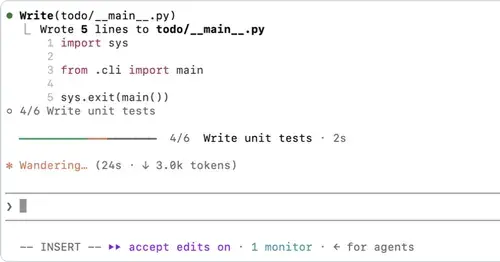
Which step Claude is on, how many are left and for how long, in a bar above the spinner.
RemCTL
Today's Apple Reminders above the prompt, plus tools for Claude to manage them.
plan-progress
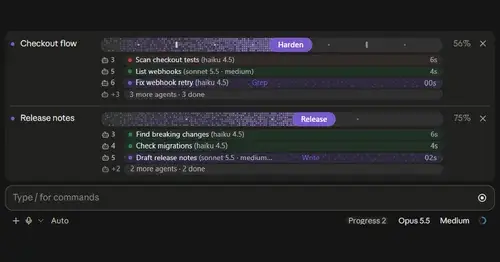
Claude's plan as live progress bars above the prompt, with subagents under each task.
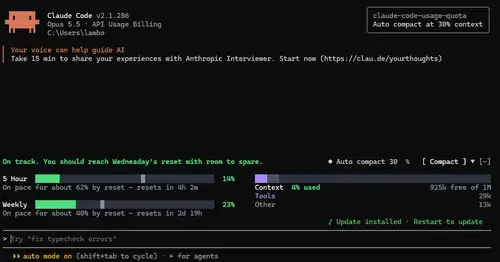
claude-code-usage-quota
5-hour and weekly plan limits, a run-out forecast and the context, with auto compact.
Popular Claude Mods
The whole directory →terminal-browser
A Chromium browser in a pane beside the transcript, for previews and agent browsing.
storybloq
A board of the tickets and issues kept in .story/, in a pane beside the transcript.
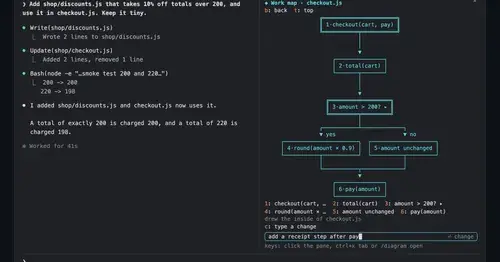
diagram-pane
Every diagram Claude draws, pinned in a side pane, plus a live map of the work.
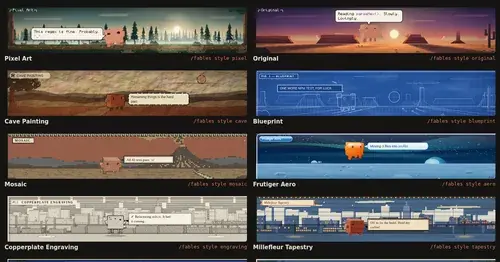
Claude Fables
Short animated cartoons of Claude's work above the prompt, scripted by Sonnet or Haiku.