Automation·terminal · desktop·MIT
critical-decisions
The calls Claude made without being asked, above the prompt, each with a rethink button.
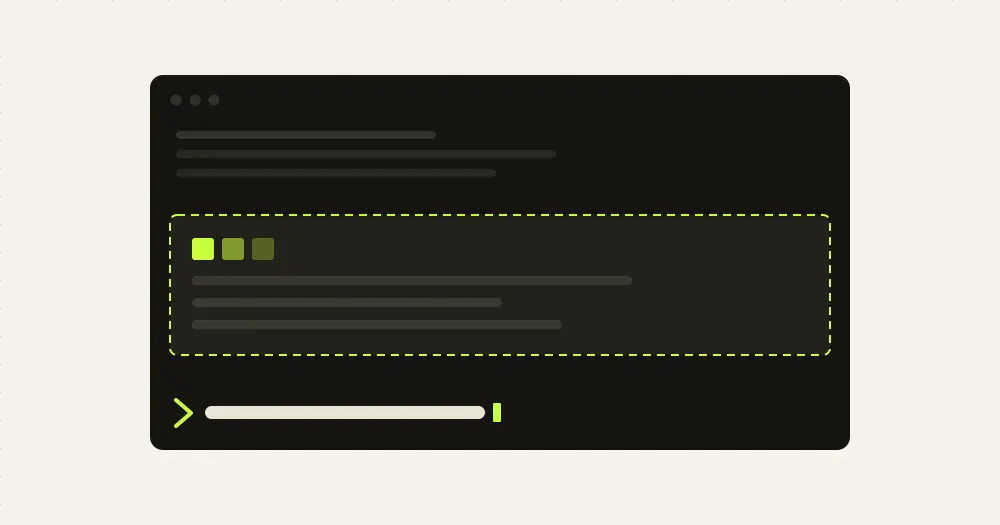
critical-decisions shows, above the Claude Code prompt, the decisions the agent made on its own that you never asked for: a dependency it added, a default it picked, a topic it brought into your article. Red rows are the ones you may want taken back, yellow rows are worth knowing, and each one has a rethink button. It works in any kind of project, code or writing, with no setup.
Human in the loop has Claude hand you the decisions that are yours to make. critical-decisions catches the ones it made itself.
What it does
- Records decisions. The mod gives the agent a
record_decisiontool. Each call carries the decision as one plain sentence in your language, the reason, the alternative it ruled out and a level: red (“undo”) or yellow (“know”). A toast shows it for 20 seconds, the status line names it, and a row joins the band. - Keeps them in view. The band stays across turns until you press ok or run
/critical-ok. It shows three rows, red first and newest first./critical-listlists every decision of the session with its reason and the alternative ruled out. - rethink sends the decision back to the agent as your message: undo it if possible, propose other ways and ask you before picking one.
- not critical removes the row and saves it as an example of what not to record. The mod keeps the last 10 per project and shows them to the agent.
What counts as critical
Out of the box, the agent is told to record only what you would likely want to undo or rethink, and to skip it when in doubt. That covers a choice it made on its own that adds or drops something you did not ask for (a dependency, a source, a step), sets a value or rule you left open, strays from your instructions or the project’s CLAUDE.md, is hard to undo (deleting, publishing, deploying, migrating data, spending money), or rests on an assumption that changes the result. A choice you left to it still counts, because you delegated it. Naming, wording, formatting, refactors that keep behaviour and choices that follow the project’s conventions do not. Related choices go into one record.
Install
Needs Claude Code 2.1.287 or later.
claude plugin marketplace add Mucida/critical-decisions
claude plugin install critical-decisions@critical-decisions
In the desktop app, the README’s route is the + next to the prompt box, then Plugins, Add marketplace with Mucida/critical-decisions and Add plugin. The first time the mod runs in a project, a line above the prompt says the default protection is on: dismiss it with ok, or make it yours with /critical-areas.
Mark your own critical areas
/critical-areas autoasks your agent to propose up to six areas from what it already knows of the project, its instructions included, without reading new files. It saves them and shows them to you./critical-areas <text>takes your own description, in any language, such as/critical-areas pricing rules, anything under src/billing, database migrations. Haiku turns it into up to eight areas, each with keywords and path globs, and shows the result. Real identifiers, files and folders give sharper rules. Running it again replaces them./critical-areasalone shows the current rules and what you marked as not critical./critical-areas clearremoves both.
Areas add to the default criteria instead of replacing them, and a decision that touches one counts even when it is small. When an edit, shell command or MCP call touches an area, you get a toast and the agent a reminder to say whether it was its own call. It warns; it never blocks. Matching is literal. An edit counts when its file path fits one of the globs or its new text contains a keyword, matched case-insensitively from the start of a word. A shell command or MCP call counts when its input contains a keyword. Each area warns at most once per turn, and only after a call that succeeded. The rules are saved per project directory and kept across sessions.
How it works
Every session, the mod adds a “Critical decisions” section to the system prompt (prompt.compose) with the default criteria, your areas and the not-critical examples. The author puts it at about 450 tokens, cached with the rest of the prompt, plus up to about 200 for the examples. The working agent judges against it by itself. No second model reviews its work.
It hooks every tool.call. From the edit tools (Edit, Write, MultiEdit, NotebookEdit) it reads the file path and the new text, from Bash the command, and from other MCP tools their input, and matches them against your areas in memory. Without areas there is nothing to match. After the first edit or MCP call of a turn with nothing recorded yet, it attaches one hidden line of about 60 tokens telling the agent to record any choice it just made, because agents tend to mention decisions in prose instead. A touched area adds a similar reminder.
Extra model calls happen only when you ask. /critical-areas <text> makes one model.complete call to Haiku through your own Claude Code session, with your text and the mod’s extraction instructions, capped at 1,500 output tokens, so it counts against your usage. /critical-areas auto and rethink submit a message to your agent as if you had typed it, which costs an ordinary turn of your main model. Nothing else is sent anywhere. The mod reads no files and runs no commands.
Your areas, the not-critical examples and whether you dismissed the first-use line go to Claude Code’s plugin store, keyed by project directory. The decisions themselves stay in memory.
Limitations
- It depends on the agent’s judgement. A decision the agent does not see as critical goes unrecorded, as the author notes. Marked areas narrow that gap.
- The toast for an area comes after the edit has run. To take a decision back, you ask the agent to undo it.
- The band shows three decisions at a time, and
/critical-listcovers only the current session.
Similar Claude Mods

effortless
Picks the effort for every prompt and shows how long the prompt cache stays warm.
ripple
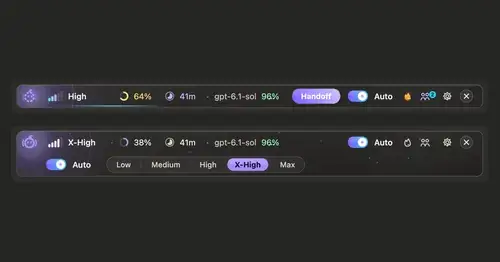
Effort per prompt, subagents routed to GPT, DeepSeek or Claude, and cache warnings.

hope
Judges each turn's edits for slop; accept, edit or reject every finding.

Quality Gate
Complexity, test status and CRAP scores of the functions Claude edits, above the prompt.
Popular Claude Mods
The whole directory →fast-jev-compaction
Compaction that drops stale tool calls instead of summarizing; the rest stays verbatim.
roer-ui
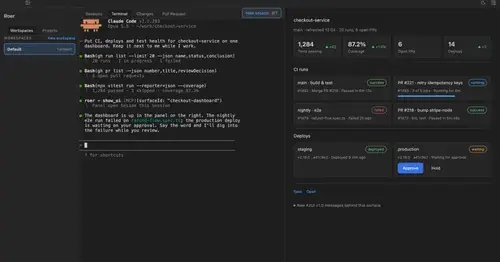
Claude draws forms, dashboards, tables and diffs you can click, in a pane. From JetBrains.
env
Claude manages your .env keys and asks you for values it never gets to see.
agent-profiler
Model wait, tools and subagents as shares of session time, live, with OTLP export.