Context & memory·terminal · desktop·MIT
transcripted-live
The call you are recording in Transcripted, as Claude context, live notes and a wrap-up.
transcripted-live brings the meeting you are recording in Transcripted, a free, open-source Mac app that transcribes calls on-device, into Claude Code while it happens. Claude gets what was said with each prompt you send, a pane keeps live notes and the questions aimed at you, and when the call ends you get a wrap-up with three next steps Claude can run.
What it does
- A band above the prompt while you record: a red dot and the call’s clock, the newest question aimed at you with a Draft answer button, a Notes button that shows or hides the pane, and Stop, which ends the recording on a second press within four seconds. After the call it says the wrap-up is ready.
- A Live meeting pane that opens by itself when a recording starts. The Notes tab lists the questions asked of you, each with its own Draft answer button (hotkeys 1 to 5), what is being discussed now, action items and one line you could say. The Transcript tab shows the last 40 lines and what someone is still saying.
- Prompt suggestions. A new question aimed at you becomes the prompt box’s dim suggestion. Tab takes it, and Claude drafts a reply.
- A wrap-up when the call ends: summary, decisions, open questions and action items grouped by owner, plus three buttons for things Claude Code could do now because of the call, such as a draft email, a GitHub issue or a change in the current project. It comes first from the live text, then again with speaker names once Transcripted saves the meeting.
- A status line with the call’s clock and how many questions are waiting for you.
/meetingshows or hides the pane and prints where the call stands./meeting catchup,/meeting actionsand/meeting sayhave Claude catch you up, list decisions and action items, or suggest what to say next./meeting notesand/meeting wrapupprint the latest notes or wrap-up, and/meeting attach 10(orall) hands Claude that stretch of the call at once.- A
read_livetool Claude can call for older parts of the call or the whole of it.
Install
Needs Claude Code 2.1.287 or later, plus Transcripted 1.1.69 or later (it ships the transcripted-live helper) on a Mac with Apple silicon and macOS 26 or later.
brew tap r3dbars/transcripted https://github.com/r3dbars/transcripted
brew install --cask transcripted
claude plugin marketplace add r3dbars/transcripted
claude plugin install transcripted-live@transcripted
The app is also a direct download from transcripted.app. Open it and allow the microphone and System Audio Recording, so it hears both sides of the call. Then run /reload-plugins and start recording a meeting in Transcripted: the band and the pane show up within a few seconds.
You do not start the helper by hand. While a Claude Code session is open, the mod looks for it inside Transcripted.app in /Applications or ~/Applications (or at the path in TRANSCRIPTED_LIVE_BIN) and runs transcripted-live watch whenever no helper has written lately. The helper refuses a second copy, so several sessions share one, and the copy a session starts stops with it. /meeting autostart off turns this off; then you run transcripted-live watch yourself. With no helper running, /meeting says there is no live transcript yet and that it needs a Transcripted build with the helper. If the helper stops mid-call, the status line reads stalled · is transcripted-live running?. /meeting status shows which switches are on.
How it works
The helper transcribes the recording on your Mac and writes two files to ~/Library/Application Support/TranscriptedLive/: the session state and one line per finished utterance. The mod reads them every 400 ms and never copies the helper’s own output anywhere.
What reaches Claude:
- With each prompt. While a call is live, and for 30 minutes after it ends, every prompt you send carries the lines said since your previous one as hidden context. That includes the prompts the mod’s buttons and
/meetingcommands send. The first prompt of a meeting carries up to the last 30 minutes; anything older stays available throughread_live. Changed notes and a new wrap-up ride along the same way. The block tells Claude the text is a record of what people said, not instructions. A long stretch of talk between two prompts means a long block;/meeting auto offstops it. - Live notes. At most every 45 seconds, and only after three new lines, the mod sends the last 10 minutes of the call to Haiku and gets back a title, the current topic, questions aimed at you, action items and a line you could say.
/meeting helper offstops it. - The wrap-up. When the call ends, Sonnet reads the live text once. When Transcripted saves the meeting, Sonnet reads that transcript from Transcripted’s meetings folder, up to 60,000 characters. For three hours the mod checks the file every 15 seconds and runs it again when you rename speakers.
Transcription stays on your Mac. The lines and notes sent to Claude go there like anything you type, and according to the author nothing else leaves the machine. Transcripted itself sends anonymous crash reports and usage stats, on by default; the README says they never include audio or transcripts, and you can turn them off in its Settings.
The mod keeps notes, wrap-ups and what it already sent in session state, so a hot reload does not send them twice, and its three switches in the plugin store.
The plugin also brings Transcripted’s MCP server, which talks to the running app. The tool.call hook denies Claude its start_meeting, stop_meeting and set_live_context_sharing tools: starting, stopping and sharing recordings stay in Transcripted. The one call let through is the Stop button’s, after your second press, for the recording running at that moment. The hook looks at tool names only, for this and to answer read_live.
Limitations
- The live text is rough: lowercase, no punctuation, some words misheard, and only two speakers, “you” (your microphone) and “them” (everyone else). Names arrive only with the second wrap-up.
- Notes start after a minute or so of talk and refresh at most every 45 seconds, so a question can take that long to appear.
- The Stop button shows only when Transcripted reports that it accepts meeting control. Otherwise you stop from its menu bar icon.
- A call with fewer than four lines gets no wrap-up.
- The band and the pane skip the mobile surface. Where nothing draws, the context and
/meetingstill work, because/meetinganswers in text.
Similar Claude Mods
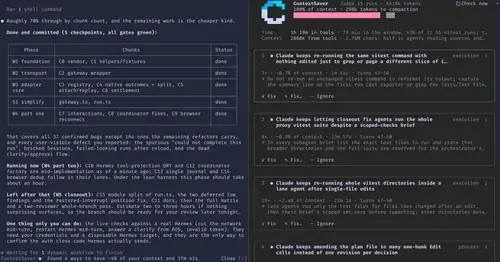
ContextSaver
Spots repeated waste in a session, prices it in context and time, fixes it in one click.
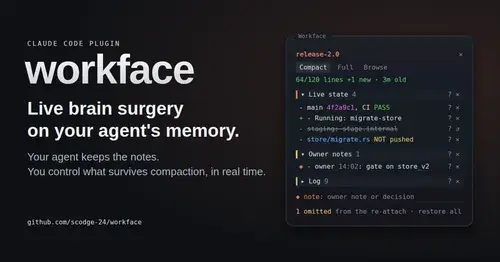
workface
Agent notes re-attached after every compaction, with a panel to steer what survives.
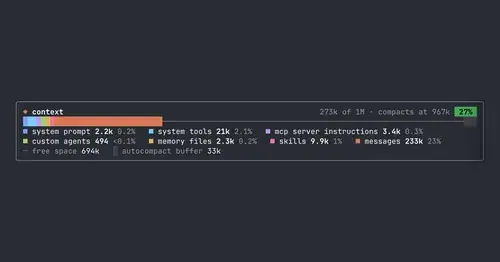
context-bar
Your context window as one stacked bar above the prompt, a color per category.
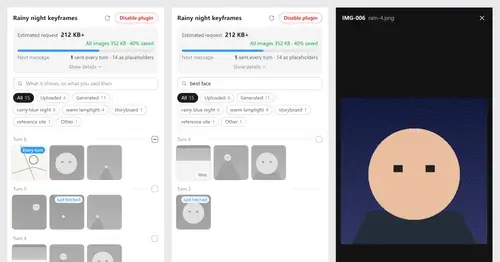
Context Attachment Manager
Pick which past images go out with your next message; the rest become placeholders.
Popular Claude Mods
The whole directory →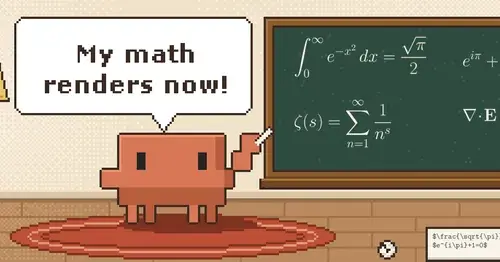
claude-latex
TeX math, TikZ diagrams and LaTeX blocks typeset in Claude's replies, in the desktop app.

fast-jev-compaction
Compaction that drops stale tool calls instead of summarizing; the rest stays verbatim.
RemCTL
Today's Apple Reminders above the prompt, plus tools for Claude to manage them.
rtl-text
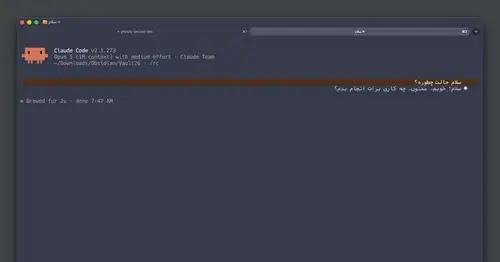
Persian, Arabic and Hebrew drawn joined, right-to-left and flush right in the transcript.