Context & memory·terminal · desktop·MIT
recap-plus
The session's purpose and status above the prompt, rewritten by Haiku after each turn.
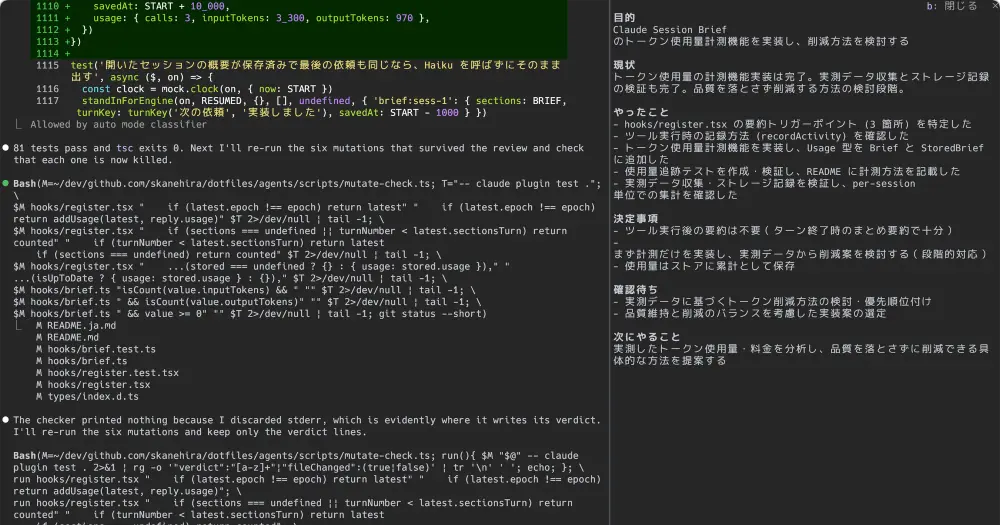
recap-plus keeps a short summary of the session above the Claude Code prompt: what the session is for and where it stands. Haiku rewrites it after every turn, so when you run several sessions side by side, switching to one tells you what it is doing without scrolling back. /recap-plus opens a pane with the full summary.
The mod was first published as session-brief. Its author has since renamed it, together with its repository, its marketplace and its command: /brief is now /recap-plus.
What it does
- The band. A rule titled
recap-plus, the purpose and the status below it in orange labels, and adetailsbutton at its right end. Lines wrap instead of being cut. While a turn runs, the status is marked(working); until the first summary is written, both rows read(after the first turn). - The pane.
/recap-plusor thedetailsbutton docks a pane beside the transcript, about two thirds of the terminal wide. It has six parts: purpose, status, what has been done, what has been decided (your answers to Claude’s questions included), what is waiting on you, and what comes next. Each list keeps its newest five items. The band steps aside while the pane is shown; Esc or the pane’sclosebutton closes it. - Saved per session. Reopening a session with
claude --resume,claude --continueor/resumeshows its saved summary at once. If there is none, or it is older than the last turn, the mod reads the conversation back and writes one, which also covers sessions from before you installed it./clearstarts a new summary. - Language. The summary follows Claude Code’s
languagesetting: Haiku writes in that language, and a Japanese setting (Japanese,日本語,ja,ja-JP) also switches the labels to Japanese. After changing it, run/reload-plugins; the text switches language on the next turn.
Install
Needs Claude Code 2.1.287 or later.
claude plugin marketplace add skanehira/claude-recap-plus
claude plugin install recap-plus@claude-recap-plus
Run /reload-plugins in an open session. The band appears once your first request finishes, and typing /recap should offer /recap-plus.
If you installed it as session-brief, disable that copy in /plugin first. Its saved summaries and usage totals do not carry over: recap-plus rebuilds each summary from the conversation and counts usage from zero, and the old files stay where they are.
For keys, add these bindings to the Chat context in ~/.claude/keybindings.json (/keybindings opens it; if a Chat context already exists, add the two lines to its bindings). They apply without a restart: ctrl+x b opens or closes the pane, and ctrl+x i folds the band.
{
  "bindings": [
    {
      "context": "Chat",
      "bindings": {
        "ctrl+x b": "app:cycleDiffBase",
        "ctrl+x i": "abovePrompt:toggle"
      }
    }
  ]
}
ctrl+x b borrows the diff panel’s app:cycleDiffBase action, so inside the diff panel it still cycles the comparison base, and elsewhere it works only while the band or the pane is on screen. ctrl+x i is a second key for Claude Code’s own band fold, ctrl+x ctrl+a. Without the bindings, use /recap-plus, or press ctrl+x tab to focus the band and then b.
How it works
The mod sends parts of your session to Haiku through model.complete, on your own Claude Code account and provider, so the calls are billed like the rest of the session.
- When it calls. After each turn of the main conversation, and when a session is opened or the mod is loaded or reloaded into one, but only if there is no up-to-date summary and something to analyze. Subagent turns never trigger a call, and
claude -pruns never make one. Each call asks for low effort, up to 1,000 output tokens, with a 30-second limit, and runs after the turn so it does not hold up the next one. - What it sends. The previous summary, the first 800 characters of your request, the first 3,000 characters of Claude’s final answer, the questions Claude asked in the turn with your answers, and the turn’s last 30 lines of tool activity. Before there is a summary to build on, it also sends your last 20 earlier requests (120 characters of each) and, in a compacted session, the first 2,000 characters of the compaction summary. The instructions tell Haiku to treat all of it as a record, not as instructions to follow.
- What it reads from tool calls.
tool.callturns some calls into one line of up to 160 characters: a Bash call’s description, or the first line of its command when there is none; the path an Edit, Write or NotebookEdit touches; an Agent or Task description; a Skill name; a WebFetch URL; a WebSearch query; and only the name of an MCP tool. Reads, searches and other tools are not recorded, nor is anything a subagent does. - When Haiku fails. After an API error, an unreadable reply or a timeout, or on a backend without Haiku, the mod keeps the previous summary and replaces its status with the first line of Claude’s answer that is not a heading. With no previous summary, your request becomes the purpose.
- What it saves. One entry per session in the mod’s store, a JSON file in
~/.claude/plugins/store/whose name starts withrecap-plus_: the six parts, a fingerprint of the last turn’s request and answer, the save time, and how many Haiku calls the session made with the input and output tokens Claude Code reported for them. It keeps the newest 200 sessions. Uninstalling leaves the file;rm ~/.claude/plugins/store/recap-plus_*.jsondeletes it. - Network. None of its own. The Haiku calls go through Claude Code.
The author does not state what a typical call costs. This lists each session’s key, calls, input tokens and output tokens:
jq -r 'to_entries[] | "\(.key)\t\(.value.usage.calls // 0)\t\(.value.usage.inputTokens // 0)\t\(.value.usage.outputTokens // 0)"' ~/.claude/plugins/store/recap-plus_*.jsonTo stop the calls you have to turn the mod off, in /plugin or with claude plugin disable recap-plus@claude-recap-plus: there is no setting that keeps the band without Haiku.
Limitations
- Dialogs hide the band. Claude Code does not draw it while a dialog or a survey is up.
- Mistakes can carry over. Each summary is rewritten from the previous one, so a wrong detail can stay. The author’s troubleshooting guide, in Japanese, shows how to reset a session’s summary so it is written again from the conversation.
- Where it draws. The author documents the band in interactive terminal and desktop sessions. It does not appear in the VS Code extension, on mobile or in
claude -pruns.
Similar Claude Mods
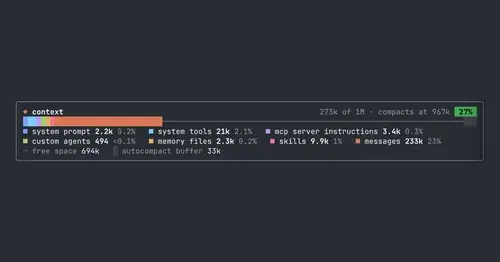
context-bar
Your context window as one stacked bar above the prompt, a color per category.
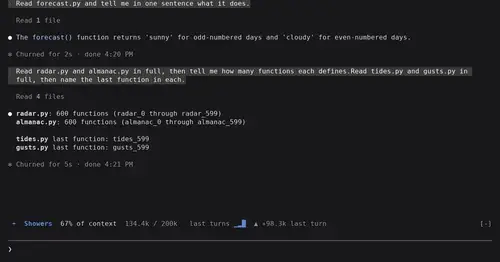
token-weather
Context window fill as a weather forecast above the prompt, with a chart of recent turns.
cs
Rotate and wrap keys above the prompt from 40% context, forced rotation at 80%. Needs cs.
commonplace
Your notes as a wiki Claude maintains: ingest papers, ask questions, keep it healthy.
Popular Claude Mods
The whole directory →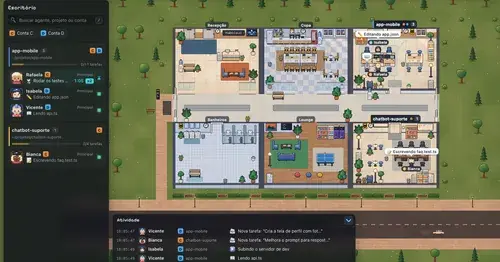
Habblaud
A pixel-art office where each Claude Code agent shows, live, what it is doing.
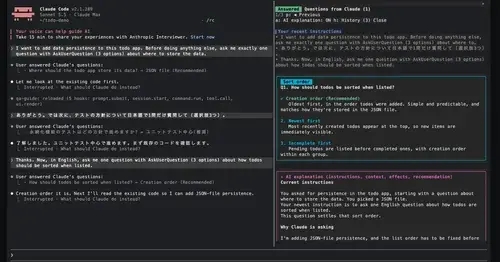
qa-guide
Explains each question Claude asks in a side pane: context, option effects, history.
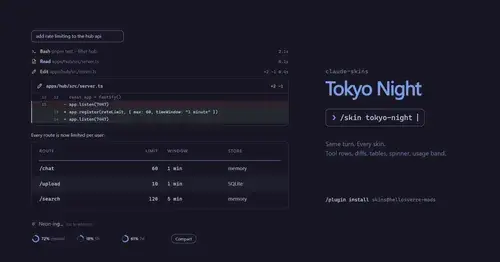
claude-skins
Fifteen transcript skins: timed tool rows, diff, table and chart cards, a usage band.
RemCTL
Today's Apple Reminders above the prompt, plus tools for Claude to manage them.