Dashboards·terminal · desktop·MIT
ribbon
Usage left, reset times and prompt cache warm or cold, in one band above the prompt.
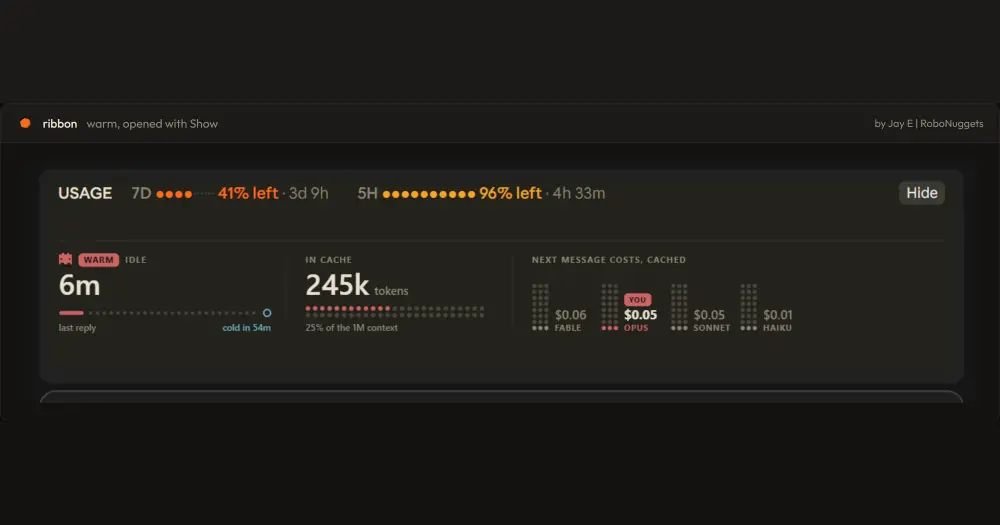
ribbon adds one row above the Claude Code prompt with how much of your 7-day and 5-hour usage is left and when each window resets. After the first reply it also tells you whether the prompt cache is still warm, and what your next message will cost if it has gone cold. It never calls a model, so it costs no tokens.

What it does
- Usage left. 7D in orange and 5H in yellow, each as a dot bar of what remains, the percentage left and the time to the reset. Under 15% a bold LOW appears next to it.
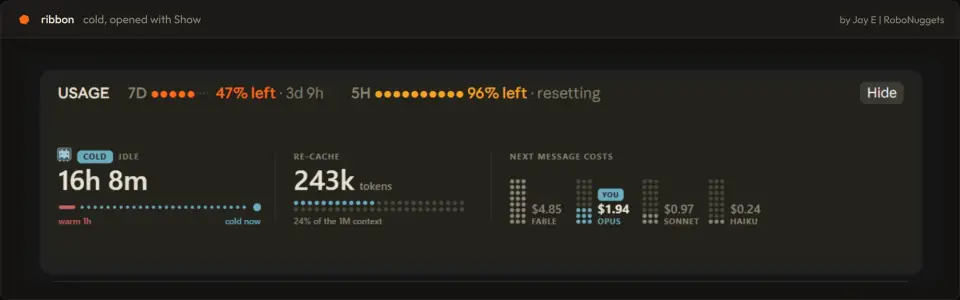
- Cache state. WARM counts down the minutes left in the hour since your last request. COLD shows how long you have been away and the price of the next message on your model.
- The cache card. Show opens a card with the idle time, the tokens in the cache and the next message priced on Fable, Opus, Sonnet and Haiku, with your model marked YOU. It starts folded while warm and open once cold, so the price is in front of you before you send; your choice holds until the state flips.
- Any width. From 78 columns everything fits on one row. Narrower, each window stacks into a three-line block, and under 42 columns the cache moves to its own row.
If you only want the countdown to a cold cache, cache-timer draws just that.
Install
Needs Claude Code 2.1.287 or later.
claude plugin marketplace add robonuggets/ribbon
claude plugin install ribbon@robonuggets
The README also gives a one-line form, claude plugin install ribbon --marketplace robonuggets/ribbon, which adds the marketplace in the same step. Start a new session and the band is there, with no command to learn.
How it works
The usage figures are the rate-limit windows Claude Code already tracks. The band reads them from the engine’s session usage at start and from each update the engine reports after that, so nothing is fetched from the network.
The cache clock restarts on every request of your main chat; subagent requests do not touch it. The band counts one hour from that moment, the cache lifetime the author works with, and redraws every 30 seconds so the countdown and the flip to cold stay current. A resumed or forked session picks up the time since its last response, so an old session opens already cold. /clear and /compact reset the cache part until the next reply.
The price is an estimate: the tokens in the current context times a price table in hooks/cache-art.ts. Warm, they are charged at the cache-read rate. Cold, at twice the input rate, the cost of writing the one-hour cache again. The prices come from that table, not from your bill, and the author’s advice is to edit it if they change. A model outside the table gets no price.
ribbon keeps three things in its own state: the usage windows, the time and size of the last request, and whether you folded the card. Nothing leaves your machine.
Limitations
- In the terminal the band is plain text: the WARM or COLD chip, the countdown and, when cold, your model’s price. The robot, the Show button and the per-model card are drawings, which the code renders only on surfaces other than the terminal; the README describes the terminal version as the same facts in text.
- The README names no Claude Code version ribbon was tested with.
Similar Claude Mods
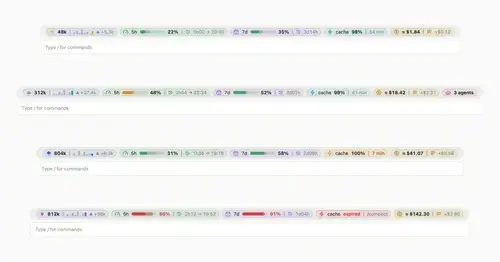
token-weather-usage
Context, 5-hour and 7-day limits, cache countdown and cost on one line above the prompt.

Sub Meter
The 5-hour and weekly subscription windows as a bar in the footer. Zero tokens.
savvy-progress
Running, finished and planned subagents with model, context, cost and time, in one panel.
shunt
Shared account pool headroom and reset times from the shunt gateway, at zero token cost.
Popular Claude Mods
The whole directory →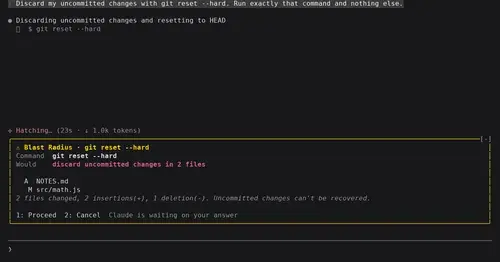
blast-radius
Shows what rm -rf or a force push would change and waits for Proceed or Cancel.
secret-redactor
Swaps secrets, emails and IPs for placeholders before the model sees them.

effortless
Picks the effort for every prompt and shows how long the prompt cache stays warm.
claude-queue
Prompts typed with /q wait in a stack above the prompt and go out when the turn ends.