Context & memory·terminal·MIT
cache-timer
A countdown above the prompt to the moment the prompt cache goes cold.
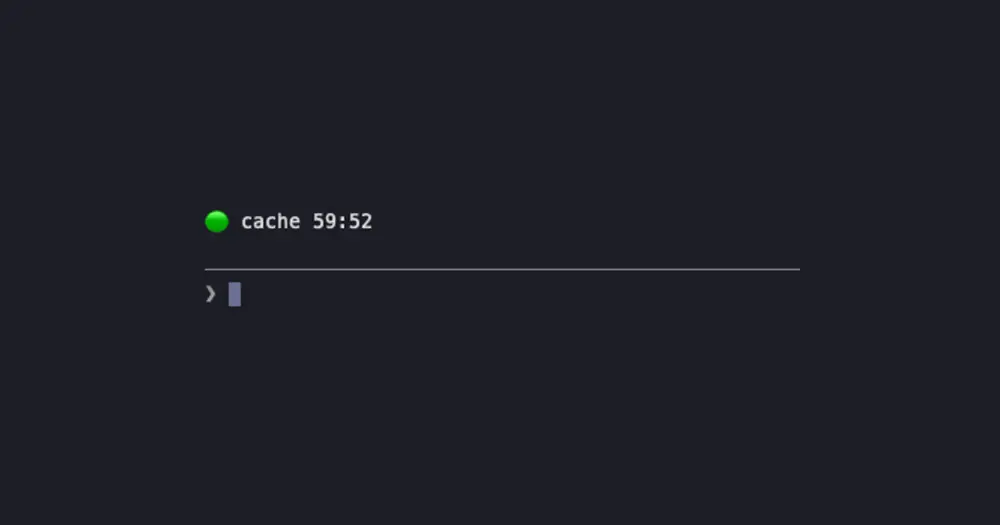
cache-timer counts down, in a line above the Claude Code prompt, to the moment the prompt cache expires. Send your next message before it runs out and the conversation is read from the cache at a fraction of the normal input price. Wait longer and the next message writes all of it to the cache again, at a higher rate than normal input.
What it does
The clock counts from the last request of the main conversation:
- A green dot and
cache 54:12: the cache is warm. - A yellow dot and
cache 0:48 · send soon: a fifth of the lifetime or less is left. - A red dot and
cache cold · next message re-writes 182k tokens: it has expired, and the number is how much the next message caches again.
Subagent requests do not reset the clock, because they do not keep the main conversation’s cache alive. The line clears after /clear and /compact, since the next message writes a new cache either way. It sits above the prompt, apart from the status lines under it, so its tick every second does not shuffle them.
How long the cache lives
- API key, Bedrock, Vertex or Foundry: 5 minutes. A cold cache costs money, with the whole context billed at the cache-write rate.
- Subscription within its limits: 1 hour. No money, but the re-write likely counts toward your 5-hour and 7-day windows.
- Subscription past its limits (extra usage): 5 minutes, billed as with an API key.
On 5 minutes a coffee break is enough to lose the cache. On a subscription the timer matters after long breaks and in large contexts.
Install
Needs Claude Code 2.1.287 or later.
claude plugin marketplace add arasovic/claude-code-mods
claude plugin install cache-timer@claude-code-mods
Restart Claude Code. The timer appears above the prompt after the first reply.
cache-timer is one of fourteen mods in Mehmet Aras’s marketplace, each installed on its own, session-meter among them. The marketplace is named claude-code-mods, like hamzafer/claude-code-mods and karanb192/claude-code-mods: if claude plugin marketplace list already shows that name, run claude plugin marketplace remove claude-code-mods before the add.
How it works
Claude Code does not tell mods which cache lifetime it picked, so cache-timer follows the engine’s own order as of 2.1.288: FORCE_PROMPT_CACHING_5M, then CLAUDE_CODE_PROMPT_CACHE_TTL, then the promptCacheTtl setting, then ENABLE_PROMPT_CACHING_1H. With none of them set, it assumes 1 hour on a subscription within its limits and 5 minutes otherwise.
It reads your usage limits on each session.measure and keeps the last reading in its own store, so a new session starts with the right lifetime. On turn.step it notes when each main-conversation request went out and how many tokens it carried. It sends no requests of its own, makes no network calls and adds nothing to the context. If you want the cache kept warm for you, cache-keeper sends small pings and prices a cold send before you make it.
Limitations
- On its very first run it assumes 5 minutes until the first reply reports your limits. After switching between a subscription and an API key, the first reply can show the old lifetime for a moment.
- “Past its limits” means a 5-hour or 7-day window at 100%. The engine’s own extra-usage flag is not visible to mods.
- Some accounts have a server-side feature that renews the cache while you are away. With it on, the cache outlives the timer, and the mod cannot tell.
/modeldrops the cache, but the timer only learns at the next reply.- After
claude --resumethe line stays empty until the first reply. - The author documents it only in the terminal.
Similar Claude Mods

compact-keeper
A Markdown handoff in ~/.claude/handoffs for every compaction, with the resume command.
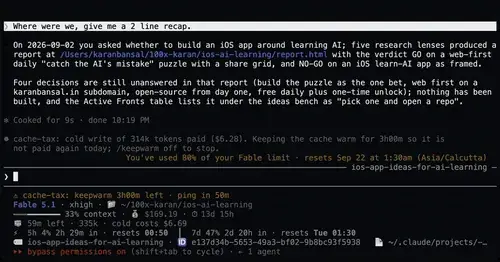
cache-tax
Keeps the prompt cache warm during breaks and stops a cold send once with its price.
idle-compact
Compacts an idle session once at minute 50, before the 1-hour prompt cache expires.
handoff-compact
Compaction becomes a handoff: goal, proof, decisions, dead ends and the next step.
Popular Claude Mods
The whole directory →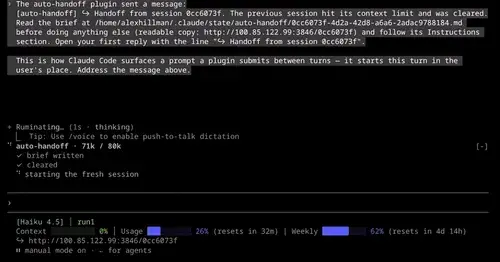
auto-handoff
Hands a long session to a fresh one with a Haiku-written brief instead of compacting.
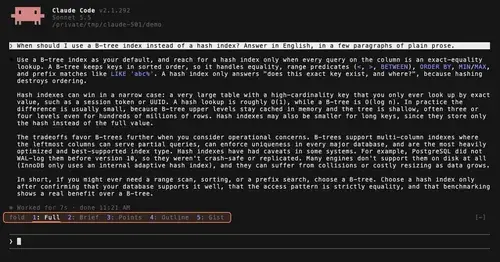
TextFold
Every reply at five levels, from every word to the answer in one sentence. One key each.
agent-profiler
Model wait, tools and subagents as shares of session time, live, with OTLP export.
Flightdeck
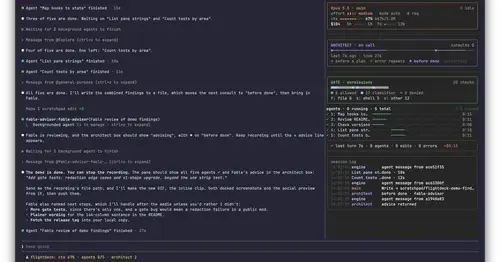
Subagents, permission checks, advisor consults, context and cost, live in a pane.