Dashboards·terminal · desktop·MIT
Observability
Cost, tokens, tools and plan usage of every turn, on a local HTML board.
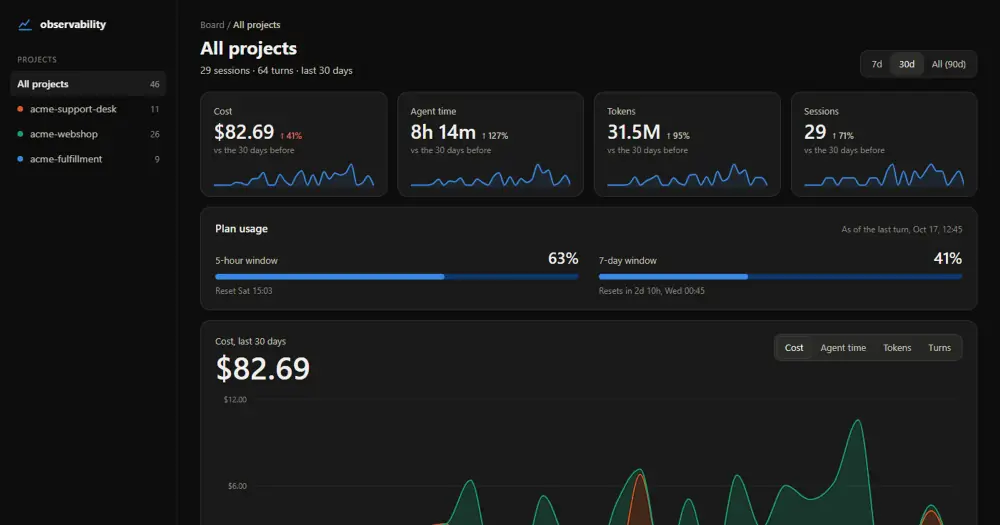
Observability keeps a local record of what your Claude Code sessions cost and use. For every completed main-thread turn, aborted, refused and failed ones included, it writes one row: the engine’s own cost figure, tokens by model, tool calls and failures, subagents, context fill and plan usage. /observability:board turns the rows into an HTML page and opens it in your browser. Nothing is recorded until you switch it on in a project, and nothing leaves the machine.
What it does
- The board covers the last 90 days of every tracked project: cost, agent time, tokens and sessions against the previous period, the 5-hour and 7-day plan windows, project activity, model mix, tool calls and failures, session outcomes, ticket totals and activity streaks. You filter it by project, period or session name.
- Cost comes from the engine’s
/costfigure, and each turn’s share is its difference from the session total. There are no price tables or estimates. - Agent time adds up turn durations, so it can exceed wall-clock time when sessions overlap.
- With the same author’s Quality Gate installed, each session also shows its latest test status, marked stale after edits, and its highest function complexity, with SPLIT in red when a new or more complex function reaches 6.
- A Sidequest ticket id such as
SQ-12on a prompt’s first line tags the turn with that ticket.
Install
Needs Claude Code 2.1.287 or later.
claude plugin marketplace add Eigenwise/eigenwise-toolshed
claude plugin install observability@eigenwise-toolshed
The author’s example installs at project scope (add --scope project). Reload plugins or start a new session, then run /observability:track on in each project you want recorded: installing alone records nothing. /observability:track status says whether the current project records, /observability:track off stops recording and keeps the history (deleting it means removing the ledger files by hand), and /observability:board rebuilds the board and opens it.
If you used an earlier Observability, its collection services, database observer, container dashboards, remote exporters and status line are gone. The old SQLite data is neither migrated nor deleted: it stays in %LOCALAPPDATA%\Eigenwise\Workbench\observability.db or ~/.local/share/Eigenwise/Workbench/observability.db, and old startup entries and telemetry export settings have to be removed separately.
How it works
While a turn runs, the hooks module keeps tallies in memory. prompt.submit takes the first line of the session’s first prompt, up to 60 characters, as the session name, plus any ticket id. turn.step adds tokens and latency per model. tool.call counts each tool’s calls, errors, denials and time, by tool name only. agent.spawn counts subagents by type, and their tokens are added to the turn that spawned them.
When a main-thread turn completes in a tracked project, the module appends one JSON line to observability/ledger/<folder>-<hash>.jsonl in your Claude config directory (CLAUDE_CONFIG_DIR, or ~/.claude). The hash of the full path keeps two projects with the same folder name apart. A ledger that reaches 3 MB is set aside under a timestamped name and a new one starts. Two seconds after each recorded turn, observability/board.html is rebuilt.
Responses, code, tool inputs and results, credentials and environment values are never stored, and of your prompts only that first line is. The one process the module runs opens the board: start on Windows, open on macOS, xdg-open elsewhere. There is no server, no network request and no model call, so it costs no tokens. Session names can hold sensitive text, so the author advises treating the ledger and the board as private files.
Similar Claude Mods
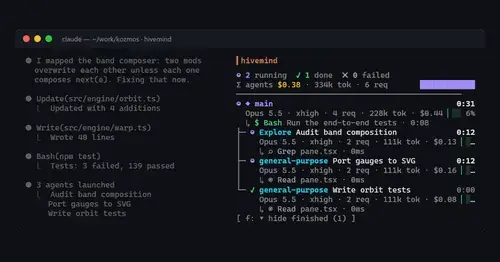
hivemind
Your subagents as a live tree: status, task, tokens, spend and the tool each one runs.
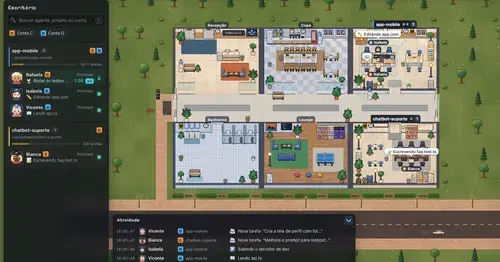
Habblaud
A pixel-art office where each Claude Code agent shows, live, what it is doing.
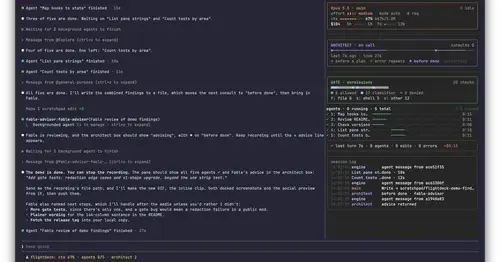
Flightdeck
Subagents, permission checks, advisor consults, context and cost, live in a pane.
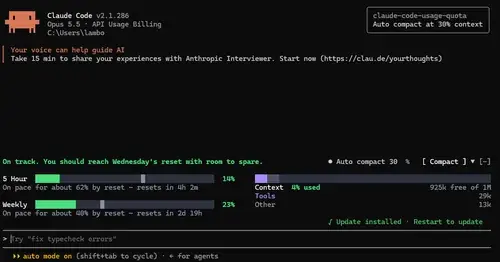
claude-code-usage-quota
5-hour and weekly plan limits, a run-out forecast and the context, with auto compact.
Popular Claude Mods
The whole directory →
pii-guard
Reversible Taiwanese PII redaction for tool results, prompts and writes, all on loopback.
savvy-progress
Running, finished and planned subagents with model, context, cost and time, in one panel.
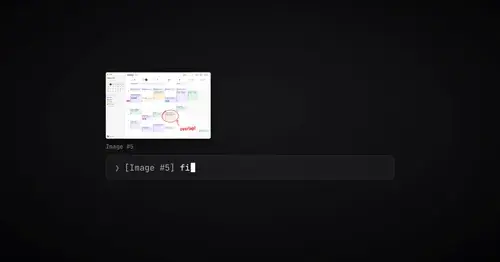
paste-preview
Thumbnails of pasted images, plus an editor to circle what matters before Claude sees it.

threads
Spin up Claude sessions on other models, watch them in a pane, get their answers back.